Improvement
Template variables now stand out in the preview
Variables used to sit in the message body as plain text. They now render as a distinct chip in the WhatsApp preview, so you can see at a glance where the personalisation lands.
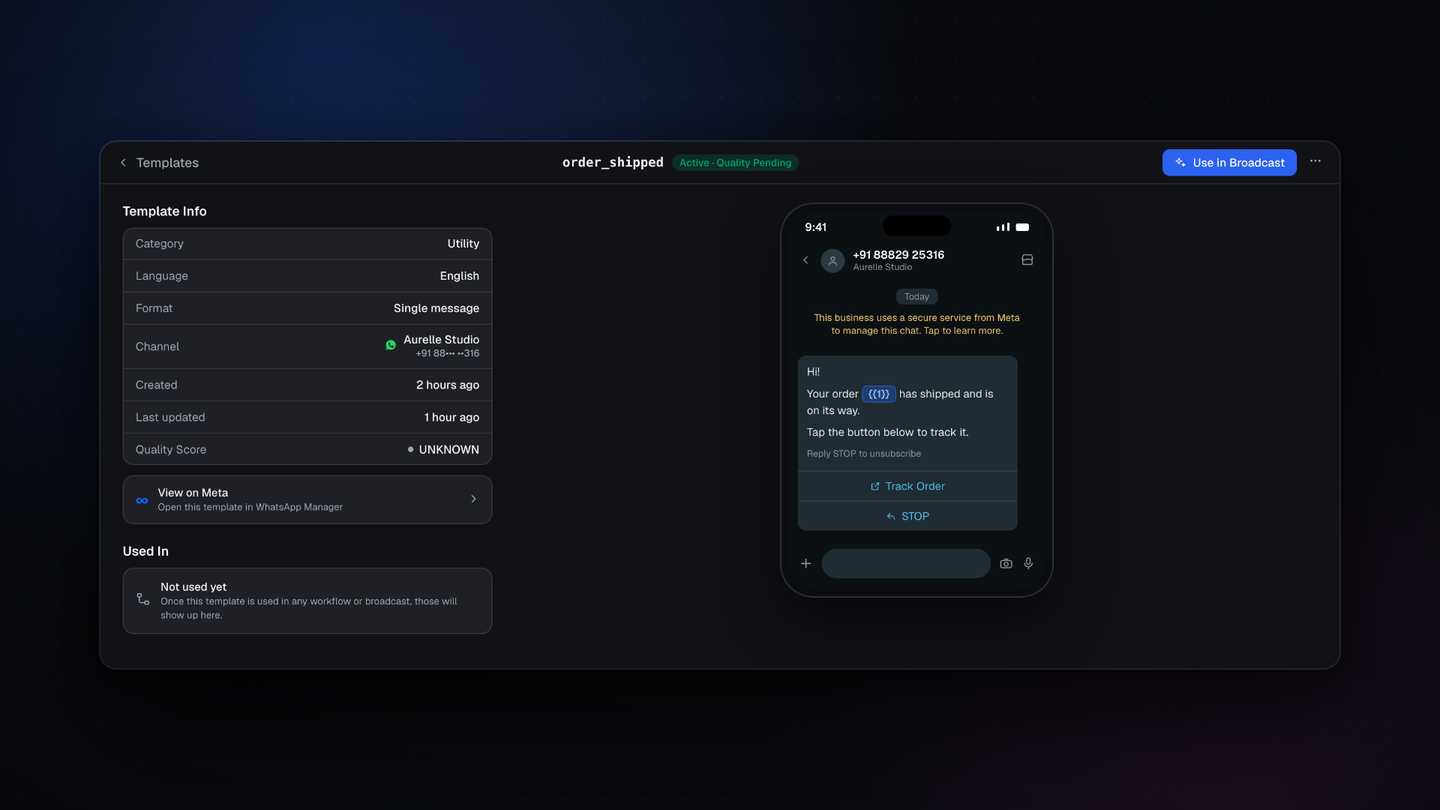
A template variable used to read as plain text inside the message body. It now renders as a distinct chip in the WhatsApp preview.
It is a small change that removes a real annoyance. On a template carrying several variables, working out which placeholder was the name and which was the order number meant reading carefully and counting.
What you see now
- Each variable renders as a chip inside the preview, so it is visible at a glance
- The chip carries the placeholder itself, so it still matches exactly what you submit to Meta
- The rest of the message reads as normal text around it
Where to find it
Open Message Templates and select a template. The preview sits on the right of the detail page.