Key takeaways
Meta can now automatically change your Utility to Marketing templates if misused for sales purposes
Ask an AI about this article
We've rolled out several important updates to help you stay informed about WhatsApp template category changes and avoid unexpected delivery issues.
What's Changed?
Meta's automated review system can reclassify templates from Utility to Marketing at any time if it determines the content is more suitable for marketing purposes. When this happens, it can impact your delivery rates and pricing without warning.
To help you stay ahead of these changes, we've implemented four key improvements:
1. Notification on Category Changes
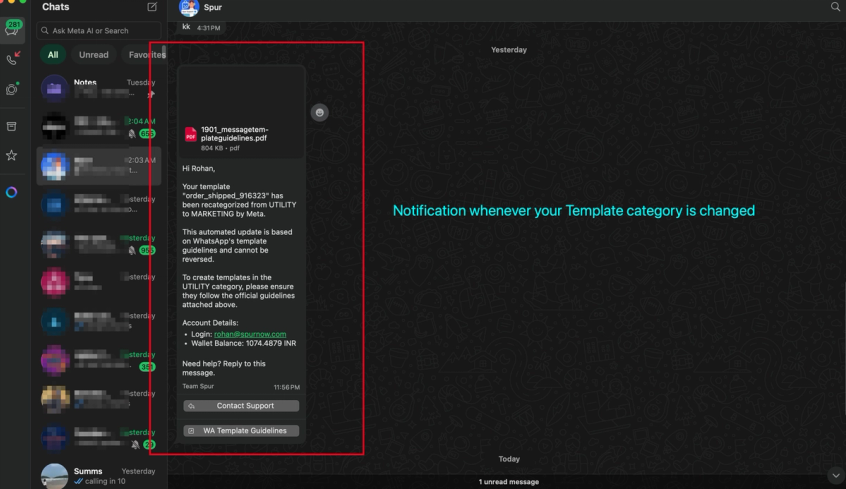
As soon as a template's category is changed, you get a WhatsApp notification
- Comes with guidelines and best practices to follow
- Give you the template name, login email and wallet balance to quickly know your account status
2. Pre-Broadcast Warning for Utility Templates
Before sending a broadcast with a Utility template, you'll now see a clear notice explaining:
- Meta may reclassify your template to Marketing at any time
- The potential consequences (higher costs, lower delivery rates, stricter sending limits)
- Best practices to improve delivery rates
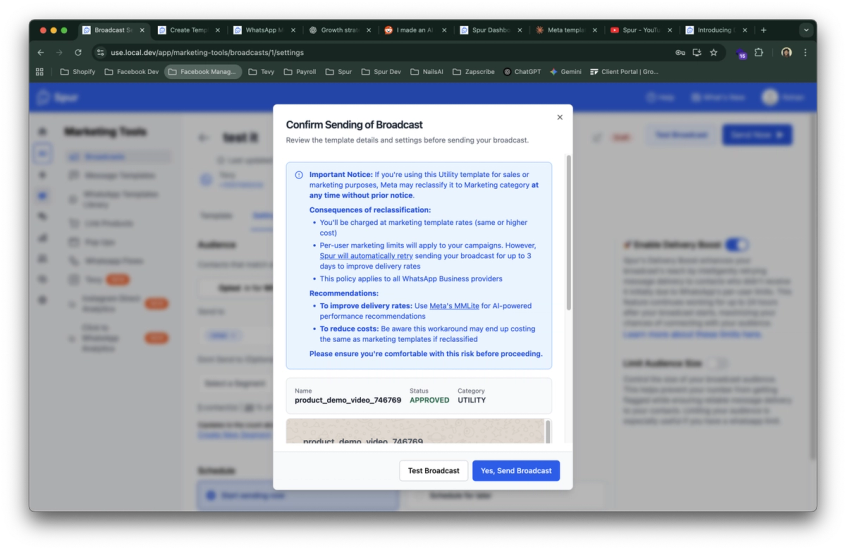
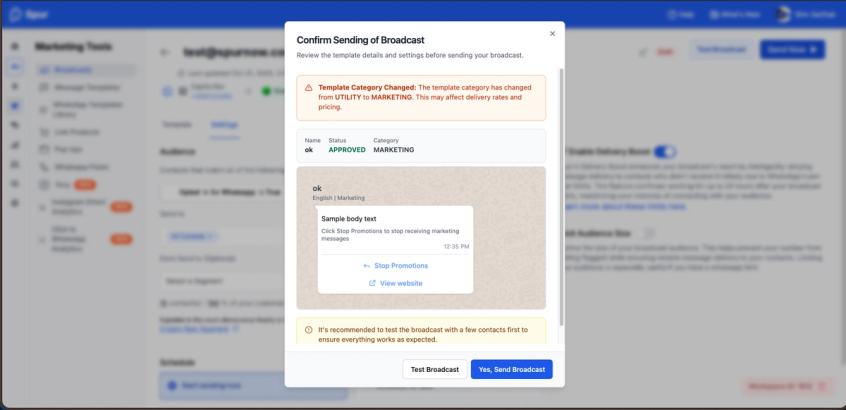
2. Real-Time Reclassification Alerts
If Meta changes your template category while you're setting up a broadcast, you'll immediately see a warning showing:
- The category change (from Utility to Marketing)
- How this affects your delivery and pricing
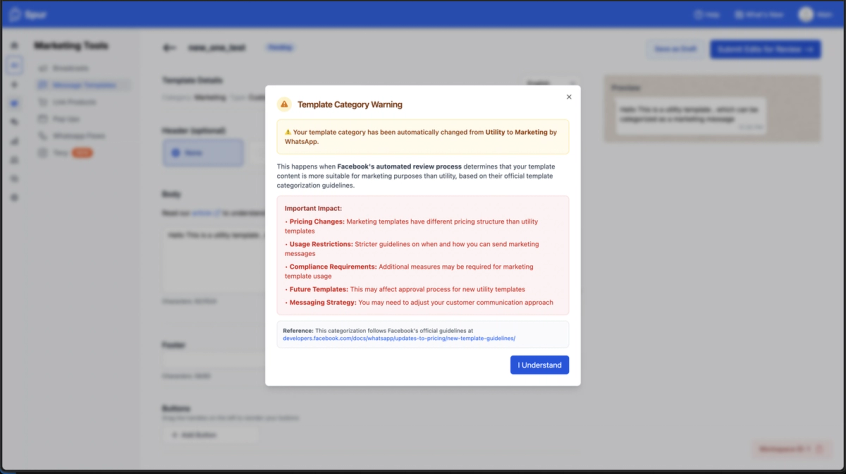
3. Template Page Status Notifications
When you open a template that has been reclassified, you'll see a comprehensive warning modal explaining:
- Why the change happened (Meta's automated review process)
- The important impacts on pricing, usage restrictions, compliance, and future templates
- A direct link to Meta's official template categorization guidelines
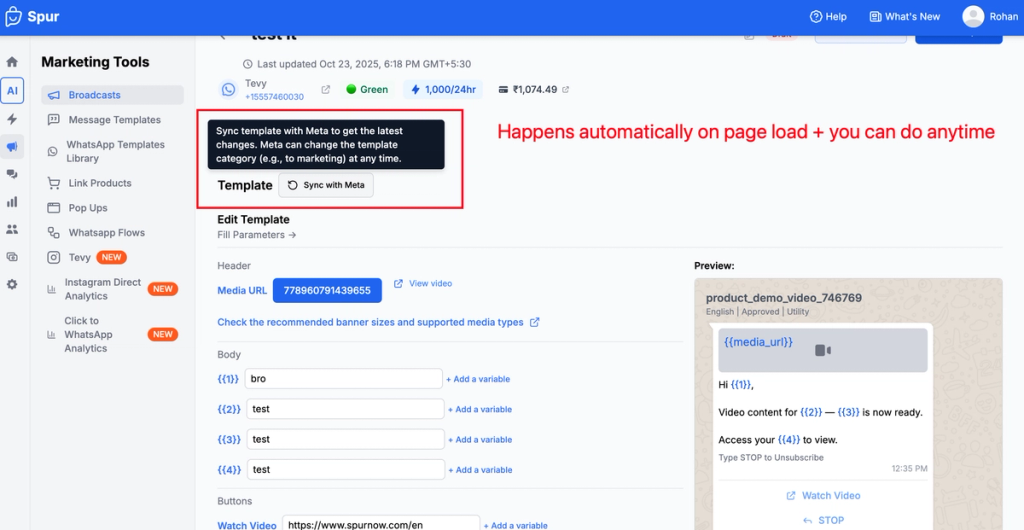
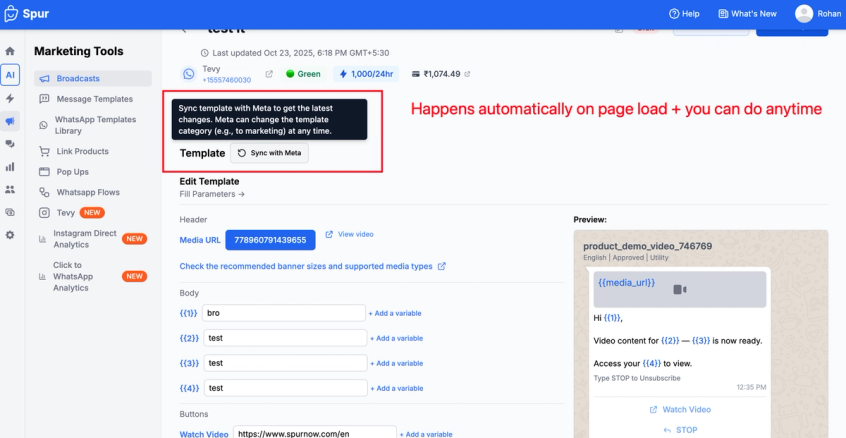
4. Automatic Template Status Refresh
Template categories now automatically refresh when you open the template page during broadcast setup. This ensures you're always working with the most current information from Meta.
Why This Matters
These updates help you:
- Avoid surprise costs from unexpected category changes
- Maintain delivery rates by being aware of template status before sending
- Stay compliant with Meta's template categorization guidelines
- Plan better with accurate, real-time template information
Important Reminder
While these alerts keep you informed about category changes, the best way to avoid reclassification is to follow Meta's official template guidelines from the start. Templates that use workarounds or don't align with Meta's categorization rules can be reclassified at any time by their automated systems—regardless of which provider you use.
Learn more about Meta's template categories and guidelines at: developers.facebook.com/docs/whatsapp/updates-to-pricing/new-template-guidelines
Sources
The pages this article links out to, in the order they appear.
- developers.facebook.com/docs/whatsapp/updates-to-pricing/new-template-guidelines developers.facebook.com
Was this article useful?