Key takeaways
- A virtual agent is AI software that understands free-form customer messages and takes actions, such as tracking or cancelling an order, through your business systems. A basic chatbot only replies from a script.
- It combines language understanding, conversation memory, API connections to your systems, a knowledge base of your FAQs and docs, and handoff to a human with the full conversation.
- Organizations using AI virtual agents reported an average 8 percentage point rise in CSAT and a 4 point rise in Net Promoter Score.
- Start with 5 to 10 high-volume requests, train the agent on your help content, connect the systems it needs, test it with staff, then review transcripts weekly after launch.
- Tell customers they are talking to AI and show how to reach a person, for example by typing 'agent'.
Ask an AI about this article
Customer messages are everywhere. Instagram DMs asking about product sizes. WhatsApp queries about order status. Live chat questions at 2 AM. Facebook comments requesting pricing info.
Your team is drowning in repetitive questions while important conversations get buried. Familiar?
This is where virtual agents come in. Not the clunky "press 1 for support" bots from 2015, but intelligent AI that actually understands what customers want and gets things done.
By 2025, 69% of organizations have integrated virtual assistants into their tech stack. The ones who haven't? They're scrambling to catch up.
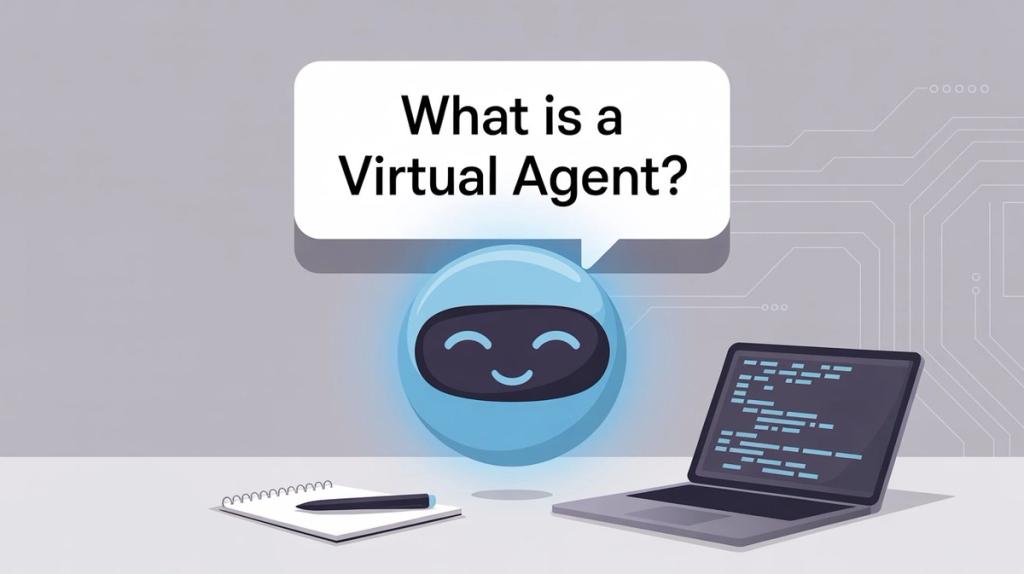
What Is a Virtual Agent and How Does It Work?
A virtual agent is an AI-powered software assistant that holds human-like conversations and takes actions on behalf of users. Think of it as a digital employee who can chat with customers, answer questions, and execute tasks like tracking orders or booking appointments.
What makes them different from the chatbots you might be thinking of? They don't just spit out scripted responses. Virtual agents use natural language processing to understand what people actually mean, even when phrased differently. They connect to your business systems to pull real data and make real changes.
Example: A customer asks your virtual agent "Where's my order?"
The agent understands the intent (order tracking), asks for the order number if needed, looks it up in your database, and responds with "Your package is out for delivery and should arrive by 6 PM today."
If the customer says "Actually, I need to cancel it," the agent can process that cancellation right there in the chat. No human needed.
That's actionable AI. Not just conversation, but execution.
Why Do Businesses Need Virtual Agents in 2025?
The technology has hit a tipping point. Generative AI models like GPT-5 made virtual agents dramatically better at understanding natural language and generating helpful responses.
The result? Studies show that around 80% of business leaders saw noticeable improvements in customer satisfaction and service speed after using conversational AI.
Virtual Agent vs Chatbot: What's the Difference?
These terms get thrown around interchangeably, but they're not the same thing.
Type | Technology | Core Capability | Best For |
|---|---|---|---|
Traditional Chatbots | Decision trees, keyword matching | Scripted responses to specific queries | Simple FAQs with predictable questions |
Virtual Assistants | Consumer AI (Siri, Alexa, Google) | Personal task help, voice commands | Individual users, personal productivity |
Virtual Agents | Enterprise AI + system integrations | Understand intent + Execute actions | Business automation, customer service |
Traditional Chatbots: Limited Scripts and Keyword Matching
Basic chatbots run on decision trees. They present menu options ("Press 1 for hours, 2 for support") or match keywords to canned answers. Many don't use AI at all and break down when customers phrase questions differently than expected.
Ask a traditional chatbot "My package never showed up" and it might say "I don't understand." These bots can only respond within narrow scripts.
Virtual Assistants: Consumer AI for Personal Tasks
In common usage, this term refers to consumer voice assistants like Siri, Alexa, or Google Assistant. They help with personal tasks like setting reminders or playing music.
Confusingly, "virtual assistant" can also mean a human remote worker. To avoid this mess, enterprise contexts often use "intelligent virtual assistant" (IVA) which is basically another name for virtual agent.
Virtual Agents: AI That Actually Takes Action
Virtual agents are chatbots with brains and muscle. They use true AI to understand free-form questions, identify user intent, and take appropriate actions to fulfill requests.
The defining characteristic: As IBM puts it, "Whereas a chatbot can only respond, a virtual agent can understand, learn and do." Virtual agents don't just talk, they execute.
A traditional chatbot might answer "What are your business hours?" with a scripted reply. Ask it "I need to return a damaged product" and you'll hit a dead end unless that exact phrase was anticipated.
A virtual agent interprets that as a return request, asks for your order number, checks eligibility in the order system, initiates the return, and provides a return label. All in one conversation.
How Do Virtual Agents Work? The Technology Behind AI Customer Service
Modern virtual agents combine multiple AI technologies working together. Here's what powers them behind the scenes:
Natural Language Understanding: How AI Comprehends Customer Messages
This is the AI that lets agents comprehend what users mean. Advanced language models break down text to extract intent and relevant details (dates, product names, order numbers).
One person says "I can't log in." Another says "having trouble signing on." A third types "password not working." The AI recognizes these all mean the same thing: login help.
This linguistic flexibility is what makes virtual agents actually usable.
Dialog Management: Maintaining Natural Conversation Flow
Once the agent understands what you want, it needs to respond intelligently and keep the conversation flowing. Modern systems use generative AI to create natural, human-like responses while maintaining context.
They remember what you said earlier in the chat. If you provided your name or issue, the agent won't ask again. This context awareness is crucial for a seamless experience.
Backend Integration: Connecting to Your Business Systems
This is where virtual agents separate from basic chatbots: they can do things.
Virtual agents connect to your business systems through APIs. When you ask about order status, the agent queries your order database. When you request a cancellation, it processes that through your order management system.
Platforms like Spur make this easy with built-in integrations for Shopify, WooCommerce, and custom e-commerce systems. The agent can track orders, update customer records, and execute workflows without any human intervention.
Knowledge Base: Training AI on Your Company Information
To answer questions accurately, virtual agents need information. They tap into your FAQ pages, help center articles, product documentation, or curated knowledge bases.
Many use intelligent search capabilities that find answers even when questions are phrased differently. Some use retrieval augmented generation, where the agent searches your docs and formulates answers in a conversational way while citing the source.
This ensures answers are grounded in truthful, company-approved information rather than the AI making things up. Spur's AI agents can be trained on your website data and knowledge base to provide accurate, brand-consistent responses.
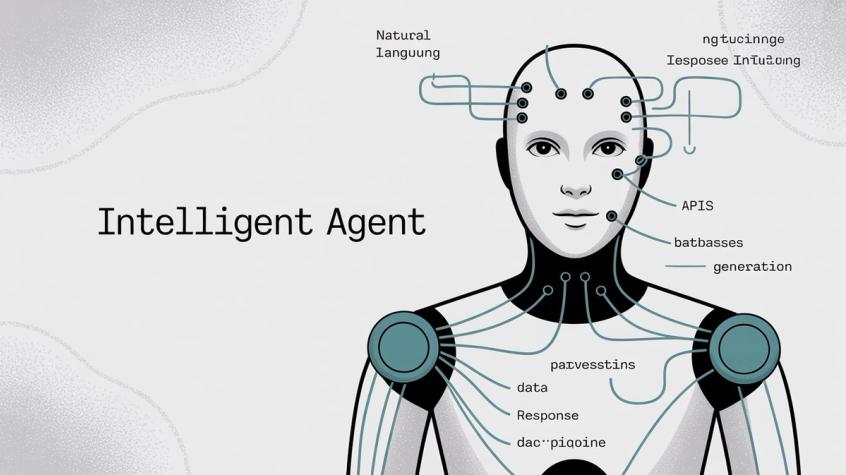
The workflow:
① User message arrives
② AI analyzes intent
③ Decide whether to answer from knowledge or perform a task
④ Fetch info via search or execute via API
⑤ Generate natural response
⑥ Deliver in user's channel
All of this happens in seconds, giving users the impression of talking to a competent, always-available representative.
Human Handoff: When to Escalate to Live Agents
Well-designed virtual agents know their limits. When something is too complex, sensitive, or unusual, they seamlessly transfer to a human agent with full conversation context.
The customer doesn't repeat themselves. The human picks up exactly where the bot left off. Spur handles this through a shared inbox where AI manages simple queries and routes complex issues to your team with complete context.
What Are the Benefits of Virtual Agents for Business?
Why are so many companies investing in this technology? Because when set up correctly, virtual agents deliver massive benefits.
Benefit | Impact | Proven Results |
|---|---|---|
24/7 Availability | Instant service any time | Higher customer satisfaction |
Massive Scalability | Handle thousands simultaneously | 12% reduction in human handle time |
Cost Savings | AI handles routine queries | $6.00 saved per contained conversation |
Consistency | Same quality every interaction | 8-point CSAT improvement |
Employee Relief | Free from repetitive work (50-80% of contacts) | Better team morale |
24/7 Customer Service Without Hiring More Staff
Virtual agents never sleep. Customers get help at 3 AM on Sunday without waiting. This always-on availability greatly improves customer satisfaction.
No more "Our office is closed, please contact us tomorrow." The bot is ready whenever a customer needs it.
How Virtual Agents Scale to Handle Thousands of Conversations
One virtual agent handles hundreds or thousands of conversations simultaneously. During peak times or viral campaigns, you don't scramble to add staff. The AI scales to meet demand.
Organizations using AI agents saw an average 12% reduction in human handle time because the AI resolved simpler queries instantly.
Cost Savings: How Much Money Do Virtual Agents Save?
Each interaction handled by AI is one less for your staff, meaning you support more customers without linear headcount increases.
A Forrester study found that for large enterprises, automating conversations via virtual agents saved about $6.00 per contained conversation. Correctly routing customer calls saved $7.75 per call in operational costs.
Even for smaller businesses, having AI handle FAQs means operating a leaner support team while actually improving service quality. Learn more about automating customer support to reduce costs.
Consistency and Accuracy: AI Never Has a Bad Day
Human agents can be inconsistent. Their answers vary, especially when tired or new. An AI virtual agent gives consistent responses every time, based on the knowledge it's trained on.
This matters for:
→ Compliance (ensuring no rogue promises)
→ Branding (tone stays uniform)
→ Multilingual support (same quality in every language)
Do Virtual Agents Improve Customer Satisfaction?
99% of organizations using AI virtual agents reported increased customer satisfaction scores. On average, they saw an 8 percentage-point improvement in CSAT and a 4-point increase in Net Promoter Score.
Why? Faster help, no wait times, 24/7 service, and instant problem resolution for common issues.
Customers appreciate self-service that actually works. Many prefer quickly getting an answer from a bot over spending 15 minutes on hold.
Reducing Support Team Burnout with AI Automation
Virtual agents free your human team from repetitive queries (which often constitute 50-80% of contacts). Instead of answering "What's my order status?" for the 50th time, your team tackles interesting problems or gives personalized care to VIP customers.
This improves morale and prevents burnout. Support staff feel more valued when they have AI tools supporting them.
Data Insights: What Virtual Agents Reveal About Your Customers
Every AI interaction gets tracked and analyzed. You see what questions are most asked, what issues are trending, where the bot fails, and customer sentiment patterns.
These insights inform product improvements. If many people ask about a confusing feature, you know to fix your UX or documentation. The virtual agent becomes another data source on customer needs.
83% of organizations report positive ROI from recent AI deployments, indicating that when businesses deploy virtual agents, they generally see tangible benefits quickly.
Where Should You Use Virtual Agents? Top Use Cases
Virtual agents shine in any scenario involving repetitive information exchange or transactional interactions. Here are the highest-value applications:
Customer Support: Automating FAQs and Troubleshooting
The classic use case. Virtual agents handle FAQs, troubleshooting, account questions, and basic support tickets across all your channels.
On websites, an AI chat widget greets users and resolves questions without human intervention. On WhatsApp, Instagram, and Facebook Messenger, agents welcome customers and guide them to answers.
Example deployments:
→ Banks use virtual agents for balance inquiries and password resets
→ Telcos handle network troubleshooting and service questions
→ Tech companies walk customers through diagnostic steps
Spur's AI agents deploy across WhatsApp, Instagram DMs, Facebook Messenger, and live chat simultaneously. One agent, trained on your knowledge base, handles all channels consistently.
E-Commerce: Virtual Shopping Assistants and Order Tracking
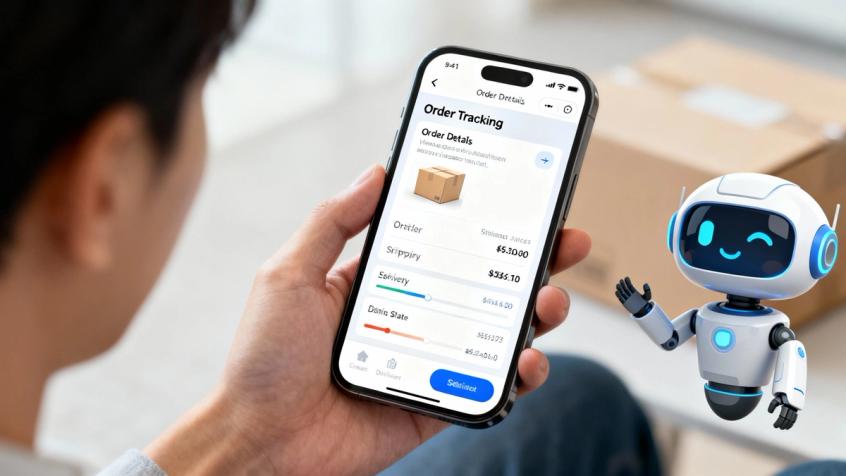
Online retailers use virtual agents as shopping assistants. They answer product questions, check availability, track orders, and process returns/exchanges.
Virtual agents also recover abandoned carts by proactively messaging customers who haven't checked out, offering help or discounts.
Common e-commerce automation:
• Order tracking and shipment updates
• Product availability checks and recommendations
• Return and exchange processing
• Abandoned cart recovery campaigns
Many D2C brands use WhatsApp or Instagram DM automation to answer pre-purchase questions, effectively acting as salespeople in chat. Research shows instant AI responses can dramatically increase conversions compared to slow responses.
Spur excels here with built-in e-commerce flows for cart recovery, order updates, and abandoned checkout recovery across WhatsApp and Instagram.
Sales and Lead Generation: Qualifying Prospects with AI
Beyond support, businesses deploy virtual agents to capture and qualify leads. A real estate firm might use an agent on their site or Facebook page to ask: "Looking to buy or rent? What budget? Which location?"
The agent gathers info a sales rep would ask, then either recommends listings or schedules a meeting with a human.
On Instagram, Comment-to-DM automation automatically messages people who comment on posts, continuing the conversation and capturing lead details. Virtual agents turn social media engagement into qualified leads.
They can integrate with CRM systems to feed leads, assign to sales staff, or nurture them with follow-ups. Essentially, virtual agents act as automated SDRs for basic lead qualification.
Banking and Finance: Automated Account Management
Banks use virtual agents for account inquiries, fund transfers, and explaining credit card rewards via chat. They handle routine questions like routing numbers or password resets without tying up call centers.
Fraud alerts can be managed by virtual agents. If a suspicious transaction occurs, the agent messages asking "Did you make this $500 purchase?" and routes accordingly.
Insurance companies use bots to answer policy questions and help file claims by walking users through forms conversationally.
Healthcare: Appointment Scheduling and Patient Support
Healthcare providers use virtual health assistants for appointment scheduling, patient inquiries, and basic symptom checking.
Patients can book appointments, get service information, check insurance coverage, or request prescription refills via chat. This frees medical staff from endless phone calls.
During the pandemic, hospitals deployed COVID-19 triage chatbots to assess symptoms and advise on testing.
Travel and Hospitality: Flight Updates and Hotel Concierge
Airlines use bots for flight updates, online check-in assistance, and baggage queries. If a flight is canceled, AI can proactively reach out to affected passengers with rebooking options.
Hotels deploy virtual concierge bots for room service, extra amenities, or local recommendations. Travel booking sites use chatbots for conversational search like "Find me a flight from London to Paris next Thursday."
HR and Internal Help Desk: Employee Self-Service
Companies turn virtual agents inward to support employees. HR virtual agents answer common questions via Slack or company portals: "How do I reset my email password?" "How many vacation days do I have left?"
They guide employees through submitting PTO requests or enrolling in benefits. Internal IT support bots handle password resets, software troubleshooting, and access requests automatically.
The pattern? Virtually every industry that engages customers or has repetitive processes is exploring virtual agents. 82% of companies are either using or planning to use AI agents in operations.
How to Set Up a Virtual Agent: Complete Implementation Guide
Deploying a virtual agent requires thoughtful planning. Here's your roadmap to success:
① Define Your Goals and Use Cases
Start by deciding what problems the agent will solve. Don't try to make one bot do everything on day one.
Identify the top use cases where AI could help. Look at support logs or sales funnels for repetitive tasks consuming time. If 30% of support emails ask "Where is my order?", that's a strong automation candidate.
Define success metrics: reduce live chat volume by 50%, improve first response time to under 1 minute, capture 100 leads weekly via the bot.
Focus is key. Better to handle 5-10 intents really well than 50 intents poorly. You can always expand later.
② Choose Your Deployment Channels
Determine where users will interact with your agent. Website chat widget? WhatsApp? Instagram DMs? Mobile app? SMS?
Pick channels where your customers already seek help. If you get lots of support through Instagram and Facebook DMs, deploy there.
Many modern platforms like Spur support multi-channel deployment out of the box. You build the AI agent once and deploy it to web, WhatsApp, Instagram, Facebook Messenger, and live chat easily.
Meet your users where they are.
③ Build Your Knowledge Base
A virtual agent is only as good as the information it has access to. Gather FAQs, support articles, product info, policy documents, and structured data.
Many AI agents can ingest your existing help center or knowledge base URLs. This ensures the AI's answers align with official information.
For task-oriented use cases, identify process flows: for order cancellation, what steps and API calls are needed? Set up connectors or API credentials so the agent can query and update data.
Spur lets you train AI agents on your knowledge base with a no-code interface. Upload your docs, connect your systems, and the agent learns what it needs to know.
④ Design Conversation Flows
Outline how dialogs should go for each use case. For password reset: bot greets → asks for email → user provides it → bot triggers reset link → bot confirms sent.
Configure these flows in your platform's visual builder. Script greetings, fallback messages (when the bot can't understand), and escalation prompts.
Define your bot's persona. Friendly or formal? Humorous or straight-laced? Your virtual agent should reflect your brand voice consistently.
Be transparent that it's an AI: "Hi, I'm Ava, the virtual assistant. I can help with orders, tracking, and more!" This sets clear expectations.
⑤ Connect Business Systems and APIs
If your virtual agent needs to perform transactions or fetch data, integration is crucial.
Connect databases/APIs so the bot can retrieve order status or cancel orders. Spur offers native integrations with Shopify, WooCommerce, Stripe, Razorpay, and custom e-commerce platforms.
Set up integrations with WhatsApp Business API, Facebook Messenger, and your web chat widget. Configure how the bot hands off to live agents via your shared inbox or helpdesk software.
Test everything. Ask the bot to track an order, verify it hits the API and returns correct info. Test escalation scenarios to ensure your team receives handoffs properly.
⑥ Test Thoroughly Before Launch
Before unleashing on real customers, do thorough testing. Use scripted test cases covering each intent and unscripted testing where team members try to "stump" the bot.
Run a beta test with internal staff or friendly customers. During testing, you'll discover improvements needed. Maybe the bot didn't recognize a common phrasing, or a tone needs tweaking.
Refine training data with missed phrasings. Polish is crucial for a smooth launch.
⑦ Deploy and Monitor Performance
After successful testing, deploy to live channels. Announce it clearly: "New: Chat with Spur's virtual assistant 24/7."
Closely monitor performance in the first weeks. Track metrics like conversations handled, containment rate, deflection rate, and customer feedback.
Users will ask things you didn't anticipate. Review transcripts and add new intents as needed. Continuous improvement is key.
Many successful deployments do weekly or bi-weekly updates early on, adding new Q&As and improving the NLP model to steadily increase effectiveness.
⑧ Continuously Train and Improve Your Agent
Don't set it and forget it. Make virtual agent maintenance part of your operational review.
Look at intent recognition accuracy and containment rates. If containment is low because of common out-of-scope requests, expand the bot's knowledge to cover them.
Use machine learning improvements. Gather user feedback through thumbs-up/thumbs-down prompts. Monitor handoff rates and ensure staffing is aligned.
A virtual agent is an ongoing project like a team member. It requires onboarding (initial training) and continuous coaching (improvement) to perform at its best.
Virtual Agent Best Practices for Maximum ROI
Be Transparent That Customers Are Talking to AI
Let users know they're interacting with an AI from the start. Honesty builds trust.
"Hi! I'm ChatBot Anna. I can help with tracking orders, account questions, and more, or connect you with a human agent if needed."
Clearly show how to reach a human: "Type 'agent' at any time to talk to a human."
Keep Your Bot's Tone On-Brand and Empathetic
Even though it's an AI, language should reflect your brand voice and show empathy. Use a conversational tone, not robotic.
If a user says "I'm really frustrated," the bot should acknowledge: "I'm sorry to hear that. Let's see how I can help."
Write for conversation. Use first person ("I") and second person ("you"), and maintain a helpful demeanor.
Start Small and Expand Based on Data
Don't overload your virtual agent with 100 features at launch. Start with top use cases that will have the biggest impact.
Get those right (high accuracy and resolution) before adding more. It's better to handle 5 things excellently than 50 things poorly.
Design Graceful Failures and Easy Escalation
When the bot doesn't know an answer, respond helpfully: "I'm sorry I couldn't assist with that. Let me connect you with a human agent who can help."
Then immediately initiate human handoff. Users tolerate a bot not knowing everything, but won't tolerate being trapped in unhelpful loops.
Track the Right Performance Metrics
Track key KPIs:
• Resolution/Containment Rate: What percent of sessions the bot solved without human help
• Deflection Rate: Reduction in human-handled volume due to the bot
• Customer Satisfaction: CSAT surveys or thumbs up/down after chat
• Fallback Rate: How often it didn't understand and had to escalate
Analyze these metrics to prove ROI and improve the agent. Learn more about customer service performance indicators.
Train Your Team to Work with AI
Make sure your support/sales team knows the agent's capabilities and limitations. Involve them in reviewing the bot's answers for accuracy.
Foster a collaborative environment between AI and humans. When your team sees the bot as a helper rather than a threat, they actively contribute to making it better.
Common Virtual Agent Challenges and How to Overcome Them
Virtual agents aren't perfect. Be aware of these limitations so you can mitigate them:
Handling Complex or Nuanced Customer Questions
Despite advanced AI, there will be cases where the agent simply doesn't understand what a user asks. Human language can be messy with slang, typos, or very context-specific questions.
Continuous training and good fallback to humans help, but expect some interactions to go awry. Setting the right expectations covers this.
Managing Emotional or High-Stakes Situations
AI agents aren't great at empathy in truly sensitive situations. If a customer is extremely upset, a human touch is needed.
Route certain keywords straight to humans: if someone mentions legal action or personal tragedy, flag for human intervention.
Context Switching and Conversation Memory
If a user abruptly changes topics or asks multiple questions at once, some bots may get confused. Humans manage multi-part questions better.
Design the bot to recap or confirm information. Integrate with a CRM so it can recall past interactions when identifiable.
Ongoing Maintenance Requirements
Virtual agents need ongoing maintenance. If neglected, helpfulness degrades as your business info changes or users find new ways to stump it.
Plan upkeep in your processes: include the bot when updating FAQs, have regular review meetings. The good news is maintenance effort tends to decrease after the initial few months.
Preventing AI Errors and Hallucinations
Generative AI models can sometimes "hallucinate" and confidently give incorrect answers. This is dangerous in customer service if unchecked.
Use retrieval augmented generation (only answer using retrieved facts) and set strict confidence thresholds. If the AI isn't sure, better to escalate than give wrong info.
None of these are show-stoppers. They're simply factors to manage in your virtual agent strategy. By acknowledging limitations, you can better define the agent's role and complement it with human support where needed.
What's the Future of Virtual Agents?
The virtual agent landscape is evolving rapidly. Here's what's coming:
More Human-Like Conversations with Advanced AI
Virtual agents are becoming increasingly sophisticated. They'll remember past interactions across time, giving a continuous experience: "Welcome back! Last time we chatted about renewing your policy. How can I assist today?"
They'll improve in handling multi-intent queries better (addressing multiple requests in one go) and detecting sentiment earlier to adjust tone or escalate.
Proactive AI Agents That Initiate Contact
Future virtual agents won't just react to incoming questions. They'll proactively reach out or take initiative to solve issues.
If an AI detects a package delay, it could initiate contact to assist. If you tell a future agent "I'm moving to a new city," it could update your address, transfer utility services, update billing, and notify relevant departments autonomously.
Virtual agents will shift from reactive chatbots to proactive digital employees handling end-to-end processes.
AI-Human Collaboration and Copilots
The future is tight AI-human partnership. We're seeing AI copilots for agents that listen in on customer chats and provide real-time suggestions to human agents.
A customer might start with an AI, then a human joins, but the AI still assists in the background. This collaborative workflow leads to much faster, more accurate service.
Omnichannel Evolution: AI Everywhere You Need Support
Virtual agents will extend beyond chat/voice into new interfaces. Think AR glasses helping shoppers in stores, IoT devices (your smart fridge's assistant ordering groceries), or car voice agents handling customer service while you drive.
As consumers adopt more smart devices, virtual agents will be wherever customers need support.
Personalization Through Customer Data
Virtual agents will use customer history to personalize interactions. "Hi Alice, I see you ordered size M last time. Looking for the same size today?"
Integrating deeply with CRM and customer data platforms while respecting privacy, personalization will greatly enhance service quality.
Multimodal AI: Text, Voice, and Visual Combined
Virtual agents will seamlessly transition between text, voice, and visual mode. A customer could start by voice on Alexa, continue via text on their phone, and the agent handles both.
Multimodal AI can process text, speech, and images together. Imagine tech support where you show the bot a screenshot of an error and it guides you accordingly.
In essence, the future of virtual agents is one where they're smarter, more autonomous, more deeply integrated, and a standard part of everyday customer experience.

Get Started with Virtual Agents Today
Virtual agents have moved from buzzword to business reality. In 2025, they're transforming how organizations engage with customers, delivering instant support, automating sales inquiries, and streamlining service at scale.
The question isn't "Should we use a virtual agent?" It's "How do we use virtual agents to our best advantage?"
The data is clear:
• 69% of organizations use chatbots or virtual assistants
• 8%+ boosts in customer satisfaction
• Proven cost savings of $6-$7.75 per interaction
Customers increasingly expect instant AI-driven service for routine needs.
Key Takeaways for Virtual Agent Success
Start with a clear purpose: Identify where an AI agent will make the most impact and solve that thoroughly before expanding.
Use quality data: Feed the agent up-to-date, accurate knowledge and integrate with systems so it can actually resolve issues, not just talk.
Maintain the human touch: Provide smooth handoffs and use the bot to augment your team, not replace empathy and complex thinking.
Iterate based on feedback: Use analytics and user input to continually refine the agent. Your customers will tell you what they want from it.
Mind the customer experience: Keep interactions natural, transparent, and helpful. A friendly, competent AI agent enhances your brand.
Why Choose Spur for Virtual Agents
Spur makes deploying actionable AI agents remarkably simple.
Unlike basic chatbot tools, Spur's AI agents are trained on your knowledge base and can execute real actions. They don't just answer questions, they track orders, update customer records, book appointments, and handle transactions.
Multi-channel deployment: Deploy the same AI agent across WhatsApp, Instagram DMs, Facebook Messenger, and live chat from one platform. No separate bots for each channel.
Knowledge base training: Spur lets you upload your help docs, product info, and FAQs. The AI learns from your specific business knowledge.
Built-in e-commerce flows: Native integrations with Shopify, WooCommerce, Stripe, and Razorpay. Set up abandoned cart recovery, order tracking, and customer engagement automation in minutes.
User-friendly for non-technical teams: Spur offers a no-code visual builder. Your support team can update the agent without involving IT.
Shared inbox for seamless handoff: When the AI can't handle something, it routes to your team via a unified inbox with full conversation context. No customers repeating themselves.
Actionable AI, not just chat: Spur's custom AI actions can connect to any backend system. Check inventory, create tickets, update CRMs, send webhooks to your services. True automation.
Competitive advantage: Spur combines both: AI support trained on your data plus marketing automation across WhatsApp, Instagram, and Facebook.
When done right, a virtual agent becomes an integral team member handling 50%+ of customer contacts. This frees your human agents to build deeper relationships, innovate, and tackle challenges AI can't.
It's a synergistic relationship: customers get speed and convenience from AI and empathy and creativity from humans, all as part of one unified service experience.
Ready to automate your customer engagement? Start with Spur and deploy actionable AI agents trained on your knowledge base in minutes, not months.
Frequently Asked Questions
Traditional chatbots follow scripted decision trees and can only respond with pre-programmed answers. Virtual agents use AI to understand natural language, interpret user intent, and execute actions like tracking orders or booking appointments. As IBM explains, "Whereas a chatbot can only respond, a virtual agent can understand, learn and do."
Costs vary widely based on platform and scale. Spur's pricing starts at $12/month (billed annually) for the AI Acquire plan with 1 AI agent and 100 credits. Enterprise plans with multiple agents, unlimited flows, and dedicated support range up to $399/month. Most businesses see positive ROI within months through reduced support costs and higher conversions.
Yes. Many virtual agents support multilingual conversations. Studies show that multilingual virtual agents can serve customers in their native language with culturally accurate responses. Spur supports English, Spanish, Portuguese, French, Dutch, and Indonesian.
Well-designed virtual agents recognize when they're out of their depth and seamlessly transfer to a human agent with full conversation context. The customer doesn't repeat themselves, and the human picks up exactly where the bot left off. Platforms like Spur handle this through a shared inbox where complex issues route to your team automatically.
With modern no-code platforms like Spur, you can have a basic virtual agent running in hours or days. Upload your knowledge base, connect your channels (WhatsApp, Instagram, live chat), and configure conversation flows through a visual builder. More complex integrations with custom systems may take a few weeks, but the core agent can be deployed quickly.
Absolutely. Spur specializes in deploying AI agents across WhatsApp Business API, Instagram DMs, Facebook Messenger, and live chat. The same agent works across all channels, providing consistent service wherever your customers reach out. You can even set up Comment-to-DM automation on Instagram where the agent automatically messages people who comment on your posts.
No. The future is AI-human collaboration, not replacement. Virtual agents handle repetitive, routine queries (often 50-80% of contacts), freeing human agents to focus on complex issues requiring empathy, creativity, and judgment. Organizations using virtual agents report higher employee satisfaction because staff handle more interesting work instead of answering the same questions repeatedly.
Virtual agents use machine learning to improve from interactions. They log conversations, identify where they succeeded or failed, and use that data to refine intent recognition. Many platforms allow supervised learning where you map unrecognized utterances to intents after the fact. Regular updates to the knowledge base and training data help the agent become more accurate and handle new scenarios. Continuous improvement is key to long-term success.
Yes, when set up properly. Enterprise-grade virtual agent platforms follow security protocols like data encryption, masking sensitive information in logs, and role-based access controls. Many are compliant with regulations like GDPR, HIPAA (for healthcare), and PCI (for payments). Spur hosts servers in Frankfurt, Germany and sets data localization to Europe for WhatsApp Cloud API to satisfy GDPR requirements.
Yes. Modern virtual agents connect to business systems through APIs. They can query order databases, update CRM records, create helpdesk tickets, send webhooks, and more. Spur offers native integrations with Shopify, WooCommerce, Stripe, Razorpay, Shiprocket, and custom e-commerce platforms, plus the ability to make HTTP requests to any API. This lets the agent execute real actions, not just chat.
Key metrics include Containment Rate (percentage of conversations fully handled by AI without human intervention), Deflection Rate (reduction in human-handled tickets), Customer Satisfaction for bot interactions, Average Resolution Time, Fallback Rate (how often it didn't understand), and Total Volume Handled. Studies show an average 64% containment rate for well-trained virtual agents, meaning almost two-thirds of issues get resolved by AI alone. Learn more about customer service performance indicators.
Sources
The pages this article links out to, in the order they appear.
- 69% of organizations have integrated virtual assistants learn.g2.com
- natural language processing ibm.com
- 82% of companies litslink.com
Was this article useful?