How to Turn Off RCS Messaging (Step-by-Step Guide)

Discuss with AI
Get instant insights and ask questions about this topic with AI assistants.
💡 Pro tip: All options include context about this blog post. Feel free to modify the prompt to ask more specific questions!
If you're reading this, you're probably dealing with one of these frustrations:
Your texts stopped working after switching from Android to iPhone. Or you're tired of read receipts showing everyone when you've seen their messages. Maybe RCS business spam is flooding your inbox, or you just want messaging that works without the complications.
RCS (Rich Communication Services) promised to modernize texting with features like typing indicators, high-resolution photos, and read receipts. But the reality isn't always smooth. Sometimes you need to turn it off, whether temporarily or permanently.
This guide shows you exactly how to disable RCS on both Android and iPhone, including the critical step most guides miss: remote deactivation when you don't have access to your old phone.
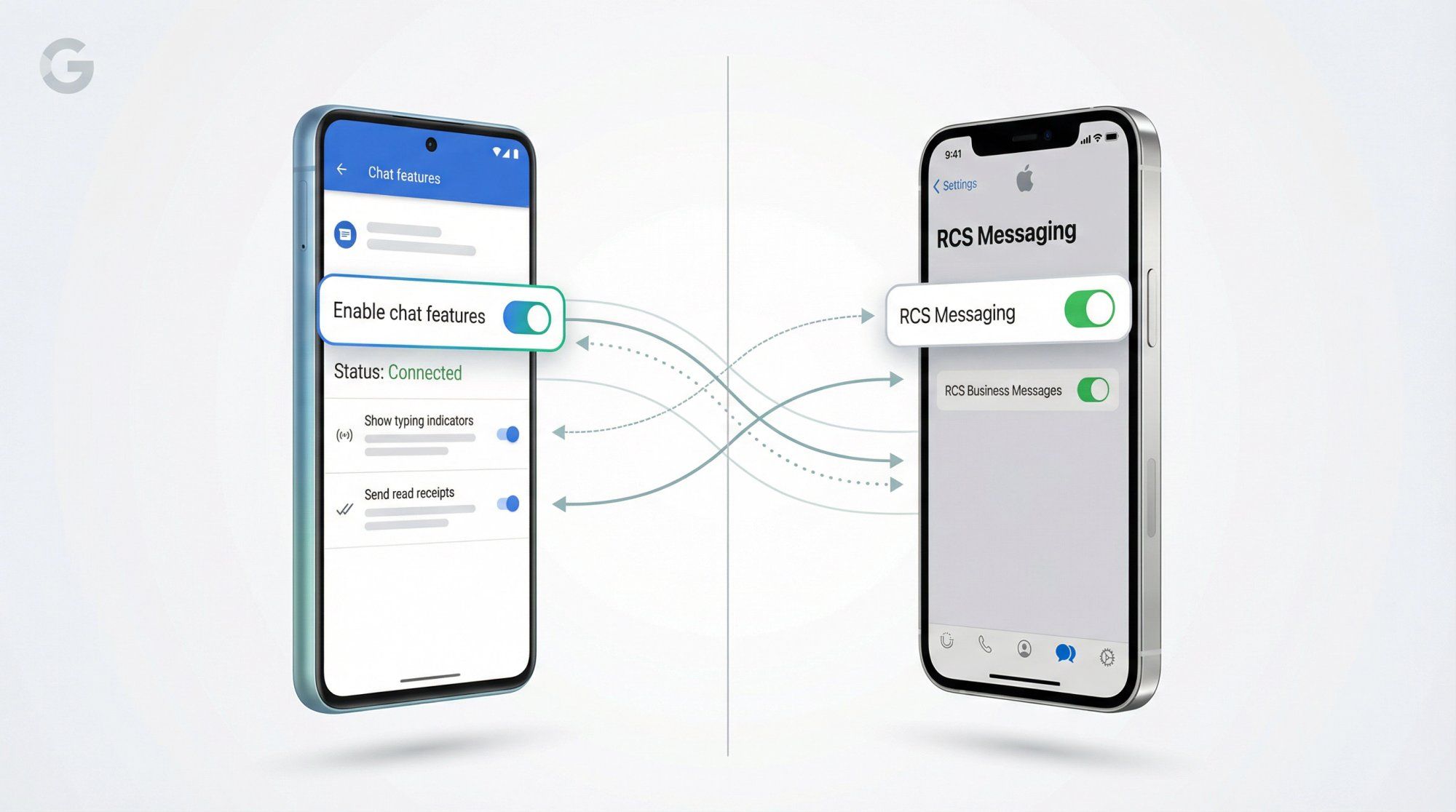
RCS is essentially "SMS 2.0." Instead of using traditional carrier SMS channels, it sends messages over Wi-Fi or mobile data. Think of it like iMessage, but for Android (and now iPhone with iOS 18+).
According to Google's official documentation, when RCS is enabled, you get:
- Read receipts and typing indicators
- High-resolution photos and videos
- Group chats with up to 100 participants
- Message reactions and replies
- Wi-Fi messaging when cellular signal is weak
When you turn RCS off, your phone falls back to SMS/MMS. Google explicitly warns that this means you'll lose those enhanced features and repeatedly toggling RCS on/off can remove you from group chats.
Here's what actually happens:
Your messages send as traditional SMS (limited to 160 characters per segment). Photos and videos compress down to MMS quality. Read receipts disappear. Group chats might get messy or switch to separate threads.
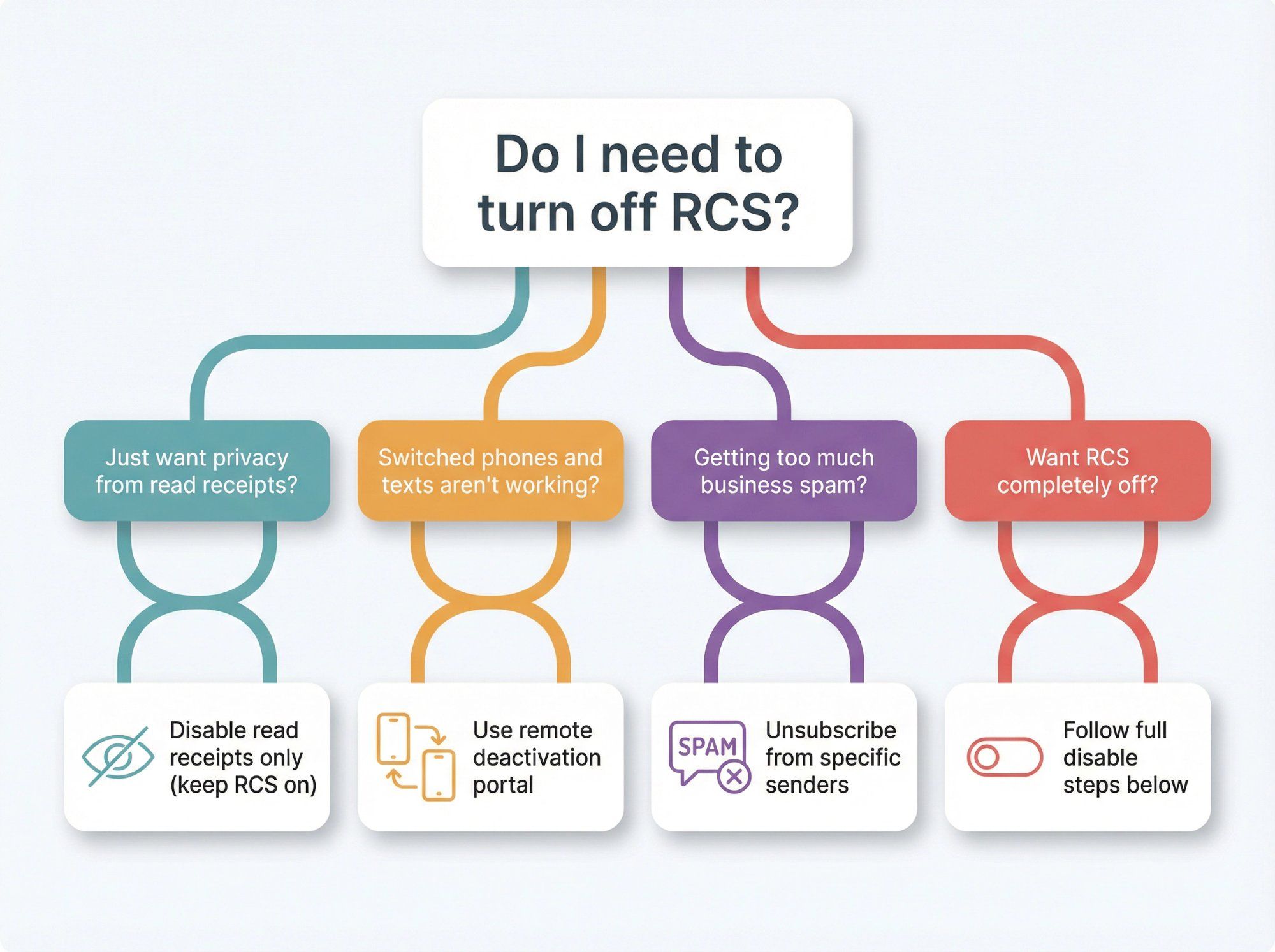
Most people don't need to completely turn off RCS. Choose what you actually need:
Keep RCS on, but in Google Messages settings, go to RCS chats → disable "Send read receipts" and "Show typing indicators."
This is the big one. If you switched from Android to iPhone (or vice versa) without properly disabling RCS first, your messages are probably going to the wrong device.
Solution: Turn off RCS on the old phone if you still have it. If not, use Google's deactivation portal (more on this below).
Don't disable the whole protocol. On Android, unsubscribe from specific business senders in Google Messages. On iPhone, turn off just RCS Business Messages in settings.
Follow the full deactivation steps below.
Most Android phones now use Google Messages as the default texting app. Here's the exact path:
- Open Google Messages
- Tap your profile picture in the top right
- Tap Messages settings
- Tap RCS chats (might be labeled "Chat features" on some versions)
- Toggle RCS chats off
Google's help documentation shows the status will change to "Disconnected." When you compose a message, the input field will say "Text message" instead of "Chat message."
Google notes that some versions label it as "Chat features" instead. Same setting, different name.
This isn't an error on your end. Contact your carrier if you want RCS enabled, or leave it as is if you want it off.
Some Samsung phones still use Samsung Messages instead of Google Messages:
- Open Samsung Messages
- Tap the menu (three dots) → Settings
- Tap RCS chats settings
- Toggle Rich Communication Services (RCS) off
According to Google's security documentation, this is the path for "most Samsung devices." If you don't see these options, you're probably using Google Messages instead.
Note: On some US carriers like AT&T, RCS is labeled "Advanced Messaging." AT&T's support page confirms toggling this off achieves the same result.
Apple added RCS support starting with iOS 18, released in September 2024. According to Apple's official support documentation, here's how to disable it:
- Open Settings
- Scroll to Apps → Messages
- Tap RCS Messaging
- Toggle RCS Messaging off
If you don't see the RCS option at all, Apple notes it may not be available for your carrier or region yet.
Getting promotional spam from businesses? You can turn off just business RCS messages:
- Settings → Apps → Messages → RCS Messaging
- Toggle RCS Business Messages off
Apple also notes you can report individual messages as junk inside conversations.
This is the critical step most guides skip. It's the difference between "my texts work again immediately" and "why are messages still missing?"
If you:
- Switched devices without the old one
- Lost or broke your phone
- Factory reset without disabling RCS first
You need to use Google's RCS deactivation portal.
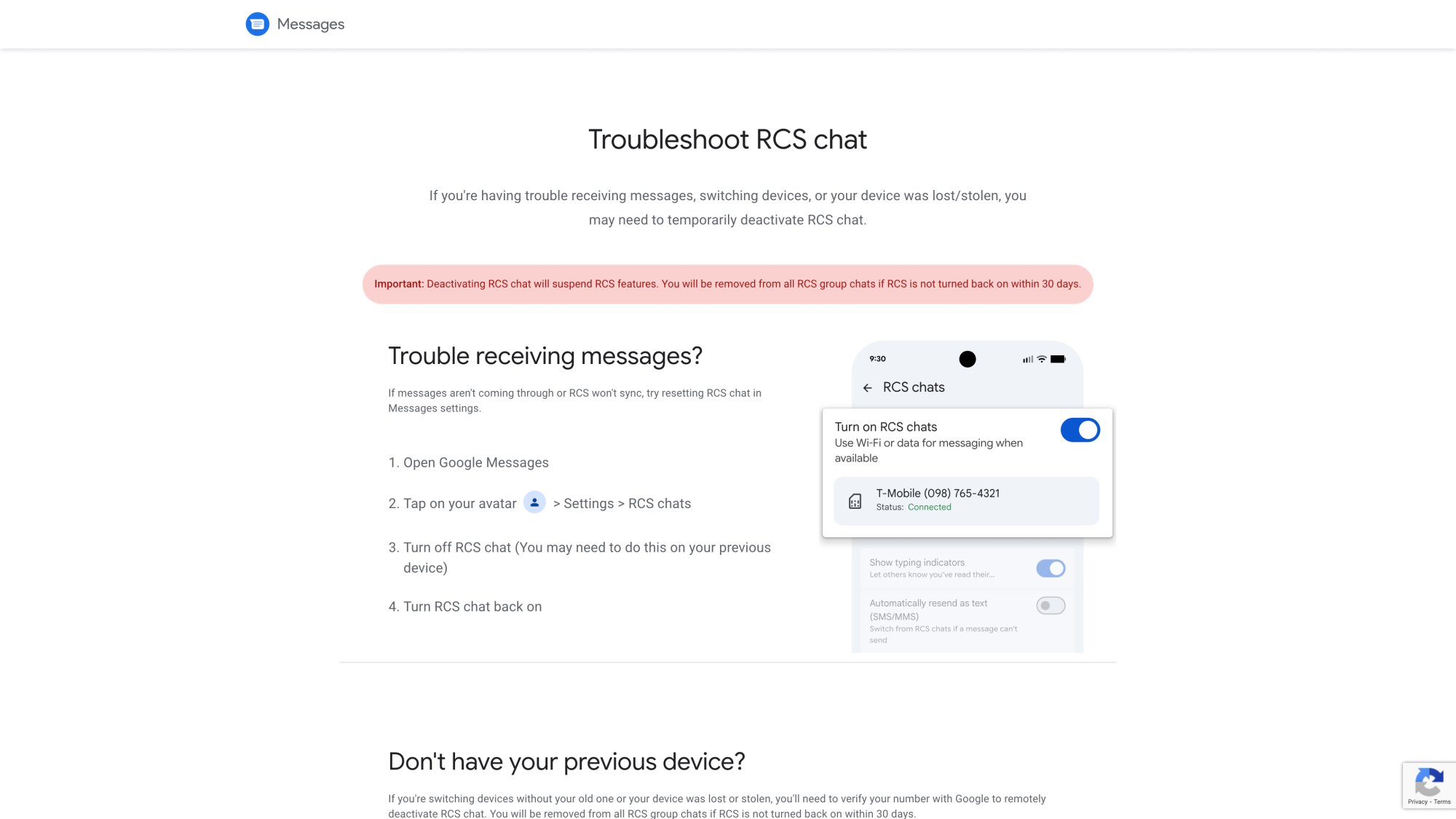
- Go to messages.google.com/disable-chat
- Enter your phone number
- Receive a 6-digit verification code via SMS
- Enter the code and deactivate
Google's portal warns that deactivating RCS suspends features and you'll be removed from all RCS group chats if you don't turn it back on within 30 days.
Why this matters: Google's security documentation states that after you remove your SIM card, RCS chats may still work for about 8 days. Your number remains registered for RCS on the old device, routing messages there instead of your new phone.
This is huge, especially in India and other markets where dual SIM is standard.
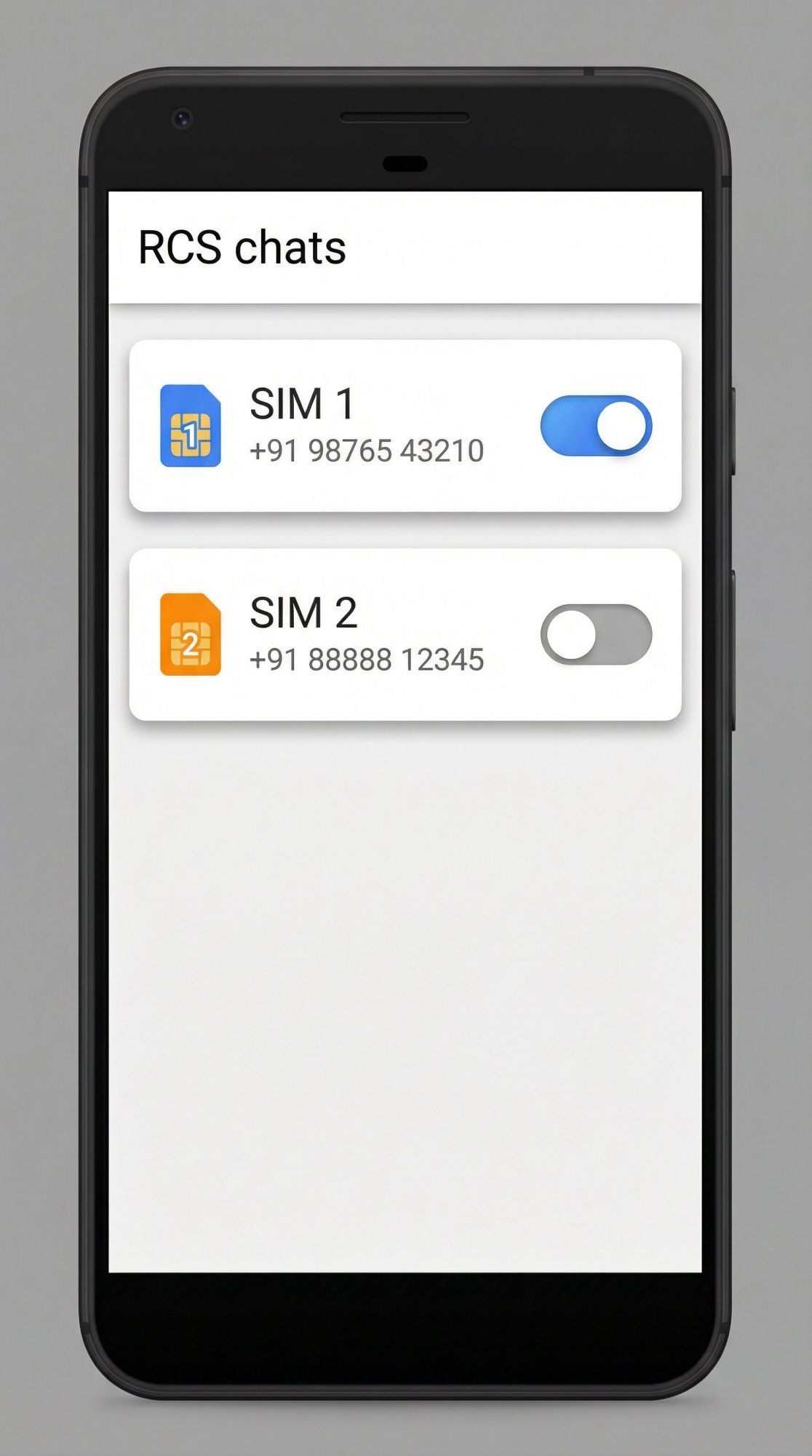
Google's RCS FAQ confirms that dual-SIM support has been rolling out. Some builds show two SIMs under RCS settings with separate checkboxes.
Translation: You might need to toggle RCS off per SIM if your app shows both. Also make sure the correct SIM is configured for data when troubleshooting RCS.
Apple's dual SIM documentation (updated November 10, 2025) notes you can choose which line you use for sending iMessage or SMS/MMS/RCS. If RCS "still works" after you thought you turned it off, double-check which line you're texting from.
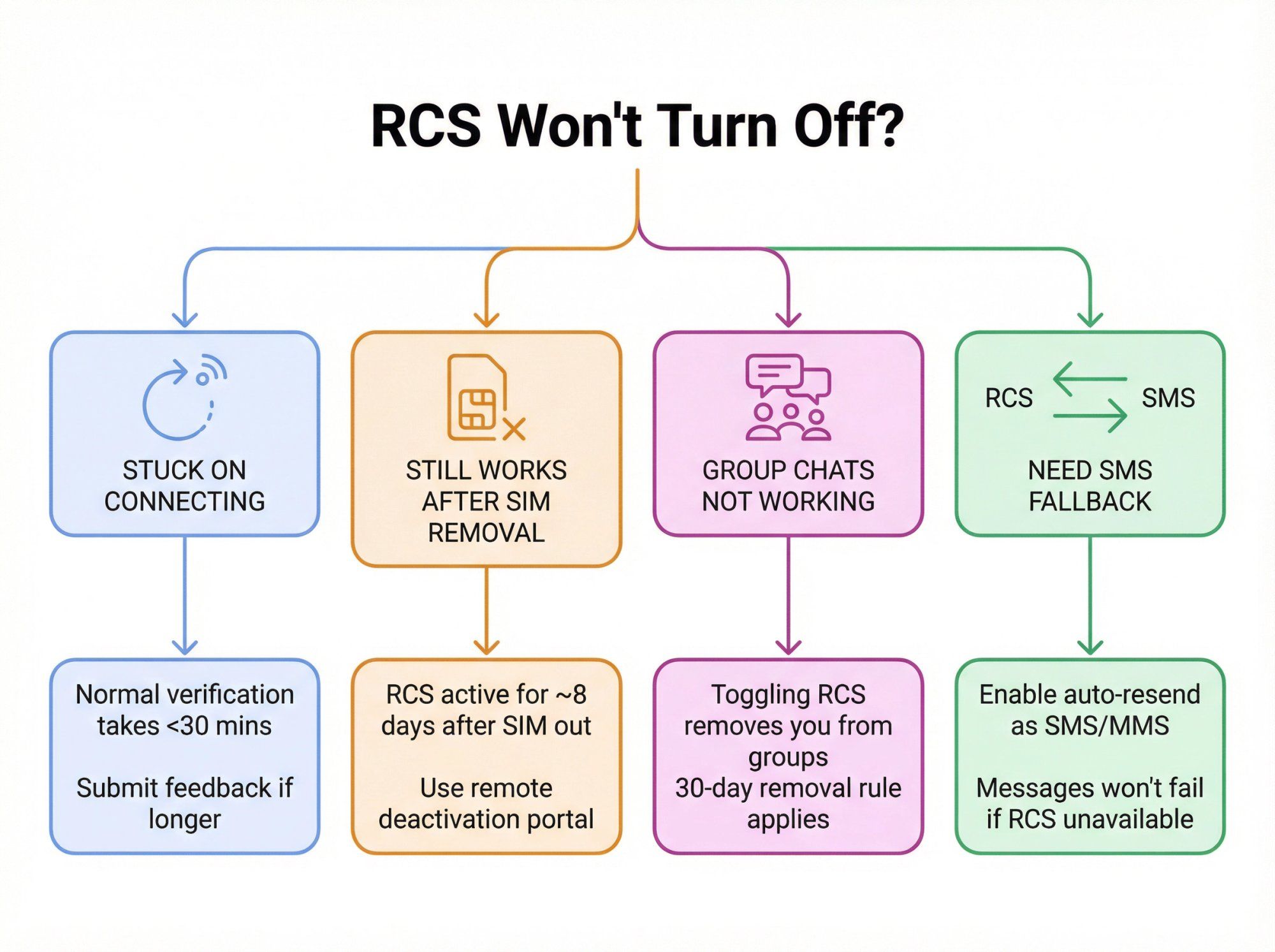
Google explains that "Connecting" is normal verification. "Trouble connecting. Awaiting retry..." means verification is failing. If it lasts more than 30 minutes, submit feedback from the details screen.
Google states that after you remove your SIM card, RCS chats may still work for about 8 days. This is why remote deactivation is so important.
Google's warning is direct: Turning RCS on/off can remove you from group chats. Remote deactivation can remove you from RCS groups if it stays off for 30 days.
Google Messages has an option to "Automatically resend as text (SMS/MMS)" so messages don't fail if RCS isn't available. This gives you fallback protection.
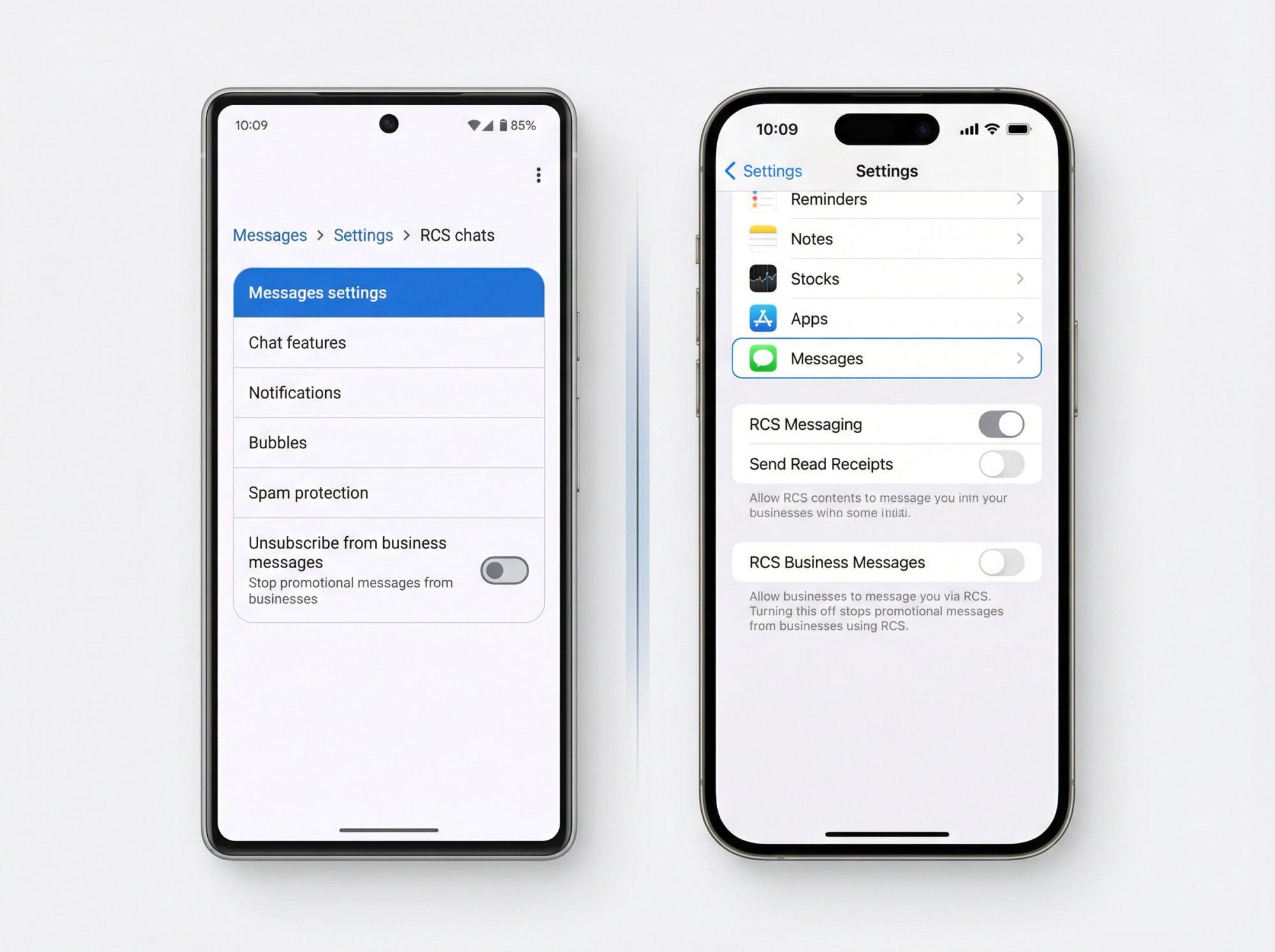
Google Messages supports unsubscription for business senders in many regions. When you unsubscribe, messages stop and Google sends a "STOP" message to the business.
Note: Google mentions some "essential messages" may still come through even after unsubscribe, depending on business type and region.
Toggle RCS Business Messages off in Settings → Apps → Messages → RCS Messaging.
There's massive confusion here. Let's be direct.
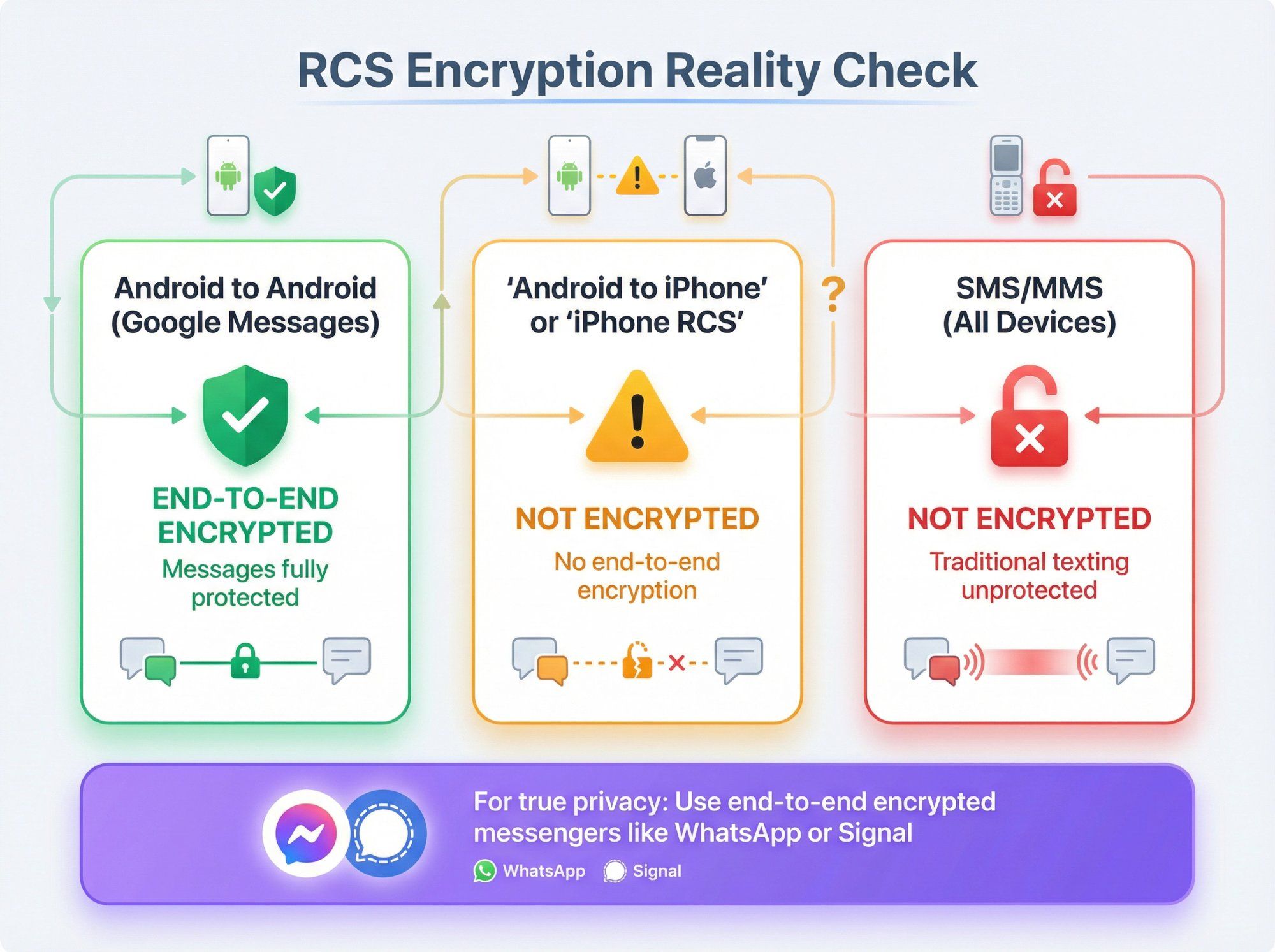
Apple explicitly states that RCS messages aren't end-to-end encrypted. They also note that identifiers like IMEI, IMSI, IP address, and phone number may be exchanged with carriers and partners to set up RCS.
Google says RCS chats between Google Messages users are end-to-end encrypted by default. When encryption isn't available, RCS uses TLS in transit.
Critical limitation: Google's RCS FAQ confirms that RCS chats with iPhone users don't have end-to-end encryption (as of 2026).
Practical takeaway: Turning off RCS doesn't automatically "make texting private" because SMS/MMS also aren't end-to-end encrypted. Apple confirms this too.
If you want strong privacy, use an end-to-end encrypted messenger like WhatsApp or Signal. This is exactly why many businesses are moving customer conversations to platforms like WhatsApp, where Spur helps automate and manage those interactions at scale.
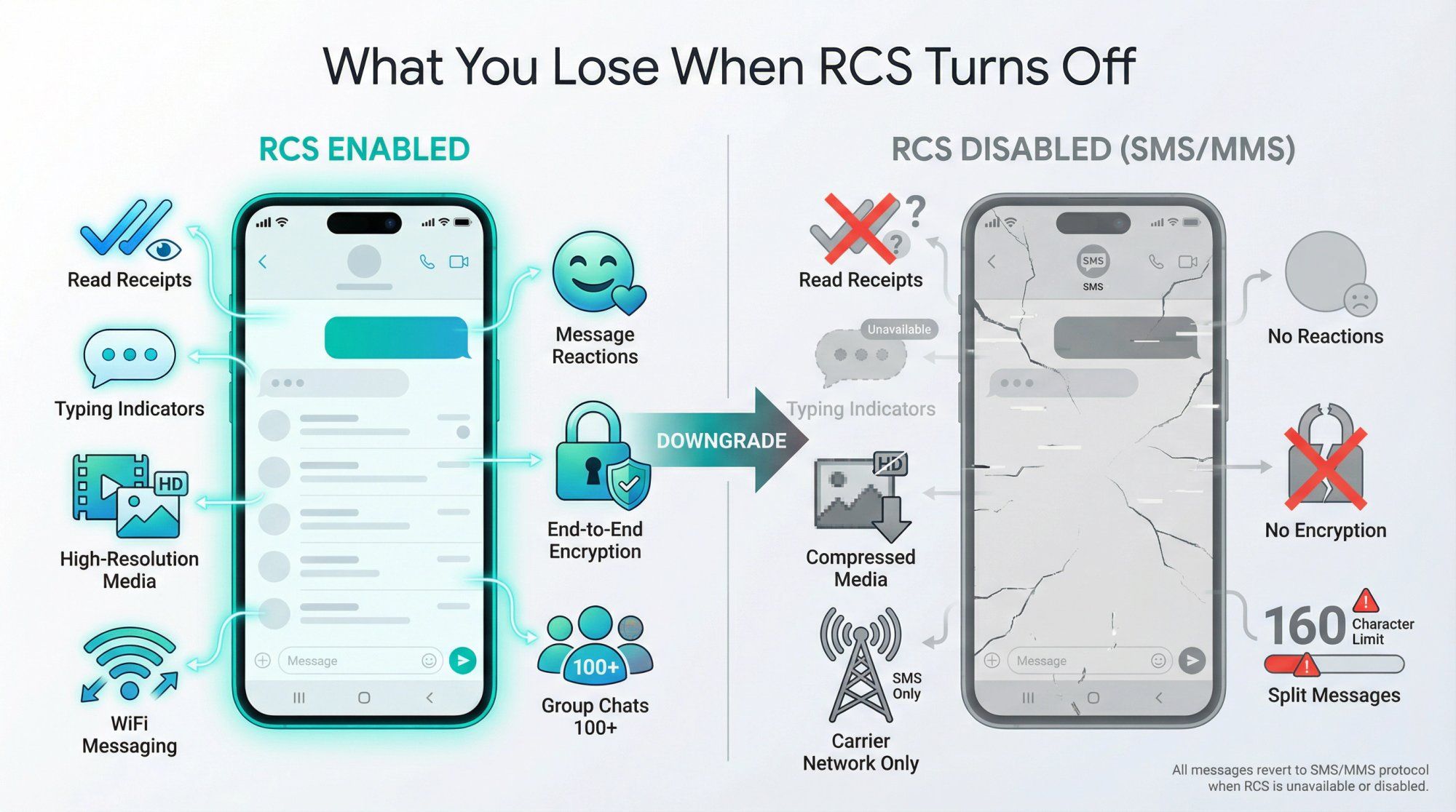
All messages revert to SMS/MMS. There may be a brief reset period, but afterward your phone defaults to SMS.
You won't lose existing messages. Everything in your conversation threads stays there. Only new outgoing messages change protocol.
No more read receipts or typing indicators. Media files send via MMS with significant compression due to size limits. Group chats continue, but if all members had RCS, you might be removed from that RCS chat.
It's back to basics: no encryption (SMS is not encrypted), no reactions, and a 160-character limit per SMS segment.
Google warns that if you turn off RCS, you have about 30 days before any RCS group chats remove you due to inactivity. After 30 days of being "offline" from RCS, Google officially drops you from the RCS version of the group.
Turning RCS off is not permanent. Go into settings and flip the switch back on whenever you want. It may take a minute or two to reconnect.
Don't toggle it on/off repeatedly in a short span. Google may temporarily block new RCS registrations as a precaution.
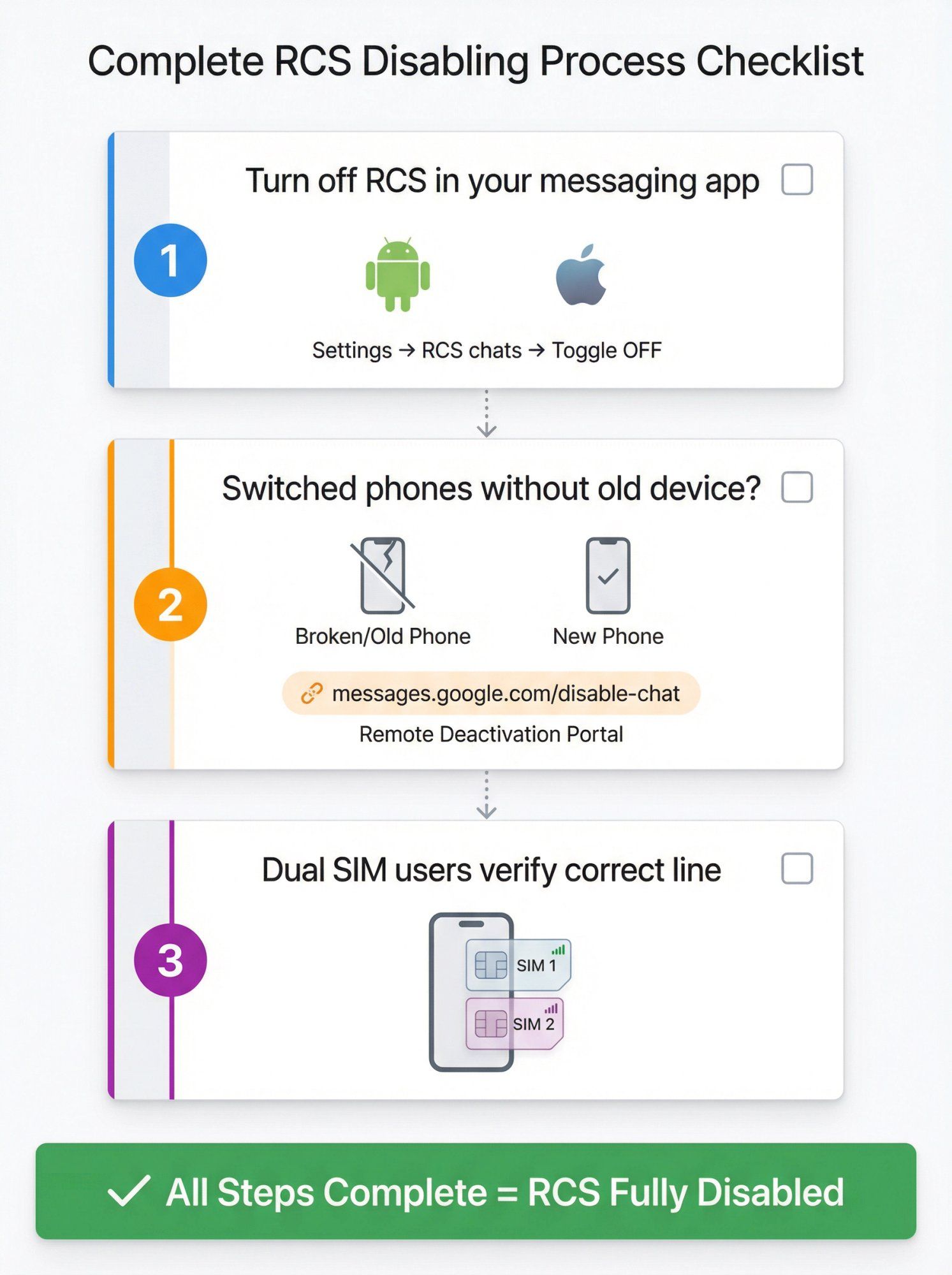
- ☐ Turn off RCS in your messaging app (Android or iPhone)
- ☐ If you switched phones and don't have the old one, remotely deactivate RCS for your number
- ☐ If you're dual SIM, verify you disabled the correct line
RCS is improving (including Android ↔ iPhone support), but Apple's documentation shows it's still carrier-dependent and security features vary by implementation.
If you're a D2C brand or service business, you care about reliable delivery, rich messages, automation, opt-in compliance, and having one inbox across channels.
That's exactly why many teams focus on channels that are already "native rich messaging" everywhere, like WhatsApp and Instagram DM. At Spur, we help businesses automate customer conversations across these channels with actionable AI agents that don't just answer questions but actually take action (tracking orders, booking appointments, updating records).
Unlike basic chatbots, our platform trains AI on your knowledge base and connects to your backend systems. You get one unified inbox across WhatsApp, Instagram, Facebook Messenger, and live chat, with automation handling repetitive queries and seamless handoff to human agents for complex issues.
Want to see how automated messaging can transform your customer engagement? Check out Spur's multi-channel messaging platform or explore our customer support automation solutions.
Yes. Google confirms that if RCS is off, your phone falls back to SMS/MMS where available. Everyone with a phone number can still receive your texts.
RCS uses Wi-Fi or mobile data. Google notes there's no additional cost on free Wi-Fi. On mobile data, it depends on your data plan.
Apple states RCS is network-provided and network provider fees may apply.
Google explains: If the compose bar says "RCS message," it'll send via RCS. If it says "Text message," it'll send via SMS/MMS.
Often, yes. Especially if your number is still registered for RCS on the old device. Google specifically recommends turning RCS off/on (reset) in settings, or using the deactivation portal if you can't access the old device.
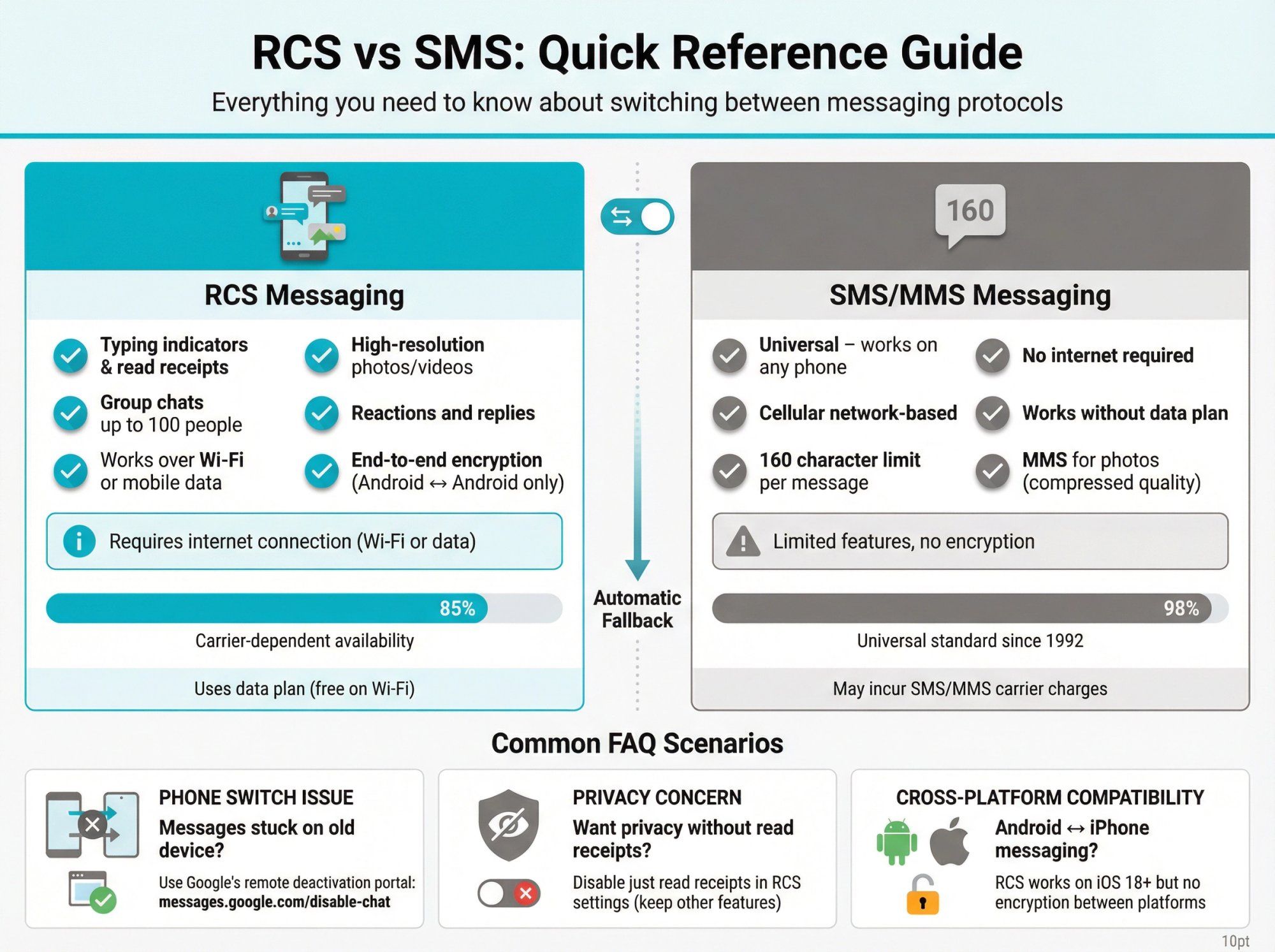
RCS is the modern upgrade to SMS, offering typing indicators, read receipts, high-quality media sharing, and internet-based messaging. SMS is the decades-old standard limited to 160 characters and basic MMS photo sharing.
Yes, starting with iOS 18. Apple added RCS support in September 2024. However, encryption is not available for Android-to-iPhone RCS messages yet.
RCS messages on iPhone aren't end-to-end encrypted. Some users prefer the simplicity of SMS without read receipts and typing indicators revealing their activity.
Also, third-party monitoring services can't read encrypted RCS messages, so parents using parental control tools might disable RCS on a child's phone so texts fall back to trackable SMS.
No. You won't lose existing messages in your phone by disabling RCS. Everything in your conversation threads stays there; only new outgoing messages change protocol.
Google warns that turning RCS on/off can remove you from group chats. If you were in an RCS-specific group, your departure may force it to MMS for everyone or you might be removed.
The deactivation portal states you'll be removed from RCS groups if RCS stays off for 30 days.
Absolutely. Messaging experts explain you can go into settings and flip the switch back on whenever you want. It may take a minute or two to reconnect ("Status: Connecting..." then "Connected").
Just don't toggle it on/off repeatedly in a short span or Google may temporarily block new RCS registrations as a precaution.
Some users report minor battery savings. Maintaining RCS chat connectivity functions like an always-on messaging service, which can use a bit more battery than basic SMS. This isn't a huge drain for most people, but very power-conscious users might turn off chat features to simplify things.
Google's official portal lets you deregister your number from RCS when you can't access your old device. This is essential when switching phones without the old one, or if your phone was lost or stolen.
You enter your number, get a 6-digit SMS code, enter it on the website, and your number gets deactivated from RCS on Google's servers.
This is one of the most common RCS issues. Your number is still registered for RCS on the old device, so messages route there instead of your new phone.
Google's documentation confirms RCS may continue working on your old phone for up to 8 days after removing the SIM. Always disable RCS before switching or use the remote deactivation portal.
If you don't see RCS settings in your messaging app, Google and Apple both note it may not be available for your carrier or region.
AT&T's support page shows they call it "Advanced Messaging." Most major carriers now support RCS, but implementation varies.