Key takeaways
Carousel posts let you share 2-20 swipeable images in one post. They get 1.9% engagement and are shown twice in feeds. Here's how to create one.
Ask an AI about this article
TL;DR: Carousel posts let you share up to 20 swipeable images or videos in one Instagram post (10 on Facebook/LinkedIn). They consistently outperform single-image posts with 1.9% engagement rates, get shown twice in feeds, and work great for tutorials, product showcases, and storytelling. The secret? Make slide 1 irresistible, keep each card valuable, and end with a clear call-to-action.
If you've been on Instagram lately, you've probably swiped through a carousel post without even thinking about it. Those little dots at the bottom of a post? That arrow begging you to swipe left? That's a carousel, and it's quietly become one of the most powerful content formats on social media.
Here's what most people don't realize: carousel posts earn about 154 more interactions than regular single-photo posts. They get shown to your followers twice if they scroll past the first time. And in 2025, carousels are now the top-performing format on Instagram in terms of engagement.
So what exactly is a carousel post, and why should you care? Let's break it down.
What Is a Carousel Post and How Does It Work?
A carousel post is a social media post that contains multiple images or videos in one swipeable gallery. Instead of sharing a single photo or video, a carousel lets you package 2-20 visuals into one post that viewers can swipe through on mobile or click through on desktop.
Instagram pioneered this format, but today it's used across Facebook, LinkedIn, and even TikTok. The magic happens when you can tell a complete story, showcase multiple products, or share a step-by-step guide without flooding your followers' feeds with separate posts.
Think of it like a mini photo album. Each slide can be an image or video (up to 60 seconds each), and they all share one caption, one set of hashtags, and one collective engagement pool.
How Carousel Posts Actually Work on Instagram
When you post a carousel, only the first slide appears in the feed initially. Those little dots underneath (or the slide counter like "1/5") tell viewers there's more to see. They swipe left or tap arrows to move through your content.
Here's what makes carousels special:
- Engagement works collectively: Likes, comments, and shares apply to the entire post, not individual slides
- Instagram gives them a second chance: If someone scrolls past your carousel, Instagram may show it again later starting from a different slide
- You control the narrative: Unlike individual posts that can get buried, carousels keep your story together in one cohesive experience
Instagram recently doubled the carousel limit from 10 to 20 slides in August 2024. (For context, TikTok supports up to 35 images in photo carousels, so Instagram's playing catch-up.) Facebook and LinkedIn typically max out at 10 images per carousel.
One important note: carousel ads still have a 10-card limit even though organic posts can now include 20 slides. Plan accordingly if you're running paid campaigns.

Why Carousel Posts Get More Engagement Than Single Images
Carousels aren't just a trendy format. They're backed by data that should make any marketer pay attention.
Carousel Post Engagement Rates vs Single Images
Carousel posts achieve about 1.9% engagement on Instagram, compared to 1.7% for single images and 1.45% for videos. That might sound like a small difference, but when you're fighting for attention in a crowded feed, every fraction of a percentage point matters.
More importantly, carousels generate the most saves of any post type on Instagram. People bookmark carousels because they're packed with value worth revisiting later.
How Carousels Keep People Engaged Longer
Getting someone to stop scrolling is hard. Getting them to stay is harder. Carousels solve both problems.
Each swipe increases the time someone spends on your post, and platforms interpret that extended interaction as a strong quality signal. The longer someone lingers, the more the algorithm judges your content as valuable and shows it to more people.
Critical insight: Better engagement leads to more reach, which leads to even better engagement. This creates a powerful flywheel effect that makes carousels exceptionally valuable.
Why Instagram Shows Carousels Twice in Your Feed
This one blows people's minds. If a follower scrolls past your carousel without engaging, Instagram may show them the same post again later, but starting from slide 2 or 3.
Think about that. A single-image post gets one shot to grab attention. A carousel gets multiple opportunities with the same person. If your first image didn't resonate, maybe the third will hook them on the second pass.
Instagram's CEO Adam Mosseri confirmed that carousels "often get more reach" than static posts, partly due to these factors. Adding music to a carousel can push it into even more discovery surfaces like the Reels tab.
When to Use Carousel Posts for Storytelling
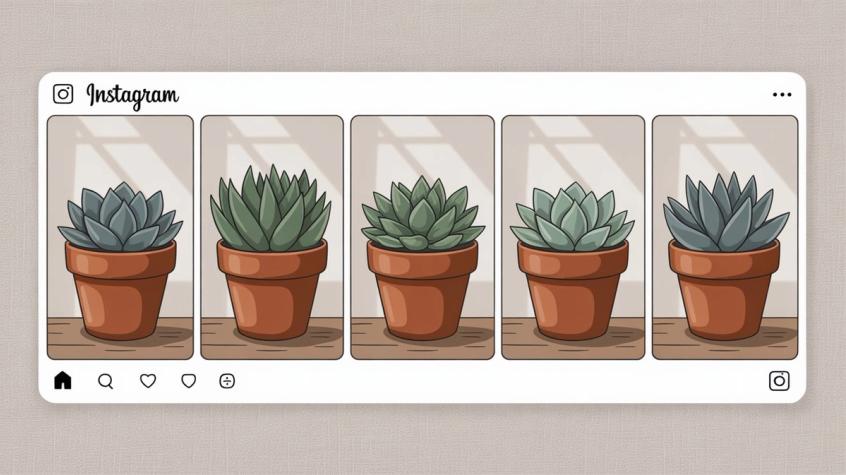
Sometimes one picture just isn't enough to explain something properly. Carousels excel when you need to:
• Walk through a step-by-step process without making people read a novel in your caption
• Show before-and-after transformations with context about what happened in between
• Present multiple angles or use cases for the same product
• Share a numbered list (like "10 Tips for X") where people naturally want to see the complete set
Different content formats serve different purposes, and carousels shine when your message needs depth, sequence, or variety.
How to Create a Carousel Post on Instagram (Step-by-Step)
Creating a carousel is actually simpler than you might think. If you've posted any photo to Instagram, you already know 90% of what you need.
Step 1: Start a new post
Open Instagram and tap the + (Create) icon at the bottom. Choose "Post" as your content type.
Step 2: Select multiple files
In your camera roll, tap the "Select Multiple" icon (it looks like two overlapping squares). Choose up to 20 images and/or videos in the order you want them to appear. Instagram will number them as you select.
Pro tip: Make sure your first slide uses the aspect ratio you want for the entire carousel. Instagram crops all subsequent slides to match the first image's dimensions, which can accidentally cut off important content if you mix portrait and landscape.
Step 3: Edit your slides
Now you can apply filters, adjust lighting, or add music and text stickers to each individual slide. For a cohesive look, consider using the same filter across all slides.
You can also tag products if you have Instagram Shopping enabled. Carousels let you tag up to 5 products per image, with a maximum of 20 product tags across the entire carousel. Perfect for showcasing collections.
Step 4: Write your caption
Add a caption that gives context to the entire carousel. Many creators tease the value ("➡️ Swipe through for 5 ways to improve your conversion rate") to encourage swiping.
Include relevant hashtags and location tags. You can also add alt text for each image under Advanced Settings to improve accessibility.
Step 5: Share
Tap Share and your carousel goes live. On your profile grid, carousel posts show a little stacked-square icon in the top-right corner so people know there's more to see.
Instagram Carousel Post Specs and Requirements
| Element | Specification |
|---|---|
| Maximum slides | 20 photos/videos (organic), 10 for ads |
| Image size | 1080×1080 pixels (square) recommended |
| Video length | Up to 60 seconds per clip |
| Aspect ratio | 1:1 (square) or 4:5 (vertical) work best |
| File formats | JPEG/PNG for images, MP4 for video |
| Product tags | 5 per image, 20 per carousel max |
Instagram recommends 1080×1080 pixels for images to ensure they display crisply in the feed. If you're including videos, use MP4 format with H.264 codec for best compatibility.
Carousel Post Best Practices That Drive Engagement
Anyone can throw 10 random images into a carousel. Making a carousel that performs requires strategy.
How to Create an Irresistible First Slide
This cannot be overstated: your first slide is everything.
Only that first image appears in the feed initially. If it doesn't grab attention, nobody swipes to see the rest. Treat it like the cover of a book or the headline of an article.
Strong first slides often use:
• Bold text overlays announcing the topic ("5 Steps to Triple Your Email List")
• Eye-catching visuals that create curiosity or pattern interruption
• Clear value propositions so viewers immediately know what they'll gain
• Provocative questions that make scrolling past feel like missing out
Think of slide 1 as your hook. Everything else is the payoff.
How to Design Each Carousel Slide for Maximum Impact
Just because someone swiped to slide 2 doesn't mean they'll make it to slide 5. Each card needs to deliver value and build anticipation for the next.
Keep text readable. If you're adding words to images (like infographics or tip cards), use large fonts with high contrast. Don't cram too much information onto one slide. Mobile screens are small.
Maintain visual consistency. Use the same color palette, fonts, or template style across slides so the carousel feels unified, not like a random collection. Some creators even design slides that connect visually (like a panoramic image split across 2-3 cards) to encourage swiping.
Vary your content types. Mix photos with short video clips. Combine product shots with user testimonials. Alternate between wide shots and details. Variety keeps people engaged.
How to Tell a Story in Carousel Sequence
Carousels are perfect for sequential storytelling because you control the exact order people see your content. Use that structure intentionally:
→ Tutorials work great as step-by-step breakdowns (Slide 1: ingredients, Slides 2-5: cooking steps, Slide 6: final dish)
→ Before/after transformations benefit from showing the progression between states
→ Top-N lists satisfy our completionist instincts (people swipe to see all 10 items)
→ Case studies can walk through problem, solution, results with supporting evidence
The key is making each slide build on the previous one so there's a narrative momentum pulling people through to the end.
Why "Swipe Left" Prompts Increase Engagement
You'd be surprised how many people don't realize a post has multiple images unless you tell them. A simple visual cue to swipe can boost engagement significantly.
Posts that include a "swipe left" prompt saw engagement jump from around 1.8% to around 2.0%, according to one study. Yet only about 5% of carousels actually use this tactic.
Add an arrow graphic (➡️) or text like "Swipe left for more" on your first or second slide. It's a small detail that makes a measurable difference.
How to End Carousels with Effective Calls-to-Action
You've kept someone engaged through 8+ slides. Now what?
The final slide is your opportunity to direct that attention toward a specific action:
• "Follow us for more [type of content]"
• "Comment below with your thoughts/questions"
• "Check the link in bio to learn more"
• "Share this post if you found it valuable"
• "DM us 'INFO' for a discount code" (more on this in a moment)
Place your main message or CTA on the final card to reward people who swiped all the way through. They're clearly interested, so capitalize on that momentum.
How Many Slides Should a Carousel Post Have?
Research shows engagement tends to peak around 8-10 slides on Instagram carousels. While you can now use up to 20 slides, quality beats quantity every time.
Golden rule: Use as many slides as you need to deliver your message effectively, but avoid filler. Every card should provide value or move the story forward.
If you're stretching to fill 15 slides, you probably don't need that many.
That said, carousels that reach the final slide tend to achieve the highest engagement rates because viewers clearly found enough value to see it through to the end. So if you have 12 genuinely useful slides, use them all.
Carousel Post Ideas That Work Across Industries
Not sure what to post? Here are proven carousel formats that work across industries:
Product Showcase Carousel Ideas
Show your full collection in one post. Slide 1 could be the complete outfit or product lineup. Slides 2-6 zoom into individual items with details and pricing. Tag products on each image so viewers can shop directly.
Example: A clothing brand posts a "Summer Collection" carousel with the first slide showing all pieces together, then each subsequent slide highlighting one item with styling tips.
Step-by-Step Tutorial Carousel Examples
Break complex processes into digestible steps. A makeup artist might create "5 Steps to the Perfect Winged Eyeliner" with each slide showing one step. A marketing agency could share "How to Set Up Instagram Shopping in 4 Steps" with screenshots.
The beauty of tutorial carousels is that people can swipe through at their own pace, screenshotting steps they need to reference later.
Before/After Transformation Carousels
If you're in fitness, interior design, beauty, or any field with visible results, this format is gold. Show the starting point, document the journey or process in the middle slides, then reveal the stunning end result.
The suspense of "what does it look like now?" keeps people swiping.
Top Tips and Listicle Carousel Formats
"10 Instagram Hacks for 2025" or "7 Ways to Reduce Cart Abandonment" naturally lend themselves to carousel format. Each slide presents one tip with a supporting image or icon.
Numbered lists tap into our desire for completion. Once someone starts at tip 1, they're psychologically motivated to reach tip 10.
User-Generated Content Roundup Carousels
Instead of reposting individual customer photos separately, create a carousel showcasing 5-10 users enjoying your product. This celebrates your community, provides diverse social proof, and gives each featured customer more visibility than a buried Story repost.
Event Recap and Photo Dump Carousel Ideas
Attended a conference? Launched a new store? Had a successful pop-up? A carousel lets you share highlights without spamming followers with 15 separate posts.
The casual "photo dump" carousel has become especially popular. It's an authentic way to share behind-the-scenes moments, team celebrations, or monthly highlights that don't warrant individual posts but collectively tell a story.
Data and Infographic Carousel Examples
Complex data becomes more digestible when split across multiple cards. Slide 1: headline statistic or key finding. Slides 2-5: supporting data points or breakdowns. Slide 6: what it means and next steps.
This works well for thought leadership, industry reports, survey results, or educational content where you're establishing expertise.
Carousel Posts on Other Social Media Platforms
While we've focused heavily on Instagram (where carousels are most prominent), the multi-image format exists across other platforms too:
| Platform | Carousel Specs | Best Use Cases |
|---|---|---|
| Up to 20 photos/videos | Tutorials, product showcases, storytelling | |
| Up to 10 images, carousel ads available | Collections, event photos, marketing campaigns | |
| PDF/PowerPoint uploads display as carousels | Professional content, slide decks, reports | |
| TikTok | Up to 35 images in Photo Mode | Photo dumps, nostalgia content, before/after |
| Twitter/X | Up to 4 images (grid format) | Comparisons, mini-stories, product angles |
Facebook: Upload multiple photos to one post and they'll appear as a swipeable album. Facebook also offers carousel ad formats with up to 10 cards.
LinkedIn: Upload documents (PDFs or PowerPoints) and LinkedIn displays them as swipeable carousels. Great for sharing slide decks, multi-page reports, or professional listicles. LinkedIn carousel ads let you showcase stories or multiple product benefits in one sponsored post.
Twitter/X: Attach up to 4 images to a tweet. They display as a grid, but tapping opens a swipeable viewer. Not quite the seamless carousel experience, but it allows before/after comparisons or mini-stories.
TikTok: TikTok's Photo Mode supports carousel posts with up to 35 images that auto-advance with music. Popular for photo dumps and nostalgia content.
The common thread across all platforms? Interactive, multi-part content consistently outperforms single static posts because it gives audiences more to explore and engage with.
How to Turn Carousel Engagement Into Sales and Leads
Carousels can generate impressive likes, comments, and saves. But what really matters is converting that engagement into leads, customers, and revenue.
Smart brands don't just create great carousels. They design them as entry points to deeper conversations.
How Comment-to-DM Automation Captures Carousel Leads
End your carousel with an interactive prompt: "Comment 'TIPS' if you want us to DM you our complete guide!"
This accomplishes two things:
1. Boosts engagement: Comments signal to the algorithm that your post is valuable, increasing its reach to more people
2. Identifies interested leads: Anyone who comments is raising their hand saying "I want more information"
Now here's where it gets powerful. Instead of manually responding to hundreds of comments, you can automate the entire follow-up process.
When someone comments a specific keyword, an automated system can instantly send them a Direct Message with your lead magnet, discount code, booking link, or next steps. This comment-to-DM automation runs 24/7, converting carousel viewers into qualified leads while you sleep.
We've seen brands use this exact tactic during product launches and flash sales. One fashion brand turned Instagram Live comments into 64 orders using comment automation, capturing interest at its peak and immediately moving conversations to DMs where conversions happen.
The carousel creates the interest. The automation captures it. The DM conversation converts it.
How Spur Automates Carousel Post Engagement
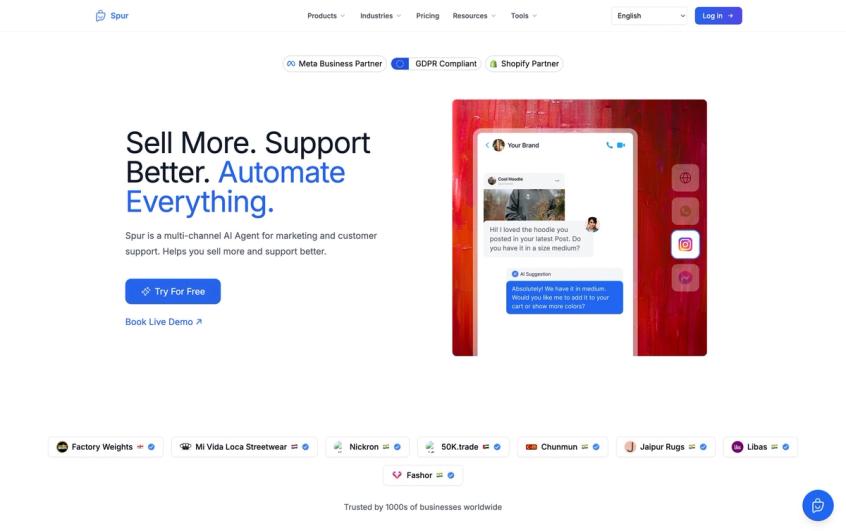
This is exactly the kind of workflow Spur was built to handle. When your carousel post generates dozens (or hundreds) of comments, our platform can:
- Automatically respond to specific keywords with personalized DMs
- Qualify leads by asking follow-up questions in the conversation
- Route complex inquiries to your human team through our shared inbox
- Sync with your CRM to track which carousels drive the most valuable leads
Unlike basic chatbots that just answer FAQs, Spur's actionable AI agents can actually do things like look up order status, book appointments, or apply discount codes. They're trained on your knowledge base, so responses feel natural and accurate.
And it's not just Instagram. Spur unifies WhatsApp, Facebook Messenger, Instagram DMs, and website live chat into one platform. So whether someone engages with your carousel on IG or messages you on WhatsApp later, your team has full context.
If you're creating carousels that drive real engagement, you need a system that can handle that engagement at scale without burning out your team. That's where we come in.
Start a 7-day free trial and see how much easier carousel-driven conversations become when they're automated intelligently.
Carousel Post Mistakes That Kill Engagement
Even with the best intentions, it's easy to sabotage your carousel posts. Watch out for these pitfalls:
❌ Weak first slide
If slide 1 doesn't grab attention, the other 9 slides don't matter because nobody will see them. Invest extra time making that first image exceptional.
❌ Inconsistent aspect ratios
Mixing portrait and landscape images forces Instagram to crop awkwardly. Stick to one aspect ratio across all slides (preferably 1:1 or 4:5).
❌ No clear narrative
Random unrelated images thrown together perform poorly. Every carousel needs a throughline, whether that's a story, a list, a tutorial, or a theme.
❌ Walls of text
People scroll social media quickly. If your slides have tiny, dense text, viewers won't bother reading. Keep text large, concise, and scannable.
❌ Forgetting the CTA
You got someone to swipe through 8 slides. Now what? Always include a clear next step on that final card.
❌ Overusing the format
If every post is a carousel, they lose their specialness. Mix in Reels, single images, and other content types to keep your feed dynamic.

What You Need to Know About Carousel Posts
Carousel posts are one of the most underutilized yet high-performing content formats on social media. Here's what you need to remember:
✓ Carousels consistently outperform single-image posts with higher engagement rates, more saves, and extended reach
✓ Instagram gives them a "second chance" in the feed, showing them again to people who scrolled past the first time
✓ The first slide is your most important asset (make it irresistible or nobody sees the rest)
✓ Tell a coherent story across your slides with a clear beginning, middle, and end
✓ Use 8-10 slides as a starting point, but focus on quality over hitting a specific number
✓ End with a clear call-to-action that directs engaged viewers toward the next step
✓ Combine carousels with comment-to-DM automation to turn engagement into conversations and conversions
The beauty of carousel posts is that they give you more room to deliver value, tell stories, and showcase expertise than any single image could. And when you pair that engagement with smart automation to capture leads and qualify interest, carousels become a complete acquisition funnel.
Whether you're educating your audience with step-by-step guides, showcasing products from multiple angles, or sharing transformation stories that inspire action, the carousel format gives you the canvas to do it properly.
So next time you find yourself trying to cram everything into one image or flooding your feed with 10 separate posts, stop. Create a carousel instead. Your engagement metrics (and your followers) will thank you.
Frequently Asked Questions
A: Instagram now allows up to 20 slides for organic posts (10 for ads). But engagement tends to peak around 8-10 slides. Use as many slides as needed to deliver your message effectively, but avoid filler. Quality beats quantity.
A: Yes! You can freely combine images and videos in the same carousel. Each video can be up to 60 seconds long. Mixing media types can make your carousel more dynamic and engaging.
A: Instagram crops all slides to match the aspect ratio of your first image. If you start with a square photo and then add a portrait video, Instagram will crop the video to square. Solution: Edit all your media to use the same dimensions before uploading.
A: Yes! If a follower scrolls past your carousel without engaging, Instagram may show it again later starting from a different slide (like slide 2 or 3). This "second chance" is unique to carousels and can significantly increase your reach.
A: When creating your carousel, tap "Tag Products" before posting. You can tag up to 5 products per image, with a maximum of 20 product tags across the entire carousel. This makes carousels perfect for showcasing collections, especially if you're using Shopify integration.
A: Instagram recommends 1080×1080 pixels for square posts or 1080×1350 for vertical (4:5 aspect ratio). Use consistent dimensions across all slides to avoid awkward cropping.
A: Yes! Instagram lets you add one music track to an entire carousel post from their music library. This can make your post eligible to appear in more places, like the Reels tab. Individual video slides can also have embedded audio.
A: When people comment on your carousel (like "INFO" or "TIPS"), you can set up comment-to-DM automation that instantly sends them a Direct Message with your offer, link, or next steps. Platforms like Spur specialize in this kind of Instagram automation, letting you capture leads from carousel posts without manual work.
Sources
The pages this article links out to, in the order they appear.
Was this article useful?