How To Manage Multiple WhatsApp Business Accounts?

Discuss with AI
Get instant insights and ask questions about this topic with AI assistants.
💡 Pro tip: All options include context about this blog post. Feel free to modify the prompt to ask more specific questions!
Running multiple WhatsApp numbers doesn't mean juggling phones or switching accounts constantly. Connect all your numbers through the WhatsApp Business API to Spur's unified inbox, automate repetitive conversations with AI trained on your knowledge base, and route the complex stuff to your team. Get one workspace for sales, support, and every brand without the chaos.
When your business grows past a single WhatsApp number, things get messy fast. Maybe you need separate lines for sales and support. Or you're running multiple brands. Or you've got regional teams across different countries.
The standard WhatsApp Business app wasn't built for this. One account per device. No unified view. Your team ends up switching between phones, missing messages, and duplicating work.
But there's a better way.
Let's start with why you're here. Most businesses need multiple WhatsApp numbers for one of these reasons:
Multiple brands under one roof
If your company owns Brand A and Brand B, each brand should have its own WhatsApp presence. Separate numbers mean distinct branding, dedicated support teams, and clearer customer expectations.
Department separation
Sales needs different workflows than support. Marketing has different messaging than billing. Giving each function its own WhatsApp number means inquiries land with the right team from the start. No more "sorry, let me transfer you" conversations.
Regional or localized service
Customers trust local numbers. If you're serving the US and EU markets, a local WhatsApp number for each region builds credibility. You can staff them with native speakers during appropriate business hours.
Agency or multi-client management
Agencies managing WhatsApp for multiple clients need complete separation between accounts. Client A's messages should never mix with Client B's data. Privacy and organization demand dedicated numbers.
The problem? The WhatsApp Business app gives you one account per device. For anything beyond that single number, you need a different approach.
Here's what happens when you try to scale with the regular app:
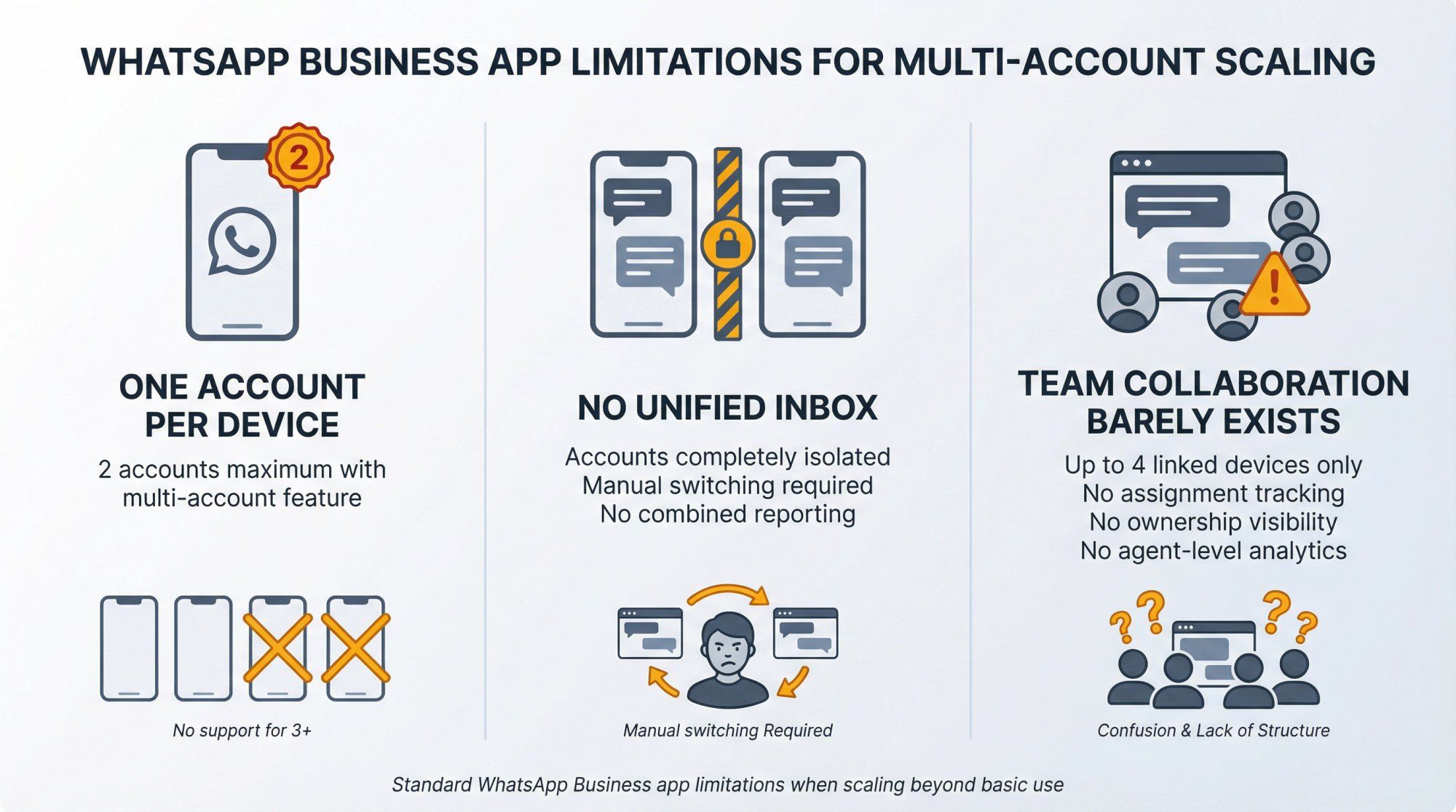
One account per device (still)
You can't run two WhatsApp Business accounts on the same phone with the official app unless you use Meta's new multi-account feature, which caps at two accounts maximum. Got three numbers? Four? Ten? You're out of luck.
No unified inbox
Even if you manage two accounts on one phone, they're completely isolated. You have to manually switch between them to check messages. There's no combined view, no shared reporting, no way to see all customer conversations in one place.
Team collaboration barely exists
The app was designed for solo operators. Yes, you can link up to four additional devices, but everyone sees the same chats with no assignment, no ownership tracking, and no agent-level analytics.
For a small shop with minimal messaging needs, this works. For anything bigger, it's a bottleneck.
WhatsApp has tried to address this. Their recent updates include:
• Support for two accounts on one phone: You can now add a second WhatsApp account directly in the official app without third-party tools.
• Linked devices for team access: Up to four teammates can connect to your WhatsApp Business number via WhatsApp Web or desktop, so you're not passing around one phone.
These features help small teams manage two numbers or add a couple of users. But the limitations are obvious:
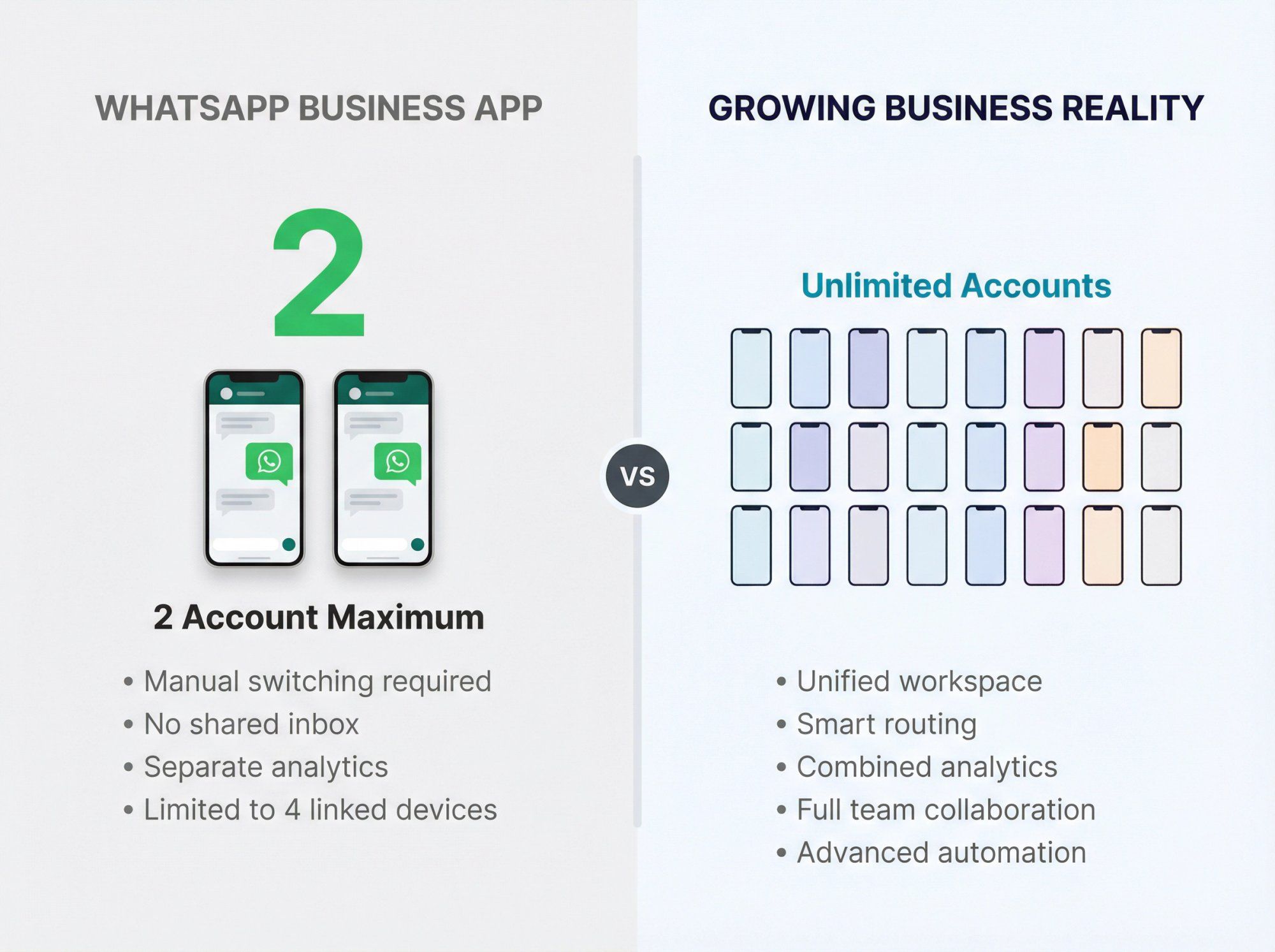
Two-account maximum
If you have three brands, five regional offices, or separate departments, the two-account limit doesn't cut it.
Accounts still function independently
Even with both accounts on one device, you switch between them manually. No shared inbox. No combined analytics. They're two separate universes.
No advanced workflows
You can't route incoming messages by topic, assign conversations to specific agents, or trigger automated responses based on customer actions. It's just chat.
For serious multi-account management, you need more power.
Before API solutions existed, businesses handled multiple WhatsApp accounts by using multiple phones. Each device ran the WhatsApp Business app with a different number.
This still works technically:
→ Buy several phones (or use dual-SIM setups)
→ Install WhatsApp Business on each with unique numbers
→ Carry them all or assign them to different team members
The reality? It's expensive, inefficient, and impossible to coordinate. You physically switch devices to check messages. There's zero integration between accounts. If a customer reaches out to your sales number but their issue is a support problem, you're copy-pasting between phones.
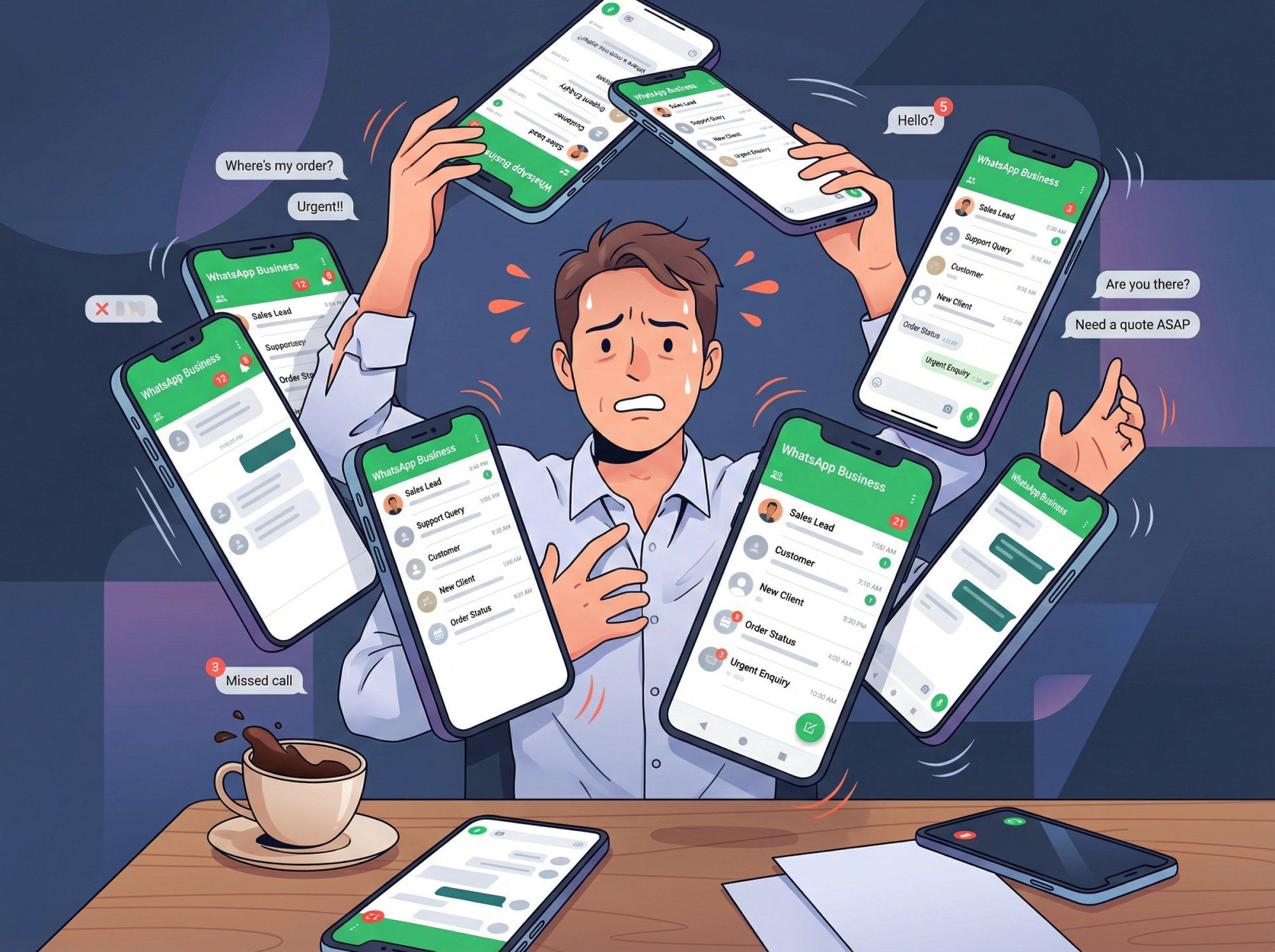
Some businesses have tried cloned or unofficial WhatsApp apps to run multiple accounts on one device. WhatsApp explicitly warns against these apps because they violate terms of service and create security risks. Your account can get banned.
Multiple phones or cloned apps are stopgap solutions that fall apart under any real volume. If you're managing more than two accounts or have a team involved, this approach won't scale.
This is where things get good.
The WhatsApp Business API lets you connect multiple WhatsApp numbers to a centralized platform. Instead of managing separate apps on separate devices, you get one workspace for all your accounts.
The official WhatsApp Business Platform provides the foundation that platforms like Spur build upon, enabling unlimited account management and advanced automation features.
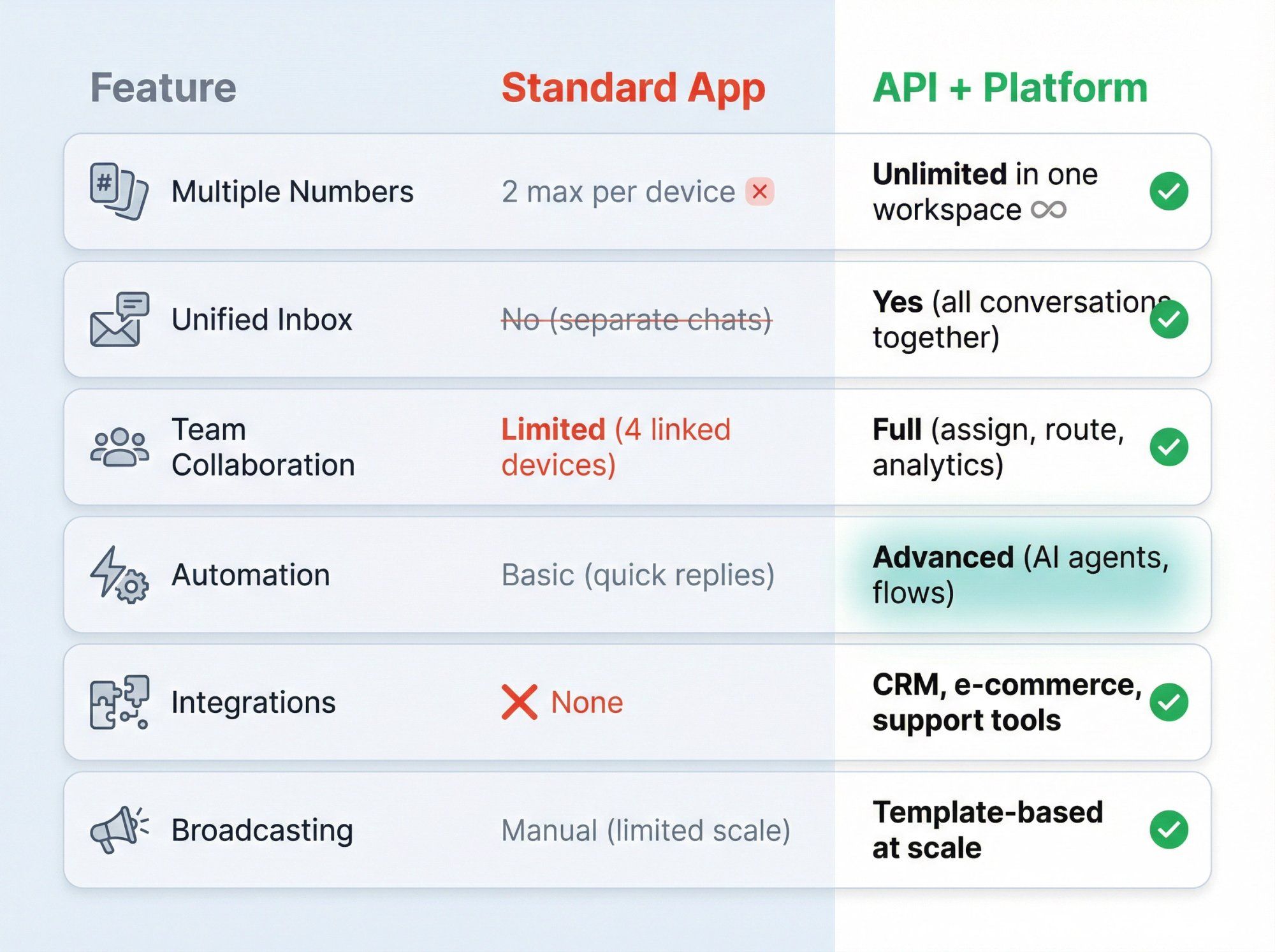
| Feature | Standard App | API + Platform |
|---|---|---|
| Multiple Numbers | 2 max per device | Unlimited in one workspace |
| Unified Inbox | No (separate chats) | Yes (all conversations together) |
| Team Collaboration | Limited (4 linked devices) | Full (assign, route, analytics) |
| Automation | Basic (quick replies) | Advanced (AI agents, flows) |
| Integrations | None | CRM, e-commerce, support tools |
| Broadcasting | Manual (limited scale) | Template-based at scale |
When you use the API with a platform like Spur, here's what changes:
Manage every WhatsApp number from one dashboard
Whether you have two numbers or twenty, they all live in the same workspace. Switch between accounts with a dropdown. See all incoming messages regardless of which number customers contacted.
Route conversations to the right team
Incoming sales inquiries go to your sales team. Support questions hit your support queue. Set up intelligent routing based on keywords, customer data, or account-specific rules.
Automate repetitive conversations
Spur trains AI agents on your knowledge base (product docs, FAQs, past conversations). When a customer asks "Where's my order?" or "What are your hours?", the AI responds instantly with accurate information. Complex issues get routed to human agents automatically.
This is actionable AI, not basic chatbots. The AI can look up order statuses, book appointments, update customer records, and take real actions while conversations happen.
Broadcast messages at scale
Send WhatsApp template messages (promotional offers, order updates, appointment reminders) to thousands of customers across multiple numbers. Track delivery, opens, and responses.
Get proper analytics
See which numbers perform best, which agents handle the most conversations, average response time per account, customer satisfaction per team. You can't get any of this from the standard app.
Let's walk through the actual setup process. We'll use Spur as the example since it's one of the official Meta Business Partners that supports multi-account management.
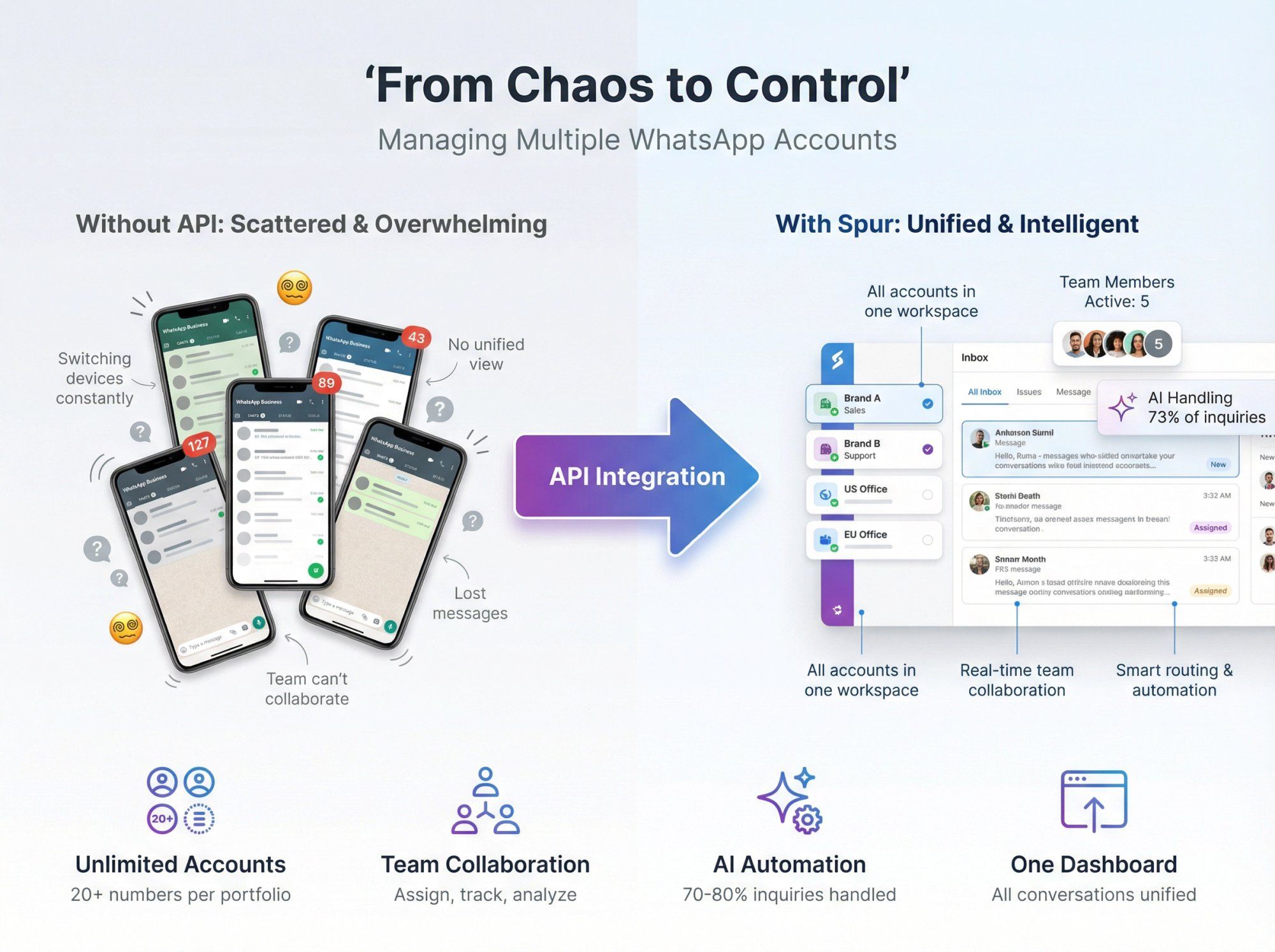
Note: The image above is an AI illustration. A real Spur dashboard screenshot showing actual multi-account management will provide stronger credibility. Authentication is required to capture the live interface.
Choose a WhatsApp Business Solution Provider (BSP) that supports multiple accounts. Spur offers a shared inbox, AI agents, automation flows, and multi-channel support for WhatsApp, Instagram, Facebook Messenger, and Live Chat.
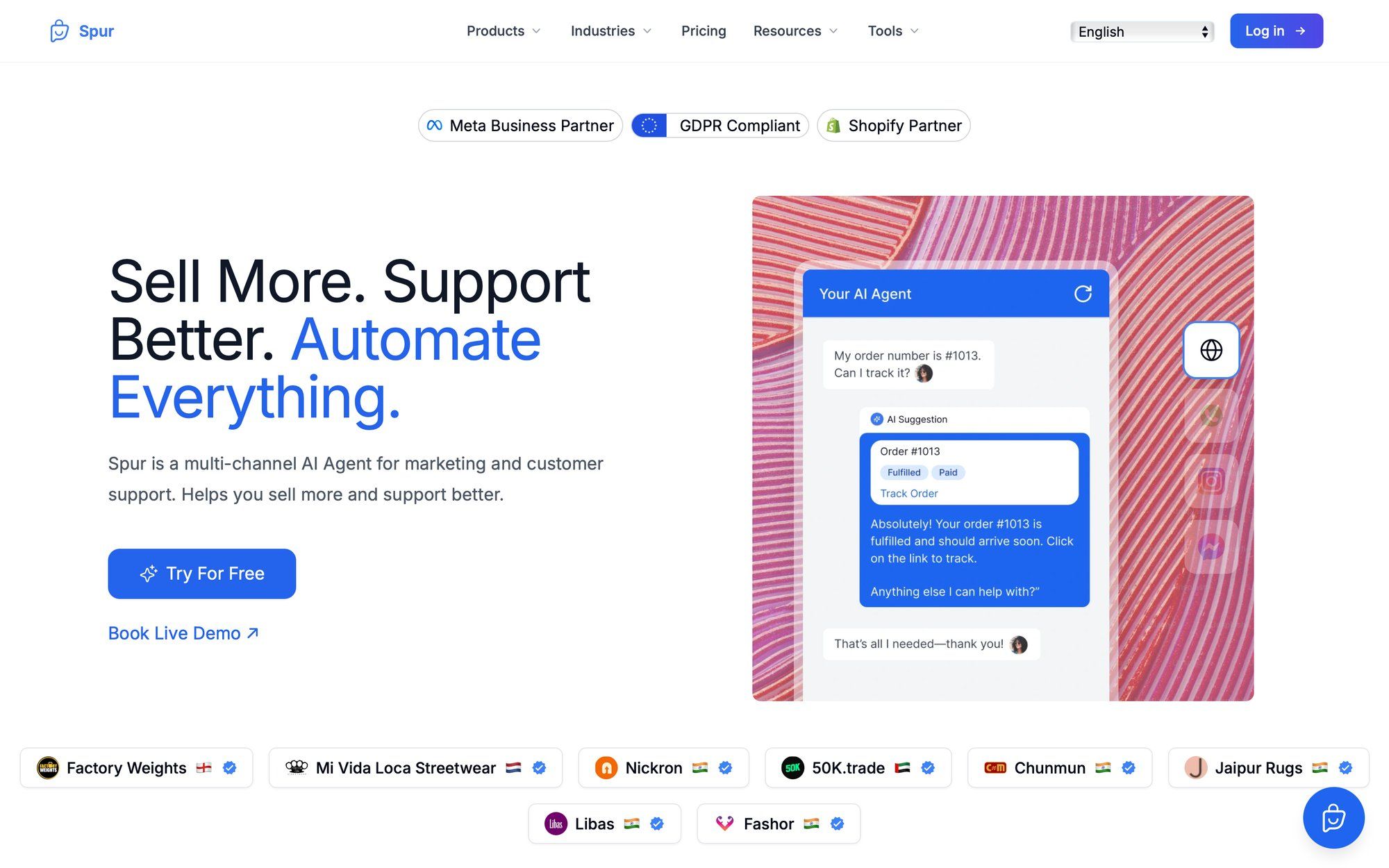
Create your account and select a plan that includes additional WhatsApp channels. Spur's pricing shows an extra WhatsApp channel costs $29/month as an add-on.
You'll need a dedicated phone number for each WhatsApp Business account. This can be:
• A regular mobile number
• A virtual number from providers like Twilio, Bandwidth, or local telecom carriers
The number must be able to receive SMS or voice calls for verification.
Important: If you're already using this number on the WhatsApp Business app, you can migrate it to the API without losing your chat history. Spur supports coexistence mode, which lets you keep using the app while also connecting to the API. Up to six months of chat history can sync over.
Follow your platform's onboarding flow:
① Enter your phone number
② Verify via OTP (one-time password sent by SMS or call)
③ Complete Meta Business Verification if required
Once your first number is connected, adding more is straightforward:
① In Spur's WhatsApp settings, click "Connect new number"
② Enter the new phone number and verify it
③ Each number appears as a separate row in your workspace
You can repeat this process for every brand, department, or region that needs its own WhatsApp presence.
For each connected number, set up its profile information:
• Business name
• Description
• Profile photo
• Business hours
• Address (if applicable)
• Category
If you're managing Brand A and Brand B, Brand A's WhatsApp number gets Brand A's branding and details. Customers see the correct information depending on which number they contact.
Now comes the power move. Configure how incoming messages get handled:
Create routing rules
→ Messages to your sales number go to your sales team's queue
→ Messages to your support number go to support agents
→ Messages mentioning specific products route to product specialists
Deploy AI agents
With Spur, you can train AI agents on your specific business knowledge. Upload your help docs, product guides, and FAQ content. The AI learns your business and handles common questions automatically, freeing your team to focus on complex issues.
This is a huge differentiator. Unlike basic chatbots that follow rigid scripts, Spur's AI agents understand context, access your knowledge base, and can perform actions like checking order statuses or booking appointments.
Build automation flows
Set up workflows for common scenarios:
• Send an automated welcome message when someone contacts you for the first time
• Trigger abandoned cart reminders for e-commerce customers
• Collect lead information through conversational forms
• Route VIP customers to priority agents
Connect your WhatsApp accounts to your tech stack:
| Integration | Use Case |
|---|---|
| Shopify | Sync orders, send shipping updates, recover abandoned carts |
| WooCommerce | Product catalog, order tracking, customer data |
| Stripe/Razorpay | Payment notifications, transaction updates |
| CRM Systems | Sync customer data, conversation history, sales pipeline |
Spur supports major e-commerce platforms out of the box, plus custom integrations via webhooks and API.
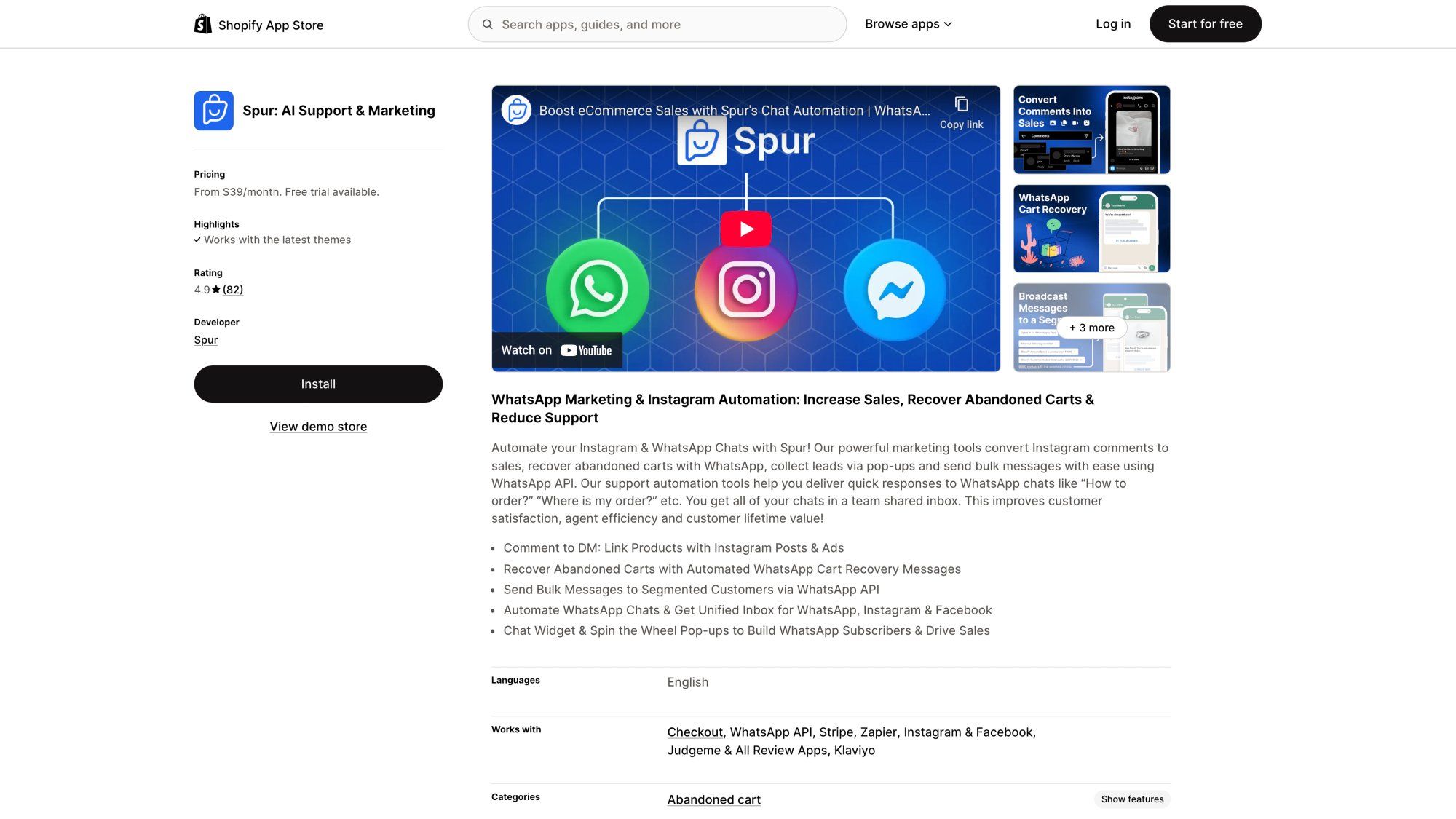
Spur's Shopify integration is highly rated by e-commerce businesses, with a 4.9/5 rating from over 78 reviews, demonstrating its effectiveness in managing customer conversations across multiple WhatsApp accounts.
Before publishing your WhatsApp numbers publicly:
✓ Send test messages to each number
✓ Verify they arrive in the correct queue
✓ Test your automation flows
✓ Check that AI responses are accurate
✓ Ensure integrations sync data properly
✓ Get your message templates approved if you plan to send templated notifications
Your agents need to understand:
→ How to switch between accounts in the platform
→ When to let AI handle conversations vs. when to jump in
→ How to use quick replies, internal notes, and tags
→ Your routing rules and escalation processes
Spur includes video guides and documentation for onboarding new team members.
Having the right tools is half the battle. Here's how to actually run multiple accounts without losing your mind:
Give each WhatsApp number a descriptive label:
• "Acme Corp - US Sales"
• "Acme Corp - EU Support"
• "Acme Corp - Brand B Marketing"
When your team opens the platform, they should instantly know which account they're viewing. This prevents embarrassing mix-ups like responding to a German customer in English from your US support account.
Don't wing it. Document:
• Which types of inquiries go to which account
• How to handle customers who contact the wrong number
• Escalation paths for urgent issues
• Hours of operation per account (if they differ)
Example: Your sales number operates 9am-7pm EST. Your support number has 24/7 coverage. Make sure customers know which number to use for what.
If a customer messages your sales WhatsApp and then later contacts support on a different number, your team should see their full history. Spur's shared inbox consolidates customer profiles across channels so you're not starting from scratch each time.
Store critical data in your CRM and sync it bidirectionally. That way, whether someone reaches you via WhatsApp, Instagram DM, or live chat, you have context.
Train your AI agents on common questions:
• "What are your shipping times?"
• "How do I return a product?"
• "What payment methods do you accept?"
• "Can I change my delivery address?"
According to Spur's case studies, businesses often see 70-80% of routine inquiries handled automatically once AI agents are properly trained, leaving human agents free for complex problem-solving.
Track metrics for each WhatsApp number:
→ Volume of incoming messages
→ First response time
→ Resolution time
→ Customer satisfaction scores
→ Conversion rates (for sales-focused accounts)
If your support number has a 2-hour average response time but your sales number responds in 10 minutes, you've identified a staffing problem. Adjust accordingly.
Just because a customer opts in to receive marketing messages on your Brand A WhatsApp doesn't mean you can message them from Brand B's account. Maintain separate opt-in lists per number.
Use WhatsApp's conversation categories appropriately:
• Marketing: Promotional offers, announcements
• Utility: Account updates, order confirmations
• Service: Customer-initiated support conversations (free within 24-hour window)
• Authentication: OTP codes, login verification
Different countries have different rules around business messaging. If you're operating WhatsApp numbers in multiple regions:
• Understand local data privacy laws (GDPR in Europe, CCPA in California, etc.)
• Localize business hours and language support
• Use local phone numbers where possible (builds trust)
Spur's GDPR compliance page explains how they handle EU data requirements, including hosting servers in Frankfurt and setting WhatsApp's data localization to Europe.
Let's look at how different business types benefit from multi-account management:
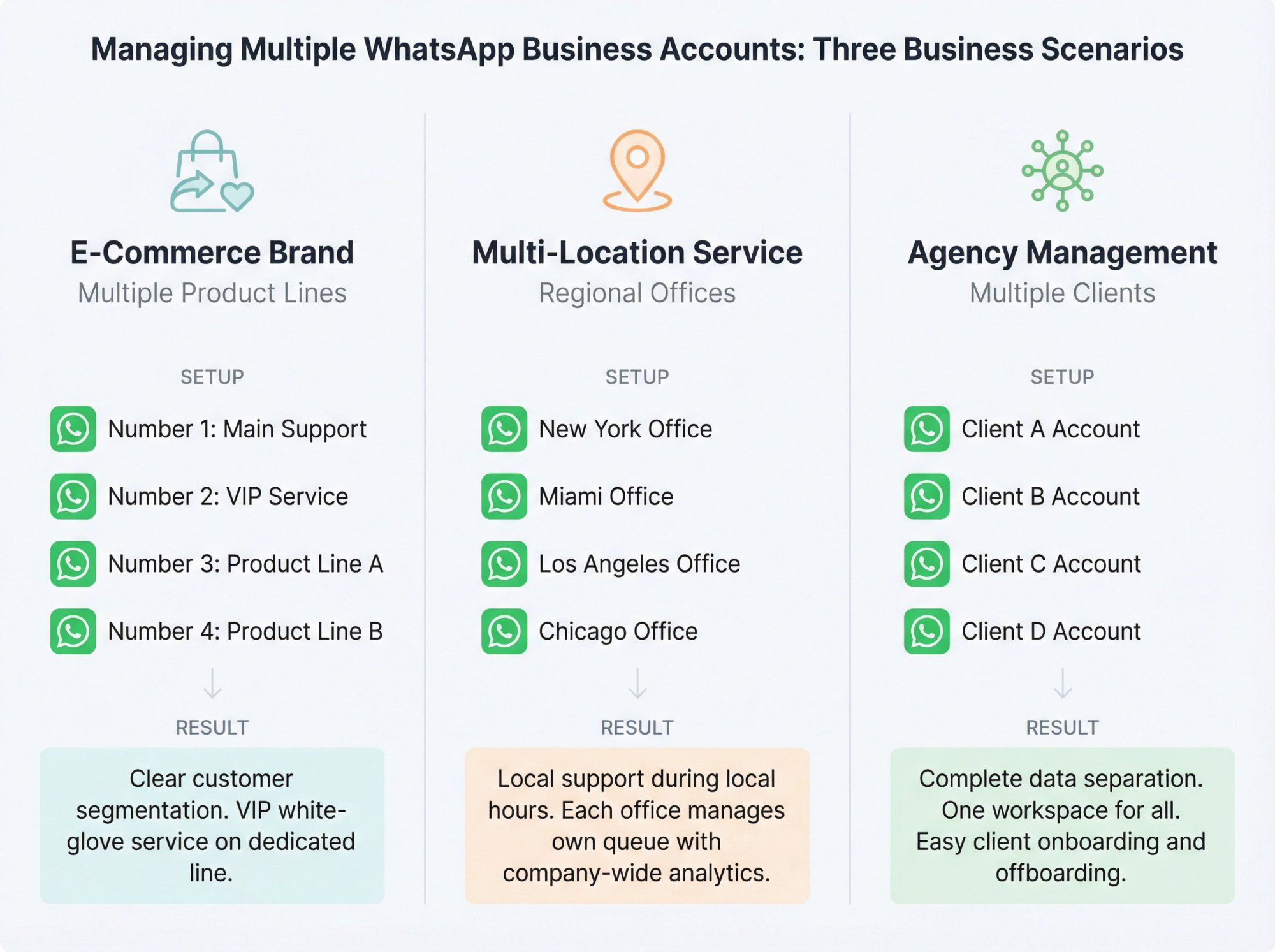
Setup:
• WhatsApp Number 1: Main brand support (returns, general inquiries)
• WhatsApp Number 2: VIP customer service (high-value customers)
• WhatsApp Number 3: Product Line A marketing
• WhatsApp Number 4: Product Line B marketing
Result: Clear customer segmentation. Marketing messages don't annoy people who only want support. VIP customers get white-glove service on a dedicated line.
Setup:
• One WhatsApp number per regional office (New York, Miami, Los Angeles, Chicago)
• Routing rules based on customer location or preference
Result: Customers get local support during local business hours. Each office manages its own queue while leadership sees company-wide analytics.
Setup:
• Separate WhatsApp accounts for Client A, Client B, Client C, etc.
• Agency team members assigned per client
Result: Complete data separation between clients. One workspace to manage everything. Easy client onboarding and offboarding without affecting other accounts.
Let's talk money because managing multiple WhatsApp accounts has both platform and messaging costs.
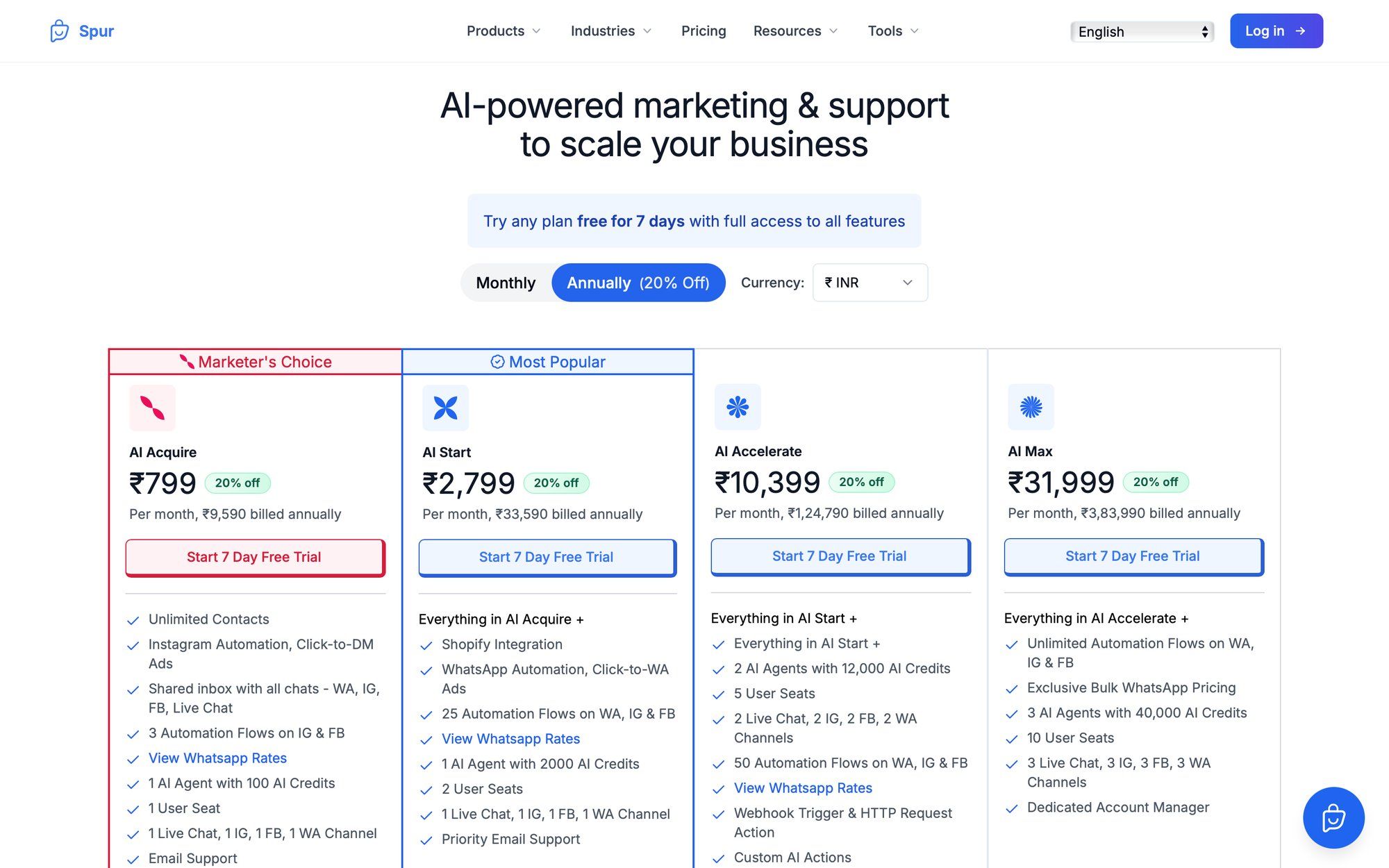
Spur's transparent pricing makes it easy to calculate your costs upfront. Here's the breakdown:
Spur's pricing (annual plans with 20% discount):
• AI Start: $31/month (Includes 1 WhatsApp channel, 2 users, 25 automation flows)
• AI Accelerate: $127/month (5 users, 50 flows, custom AI actions)
• AI Max: $399/month (10 users, unlimited flows, dedicated account manager)
Add-on: Each additional WhatsApp channel costs $29/month.
So if you need four WhatsApp numbers total, you'd pay for your base plan plus three additional channel add-ons ($87/month extra on top of your plan price).
WhatsApp charges per conversation (24-hour windows), not per message. Prices vary by country and conversation category.
Spur publishes current WhatsApp conversation rates by market. For example:
• India marketing conversation: ~$0.0103
• US marketing conversation: ~$0.0310
• Service conversations (customer-initiated): Free within 24-hour window
These costs flow through Spur's wallet system. You load credits, and charges deduct automatically. All your WhatsApp numbers share the same wallet, simplifying billing.
Cost example: If you run a monthly marketing broadcast to 5,000 US customers (one marketing conversation each at $0.031), that's ~$155 in WhatsApp conversation fees. Add your platform subscription on top.
The good news? Service conversations (when customers message you first) are free during the 24-hour window. Most support interactions cost you nothing.
Yes. This is called coexistence mode, and Spur supports it. You can keep using your WhatsApp Business app for quick mobile replies while also connecting to the API for team access, automation, and analytics.
Requirements:
• Your number should have been active on WhatsApp Business app for at least 7 days
• Up to 6 months of chat history can sync to the API platform
• Don't delete the number from WhatsApp Business Manager or you'll lose your verification badge and reset messaging limits
With the standard app, you're limited to two accounts per device. With the WhatsApp Business API, there's no practical limit. Your Meta Business Portfolio starts with a cap on registered numbers (often 2-5 initially), but this increases after business verification to 20+ numbers.
If you need more, Meta can grant exceptions.
On the standard app, you can link up to 4 additional devices (via WhatsApp Web or desktop). Everyone sees the same chats, but there's no assignment or ownership tracking.
On the API with a platform like Spur, your entire team accesses the shared inbox. You can assign conversations to specific agents, see who's handling what, and track individual performance. Much cleaner for team environments.
It happens. Best practices:
• Train your AI agents to recognize when someone contacts the wrong number and provide the correct contact
• Give agents the ability to transfer conversations between queues (if your platform supports it)
• Maintain unified customer profiles so you have context regardless of which number they used
Not really. Business Solution Providers like Spur have simplified the process significantly. You'll do the setup through a web interface with guided onboarding.
You might want technical help if you're building custom integrations or complex automation flows, but basic multi-account setup is point-and-click.
The app is free but limited. The API has platform subscription costs and per-conversation fees.
The efficiency gains often justify the expense:
• Your team handles more volume without growing headcount
• AI automation reduces support workload by 70-80%
• Better customer experience leads to higher satisfaction and retention
• Marketing campaigns via WhatsApp typically deliver significantly higher ROI than email
Calculate your costs based on message volume and team size. For most growing businesses, the API pays for itself quickly.
If you have multiple accounts under one Meta Business Portfolio, Meta evaluates quality ratings per phone number. A quality issue on Account A (high block rates, spam reports) won't automatically ban Account B if they're separate numbers.
That said:
• Follow WhatsApp's Business Policy
• Get proper opt-ins before sending marketing messages
• Don't spam
• Respond to customers promptly
• Use approved message templates for outbound campaigns
Maintain healthy practices across all accounts.
Yes. The migration process is straightforward, especially with coexistence mode. You keep your phone number, chat history (up to 6 months), and verification badge.
Spur's migration guide walks through the steps. The key: don't delete your number from WhatsApp Business Manager during migration, or you'll reset messaging limits and lose verification status.
Pretty much any business with:
• Multiple brands or product lines (retail, consumer goods)
• Multiple locations or franchises (restaurants, fitness studios, service businesses)
• Separate departments handling different functions (e-commerce with distinct sales and support teams)
• Regional operations with localized customer service (international businesses)
• Agency models managing messaging for multiple clients
We've seen particularly strong adoption in e-commerce, real estate, travel, education, and finance.
Managing multiple WhatsApp Business accounts used to mean juggling phones, switching apps constantly, and losing messages in the cracks. Not anymore.
Here's what you should take away:
The standard WhatsApp Business app caps at two accounts per device. If you need more, or if you have a team, the app's limitations will hold you back.
The WhatsApp Business API unlocks true multi-account management. Connect as many WhatsApp numbers as you need to a centralized platform. Get one unified inbox, intelligent routing, team collaboration tools, and proper analytics.
Automation and AI make a real difference. Spur's AI agents can handle 70-80% of routine conversations automatically when trained on your knowledge base, freeing your team to focus on complex issues and high-value interactions.
Structure and best practices matter. Use clear naming conventions, define routing rules upfront, maintain one source of truth for customer data, and monitor performance per account. Don't just throw more numbers at the problem.
Plan for scale from day one. Even if you're starting with two WhatsApp accounts, set up infrastructure that can grow. Six months from now, when you need four accounts or ten, you don't want to rebuild everything.
The businesses that get this right turn WhatsApp into a competitive advantage. Faster response times. Higher customer satisfaction. Better conversion rates. Lower support costs.
Ready to consolidate your WhatsApp accounts into one intelligent system? Start with Spur today and see how AI-powered multi-account management transforms your customer conversations.