How To Reply To Instagram DMs Faster? (2026)

Discuss with AI
Get instant insights and ask questions about this topic with AI assistants.
💡 Pro tip: All options include context about this blog post. Feel free to modify the prompt to ask more specific questions!
Drowning in Instagram DMs? Your speed directly impacts sales. Quick replies (under 5 minutes) convert at a rate 21× higher than slow responses. This guide shows you how to reply faster using saved templates, smart automation, and AI agents that handle 60-80% of queries instantly while keeping your human touch where it counts. No more lost leads or overwhelmed teams.
Most Instagram users expect a reply within 24 hours. But here's what actually matters: 35% expect a response within an hour, and businesses that respond within 5 minutes convert leads at a rate 21× higher than those who wait an hour or more.
Think about that for a second.
Every minute you delay is costing you real money. The average business response time on Instagram? Still over 10 hours. That's not just slow. That's leaving money on the table while your potential customers move on to competitors who actually respond.
So how do you fix this without gluing yourself to Instagram 24/7?
You don't need to type faster. You need to remove the friction that slows you down. Every DM reply gets delayed by one of these bottlenecks:
① You're retyping the same answer for the 200th time
② You're hunting for information (order status, pricing, policies)
③ You don't know which messages need urgent attention
④ You're switching between apps and losing context
⑤ Multiple team members are duplicating work or missing messages entirely
We'll fix all of that.
Before diving into tactics, let's set realistic speed targets that won't burn you out:
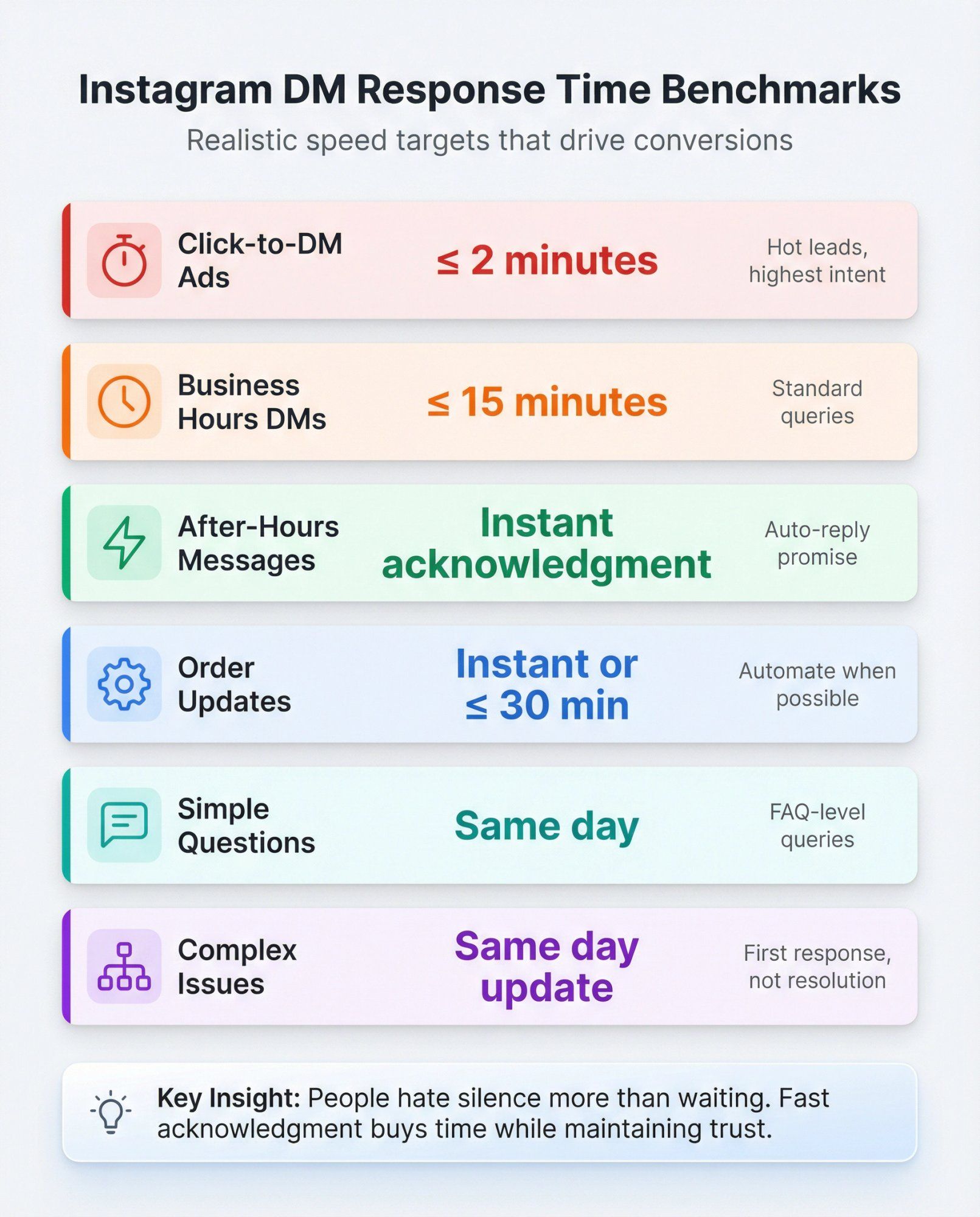
| Metric | Target | Context |
|---|---|---|
| Business hours DMs | ≤ 15 minutes | Standard queries during your active hours |
| Click-to-DM ads | ≤ 2 minutes | Hot leads with highest conversion intent |
| After-hours | Instant acknowledgment | Auto-reply with next-step promise |
| Simple questions | Same day | FAQ-level queries |
| Order updates | Instant or ≤ 30 minutes | Automated when possible |
| Complex issues | Same day update | First meaningful response, not full resolution |
Why two metrics? Because a fast "Got it, checking now" message buys you time while maintaining trust. People hate silence more than they hate waiting.
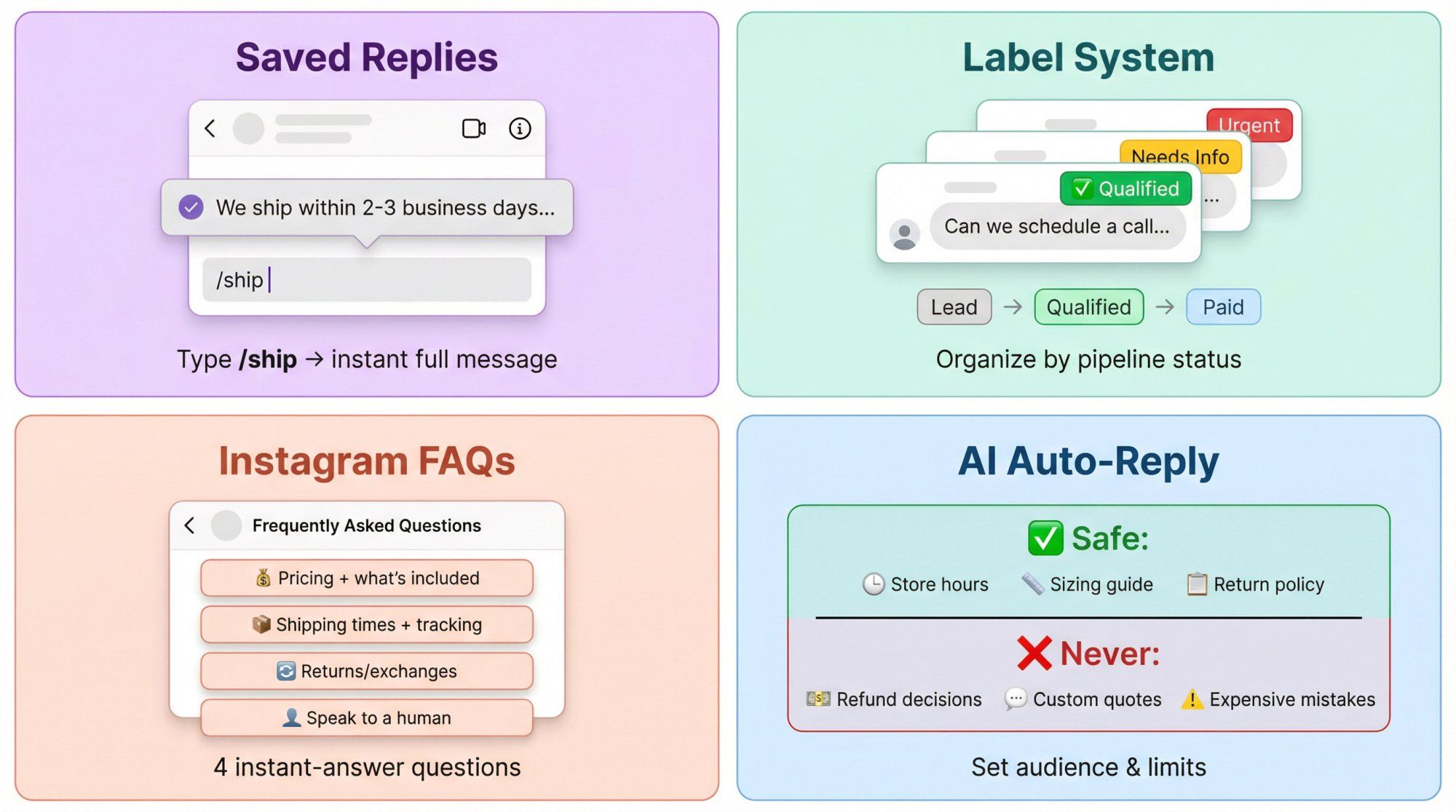
Instagram's Quick Replies feature lets you insert full messages instantly using shortcuts. Instead of typing "We ship within 2-3 business days..." for the 100th time, you type /ship and tap.
How to set them up:
① Go to Settings → Business → Saved Replies
② Create a shortcut (like /price, /ship, /hours)
③ Write the full message once
④ Use it forever
Pro template structure:
Every saved reply should follow this pattern:
• Acknowledge their question
• Answer (or ask one clarifying question)
• Give them the next step
Example for /track:
"Got you. What's your order ID (or the email used at checkout)? I'll pull the latest tracking and get back to you in 5 minutes."
Build 15-30 saved replies for your most common questions. You'll never retype the same thing again. This is foundational for any customer service automation strategy.
Instagram's label system for professional accounts lets you tag conversations by status. Instead of rereading threads to remember what's happening, you see status instantly.
Steal this label system:
| Pipeline | Labels | Purpose |
|---|---|---|
| Sales | Lead → Qualified → Quoted → Paid → Fulfilled | Track deal progress |
| Support | New → Needs Info → Investigating → Resolved | Track issue status |
| Priority | VIP / Urgent / Refund Risk | Flag critical conversations |
Label every conversation in the first 10 seconds. Even if you can't reply immediately, you've triaged it. This workflow is part of effective customer communication management.
Instagram's FAQ feature displays up to 4 questions when someone opens a DM with you. They tap the question, get your pre-written answer instantly.
The 4 questions that matter most:
→ "Pricing + what's included"
→ "Shipping times + tracking"
→ "Returns/exchanges"
→ "Speak to a human"
Keep answers short. One sentence plus a link. Your goal is fewer follow-ups, not essays. Check out our FAQ templates for inspiration.
Instagram rolled out AI auto replies for some professional accounts. You can set which audience your AI replies to (people you don't follow, followers you don't follow back, or specific groups).
Safe use cases:
- Store hours and location
- Sizing guide links
- Return policy links
Never let AI handle:
- Refund decisions
- Custom quotes
- Anything where being wrong is expensive
And remember: Meta can use messages in business chats to improve features and personalize ads. Keep your scripts clean and don't ask for sensitive info in DMs.
Tools are useless without a workflow. Here's the system high-performing teams use:
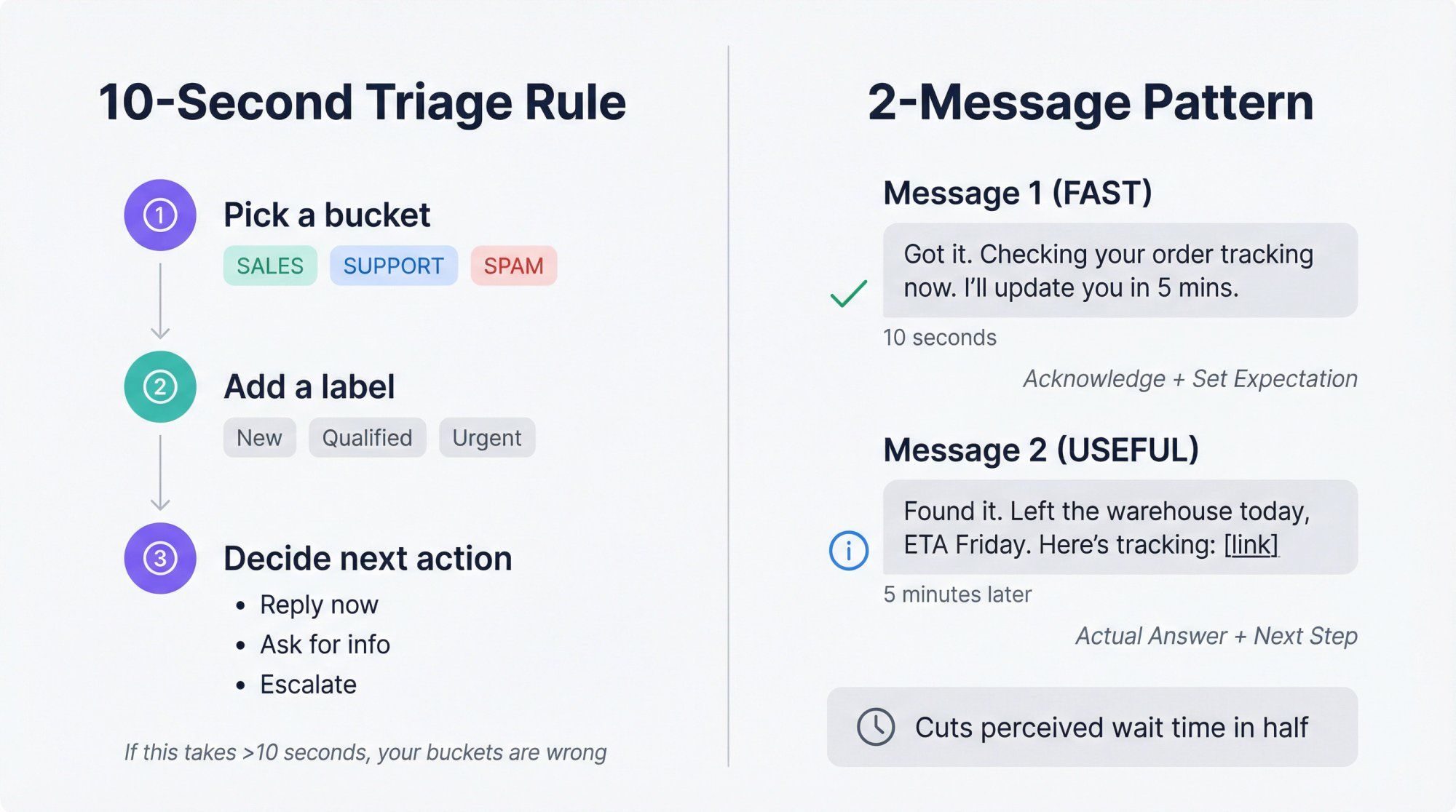
Every new DM gets three things in 10 seconds:
① A bucket (sales / support / spam)
② A label (status)
③ A next action (reply now / ask for info / escalate)
If you can't do this in 10 seconds, your buckets are wrong. Learn more about customer service best practices for triage workflows.
Message 1 (fast): Acknowledge + set expectation
Message 2 (useful): Actual answer + next step
Example:
- Message 1: "Got it. Checking your order tracking now. I'll update you in 5 mins."
- Message 2: "Found it. Left the warehouse today, ETA Friday. Here's tracking: [link]"
This cuts perceived waiting time in half. Humans hate silence more than they hate waiting.
Most businesses get the same 12 types of DMs over and over:
① Price/packages
② Availability/booking
③ Where to buy/link request
④ Order status
⑤ Shipping fees + ETA
⑥ Returns/exchanges
⑦ Sizing/fit
⑧ Product compatibility
⑨ Collaborations/PR
⑩ Wholesale/bulk
⑪ Complaints/refund risk
⑫ Spam/phishing
Create saved replies and automation flows around these. Speed comes from repetition. This is core to automating customer support.
The trick: Automate the boring parts, keep humans for edge cases.
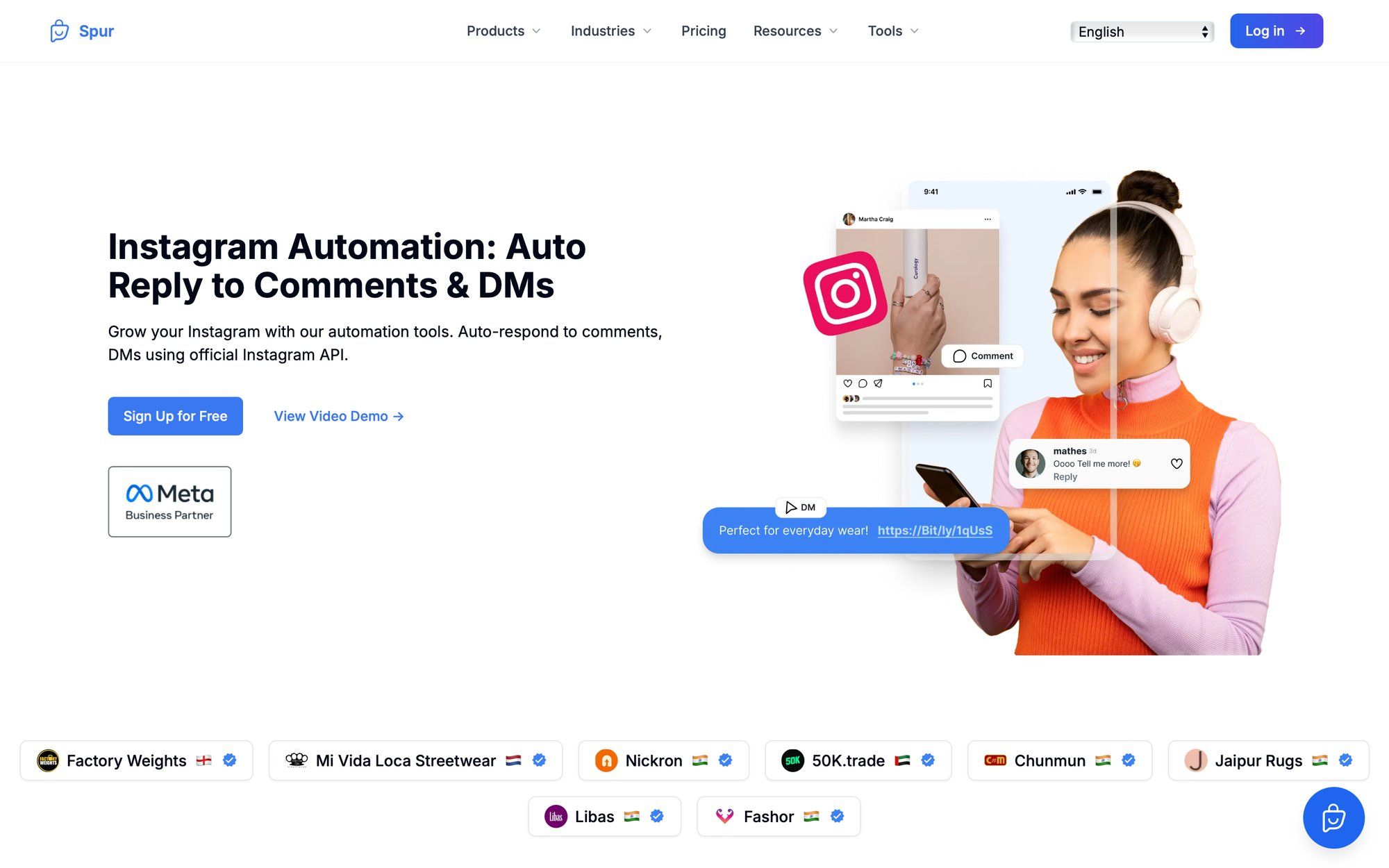
Comment-to-DM: Someone comments "price" on your post, they instantly get a DM with your menu.
Story reactions/mentions: Instant "thanks + next step" when someone reacts to your story.
Keyword-based DMs: User types "catalog" in DMs, they get your catalog plus one qualifier question.
Spur's Instagram automation handles these comment-to-DM and story automation flows through the official Instagram API. We're an official Meta Business Partner, so everything runs on approved infrastructure.
If someone comments multiple times and gets spammed with identical DMs, you look desperate and shady.
Smart platforms prevent this using conditional logic and contact tagging. Spur's help center has a full guide on preventing duplicate messages when users comment multiple times.
Rule: Send once, then tag. Don't punish engaged users.
Bad automation dumps walls of text. Good automation asks one question at a time.
A simple lead capture flow that works:
① "Hey {name}, quick question so I send the right thing: are you looking for (a) X or (b) Y?"
② Button click sends relevant link
③ "What's your budget range?" (buttons)
④ "Want a human to help you choose?" (yes/no)
This feels natural. It qualifies leads. It respects their time. This is the foundation of effective Instagram DM automation.
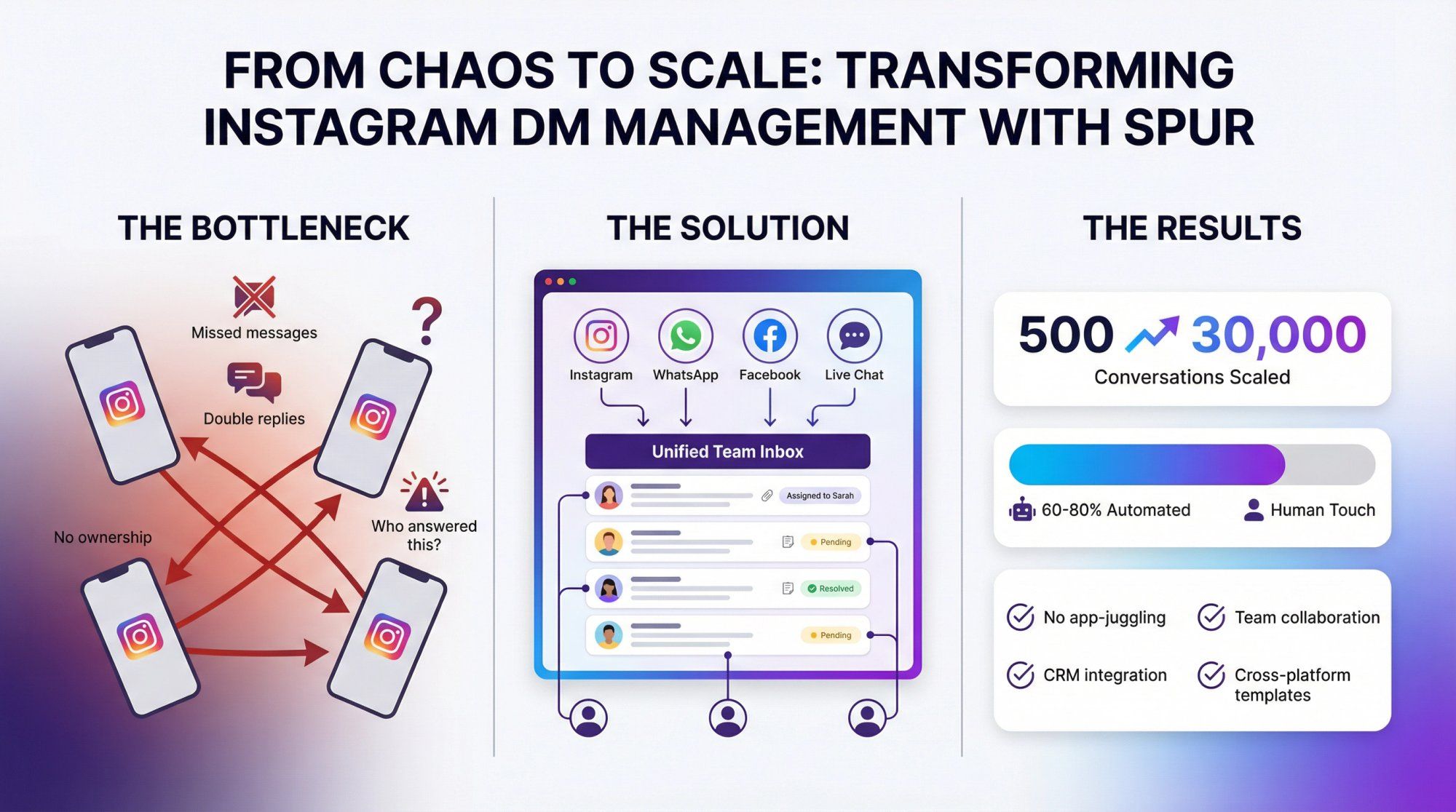
If more than one person handles DMs, Instagram's app becomes a bottleneck:
• No ownership
• Double replies
• Missed messages
• "Who answered this?" chaos
Spur's shared inbox consolidates Instagram, WhatsApp, Facebook, and live chat into one place.
What this means for speed:
→ No app-juggling
→ Multiple team members can respond simultaneously
→ Internal notes and conversation assignment
→ Full context pulled from your CRM/order system
→ Cross-platform templates (create once, use everywhere)
→ Analytics to track response time goals
We've helped brands scale from 500 manual DMs to over 30,000 automated conversations. That's physically impossible without shared infrastructure.
This is true customer communication platform thinking.
AI is great when:
- Questions are repetitive
- You have a clean knowledge base (policies, shipping, FAQ)
- You can escalate to humans when needed
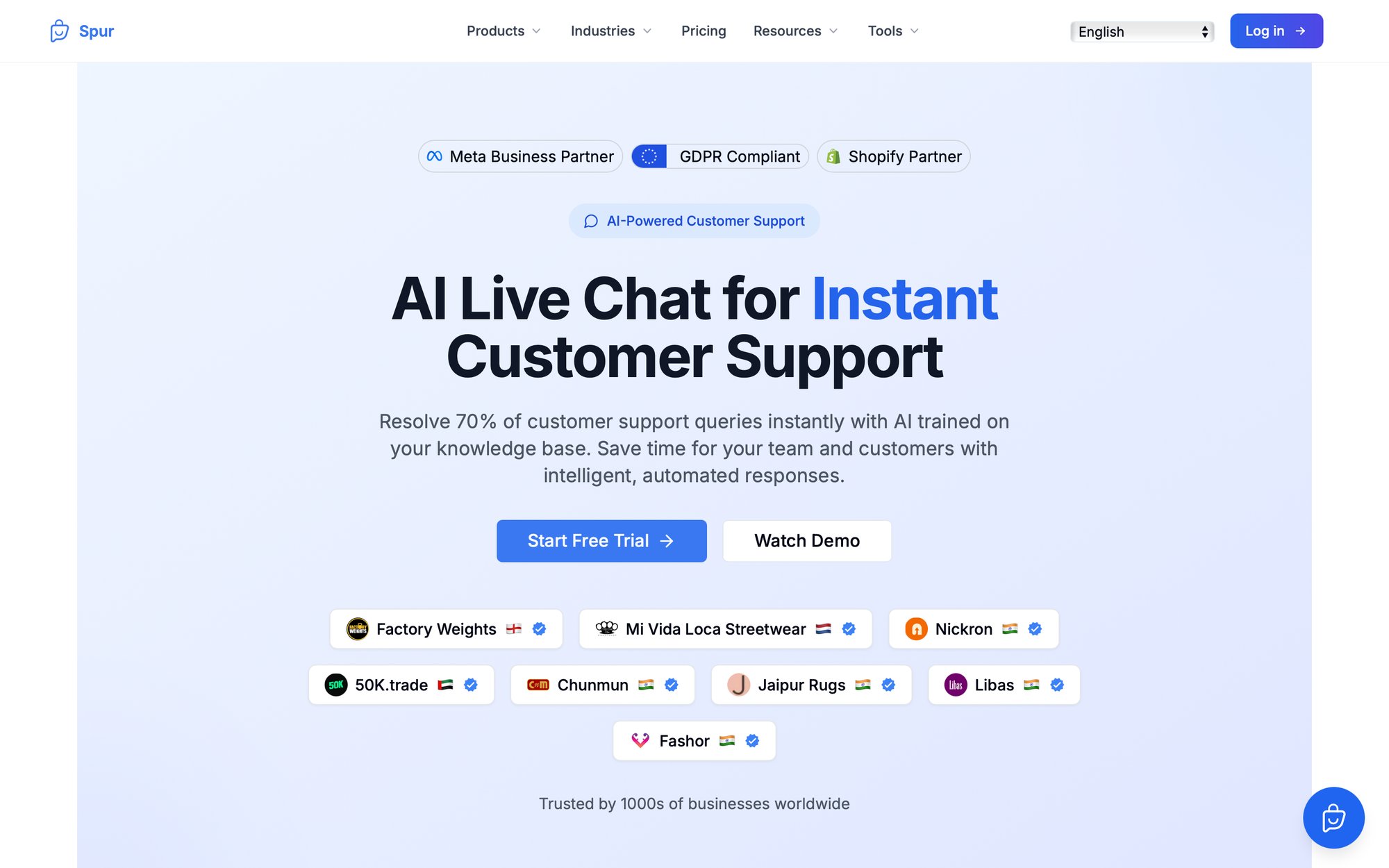
Spur's AI live chat resolves 60-80% of support queries instantly because it's trained on YOUR knowledge base. Not generic responses. Your actual policies, products, and answers. Learn about chatbot best practices for optimal AI implementation.
Critical warning: AI isn't magic. If your policies are unclear, AI will mirror that chaos faster. Clean up your documentation first.
If you use API-based automation for Instagram, you're playing inside Meta's messaging rules.
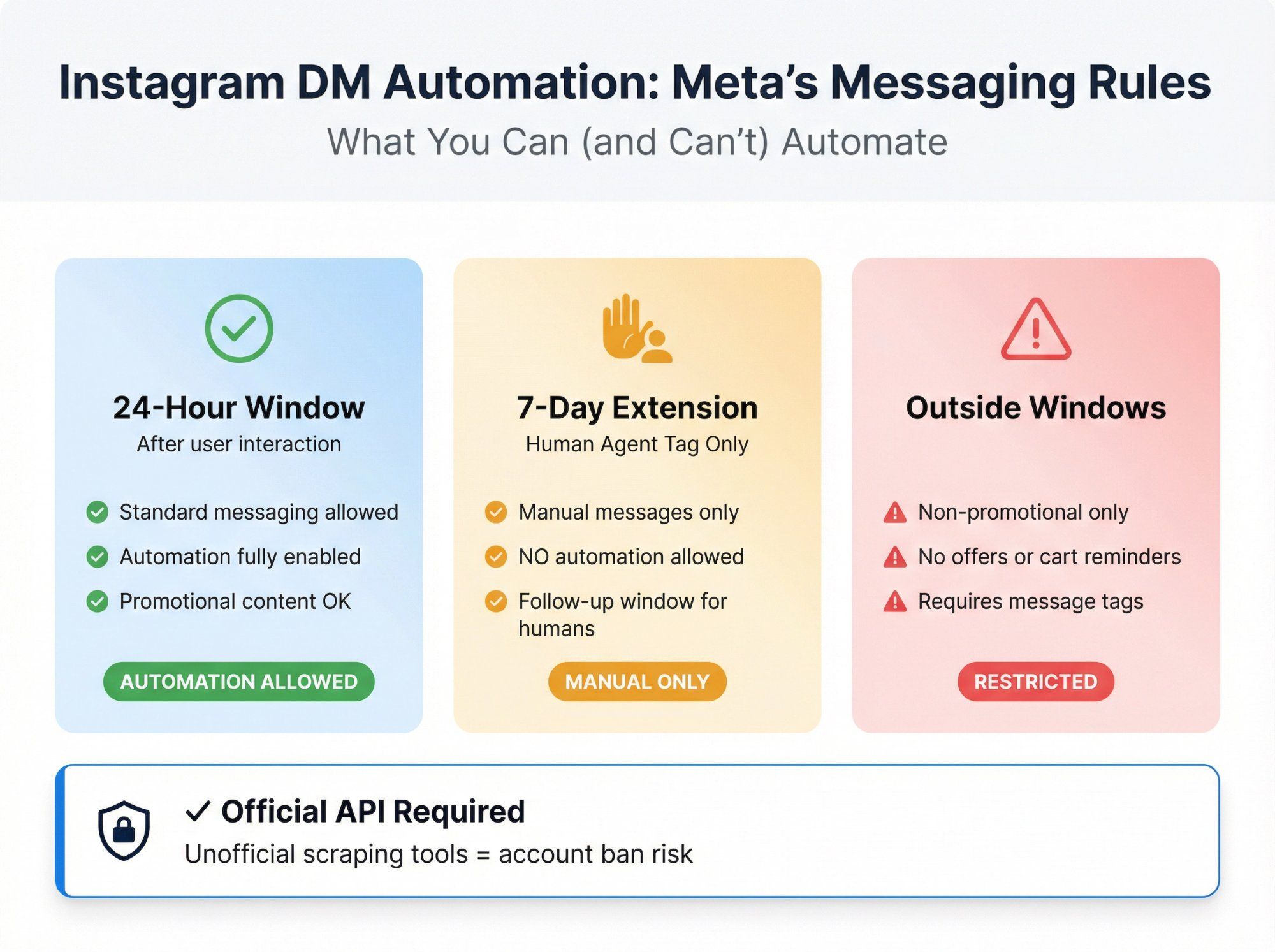
Key rules to know:
| Rule | Details | Impact |
|---|---|---|
| 24-hour window | After a user interaction, you have 24 hours for standard messaging | Standard automation window |
| Human agent tag | Allows up to 7 days of follow-up, but ONLY for manually sent messages | No automation during this window |
| Message tags | Outside windows, content must be non-promotional | No offers, no cart abandonment |
| DM list re-engagement | Paused for new accounts in Feb 2024 | Affects list building |
Also critical: Only use official, API-based tools. Unofficial scraping tools can get your account banned. Our guidance on Instagram Direct Message automation is simple: your first filter for any automation tool should be official API access.
Steal these as saved replies. The shortcut is in bold.
/hi
"Hey! Got your message. Quick question so I help fast: is this about (1) buying, (2) an existing order, or (3) support?"
/human
"Totally. I'm looping in a human now. What's the main thing you need help with in one line?"
/hours
"We're open [hours]. If you message outside hours, we'll reply next business day. If it's urgent, tell me 'urgent' + what's going on."
/price
"Here's pricing + what's included: [link]. If you tell me your goal + budget range, I'll recommend the best option."
/catalog
"Here's the catalog: [link]. What are you shopping for: (a) X, (b) Y, or (c) not sure?"
/code
"Yep! Here's the code: [code]. It works on [conditions]. Want me to help you pick the right item?"
/track
"Happy to check. What's your order ID (or phone/email used at checkout)?"
/return
"Returns are easy. Here's the policy + steps: [link]. If you share your order ID + item, I'll confirm eligibility."
/size
"Tell me your height/weight (or usual size in [brand]) + the item name. I'll recommend the best fit."
/sorry
"You're right to flag this. Sorry about the experience. I'm checking what happened now. Can you share your order ID + what went wrong?"
/refund
"I can help with that. Before I confirm, I need your order ID + whether the item is unused/opened."
For more template inspiration, check our out of office message examples for after-hours scenarios.
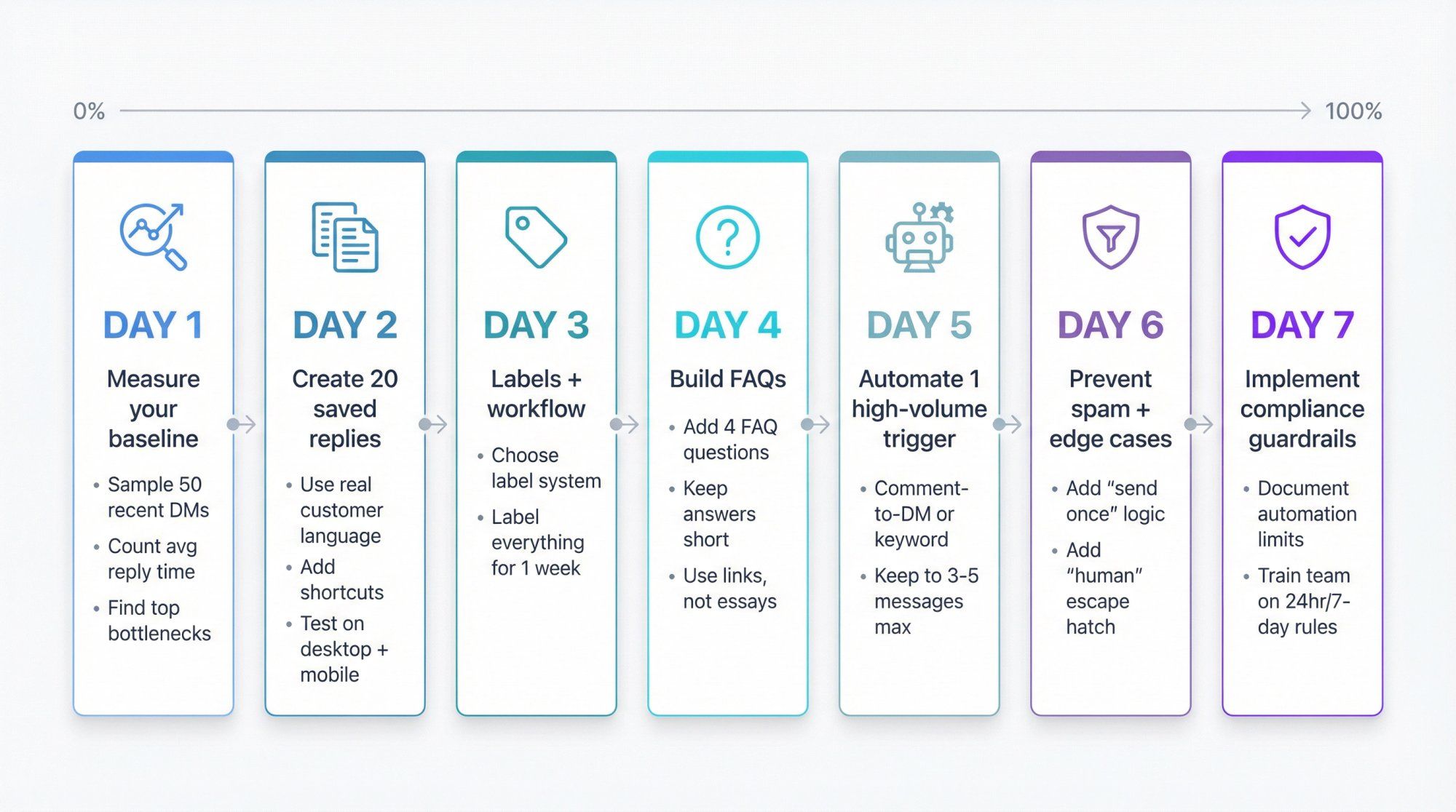
Day 1: Measure your baseline
• Sample 50 recent DMs
• Count average first reply time, top 10 questions, biggest bottlenecks
Day 2: Create 20 saved replies
• Write them from real customer language
• Add shortcuts
• Test on desktop + mobile
Day 3: Labels + workflow
• Choose your label system
• Label everything for one week (yes, everything)
Day 4: Build FAQs
• Add the 4 FAQ questions
• Keep answers short + link-based
Day 5: Automate 1 high-volume trigger
• Comment-to-DM or keyword DM
• Keep it 3-5 messages max
Day 6: Prevent spam + edge cases
• Add "send once" logic
• Add "human" escape hatch
Day 7: Implement compliance guardrails
• Document what can be automated vs must be human
• Make sure your team understands the 24-hour vs 7-day rules
This systematic approach is part of broader marketing automation best practices.
Here's the clean way to use Spur to reply faster without creating new problems:
① Use Spur for Instagram DM + comment automation
Auto-reply to comments, DMs, and story reactions/mentions via the official API. We're an official Meta Business Partner.
② Run Click-to-DM ads into a qualification flow
Capture phone/email with Click-to-Instagram Direct Ads, qualify leads, and push lead quality signals back to Meta so your campaigns optimize for actual conversions, not just clicks.
③ Centralize with a shared inbox
Stop losing replies in single-device chaos. Our shared inbox handles WhatsApp Business API, Instagram, Facebook automation, and live chat in one place.
④ Know the real-world API limitations
Some Instagram content (like standard reels shared in DMs) shows as "unsupported" in third-party inboxes because the API doesn't provide enough data. We document this and how to handle it.
⑤ If automations don't fire, check routing/permissions
Our troubleshooting guide covers ensuring Spur is set correctly as the routing app and has proper control.
You can auto-acknowledge and auto-handle common questions. But for anything nuanced, use automation to collect info and then hand off to a human. That's how you stay fast without being annoying. Learn more about chatbot to human handoff best practices.
Automation is safest when built on the official Instagram API (Meta partner tools) instead of scraping. We explicitly recommend filtering tools by official API access. Also avoid Instagram automated behaviour that violates platform policies.
Meta's messaging policies matter. The 7-day human agent window is for manual follow-ups only. Automated messages aren't allowed in that window. Outside that, message tags must be non-promotional.
If you're hitting under 15 minutes during business hours and have instant acknowledgments after hours, you're in the top 10%. If you're hitting under 5 minutes on hot leads, you're in the top 1%.
Instagram's native AI is easier to set up but less customizable. Third-party platforms (like Spur) give you more control, better integrations, team collaboration, and the ability to handle complex workflows. Most businesses that scale end up needing a dedicated platform. Compare features on our compare page.
Setting it and forgetting it. Automation needs regular refinement. Check the conversations your bot handles, update flows when customers seem confused, and always have clear escalation triggers for when humans need to step in. This is part of chatbot use cases best practices.
Use automation for instant acknowledgment ("Thanks for your message! We're offline but will respond first thing in the morning"). Set clear expectations. Then have your team handle everything during business hours. Consistency matters more than 24/7 availability.
Yes, if your questions are repetitive and you have a clean knowledge base. The key is training your AI or bot on YOUR actual answers, not generic responses. That's why platforms that let you train a chatbot on your website data work better than generic chatbots.
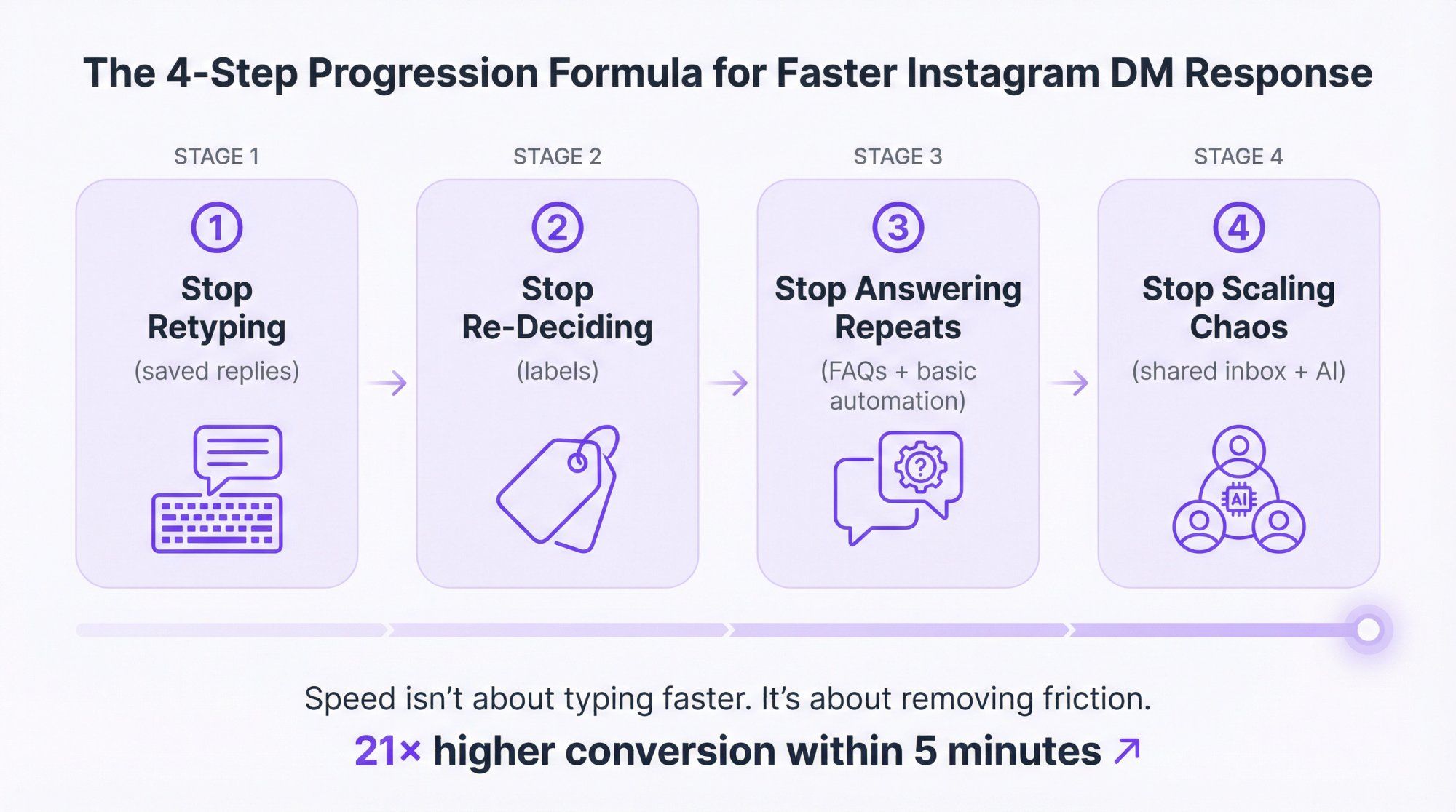
To reply to Instagram DMs faster, do this in order:
① Stop retyping (saved replies)
② Stop re-deciding (labels)
③ Stop answering the same questions (FAQs + basic automation)
④ Stop scaling chaos (shared inbox + compliant automation/AI)
Speed isn't about typing faster. It's about removing friction.
The businesses that reply within 5 minutes convert at 21× higher rates. That's not a small edge. That's the difference between thriving and watching your competitors eat your lunch.
Start with saved replies today. Add labels tomorrow. Test automation next week.
Your customers are waiting. Don't make them wait long.
For more insights on social media automation tools and automated lead generation strategies, explore our blog.