Best UChat Alternative: Top Platforms Compared (2026)

Discuss with AI
Get instant insights and ask questions about this topic with AI assistants.
💡 Pro tip: All options include context about this blog post. Feel free to modify the prompt to ask more specific questions!
Looking for a UChat alternative? The best choice depends on your needs.
If you want social media marketing, there's ManyChat. For AI-powered support, check out LiveChatAI. Or go with an all-in-one solution like Spur that combines actionable AI, knowledge base training, and multi-channel automation across WhatsApp, Instagram, and web chat - without the complexity UChat often brings to new users.
UChat is a popular no-code chatbot platform that lets you build AI chatbots across 13 different channels (from websites to WhatsApp, Instagram, Telegram, and more). It features a visual flow builder and even supports creating AI agents (chatbots with AI capabilities) without coding. UChat's affordability (free plan and paid plans starting at $15/month for one bot) and rich features make it attractive to small and medium businesses venturing into chat automation.
Reviewers praise UChat's easy drag-and-drop builder, multi-channel deployment, broadcasts, and integrations with tools like Zapier. But UChat isn't perfect for everyone. Some newcomers find it overwhelming at the beginning due to its many options, and a recent user review noted frustration with UChat's support (relying heavily on bot responses with "no customer support, just bots!").
Plus, UChat lacks a built-in knowledge base for AI training. You can't directly feed it your website or documents to create a Q&A bot (you'd have to integrate external AI or data sources). If you need that kind of advanced AI or you're facing pain points like limited support, it might be time to explore alternatives.
In this guide, we'll compare the best UChat alternatives available in 2025. We'll break down their key features, strengths, pricing, and ideal use-cases. Whether you're looking for more powerful AI, different channel support, better integration of your knowledge base, or just a more user-friendly experience, these alternatives have you covered.
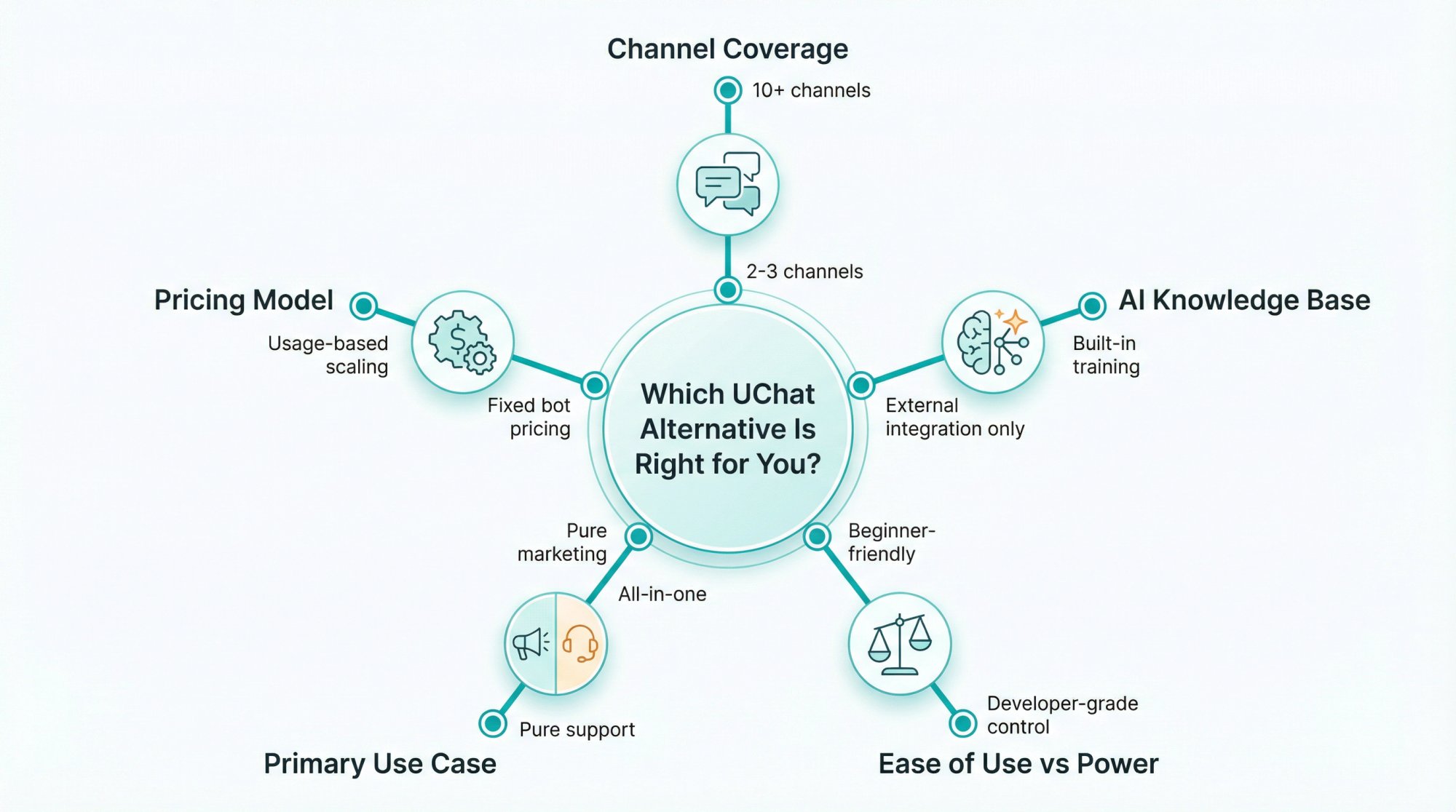
When evaluating alternatives, keep in mind what UChat excels at and where it falls short for you. Here are some factors to consider:
UChat shines with 13-channel support (Facebook, Instagram, WhatsApp, Telegram, Slack, website chat, etc.). If an alternative only covers 2-3 channels, make sure those are the ones you actually need.
For example, if you mainly use Facebook/Instagram, a simpler tool focused on those might suffice. But if you need omnichannel presence (including web, messaging apps, SMS, email), look for a platform that matches or exceeds UChat's channel lineup. Learn more about omnichannel marketing automation.
UChat allows adding AI via integrations (like OpenAI or Dialogflow), but it doesn't natively let you train a bot on your own knowledge base content.
Alternatives that offer built-in knowledge base training (uploading PDFs, crawling your website, etc.) can give you a smarter chatbot out-of-the-box. If you want an AI support agent that can answer FAQs from your docs, favor platforms with this feature. Check out our guide on how to train a chatbot on your website data.
UChat offers a lot of power (even whitelabeling and custom coding options) which can be a double-edged sword.
If UChat felt complex, look for an alternative known for user-friendliness and quick setup. On the flip side, if you need more customization than UChat offers, consider more developer-oriented platforms or those with open-source control. Explore no-code automation tools that balance power and simplicity.
Think about what you primarily need. Is it marketing automation (broadcasts, lead capture, sales funnels) or customer support (answering queries, ticketing, CRM integration)?
Some UChat alternatives specialize in marketing chatbots (like Instagram DMs, WhatsApp promos), while others focus on customer support AI agents or live chat.
UChat's pricing is bot-based (around $15/mo for one bot). Others might charge per message (usage-based), per user/agent seat, or have tiered plans with limits on contacts or AI calls.
Pay attention to what "scaling up" looks like. Does adding users or sending thousands of messages get expensive? Check out Spur's transparent pricing to see a fair alternative.
Now we'll explore the alternatives. We've included a mix of platforms, from well-known chatbot builders to cutting-edge AI agent tools and even a CRM-based solution, so you can find the right fit.
ManyChat is one of the most popular chatbot platforms, especially known for Facebook Messenger and Instagram automation. If your main goal is engaging customers on social channels (FB, IG, even WhatsApp), ManyChat is a strong alternative to UChat. It's often praised for its beginner-friendly interface and templates, making it easy to get started with automated conversations for marketing campaigns. See how it compares in our ManyChat alternative guide.
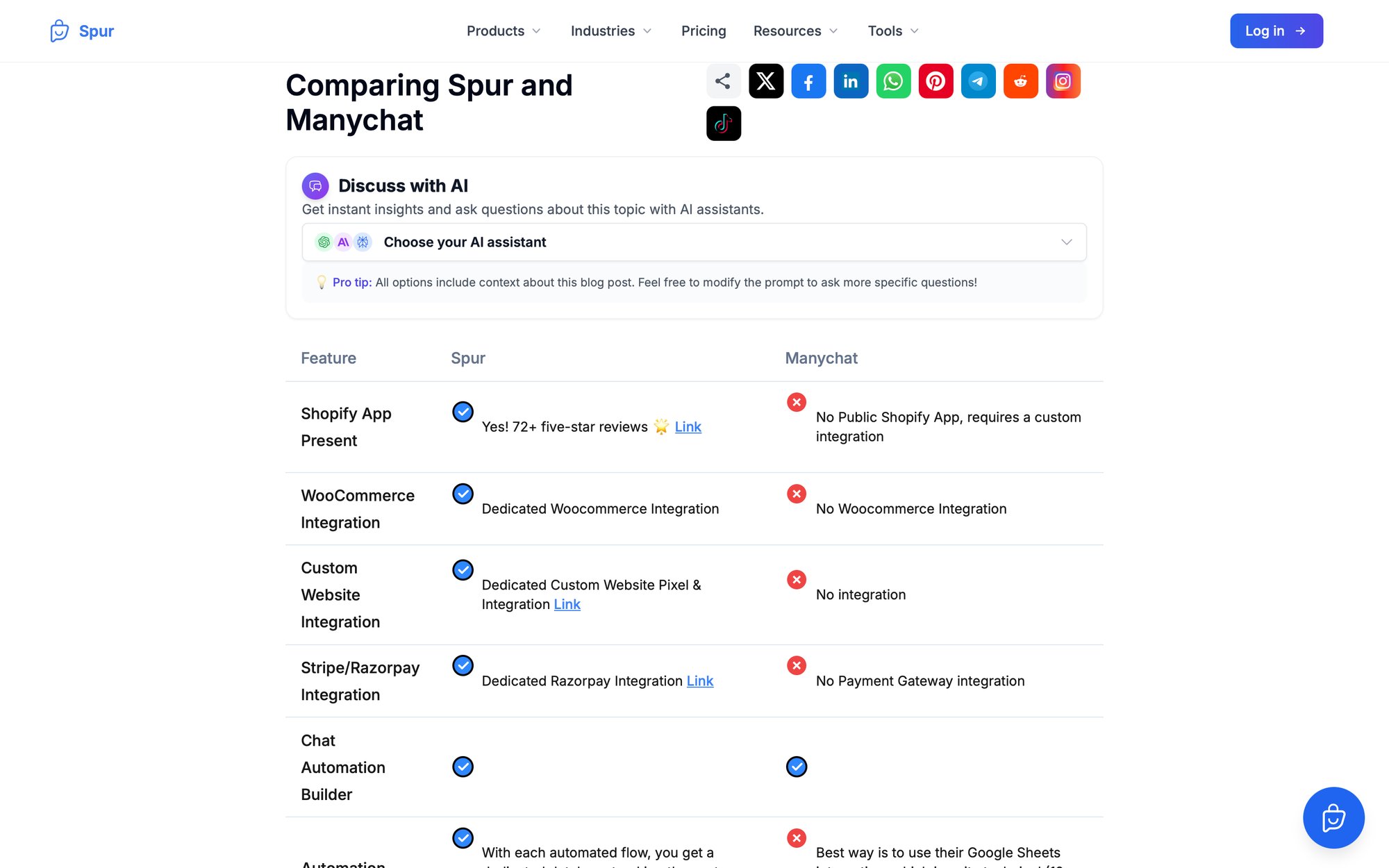
ManyChat supports Facebook Messenger and Instagram as core channels, and it has added WhatsApp (via Twilio or WhatsApp API) plus SMS and email integration for a degree of omnichannel marketing.
It doesn't have the breadth of UChat's 13 channels, though. For instance, ManyChat recently introduced WhatsApp but UChat still offers more channels like Telegram, Slack, or website widgets natively. If you only need the Facebook/IG/WhatsApp trio, this may not be an issue.
ManyChat pioneered features like:
- Visual flow building
- Keyword triggers
- "Comment-to-Messenger" growth tools (automatically messaging people who comment on your posts)
It's very marketing-focused - great for sending promotional broadcasts, drip sequences, and converting social media engagement into leads or sales. It also has e-commerce hooks (cart reminders, purchase follow-ups) if you integrate Shopify or other carts.
One limitation is in AI. ManyChat doesn't have a built-in knowledge base AI. You can connect ManyChat to ChatGPT via an action step or API, allowing AI-generated responses, but you cannot train it on custom documents within ManyChat. Essentially, its AI usage is limited to calling an external AI (OpenAI API or Dialogflow) for general Q&A or language processing. This works for simple needs, but if you wanted an AI that knows your policies or product catalog by heart, ManyChat alone can't do that.
This is where ManyChat shines. Users often choose it for its simplicity. The interface is polished for non-developers. In fact, in a head-to-head comparison, ManyChat is deemed "better for beginners" who want quick results on Facebook/IG, whereas UChat can feel like a jump in complexity. If UChat's myriad options felt daunting, ManyChat's guided approach might appeal to you.
ManyChat has a free plan that's quite generous for getting started (up to 1,000 contacts and limited features). Pro plans start at $15/month (monthly billing) for the basic tier, which covers one Facebook page/Instagram account with unlimited contacts.
But note that adding WhatsApp or SMS usage can incur additional costs. In 2025, ManyChat's pricing has gotten a bit more complex. The base $15/mo might climb once you add the WhatsApp channel (often via Twilio fees) or use a lot of AI-generated messages. There are higher-tier plans (often in the $50-$150/mo range) for agencies or multiple bots/accounts.
In summary: ManyChat is a great UChat alternative if your focus is social media marketing and you want a plug-and-play solution. It doesn't match UChat on technical AI capabilities or total channel count, but for Facebook/Instagram chat marketing it's a proven leader. Choose ManyChat for ease-of-use and robust marketing features - but if you require deep AI knowledge integration or channels like Slack/Telegram, you'll need something else.
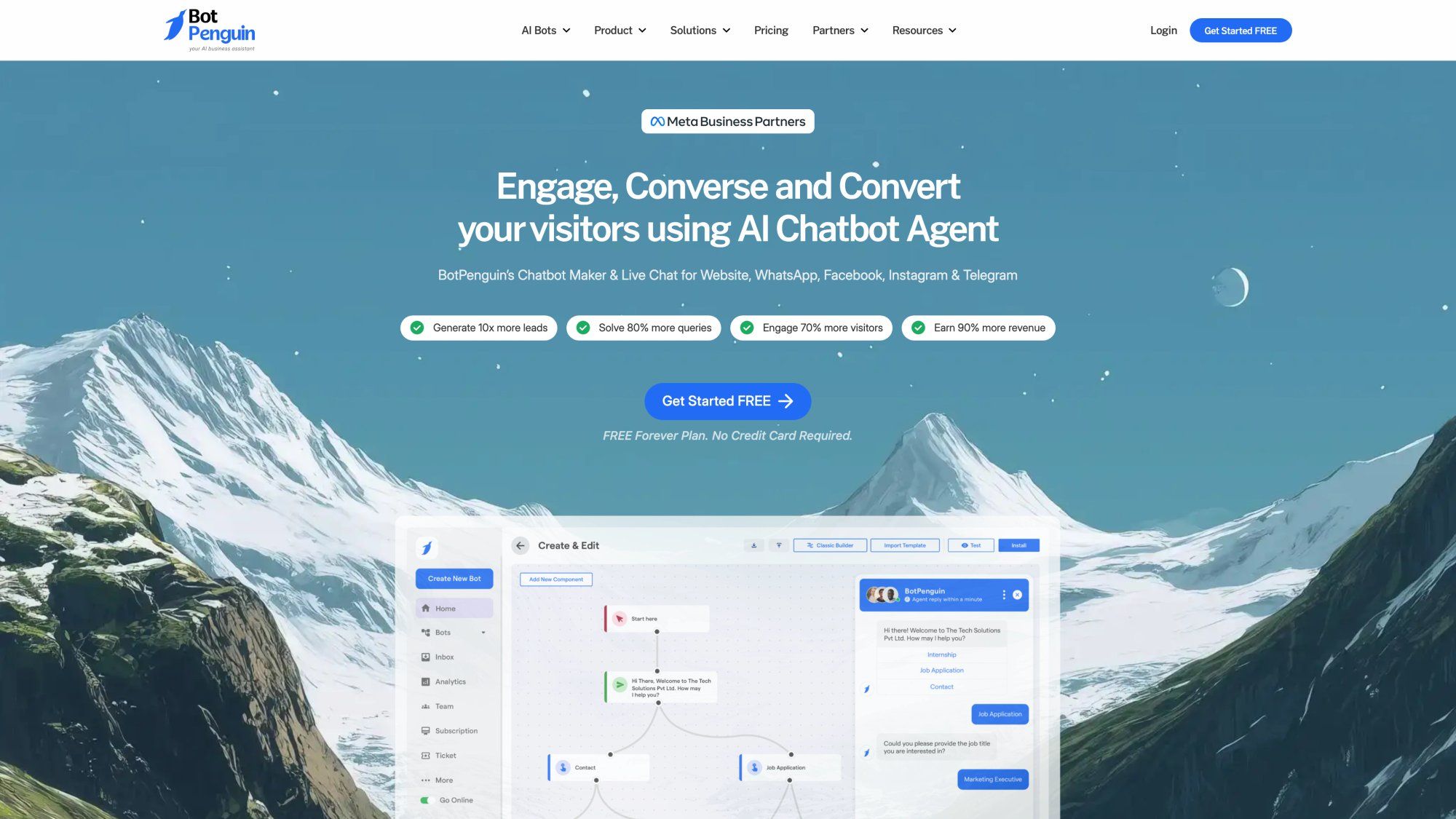
BotPenguin is an all-in-one chatbot platform that, like UChat, offers a no-code visual flow builder and deployment across multiple channels. BotPenguin markets itself as an affordable solution (it even has a forever-free plan) for businesses to automate chats on their website, WhatsApp, Facebook, and more.
BotPenguin supports omnichannel chat. You can create one bot and deploy it on:
- Website live chat widget
- Facebook Messenger
- Telegram
- Other platforms (they mention integrations with popular CRMs and even voice assistants)
Notably, BotPenguin includes WhatsApp marketing capabilities (broadcasts, drip campaigns) and a unified inbox for incoming chats, similar to UChat's inbox.
It also has e-commerce oriented features. They highlight cart recovery, sending product catalogs or offers via WhatsApp, etc. BotPenguin's feature set is quite expansive. You get live chat handoff, integration with payment gateways, CRM systems, and even the ability to train AI on custom data.
In fact, BotPenguin recently introduced Generative AI features. You can upload documents (PDFs, sheets, text) to train your chatbot, and customize its personality and language (it uses GPT-4 under the hood). This means BotPenguin, unlike ManyChat, can create an AI Q&A bot based on your content within its platform. That narrows the gap with UChat's AI agent capabilities.
BotPenguin is also a no-code platform, and users often compliment its onboarding support. They even assign a dedicated support agent to help new users, according to their site. The flow builder is drag-and-drop and meant to be straightforward. Given its broad features, there might be a learning curve to master everything (especially newer AI training tools), but overall it's targeted at non-technical users like UChat is.
One of BotPenguin's biggest appeals is cost. There's a Free "Baby" Plan that allows 1 chatbot and up to 1,000 messages per month - good for trying it out or very small deployments.
Paid plans are quite affordable:
- "Little" Plan: $15/month (includes 5 chatbots and 3,000 messages/month as of 2025)
- "King" Plan: $50/month (up to 12,000 messages and more chatbots/users)
These prices are flat rates and significantly lower than some competitors for similar usage. Do note that BotPenguin's pricing is usage-capped by messages. If you exceed 3,000 messages in a month on the $15 plan, you'd need to buy add-ons or move to a higher tier. They sell extra message packs (like $5 for 1,000 messages) if needed. On the plus side, unlimited contacts are allowed on all plans, which is great for growing businesses.
Why choose BotPenguin? It hits a sweet spot for small businesses that need a multi-channel chatbot without breaking the bank. You get a bit of everything - marketing automation (broadcasts, drip campaigns), AI-driven Q&A capabilities on your data, and support for the major messaging platforms - at a low price. The trade-offs are that BotPenguin is a newer player and may not have the polish or community that a platform like ManyChat does. Also, heavy usage will require upgrading due to message limits.
Chatbase is an AI chatbot builder focused on one thing: quickly creating a Q&A chatbot from your own data. If your primary need is an AI support bot that can answer questions from your documents or website, Chatbase is a strong alternative. It's quite different from UChat (which is more flow-based), but it addresses the knowledge base gap we noted in UChat.
With Chatbase, you upload your content - like PDFs, Word docs, FAQs, or even crawl your website - and it trains a custom GPT-powered chatbot on that data. For example, you could upload your product manuals and get a chatbot that answers customer questions using that information. This is all done via a simple interface, no coding required.
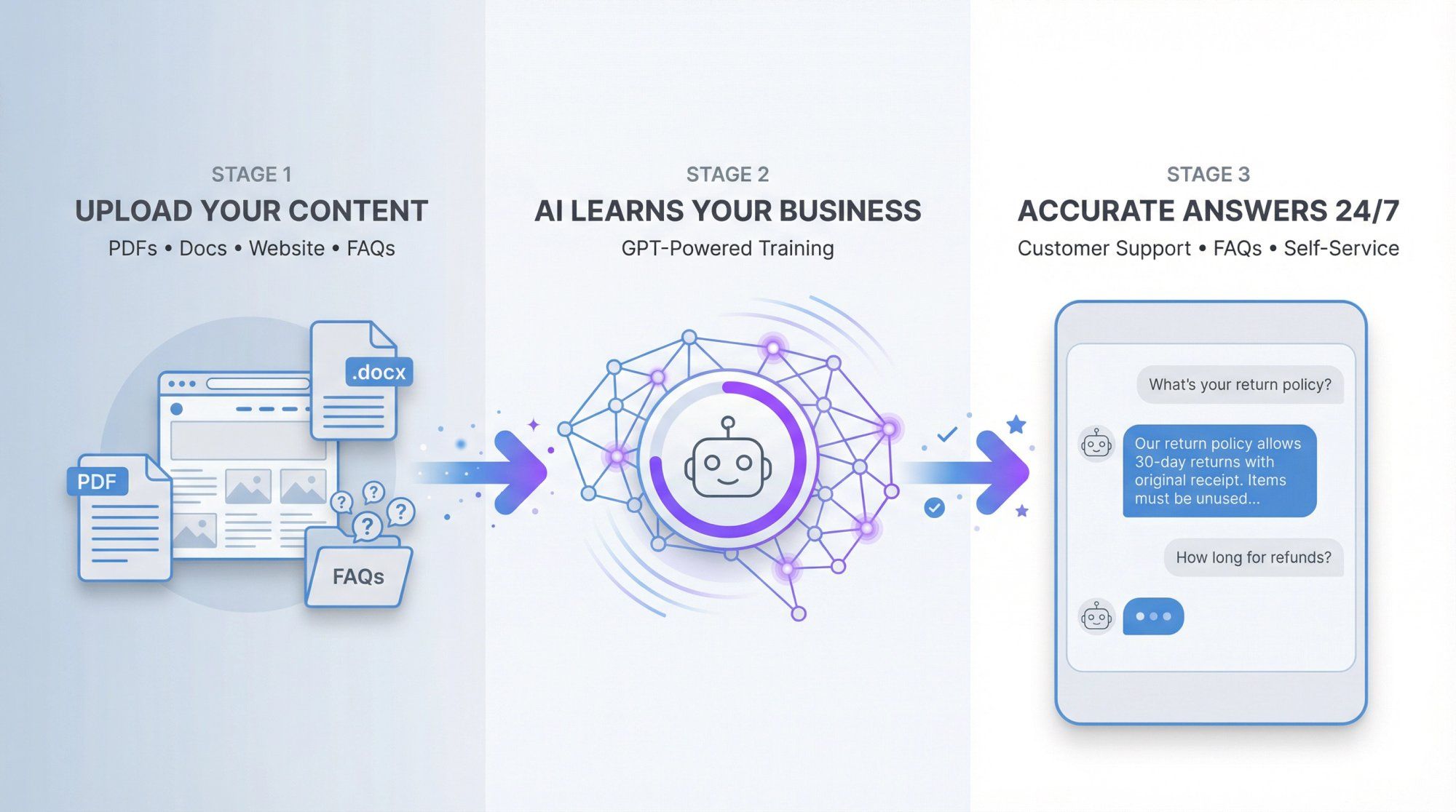
Essentially, Chatbase wraps the power of large language models (OpenAI's GPT-3.5/4) and allows you to inject your business knowledge so the answers aren't generic. UChat does not have this built-in. Achieving similar functionality in UChat would require integrating an external AI and manually feeding it data. Chatbase makes it plug-and-play.
Answer quality and ease. You don't design conversation flows. Instead you rely on the AI to generate answers from your content. It's great for:
- Customer support
- FAQs
- Internal knowledge applications
Reviewers say it's especially useful for handling many support questions without human intervention. Chatbase also supports a website chatbot widget you can embed, and via its API you can connect the Q&A bot to other channels (though that might need some technical work).
Chatbase is not a full marketing or multi-channel suite. It doesn't have broadcasting, drip campaigns, or the ability to create interactive flows with buttons and forms. It's mostly question→answer style.
Also, while it can integrate via API, one user noted that Chatbase's API didn't maintain conversational context well without building a custom memory - meaning it's primarily geared toward one-shot Q&A, not long back-and-forth dialogues over API.
Another limitation is performing actions. Chatbase bots can't natively do things like check your database or book an appointment. A reviewer specifically wanted it to "look up prices to answer customer questions" and integrate with third-party apps, but "couldn't find a way to smoothly integrate" that kind of live data or action. So, Chatbase answers what it knows from the static data you gave it, but it won't, for example, update an order status in real-time.
Chatbase offers a free tier (for one small chatbot with limited messages) and then paid plans scaling by number of messages and data. The Starter plan is around $19/month which includes a few thousand messages and a certain file size limit. Higher plans go up based on usage.
Since Chatbase's pricing model can change, the key point is it's usage-based (you pay more as you have more conversations or need more data storage). Compared to UChat's fixed bot pricing, Chatbase might be cheaper if you have low-to-moderate volume, but costs could rise if your bot is very heavily used. That said, note that Chatbase doesn't charge separate fees for each channel. You can deploy that one bot on your site, WhatsApp (via Twilio integration), etc., and the pricing is just by total messages, which is fairly straightforward.
Chatbase is ideal if you want to stand up a self-service Q&A bot quickly and have lots of existing content to leverage. For example, startups use it to power an FAQ bot on their website by uploading their help center docs. It's an alternative to UChat specifically in the AI domain: UChat can automate conversations but not inherently "learn" your knowledge base, whereas Chatbase does exactly that.
Just remember, Chatbase will not replace your marketing automation needs. It won't send proactive campaigns or qualify leads with button-based flows. It's a specialist: superb for information bots, less so for sales chat blasts.
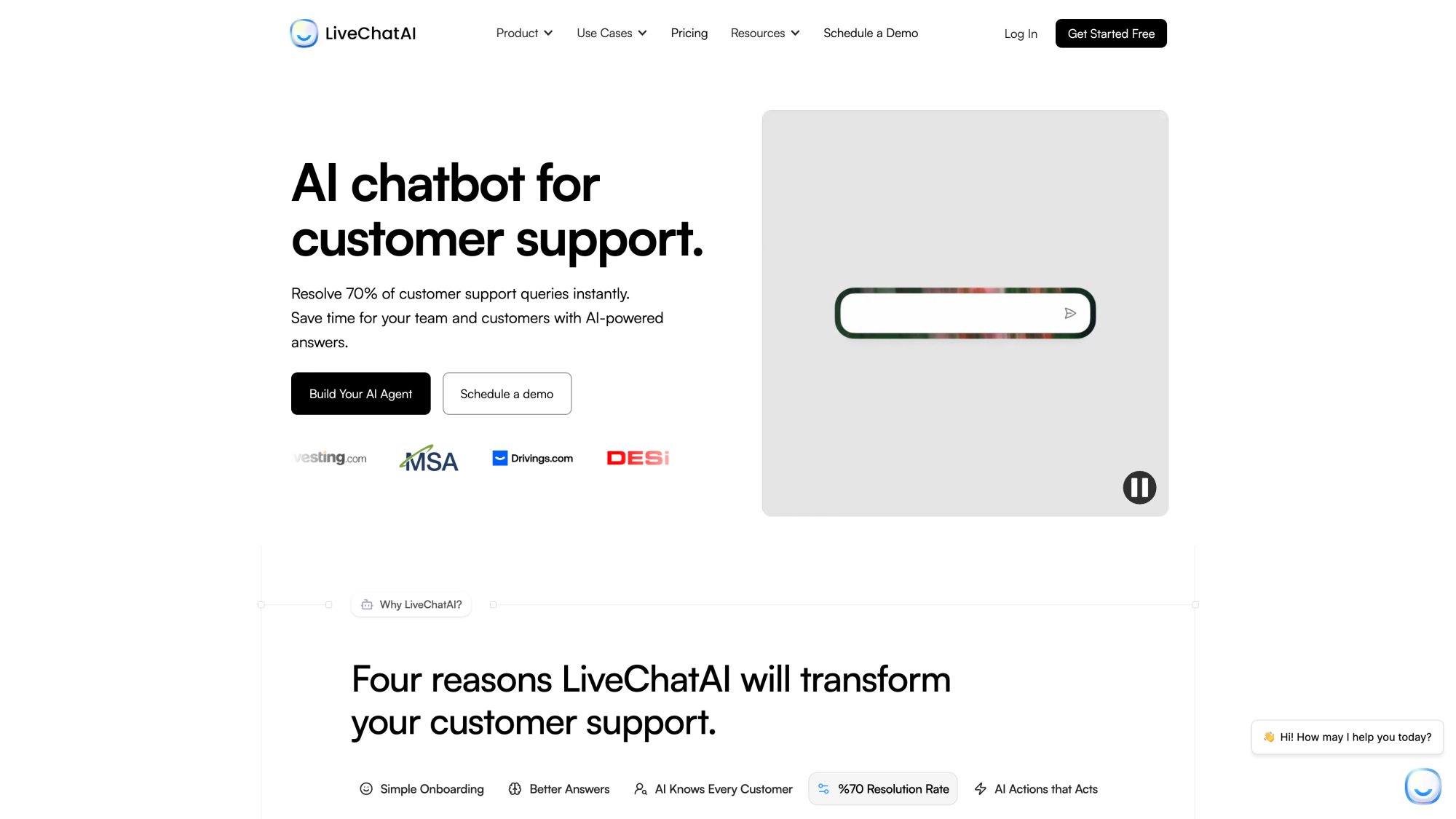
LiveChatAI is a cutting-edge platform that offers AI chatbots capable of both answering questions and taking actions. It positions itself as an "AI Agent for Customer Support" that can instantly resolve a large chunk of queries and seamlessly hand off complex cases to humans. If UChat's AI felt limited and you're looking for something more powerful and autonomous, LiveChatAI is a compelling alternative.
LiveChatAI's feature set goes beyond basic Q&A. Yes, like Chatbase it can be trained on your data (crawl your website, ingest knowledge base articles, PDFs, etc.) to give accurate answers in your brand's tone. But it also introduces "AI Actions", which are automated tasks the bot can perform.
For example, the chatbot can:
- Book a meeting for a user via Calendly
- Process a payment (through Stripe)
- Check order status or inventory by querying your databases
- And more - all during the conversation
This is a standout feature: instead of the bot saying "Let me transfer you to an agent to do that," it can complete the task itself and respond with the result.
In contrast, UChat's bots can call webhooks or connect via API if you set it up, but it requires manual configuration of flows. LiveChatAI provides a more out-of-the-box library for common actions and a no-code setup to connect systems.
LiveChatAI supports deploying your AI bot on multiple platforms. Primarily, you can embed it as a live chat on your website or help center. But it also has native integrations for:
- Slack
- Shopify App
- WordPress plugin
That means your AI agent can operate in WhatsApp (handling customer queries there) or even within Slack (for internal support or team productivity).
This breadth is quite impressive for a newer platform. One thing to note: LiveChatAI focuses on support channels. It doesn't explicitly mention Facebook Messenger or Instagram DM integration. If your focus is support and web, that's fine. But if you need an IG comment bot or Facebook ad bot, LiveChatAI might not cover that yet.
Where LiveChatAI clearly beats UChat is in internal integration. It ties into your CRM or customer data so the AI can recognize users (by email or phone) and provide personalized answers. For example, it can detect if a user is a free vs. paid customer and tailor the response or upsell accordingly. UChat doesn't have this level of dynamic personalization by default.
Despite its advanced capabilities, LiveChatAI emphasizes quick setup. They claim you can get an AI support agent running in 5 minutes by just pasting your website URL to train it and deploying a widget. Of course, configuring AI Actions or fine-tuning might take longer, but it's designed for business users, not developers.
Their interface also includes monitoring tools to see resolution rates and improve the bot over time. Essentially, LiveChatAI attempts to provide the power of a custom AI solution without the usual implementation hassle. Early adopters have reported high resolution rates - one case study even cites 82% of inquiries resolved by the bot without human help, thanks to good training and action-taking ability.
LiveChatAI operates on a tiered subscription with usage limits (similar to Chatbase or BotPenguin). They have:
- Free plan (includes 1 chatbot, 250 messages/month, basic features) - good for trial
- $39/month (Basic) for 4,000 messages and 1 bot
- $89/month (Pro) for 10,000 messages and 2 bots
- $189/month (Advanced) for 15,000 messages and 5 bots, which also adds API access and a few more seats for team members
All paid plans include the crucial features like Live Chat integration (so agents can take over) and AI Actions. If you need more volume, they likely have higher enterprise plans or pay-as-you-go options.
Compared to UChat: if you're mainly doing support chats, 10,000 messages for $89 might be reasonable (and remember, those could be on your site, WhatsApp, and Slack combined). But if you also wanted to send thousands of proactive marketing messages, LiveChatAI might get expensive - it's really geared towards support use-cases where conversations are user-initiated.
In summary: LiveChatAI is an excellent UChat alternative for those who want a powerful AI-driven support chatbot that can actually do stuff, not just talk. It covers the knowledge base training that UChat lacks, and goes further by completing tasks (booking, updating, notifying) within the chat. Its multi-channel support (web, WhatsApp, Slack, etc.) means it can slot into your existing support channels easily.
This platform is ideal if you're perhaps outgrowing UChat's basic automation and need a more autonomous agent to reduce your support workload. On the flip side, if your needs are more on the marketing side (lead gen, social media engagement), LiveChatAI might be more horsepower (and cost) than necessary. It really shines in customer support automation.
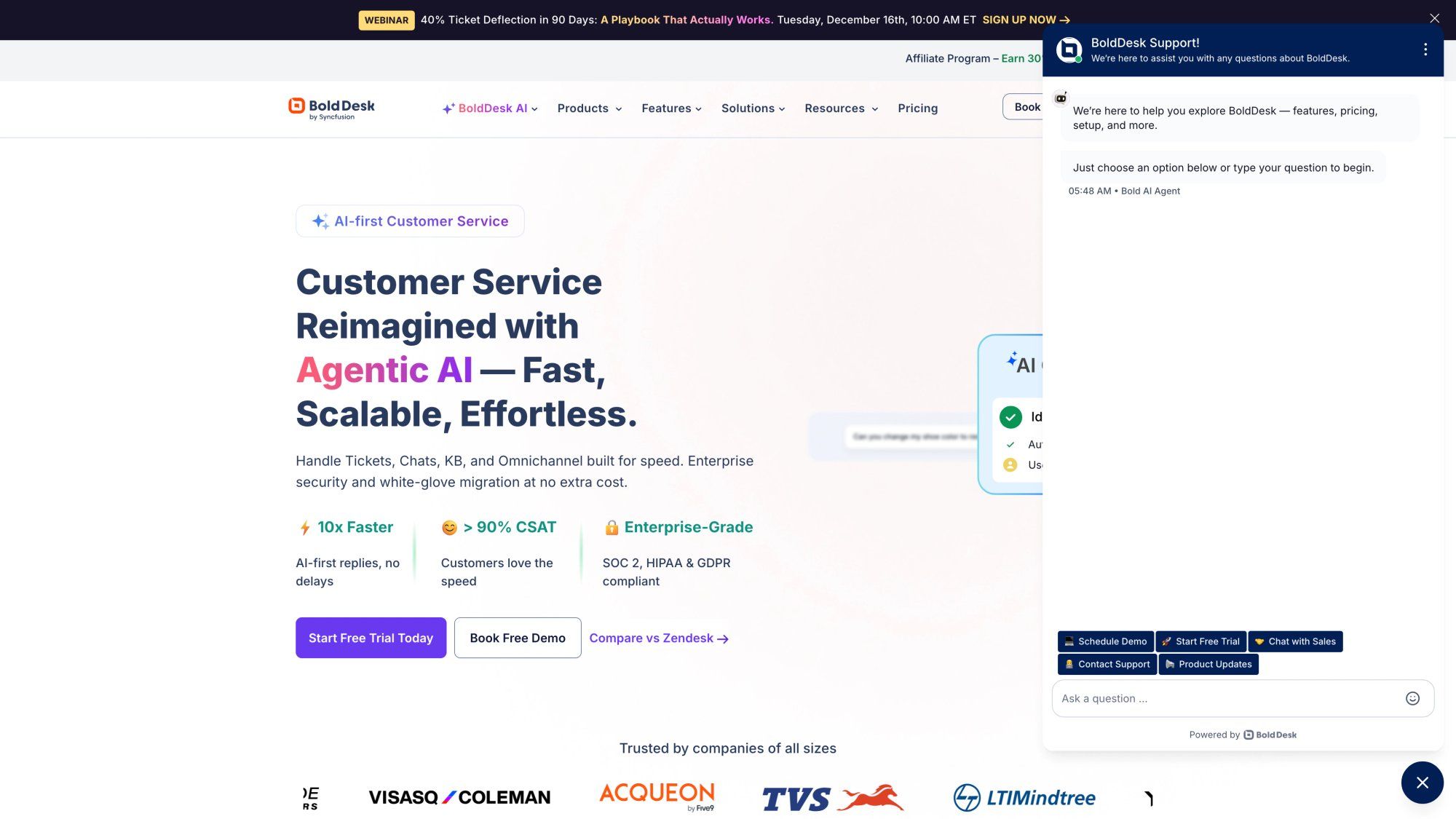
BoldDesk takes a different angle: it's primarily a customer support helpdesk system (like Zendesk or Freshdesk) that now offers an integrated AI chatbot add-on. If you're considering not just a chatbot, but a whole support solution (tickets, knowledge base, live chat) with an AI front-end, BoldDesk is a notable alternative to UChat. See how it compares in our Zendesk alternative guide.
BoldDesk is a support platform by Syncfusion, and in 2025 they introduced BoldDesk AI Agents - essentially AI chatbots that plug into your BoldDesk knowledge base and live chat. The idea is that if you use BoldDesk for managing customer inquiries (tickets, FAQ articles, etc.), the AI can instantly answer common questions by drawing from your existing knowledge base content, and it's deployed on your website's chat widget or self-service portal.
It's a bit like combining what Chatbase does (knowledge-trained bot) with a live chat that ties into ticketing.
BoldDesk's AI chatbot can be trained on multiple content sources:
- Your published knowledge base articles
- Specific web pages
- File uploads
- Curated Q&A pairs you input
This is very useful if you have a formal knowledge base - it ensures the AI's answers align with what you've approved in your help center.
The chatbot is context-aware and content-trained, meaning it uses AI (GPT-style) to understand user questions and find the answer in the knowledge base for a conversational reply. Because it's part of BoldDesk, the AI chat also connects to your live agent system: you can configure it so that if the AI can't help, it smoothly creates a ticket or summons a human agent on live chat.
BoldDesk includes a shared inbox/ticketing, so the conversation history with the AI is visible to the human agent when they take over - providing nice continuity. Another powerful feature is that BoldDesk's AI can be set up with AI Actions as well - specifically, BoldDesk documentation references configuring API calls as actions (for example, checking an order status in another system via API when asked).
BoldDesk AI is clearly targeted at customer support teams who want to deflect routine queries. If you're currently using a helpdesk or considering one, this could kill two birds with one stone (get a ticketing system and chatbot in one). Companies that need serious ticket management, SLAs, and a full support workflow might lean towards this instead of using a lighter tool like UChat plus separate helpdesk.
But if you only need a chatbot and not the whole helpdesk suite, implementing BoldDesk might be overkill. It's a bit like using a cannon to kill a fly in that scenario.
BoldDesk's AI chatbot is not available on all plans - according to their notes, it's an add-on for higher-tier plans (Momentum and Enterprise). BoldDesk's pricing for the base helpdesk starts around ~$49/month per agent for the Momentum plan, and Enterprise higher. The AI add-on likely costs extra (they haven't publicly disclosed a simple price, as it might be custom-quoted or packaged).
Also, BoldDesk being a full SaaS means you'll be paying per support agent using the system, whereas UChat is more about paying for bots/automation usage. So, if you have a team of support reps, BoldDesk can get pricey per seat. That said, for the target audience (mid-sized companies, perhaps), the ROI of automated answers could justify it. It's just not aimed at the small scrappy business on a $15/mo budget.
In summary: BoldDesk's AI chatbot is an alternative path - instead of adding an AI chatbot to your existing stack, you adopt a robust support platform that has AI built in. The benefit is deep integration - the AI has direct access to your curated support content and can escalate to tickets seamlessly.
For an organization already considering upgrading their support infrastructure, this is very appealing. But BoldDesk is not focused on marketing or sales automation at all. It won't run WhatsApp broadcasts or Instagram comment replies - it's purely for support and service. Think of BoldDesk as a full-service solution for 24/7 customer support - ideal for scaling support teams, less so for lean marketing teams.
Botpress is a well-known name in the chatbot world, particularly among developers and enterprises. It's an open-core conversational AI platform that gives you a lot of control. If UChat felt too limited or if your team has programming skills and wants to build highly customized bots (perhaps self-hosted), Botpress is the go-to alternative.
Botpress offers a rich visual flow builder similar to UChat's, but also allows for coding custom logic if needed. It has built-in natural language understanding (NLU) capabilities - you can define intents and entities for your bot to parse messages, which is more akin to enterprise bot frameworks.
In its latest version, Botpress has embraced LLM-based AI as well. You can train knowledge base question-answering into your bot (just like Chatbase or LiveChatAI) and even create AI Agents with context memory. Essentially, it's merging traditional rule-based bots with AI.
Botpress touts support for "10+ channels," including:
- Web
- Facebook Messenger
- Telegram
- Slack
- Others
So it covers all the channels UChat does (and maybe a couple fewer than UChat's absolute 13, but all major ones). One advantage: because it's open and extensible, you can integrate Botpress with internal systems (databases, CRMs) pretty freely and even run it on your own servers or VPC for data control (they offer a self-hosted option for enterprise).
According to an in-depth 2025 review, Botpress is great for fully customizable support chatbots and multi-channel deployments. It has advanced AI features:
- Intents
- Knowledge base Q&A
- Multi-lingual support with auto-translate
- Unlimited variables for building complex logic
- Built-in live chat module (so agents can intervene) - but one caveat: that live chat is only included in higher paid plans
The downsides of Botpress revolve around usability for non-tech folks. There is a "high learning curve for the flow builder" - it's powerful, but not as beginner-friendly as UChat or ManyChat. Also, Botpress deliberately does not focus on marketing features: for example, it doesn't have a native tool for Facebook comments to chatbot or IG story replies (you could create it, but it's not pre-built). It's more about the conversation and integration, less about broadcasting and campaign management.
Botpress is often chosen by companies that want a chatbot as part of their product or internal systems and need fine control.
Botpress has a unique pricing model. It offers a generous Free plan (up to 2,000 messages a month), which is great for development and small-scale use. Beyond that, it's usage-based (pay-as-you-go) - starting at just $1 for small increments and scaling up to enterprise packages of $495 or more for high volumes.
In practical terms:
- If you have moderate volume (say 10k messages), you might pay something like $50
- Heavy volume (100k+ messages) could approach a few hundred dollars
They also have SaaS plans like $89/mo which include more features (that's mentioned as the plan where live chat unlocks). The pay-for-what-you-use model can be very cost-efficient or expensive depending on your usage, but it's nice that you're not locked into a high flat fee if your usage is small.
In summary: Choose Botpress if you need ultimate flexibility and are not afraid to get technical. It can do almost anything you want a chatbot to do - multiple channels, advanced AI understanding, custom actions - but it expects you to configure it properly. Many smaller businesses might find it overkill, whereas larger ones or startups with developers love it.
Also consider Botpress if data privacy and control are paramount - its self-hosting option can ensure no data goes to third-party servers, which is important for some industries. As one comparison put it, Botpress is "meant for technical folks" whereas some alternatives are more user-friendly.
Kommo is a bit different from the others on this list. It's actually a CRM (Customer Relationship Management) system that is "messenger-based" and includes chat automation features. We include Kommo as a UChat alternative for businesses who want their chatbot tightly integrated with a CRM for sales purposes. If your chatbot needs are closely tied to managing leads and customers in a sales pipeline, Kommo could be attractive. Check out our Kommo alternative guide for more details.
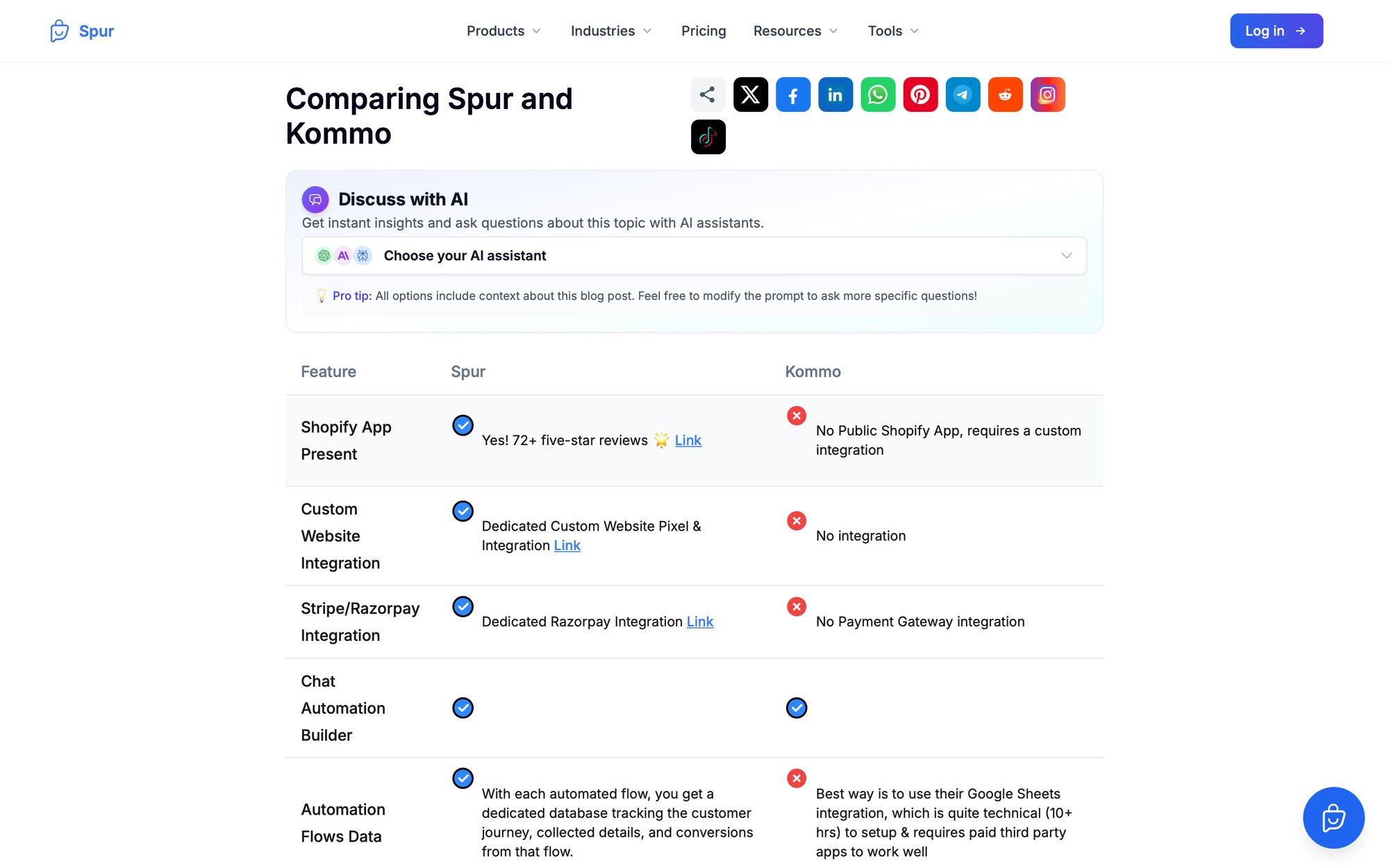
At its core, Kommo is a sales CRM that has a unified inbox for messaging apps (WhatsApp, Instagram, Facebook Messenger, etc.) and a built-in tool called Salesbot - a code-free chatbot builder.
With Kommo, when a new lead messages you on WhatsApp or Telegram, they automatically become a contact in the CRM, and you can have the Salesbot respond immediately, ask qualifying questions, or route them to the right sales rep.
It's essentially combining:
- Chatbot platform
- Contact management
- Sales pipeline tracking
All in one. The Salesbot is capable of the usual chatbot functions: quick replies, menus, answering FAQs, capturing info, etc., all while updating the CRM records. You can design these bot flows without coding. Plus, Kommo supports multi-channel messaging - you can converse with customers across WhatsApp, Telegram, Instagram DM, etc., from one inbox, which is great for sales teams working on closing deals via chat.
The big pro is unification - everything the chatbot collects goes into your CRM automatically. You also get features like:
- Deal tracking
- Tasks
- Follow-up reminders
Which typical chatbot platforms don't have. And Kommo has some AI-assisted features for sales, like AI-powered lead scoring and conversation summaries (to help sales reps).
But as a jack-of-all-trades, Kommo's Salesbot might not be as advanced as UChat or others in pure chatbot features. For instance, Kommo's bot builder is template-based and primarily rule-driven (though they have added some AI agent capabilities recently). It may not support the complex AI knowledge base queries or multi-step actions like LiveChatAI does.
Also, Kommo's strength is with one-on-one lead interactions, not broad marketing blasts (though you can broadcast to segments of contacts, it's within WhatsApp's templates and such). Another consideration: if you already have a preferred CRM, you might not want to switch to Kommo just to get the chatbot - whereas UChat can integrate with many CRMs, Kommo wants to be the CRM.
Kommo is priced like a CRM software, typically per user (seat) per month. As of 2025, their plans were something like:
- Base at $15/user/mo
- Advanced $25/user/mo
- Enterprise $45/user/mo
The Salesbot chatbot builder is included from the Advanced plan upward (and the Base plan might allow limited automation).
So if you have, say, 5 sales agents using it, the Advanced plan runs $125/mo for your team. This includes all CRM features and unlimited messaging, which can actually be reasonable compared to paying for a separate CRM + chatbot platform. Keep in mind WhatsApp messaging fees still apply (Kommo partners with WhatsApp BSPs). Kommo does not charge per message or bot - you pay for the seats and get the toolkit.
When to choose Kommo: If your main goal is to increase sales via chat - for example, handle inbound WhatsApp inquiries, qualify them, and move them down a sales funnel - Kommo provides an all-in-one solution. It's especially useful for businesses that rely on chat for sales (like real estate, high-ticket D2C products, B2B leads from website chat) and want to keep track of every lead in a pipeline.
On the downside, if you only wanted a chatbot for support or marketing and you already use a different CRM, Kommo might be unnecessary or duplicative. Consider Kommo if aligning chat automation directly with sales follow-up is a top priority, and you're open to adopting a new CRM.
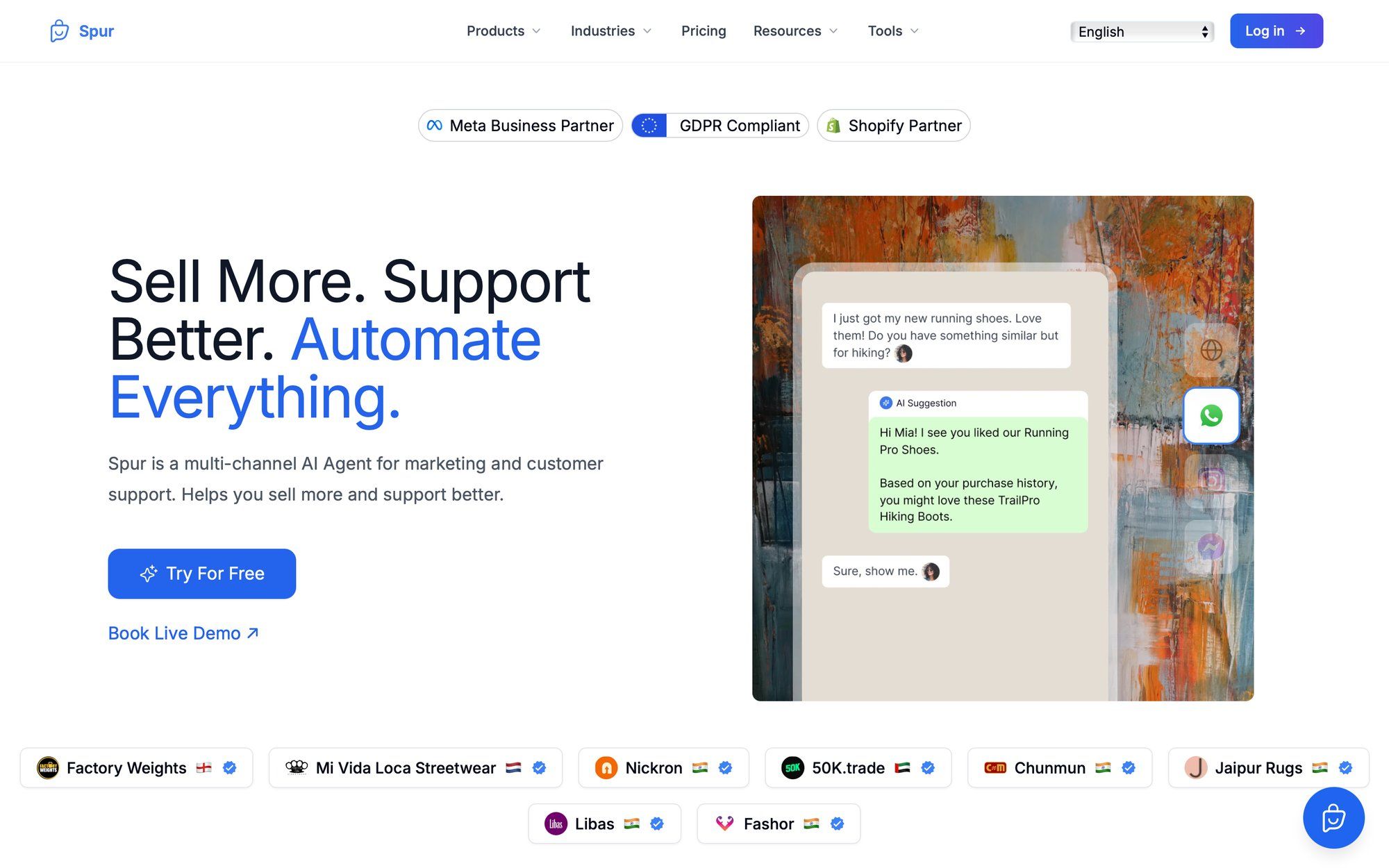
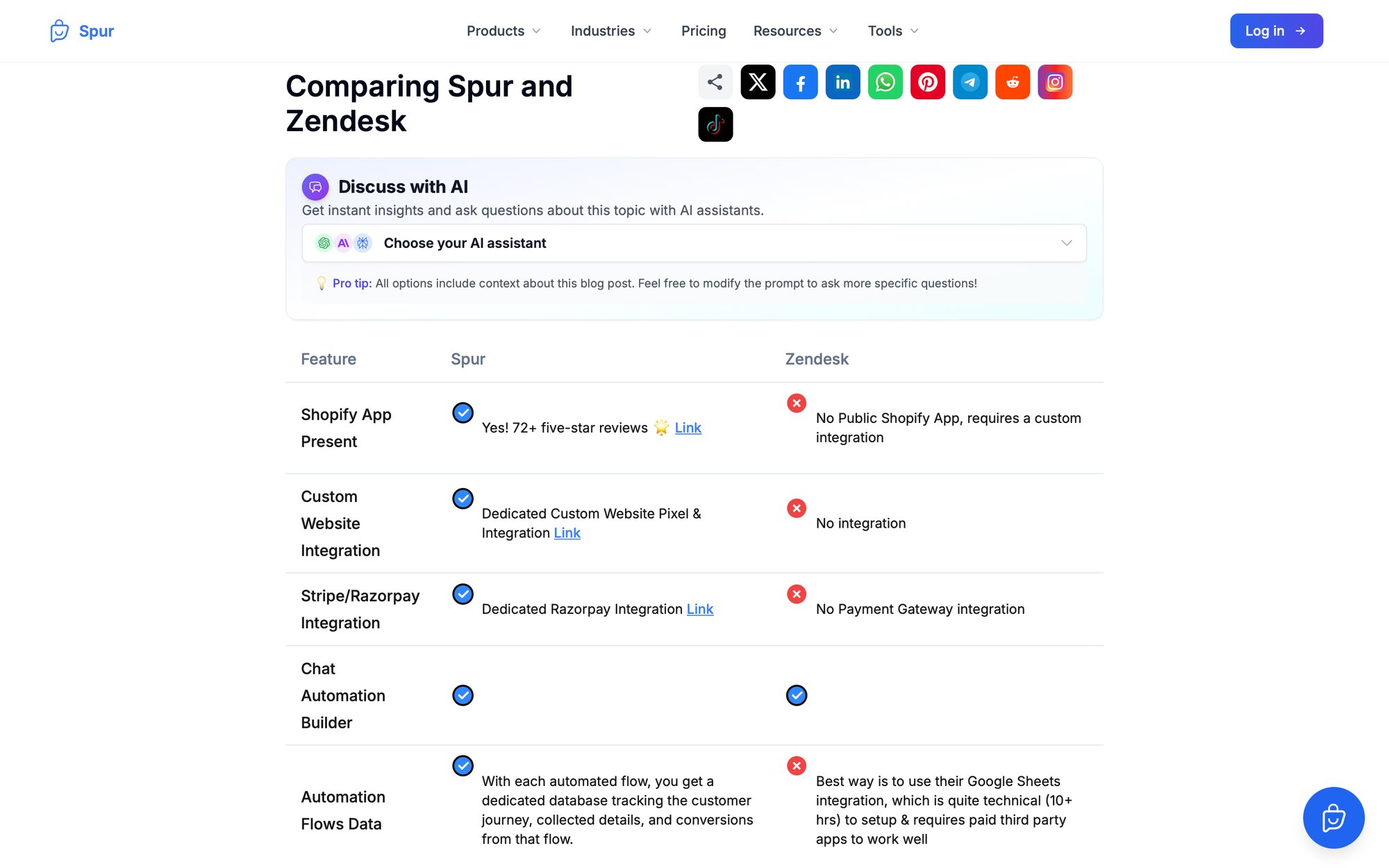
Finally, we have to mention Spur - a powerful contender that combines many of the strengths of the above options into one solution. If you're evaluating UChat alternatives, Spur is a comprehensive platform that addresses many of the pain points UChat users face while offering cutting-edge AI capabilities and seamless multi-channel support.
Spur is a multi-channel AI messaging platform focused on WhatsApp, Instagram, Facebook Messenger, and web live chat, with a shared team inbox and visual flow builder similar to UChat. What sets Spur apart is our emphasis on "Actionable AI" agents plus marketing automation - effectively bridging the gap between support and marketing needs.
Here's what makes Spur stand out as your UChat alternative:
With Spur, you can automate and manage conversations across:
- Instagram DMs
- Facebook Messenger
- Your website chat
All from one unified inbox. If you loved UChat's breadth of channels, we cover the most critical ones (including the social DM channels UChat and ManyChat excel in).
Teams can collaborate on conversations, assign tickets, and see the full history whether a bot or human handled it - ensuring smooth handovers. No more juggling between different platforms or losing context when switching from bot to human agent.
This is where Spur truly shines. Unlike UChat, which requires external integrations for AI knowledge, we offer AI chatbots that you can train on your own knowledge base or website content right out of the box. Simply connect your FAQ pages, upload documentation, or point us to your website, and our AI learns your business inside and out.
The result? Spur's AI can handle support queries with accurate info (order tracking, product details, policies) and only escalate to humans when needed - potentially resolving a large portion of FAQs automatically. One of our clients reported 88.75x ROI in 24 hours from a WhatsApp campaign, showcasing the platform's effectiveness.
Spur's AI bots don't just answer questions - they perform tasks. Our bots can:
- Update order statuses
- Create support tickets
- Book calendar appointments
- And more
All because Spur allows custom actions and webhook integrations in our flow builder.
We have native integrations with e-commerce platforms like:
Payment gateways like:
Logistics tools like:
This means when a customer asks "Where is my order?", Spur's bot can fetch the order status from Shopify and respond with tracking info automatically. Or for "I want to return my item", it could initiate a return via our Return Prime integration. These end-to-end automations are what we call "Actionable AI" - and it's a step beyond static Q&A chatbots.
Unlike many pure support chatbot tools, Spur also has rich marketing features. You can create:
- Broadcast campaigns on WhatsApp with proper template messaging and segmentation
- Instagram DM automation (automatically DMing people who comment certain keywords on your posts)
- Drip sequences for nurturing leads
- Click-to-WhatsApp and Click-to-Instagram-Direct ad workflows - capturing leads from ads into an automated chat funnel
We even support advanced features like Comment-to-DM on Instagram (moving engaged users from public comments into private DM conversations where you can qualify them) and story reaction auto-replies.
Essentially, Spur covers the use cases of ManyChat (social marketing) and the use cases of Chatbase/LiveChatAI (AI support) in one platform. If you found yourself needing both a marketing chatbot and an AI support agent, Spur eliminates the need to use two separate tools.
Spur provides a visual flow builder where you can design conversations with drag-and-drop (similar to UChat's interface, but simpler and more intuitive). We also offer industry-specific templates for:
- E-commerce
- Real estate
- Education
- And more
To help new users get started quickly. The idea is you can have a functional bot for, say, abandoned cart recovery or lead qualification without starting from scratch. While UChat also has templates, ours incorporate AI steps to take advantage of our knowledge base and action-taking capabilities from day one.
Spur's pricing is designed to be accessible for businesses of all sizes. Our plans start at:
- AI Acquire: $12/month (with annual discount) for basic Instagram automation or a small website bot
- AI Start: $31/month (annual) includes WhatsApp, Instagram, a few thousand AI messages, and Shopify integration
- AI Accelerate: $127/month (annual) provides 2 AI agents with 12,000 credits, 5 seats, and advanced features like webhooks and custom AI actions
For growing businesses, we offer unlimited contacts on all plans and charge based on features/usage limits like number of AI messages or channels connected.
For WhatsApp, we use a transparent wallet system for conversation fees with competitive rates (like ~$0.0103 per marketing conversation in India). Many users appreciate that Spur's annual plans come out cheaper than competitors while including AI and multi-channel features that would cost extra elsewhere. Check out our transparent pricing.
If you're concerned about using a newer platform, Spur has solid validation:
- Official Meta Business Partner for WhatsApp and Instagram (approved by Meta in July 2022)
- Listed in Meta's partner directory
- 4.9/5 rating on the Shopify App Store across 78+ reviews
- Case studies showing real ROI:
- Eves & Gray achieved 88.75x ROI in 24 hours
- Muffynn saw 73x ROI on a targeted broadcast
- Libas converted 64 orders from an Instagram Live using our comment automation
We're also hosting the Insta AI Summit at Meta HQ in Gurugram and Mumbai in September 2025, showcasing our partnership with Meta and commitment to cutting-edge social commerce.
Here are the key advantages:
- Built-in Knowledge Base – UChat requires external AI integrations. We have it natively built-in. Train your AI in minutes, not hours.
- Simpler, More Intuitive UX – While UChat can feel overwhelming with its many options, we've designed Spur to be powerful yet approachable. You get sophistication without complexity.
- True Actionable AI – Our AI doesn't just chat - it acts. Check orders, update records, book meetings, process returns. All within the conversation flow.
- Marketing + Support in One – Why juggle multiple tools? Spur handles both your marketing campaigns and customer support needs seamlessly.
- Better Support – Remember that UChat user who complained about "no customer support, just bots"? We pride ourselves on real human support. Our team is available via email at spurchatbot@gmail.com and WhatsApp at +91-85956-90644.
Spur offers a 7-day free trial, so you can build a bot and see results before committing. Whether you're a D2C brand looking to scale WhatsApp marketing, an e-commerce business wanting to automate Instagram engagement, or a service company needing better customer support - we've got you covered.
Start your free trial today and experience the difference an all-in-one, AI-powered conversational platform can make for your business.
Here's a quick reference to help you compare the alternatives:
| Platform | Best For | Key Strength | Starting Price | AI Knowledge Base | Marketing Features | Support Features |
|---|---|---|---|---|---|---|
| Spur | All-in-one marketing + support | Actionable AI + built-in knowledge base | $12/mo | ✅ Yes (built-in) | ✅ Excellent | ✅ Excellent |
| ManyChat | Social media marketing | Ease of use, FB/IG focus | $15/mo | ❌ No (requires integration) | ✅ Excellent | ⚠️ Limited |
| BotPenguin | Budget omnichannel | Affordable multi-channel | $15/mo | ✅ Yes | ✅ Good | ✅ Good |
| Chatbase | Quick Q&A bots | Fast knowledge training | $19/mo | ✅ Yes | ❌ None | ✅ Excellent |
| LiveChatAI | Support automation | AI actions + integrations | $39/mo | ✅ Yes | ⚠️ Limited | ✅ Excellent |
| BoldDesk | Full helpdesk suite | Integrated ticketing + AI | ~$49/agent/mo | ✅ Yes | ❌ None | ✅ Excellent |
| Botpress | Custom/enterprise | Flexibility + self-hosting | Free-$495/mo | ✅ Yes | ⚠️ Limited | ✅ Good |
| Kommo | Sales CRM + chat | CRM integration | $15/user/mo | ⚠️ Limited | ⚠️ Limited | ✅ Good |
Still not sure which platform to choose? Here's a decision framework:
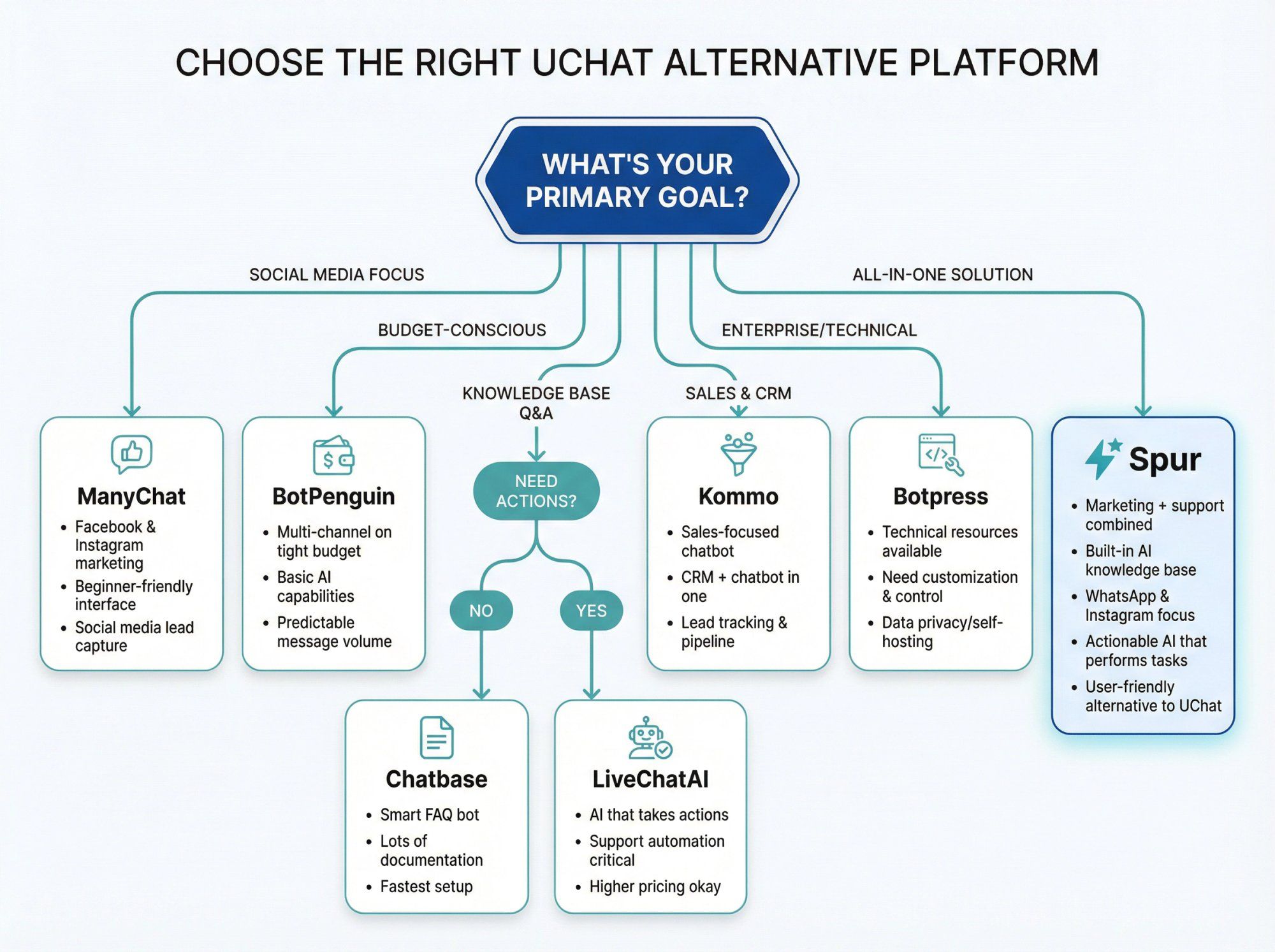
- Your primary focus is Facebook and Instagram marketing
- You want the simplest, most beginner-friendly interface
- You don't need deep AI or knowledge base integration
- Social media engagement and lead capture are your main goals
- You need multi-channel support on a tight budget
- You want some AI capabilities without breaking the bank
- You're a small business looking for an all-around solution
- Message volume is predictable and moderate
- You just need a smart FAQ bot for your website
- You have lots of documentation to leverage
- Support is your main use case (not marketing)
- You want the fastest setup possible
- You need an AI that can take actions (book meetings, check orders)
- Support automation is critical to your business
- You want to reduce support workload significantly
- You're okay with higher pricing for advanced capabilities
- You need a full helpdesk solution, not just a chatbot
- You have a support team that needs ticketing and SLAs
- Integration between AI and human agents is critical
- You're ready to invest in enterprise support infrastructure
- You have technical resources and need customization
- Data privacy and self-hosting are requirements
- You want to build a chatbot into your product
- You need ultimate control and flexibility
- Your chatbot needs are primarily sales-focused
- You want chatbot + CRM in one platform
- Lead tracking and pipeline management are essential
- You're willing to adopt a new CRM system
- You want the best of both worlds (marketing + support)
- You need built-in AI knowledge base training
- WhatsApp and Instagram are important channels
- You want actionable AI that can perform tasks
- You're looking for an all-in-one solution at competitive pricing
- You value excellent customer support
- You want a simpler, more user-friendly alternative to UChat
Several platforms offer generous free plans. BotPenguin has a forever-free "Baby Plan" with 1 chatbot and 1,000 messages/month. Botpress offers up to 2,000 messages free monthly. ManyChat has a free tier for up to 1,000 contacts. But for serious business use, we recommend starting with Spur's 7-day free trial to experience a production-ready platform with all features unlocked.
Yes! Most platforms offer integrations. Spur natively integrates with Shopify, WooCommerce, Stripe, Razorpay, Shiprocket, and Return Prime. ManyChat connects with Shopify and Zapier. LiveChatAI works with Shopify, WordPress, and Slack. Kommo is itself a CRM with messaging capabilities. Always check the specific integrations page for your chosen platform to confirm compatibility with your stack.
For AI knowledge base training, Chatbase, LiveChatAI, BotPenguin, and Spur all offer strong capabilities. But Spur stands out because our AI can both understand your knowledge base AND take actions - not just answer questions but actually complete tasks like checking orders or booking appointments. This "Actionable AI" approach goes beyond what most competitors offer.
Absolutely! BotPenguin and Spur are particularly small-business friendly with affordable entry points ($15/mo and $12/mo respectively). ManyChat's free plan is also good for getting started. The key is matching the platform to your primary use case - don't pay for enterprise features you won't use. We designed Spur specifically to be accessible to businesses of all sizes.
Yes! Spur, BotPenguin, LiveChatAI, Kommo, and ManyChat all support WhatsApp Business API. But Spur is particularly strong in this area as we're an official Meta Business Partner and offer comprehensive WhatsApp features including broadcasts, drip campaigns, Click-to-WhatsApp ads, and our transparent wallet system for conversation charges. We even have a dedicated WhatsApp Blue Tick verification service.
ManyChat is often cited as the most beginner-friendly for social media marketing. But Spur offers the best balance of ease-of-use and powerful features - we've designed our interface to be intuitive while still giving you access to advanced AI and automation capabilities. Plus, we provide industry templates and dedicated onboarding support to get you up and running quickly.
Many do! Spur is particularly strong for e-commerce with native Shopify and WooCommerce integrations, abandoned cart recovery, order updates, and WhatsApp marketing campaigns. Our case studies include many successful D2C brands. ManyChat and BotPenguin also offer e-commerce features, though they may require more setup. LiveChatAI works well for e-commerce support specifically.
Most platforms don't offer automated migration from UChat, so you'll need to rebuild your flows. But this is often a good opportunity to optimize and streamline. Spur's customer success team can help you migrate and even improve upon your existing UChat setup. The process typically takes 1-2 weeks depending on complexity, and our templates can accelerate the transition significantly.
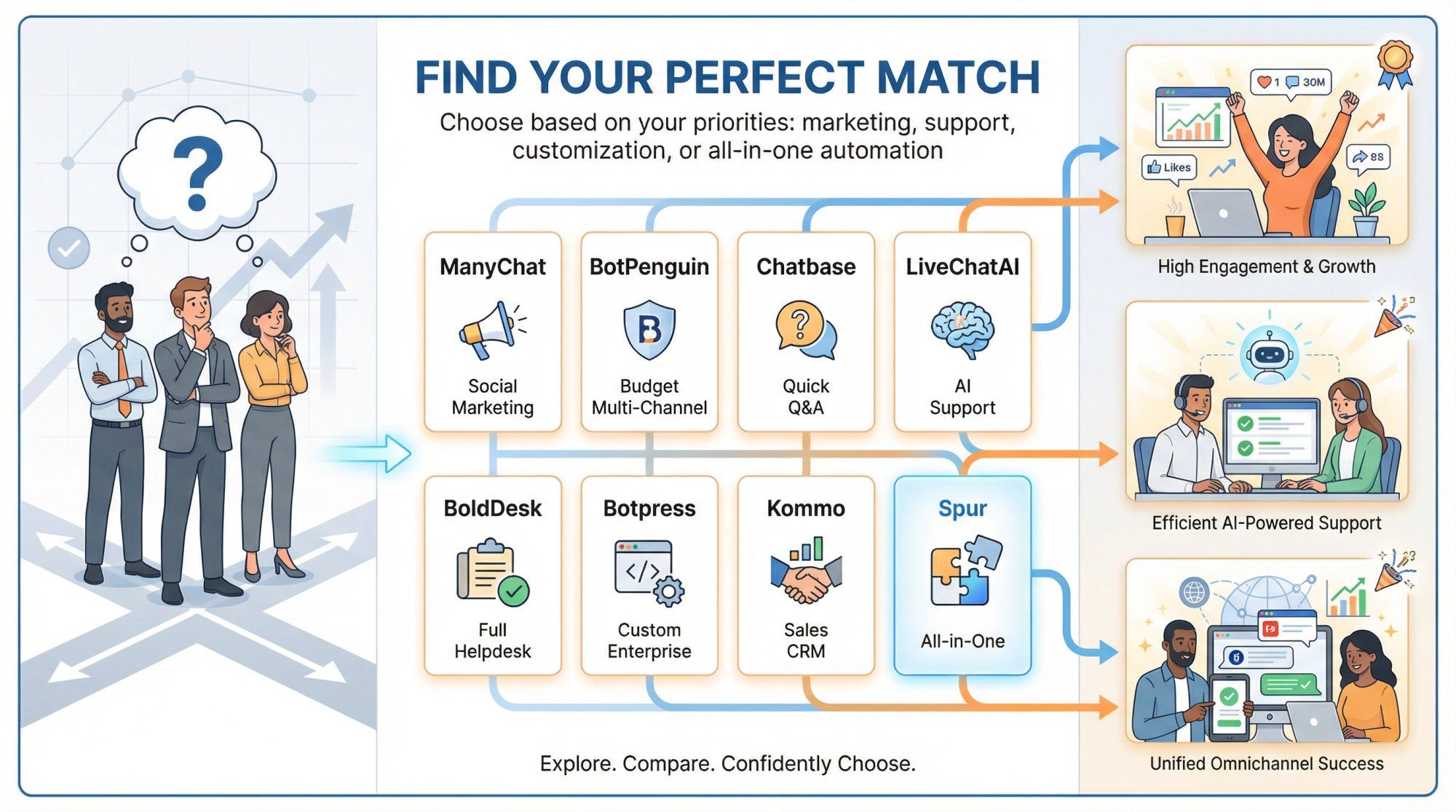
The "best" UChat alternative ultimately depends on your specific goals and constraints. UChat itself is a solid multi-channel chatbot builder - but as we've seen, you might choose a different tool to get a better fit for your needs.
If you prioritize social media marketing and simplicity: ManyChat could be your top choice for Facebook/Instagram-centric automation, thanks to its ease of use and marketing growth tools.
If you need a quick AI FAQ bot: Chatbase offers a fast path to train a chatbot on your content and deploy it for Q&A support with minimal setup.
For support-focused, action-taking AI: LiveChatAI stands out with modern AI that can resolve issues and perform tasks across multiple channels.
For a full support suite: BoldDesk's AI is great if you're investing in helpdesk infrastructure with ticketing and want integrated AI.
For technical flexibility: Botpress gives unparalleled customization and extensibility for teams with development resources.
For sales-driven automation: Kommo might be the best fit, merging chatbot and CRM so no lead slips through the cracks.
For an all-in-one solution that balances marketing and support: Spur offers a comprehensive platform that addresses the core weaknesses of UChat while providing cutting-edge AI, seamless multi-channel support, and actionable automation - all at competitive pricing.
We created Spur because we saw too many businesses struggling with the same problems:
- Juggling multiple tools for chat marketing and support
- AI chatbots that couldn't learn their business knowledge
- Complex platforms that took weeks to set up
- Poor customer support when things went wrong
- Expensive pricing that didn't scale with their needs
Spur solves all of these issues. We're not just another chatbot platform - we're a complete conversational AI solution that grows with your business.
As of 2025, conversational AI and chatbot platforms are evolving rapidly. Whichever platform you consider, make sure to take advantage of free trials or freemium plans. Import some of your real use-cases (be it a list of FAQs or a sample marketing campaign) and see how the platform handles it.
Also factor in costs not just now, but at your desired scale. If you plan to have 50k monthly active users chatting, what does pricing look like?
Ready to experience the Spur difference?
Start your 7-day free trial and discover how we combine the best of marketing automation, AI-powered support, and multi-channel messaging into one intuitive platform. No credit card required.
The good news: there are more capable tools than ever, and one of them is likely a perfect match for your needs. By examining the alternatives above, you're well on your way to finding a chatbot solution that will help you engage customers, automate workflows, and drive results in a way that UChat might not fully deliver for you.
Here's to building smarter chats and happier customers with Spur!