Key takeaways
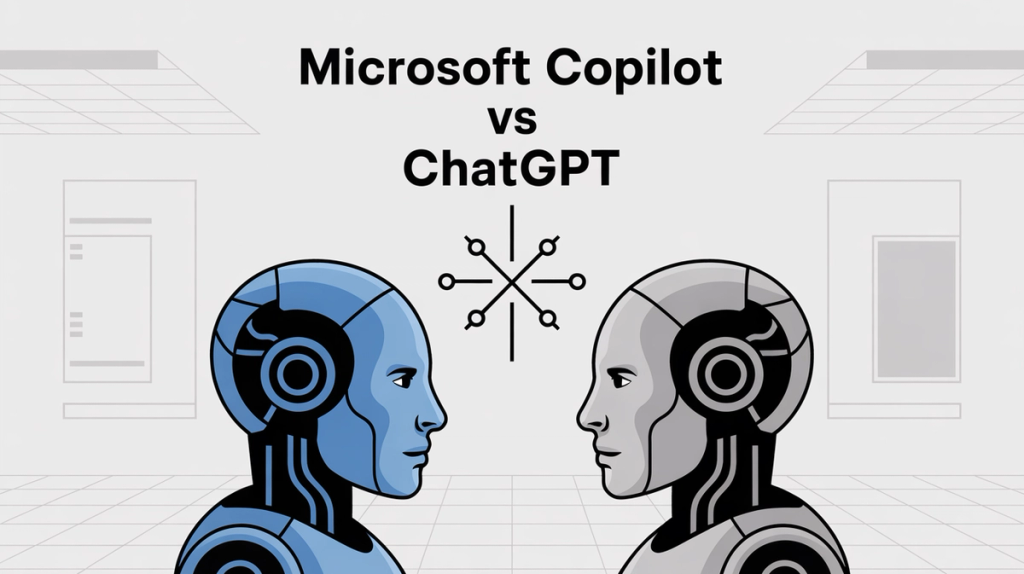
A definitive Copilot vs ChatGPT comparison for business. We analyze features, integration, and pricing to help you choose the right AI assistant for your team.
Ask an AI about this article
AI assistants are reshaping how businesses work, and two names dominate this conversation: ChatGPT and Microsoft Copilot. Both promise to streamline tasks and boost productivity, but they take completely different approaches to getting there. ChatGPT burst onto the scene as a standalone AI chatbot that hit 100 million users in just two months. Microsoft Copilot? It's not just one app but a whole suite of AI features designed to work seamlessly with Microsoft 365 tools.
So which one fits your needs better? It depends on what you're trying to accomplish and where you spend most of your working day. While these tools handle internal productivity, modern businesses also need customer engagement automation and AI-powered support solutions to create a complete strategy.
What Can ChatGPT Do That Other AI Tools Can't?
ChatGPT is OpenAI's flagship conversational AI, powered by advanced language models that can handle everything from writing code to creative brainstorming. Its versatility and conversational depth set it apart.
ChatGPT's Best Features for Business Users:
→ Multimodal interactions
Upload images, documents, or use voice commands for seamless interaction
→ Creative problem-solving
Generate marketing copy, write code, explain complex topics with ease
→ Platform flexibility
Works across any device or workflow without restrictions
→ Plugin ecosystem
Integrates with thousands of apps through various platforms
The free version gives you access to basic capabilities. ChatGPT Plus ($20/month) unlocks GPT-4, faster responses, and advanced features like web browsing. For teams, there's ChatGPT Team at $25 per user/month with enhanced privacy controls.
What this means for your workflow: ChatGPT excels when you need a flexible AI assistant that can jump between different types of tasks. It's like having a brilliant consultant on call who can help with anything you can describe in plain language.
But for customer-facing interactions, you'll need specialized tools like AI agents trained on your specific data.
How Does Microsoft Copilot Work with Office 365?
Microsoft took a different route. Instead of building a standalone chatbot, they embedded AI assistance directly into the tools people already use.
Which Microsoft Apps Include Copilot AI?
Application | Key Features |
|---|---|
Word | Draft documents, summarize reports, rewrite sections with context awareness |
Excel | Analyze data trends, create formulas, explain spreadsheet insights |
PowerPoint | Generate presentations from outlines, suggest professional layouts |
Outlook | Manage emails efficiently, summarize threads, draft contextual responses |
Teams | Transcribe meetings, create action items, answer questions about discussions |
The magic happens in context. Copilot can see the document you're working on and tailors its responses accordingly. Ask it to "summarize this quarterly report" while you have an Excel file open, and it knows exactly what data to analyze.
Pricing structure: Basic Copilot features in Bing and Windows 11 are free. The full Microsoft 365 Copilot costs $30 per user/month (annual commitment) on top of your existing Microsoft 365 subscription.
Copilot vs ChatGPT: What's the Actual Difference?
How ChatGPT and Copilot Handle App Integration
This is where the two platforms fundamentally diverge.
Aspect | ChatGPT | Microsoft Copilot |
|---|---|---|
Approach | External Expert | Embedded Assistant |
Workflow | Bring problems, get solutions, implement | Works within existing tools seamlessly |
Context | You provide all context | Already knows your files and data |
Integration | Copy-paste required | Direct action within apps |
This integration challenge is why businesses often need specialized AI solutions for different functions. Internal productivity tools work differently than customer service automation.
Which Tool Protects Your Business Data Better?
Critical consideration for businesses:
Aspect | ChatGPT | Microsoft Copilot |
|---|---|---|
Data Handling | Sends data to OpenAI servers | Processes within your Microsoft tenant |
Privacy | Enterprise plans offer isolation | Honors existing Microsoft 365 permissions |
Compliance | SOC 2 compliant with Enterprise | Built for enterprise compliance from day one |
Copilot is designed to work securely with your company's proprietary data. ChatGPT requires careful consideration of what information you share in prompts. For customer data specifically, platforms like Spur ensure GDPR compliance for messaging automation.
Which AI Gets New Features First: ChatGPT or Copilot?
ChatGPT typically gets new capabilities first. OpenAI can iterate faster since they're focused solely on AI development. Recent additions include web browsing, file analysis, and custom GPT creation. It's the innovation leader.
Copilot focuses on perfecting integration with Microsoft's ecosystem. Updates are more measured but deeply integrated into existing workflows. Stability over speed.
Quality and Accuracy
Both use similar underlying AI models, but their execution differs:
• ChatGPT often provides more comprehensive, detailed responses
• Copilot tends to give more concise, task-focused answers with better source citations
• Both can produce incorrect information, so human oversight remains essential
This accuracy challenge is why businesses need AI quality assurance practices across all their automated systems.
ChatGPT vs Copilot: Which One Should You Use for What?
Choose ChatGPT When You Need:
Use Case | Why ChatGPT Wins |
|---|---|
Creative brainstorming | Open-ended nature perfect for generating marketing campaigns, writing code, exploring ideas |
Cross-platform work | Integrates with Google Workspace, Slack, Trello, and other non-Microsoft tools |
Learning and tutoring | Excels as on-demand tutor with detailed explanations and follow-up questions |
Rapid innovation | Gets cutting-edge features first, from web browsing to vision capabilities |
For customer-facing content, consider automated content creation tools designed for marketing.
Choose Copilot When You Need:
Use Case | Why Copilot Wins |
|---|---|
Microsoft Office productivity | Draft PowerPoint from Word docs, analyze Excel trends, manage Outlook with full context |
Enterprise data analysis | Provides insights about YOUR specific data, not just general guidance |
Secure internal operations | Operates within your security boundary for sensitive business operations |
Compliance requirements | Enterprise-ready from day one with full audit trails |
For customer data analysis, specialized tools like WhatsApp CRM integration offer deeper insights.
ChatGPT vs Copilot for Developers: Which Coding AI Wins?
For software developers, there's actually GitHub Copilot (separate from Microsoft 365 Copilot) that works alongside ChatGPT in interesting ways.
① GitHub Copilot ($10/month)
Lives in your code editor, suggesting code completions as you type. Like having an AI pair programmer.
② ChatGPT for development
Serves as a coding mentor, explaining complex algorithms and helping debug issues through conversation.
③ The hybrid approach
Many developers use both: GitHub Copilot for writing code faster, ChatGPT for understanding and problem-solving.
Pro tip: This complementary approach often delivers the best results. Use the right tool for each specific task rather than forcing one solution for everything.
Similarly, no-code automation tools make AI accessible to non-technical teams.

Best AI Tools for Customer Support vs Internal Productivity
While ChatGPT and Copilot handle internal productivity, what about customer-facing AI? This is where Spur creates a powerful third pillar in your AI strategy.
The Complete AI Picture:
Internal productivity → Copilot for Microsoft 365 tasks
Creative and flexible work → ChatGPT for brainstorming and complex problems
Customer engagement → Spur for AI-powered customer support and marketing automation
Why Spur Complements Both Tools
Unlike simple chatbots, Spur's actionable AI agents can track orders, book appointments, and update records across WhatsApp, Instagram, Facebook Messenger, and live chat. The platform trains AI on your specific knowledge base (something many general-purpose tools can't match).
Real-world scenario: Your team uses Copilot to analyze customer data in Excel and ChatGPT to brainstorm marketing campaigns. Meanwhile, Spur handles customer inquiries automatically, escalating complex issues to your human agents with full context.
This creates a comprehensive AI ecosystem where:
- Copilot boosts internal team productivity
- ChatGPT enhances creative and strategic work
- Spur manages customer relationships 24/7
For businesses, this might include automated messaging across WhatsApp, Instagram, and multi-channel customer support.
ChatGPT vs Copilot Pricing: Which Costs Less in 2025?
Let's break down the real costs:
Pricing Comparison
Category | Tool | Cost | Notes |
|---|---|---|---|
Individual Users | ChatGPT Plus | $20/month | Full GPT-4 access |
Copilot Pro | ~$30/month | Requires M365 subscription | |
Business Teams | ChatGPT Team | $25/user/month | Enhanced privacy |
Microsoft 365 Copilot | $30/user/month | Plus existing M365 costs | |
$31/month | Multi-channel customer engagement |
Hidden costs to consider:
→ ChatGPT API usage can accumulate with heavy integration
→ Copilot requires existing Microsoft 365 subscriptions
→ Training time for teams to adopt new workflows
The ROI question becomes: How much time do these tools save, and what's that time worth to your organization? For customer support, automation can reduce response times and improve satisfaction scores significantly.
Should You Choose ChatGPT or Microsoft Copilot?
Start with Copilot if:
☑ Your team lives in Microsoft 365
☑ Data security within your tenant is crucial
☑ You want AI assistance embedded in daily workflows
☑ Budget allows for the premium pricing
Start with ChatGPT if:
☑ You use diverse tools beyond Microsoft's ecosystem
☑ Creative and strategic work is a priority
☑ You want the most advanced AI capabilities
☑ Individual or small team usage
Consider both if:
☑ Your organization has diverse needs
☑ Budget supports multiple AI tools
☑ You want comprehensive AI coverage
Strategic insight: The most successful organizations aren't choosing between these tools. They're using each where it excels. Combined with customer-facing AI like Spur, this creates a complete AI-powered operation.
Is ChatGPT or Copilot More Secure for Business Data?
Both platforms take security seriously, but with different approaches:
Microsoft Copilot operates within your existing Microsoft security framework. It honors the same permissions as your Microsoft 365 setup and is built for enterprise compliance from the ground up.
ChatGPT offers SOC 2 compliance with Enterprise plans, data encryption and isolation for business users. However, it requires careful prompt management to avoid data leaks.
Universal security best practices:
• Train employees on appropriate AI usage
• Implement clear policies about data sharing
• Maintain human oversight for critical decisions
• Regular audits of AI outputs for accuracy
For customer-facing AI, security becomes even more critical. Spur's GDPR-compliant approach ensures customer data protection across all messaging channels.
What's Next for ChatGPT and Microsoft Copilot in 2025?
The AI revolution continues to accelerate.
Both ChatGPT and Copilot will continue evolving rapidly, adding new capabilities and improving integration options.
Trends to watch:
- Deeper cross-platform integrations breaking down ecosystem barriers
- Enhanced multimodal capabilities (voice, vision, documents)
- Better accuracy and reduced "hallucinations"
- More specialized AI agents for specific industries
The companies succeeding with AI aren't just adopting one tool. They're building comprehensive AI strategies that leverage different strengths for different needs. This includes business process automation and customer journey orchestration.
Common Questions About Copilot vs ChatGPT
Absolutely! Many organizations use both tools for different purposes. ChatGPT for creative work and strategic thinking, Copilot for Microsoft 365 productivity. They complement rather than compete with each other.
Neither ChatGPT nor Copilot is specifically designed for customer support. For customer-facing AI, platforms like Spur offer specialized tools trained on your knowledge base with actionable capabilities like:
→ Order tracking
→ Appointment booking
→ Multi-channel support
Tool | Privacy Approach |
|---|---|
Copilot | Operates within Microsoft tenant, better for business data |
ChatGPT | Requires careful data handling, Enterprise plans provide controls |
Best Practice | Review organization's data policies before implementation |
For customer data, consider WhatsApp GDPR compliance requirements.
Both tools are designed for non-technical users. ChatGPT works through simple chat interfaces, while Copilot integrates into familiar Microsoft applications. But getting maximum value often requires some training and experimentation. No-code solutions can help bridge the technical gap.
Both tools can produce impressive results but aren't 100% reliable. They can "hallucinate" or generate incorrect information.
Critical reminder: Always verify important outputs and maintain human oversight for critical decisions.
This is why customer service best practices emphasize human oversight.
No. These are assistance tools designed to augment human capabilities, not replace them. They excel at:
- Automating routine tasks
- Providing quick insights
- Enhancing productivity
But human judgment, creativity, and oversight remain essential. The goal is enhancing customer experience, not replacing human connection.
ChatGPT: Generally easier to start with (just type questions and get answers)
Copilot: Requires understanding how it integrates with each Microsoft application
Most users become productive within a few weeks of regular use. Training best practices can accelerate adoption.
ChatGPT and Copilot currently lead in features and integration capabilities. Early 2025 evaluations showed GPT models maintaining strong performance across various benchmarks, while Copilot's Microsoft integration remains unmatched.
Other comparisons to explore:

ChatGPT would be the better choice for Google Workspace users, as it's platform-agnostic. Google is developing their own AI integrations, but they're not as mature as Copilot's Microsoft integration. Consider customer communication platforms that work across all ecosystems.
Ready to implement AI across your entire business operation? While ChatGPT and Copilot handle internal productivity, Spur specializes in customer-facing AI that actually takes action. From WhatsApp automation to Instagram engagement, create a complete AI strategy that covers every aspect of your business. Start your free trial today and see how actionable AI transforms customer relationships.
Sources
The pages this article links out to, in the order they appear.
- Microsoft 365 Copilot costs $30 per user/month microsoft.com
Was this article useful?