Key takeaways
Looking for a Gorgias alternative? Explore 11 platforms with predictable pricing, advanced automation, and better WhatsApp/Instagram support.
Ask an AI about this article
Gorgias has long been the go-to customer support helpdesk for Shopify and e-commerce brands. It centralizes email, live chat, and social messages with deep Shopify integration. But here's what's happening: many merchants are now searching for a Gorgias alternative, and for good reason.
Recent changes in Gorgias' pricing and service have left some businesses frustrated and exploring other options.
In this guide, we'll break down why companies are considering alternatives to Gorgias and highlight 11 of the best Gorgias alternatives in 2025. We'll compare features, pricing, and ideal use cases to help you find the perfect fit for your support needs.
Why Are Companies Looking for a Gorgias Alternative?
Gorgias earned popularity for its e-commerce focus and multichannel support, but it's not a one-size-fits-all solution. Here are the key reasons merchants are seeking alternatives:
High and Unpredictable Pricing
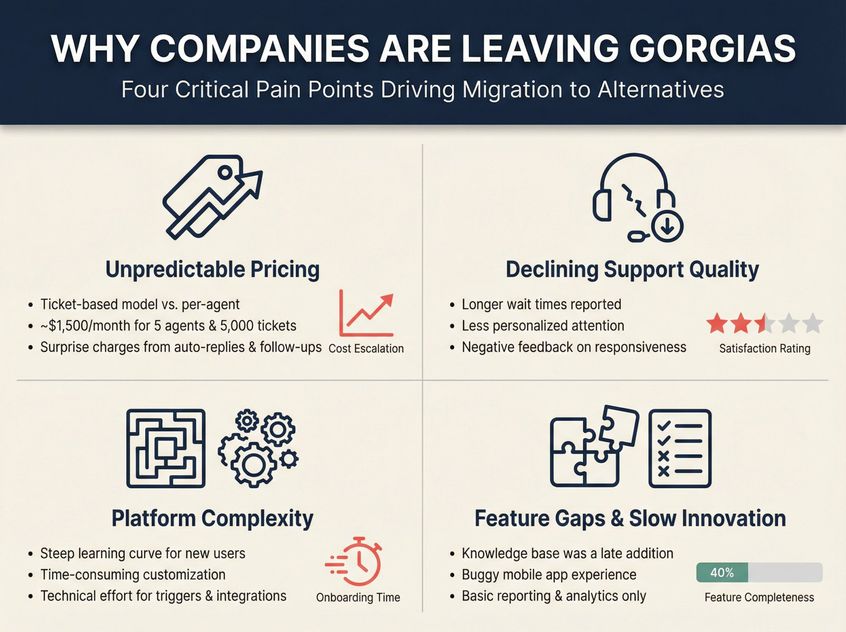
Gorgias uses a ticket-based pricing model rather than per-agent. This works for small teams but becomes problematic as you scale. Costs can skyrocket with volume. Each ticket reply is billable, so a surge in tickets (even auto-replies or follow-ups after a few days) means surprise charges.
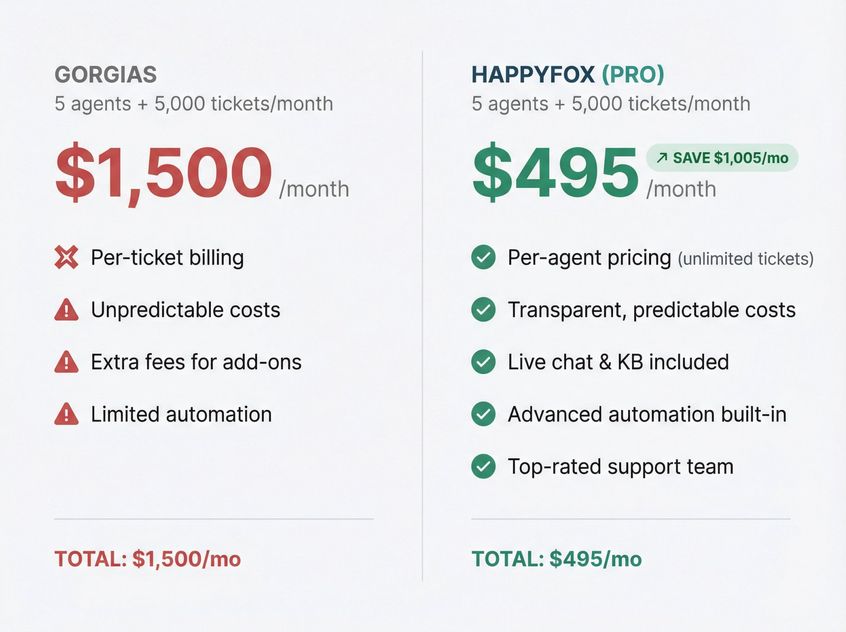
For example, about 5,000 tickets with 5 agents can cost roughly $1,500/month on Gorgias. (That's after Gorgias' 2024 "value-based" pricing update, which one industry expert said "torched their goodwill".)
The bottom line: Gorgias' pricing often becomes unpredictable and expensive for growing stores.
Support and Service Issues
As Gorgias rapidly grew, many users noted a decline in support quality. Reports include longer wait times, less personalized attention, and difficulties resolving complex issues. In fact, some review sites show Gorgias receiving disproportionately negative feedback about its support responsiveness.
This is painful because setting up a helpdesk is complex. When you run into issues, you need responsive help. Merchants have shared that Gorgias' support hasn't kept up with their needs in 2024-2025.
Platform Complexity
Gorgias isn't the easiest tool to use or implement. New users face a steep learning curve and lengthy onboarding. Customizing Gorgias to fit unique workflows can be time-consuming, often requiring technical effort for triggers, tags, and integrations.
As your business evolves, continuously tweaking Gorgias can feel like a chore. Simply put, some find the platform less intuitive than expected and burdensome to maintain.
Feature Gaps and Slow Innovation
Being e-commerce-centric, Gorgias nailed Shopify integration and basic omnichannel support. But it has lagged behind in certain features. For instance, built-in knowledge base functionality was a late addition (many competitors offered it much earlier).
The mobile app experience has been called buggy, and reporting/analytics are quite basic. Gorgias has introduced an AI add-on and other features, but some merchants feel the pace of innovation is slower than other platforms.
If you need cutting-edge automation or advanced analytics, you might find Gorgias lacking.
In summary: Escalating costs, declining support, complexity, and feature limitations are driving many e-commerce brands to reevaluate their tech stack.
The good news: today's market offers plenty of Gorgias alternatives that can address these pain points. Many competitors provide similar or better features at a fraction of the price, while focusing on things like AI capabilities, easier usability, or broader channel support.
What to Look for When Choosing a Gorgias Alternative
Prioritize what matters most to your business. Key factors include:
→ Integration with your e-commerce platform (Shopify, WooCommerce, etc.)
→ Support for all your channels (email, live chat, WhatsApp, Instagram, phone, marketplaces, etc.)
→ Automation and AI features (to deflect routine queries and assist agents)
→ Reporting and analytics
→ Ease of setup and use
→ Pricing structure
Keep these in mind as we compare the top solutions below.
Now, let's dive into the 11 best alternatives to Gorgias in 2025. We'll cover both well-known helpdesk platforms and specialized tools, including our own Spur platform which offers a fresh approach to conversational support. Each alternative is accompanied by its standout features, pros and cons, and what type of business it's best suited for.
1. Spur: Actionable AI on WhatsApp, Instagram, and Live Chat
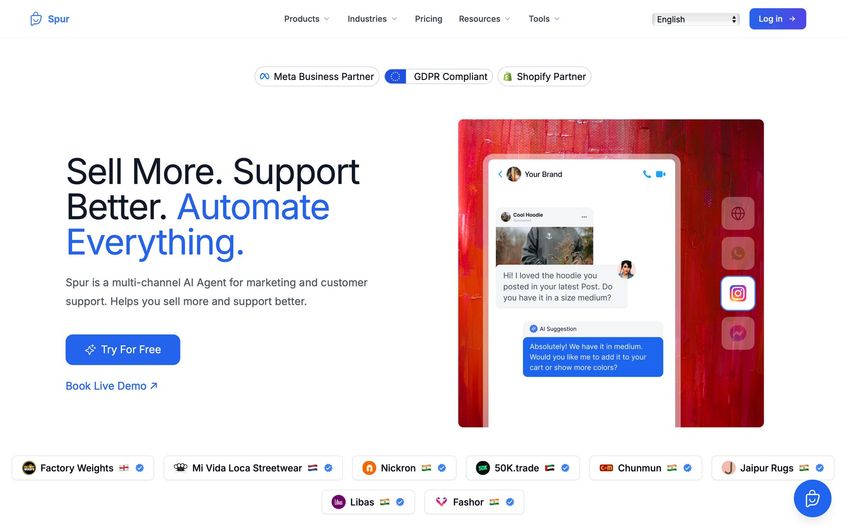
Spur is a modern customer messaging platform (disclosure: built by our team) that takes a different approach than traditional helpdesks. If your brand relies heavily on WhatsApp, Instagram DMs, Facebook Messenger, and live chat to engage customers, Spur could be a game-changer.
We combine a shared multichannel inbox with AI agents and marketing automation, enabling not just support tickets, but also proactive campaigns (like WhatsApp broadcasts, Instagram comment-to-DM flows, and abandoned cart reminders).
Spur was built to actually solve customer problems, not just answer FAQs. Most chatbots are glorified FAQ searchers. They can't actually do anything.
Key Features
Spur integrates natively with WhatsApp Business API, Instagram, Facebook, and web chat, pulling all those conversations into one inbox. It also connects with Shopify and other e-commerce systems to pull order data.
Our visual flow builder lets you create no-code chatbots and automation on each channel (e.g. an IG auto-reply to story mentions, or a WhatsApp drip campaign).
Uniquely, Spur's AI Agents are "actionable AI". They don't just lookup knowledge base answers, they can perform tasks like tracking an order, processing a return, or updating a CRM record via API calls. This means customers can self-serve many requests 24/7, and get real issues resolved (not just answered) without waiting for a human.
AI Capabilities
Spur's AI agents are trained on your own knowledge base, FAQs, and past conversations. They can handle common questions in natural language, and then trigger Custom Actions to, say, look up an order status or schedule an appointment in real-time.
This is a step beyond basic chatbots. The AI becomes a virtual team member that actually executes tasks on behalf of your support team. Of course, seamless handoff to humans is supported. If the AI can't handle something or a VIP needs a personal touch, the conversation routes into the team inbox with full context.
Multichannel and Shared Inbox
Spur offers a unified inbox for WhatsApp chats, Instagram DMs/comments, Facebook Messenger, and live website chat. Agents can reply in real-time, use saved responses, tag conversations, and even convert messages into support tickets with status tracking.
The inbox is designed for team collaboration and speed, especially on mobile. We optimized the mobile app experience for messaging channels that often need quick replies.
Integrations and E-Commerce
For online stores, Spur connects with Shopify, WooCommerce, Stripe, Razorpay, Shiprocket and more, so the AI and agents can pull order details or trigger actions (like refunding an order or checking delivery status) without leaving the chat.
This tight integration means you can automate flows like "Where is my order?". The AI can instantly fetch tracking info and respond, or an agent can click a Shopify icon to view order history right inside Spur. We also support webhooks and custom API calls for any other system, giving flexibility similar to developer platforms but in a no-code interface.
Pricing
Spur is designed to be affordable, especially compared to Gorgias' ticket-based model:
| Plan | Price | What You Get |
|---|---|---|
| AI Acquire | $12/mo (annual) | 1 AI agent, 100 AI credits, 1 seat, 3 flows |
| AI Start | $31/mo (annual) | WhatsApp automation, Shopify integration, 2,000 AI credits, 2 seats, 25 flows |
| AI Accelerate | $127/mo (annual) | 2 agents, 12,000 credits, 5 seats, 50 flows, webhooks, Custom AI Actions |
| AI Max | $399/mo (annual) | 3 agents, 40,000 credits, 10 seats, unlimited flows, dedicated account manager |
All plans come with unlimited contacts and unlimited messaging on our side. The only variable costs are WhatsApp message fees if you use WhatsApp (billed at our published per-message rates, with service replies free for the first 1,000 a month per number) and any additional AI credits beyond the included amount.
Notably, we do not charge per agent or per ticket. You can have multiple team members and high ticket volumes without the kind of overage bills Gorgias users face.
(For context: Gorgias would charge $1500 for 5 agents handling 5000 tickets[[4]](https://www.happyfox.com/gorgias-alternatives/#::text=%2A%20Agent,495%20on%20the%20Pro%20plan), whereas Spur's equivalent usage on AI Start ($31/mo) plus WhatsApp fees might be under $100 total in many regions.)
Spur also offers a 7-day free trial.
Best For
D2C brands and service businesses that engage customers over messaging channels and want to combine marketing plus support.
If you run lots of WhatsApp or Instagram campaigns, need an AI chatbot that can take actions (not just answer questions), and prefer a no-code solution, Spur is a strong alternative.
Many of our customers are Shopify stores who felt tied down by email-heavy support tools and wanted to meet customers on faster channels. Spur is also ideal if you're budget-conscious. Our plans (starting ~$12) are flat-rate and include rich features from the get-go, whereas Gorgias and similar tools tend to become costly as you grow.
Why Choose Spur Over Gorgias?
Gorgias is fundamentally an email/ticket system with some chat capabilities. Spur is built for the messaging era: WhatsApp and Instagram are first-class channels for us, not afterthoughts.
We provide marketing automations (broadcasts, drip sequences) that Gorgias doesn't. And our AI agents can actually resolve issues by connecting to your backend, which Gorgias' bots cannot do (their Automation Add-on is more about suggesting macro responses, not executing tasks).
If Gorgias' per-ticket billing or limited automation has been frustrating, Spur offers a fresh approach with predictable pricing and actionable AI. Plus, you won't need a separate WhatsApp marketing tool. Spur covers that too in one platform.
2. Richpanel: AI-Powered Helpdesk Built for E-Commerce
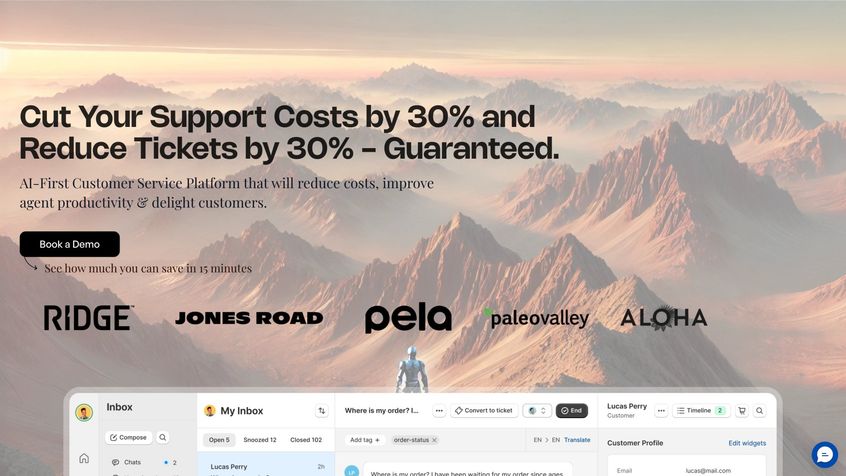
Richpanel is often mentioned as a top Gorgias alternative, especially by mid-sized and large e-commerce brands. Like Gorgias, it's laser-focused on online retailers (Shopify, Magento, etc.), but Richpanel differentiates with a heavy dose of AI and self-service features.
In fact, Richpanel has an "AI Sidekick" to draft replies for agents, and a unique self-service portal concept that can automate order lookups, returns, and more. It aims to reduce your support volume significantly by letting customers help themselves in a guided way.
Key Features
① Unified inbox for all channels
Email, live chat, social media DMs, and even WhatsApp (via integration), similar to Gorgias. It has all the standard ticketing features: assignments, tags, collision detection (to prevent two agents from replying at once), and automation rules for workflows.
② Self-Service Portal
You can embed a Richpanel widget on your site that isn't just a knowledge base or FAQ bot, but a menu of common actions (e.g. "Track my order", "Initiate a return", "Edit my order"). Customers can click through these flows and get instant results or create a ticket if needed.
It's a no-code builder where you design these flows to resolve routine queries without an agent[24]. For an e-commerce brand drowning in "Where is my order?" tickets, this can be transformative. Shoppers get answers 24/7 and your team doesn't even see a ticket for those cases.
③ AI Sidekick
Richpanel was quick to integrate AI (they call it "AI Sidekick"). The AI Sidekick is trained on your past conversations and can draft suggested replies for your agents.
It's like having your best support rep whisper an answer for each ticket. Agents can review and send. Users report this dramatically speeds up response times.
AI Capabilities
Richpanel also has AI for social media comment moderation, automatically hiding spam/troll comments on your posts or ads[26]. This is a niche but cool feature if you run a lot of social ads. It can even auto-reply to comments with predefined messages to encourage positive engagement.
E-Commerce Integration
Much like Gorgias, Richpanel connects deeply with Shopify and other storefronts. Agents can see order history next to tickets and trigger order actions (refunds, cancellations) right from the helpdesk. Richpanel also has modules for order management and returns built-in.
In essence, it tries to cover more of the post-purchase service journey within one tool. They also integrate with popular apps (Reviews.io, loyalty programs, etc.) and have an API for custom needs.
Pricing
Richpanel's pricing (as of 2025) targets mid-market budgets. They don't openly list all prices, but according to customer reports and their marketing: plans start around $99/month for a basic package and go up based on feature tiers and agent counts.
One source notes pricing around $89/month and $139/month for higher tiers, which likely corresponds to their Enterprise and Ultimate plans.
Typically, Richpanel includes a certain number of agent seats in those plans (e.g. 5 agents) and unlimited tickets, contrasting with Gorgias' per-ticket billing. While not the cheapest, many merchants find Richpanel ends up more cost-efficient than Gorgias because you're not paying overage on each ticket.
Also, the self-service deflection can lower your overall ticket volume (Richpanel claims some clients deflect 40-50% of repetitive tickets).
Pros and Cons
| Pros | Cons |
|---|---|
| Purpose-built for e-commerce | Setup effort required |
| AI Sidekick improves agent productivity[25] | Self-service portal has learning curve[24] |
| Self-service portal deflects tickets | No self-service free trial |
| Clean agent interface[29] | Higher tiers require annual contract |
Best For
Mid-sized and larger e-commerce brands (typically Shopify Plus or high-volume stores) that want to infuse more AI and automation into their support, without losing the personal touch. If you're feeling the strain of Gorgias' costs and limited automation, Richpanel is a compelling alternative.
Many of their customers are ex-Gorgias users. It's especially great if you have the scale to justify an advanced self-service portal to deflect tickets. Also, if having an AI draft responses for agents sounds appealing (and it should, for speeding up replies), Richpanel has one of the more mature implementations of that feature in this space.
3. HappyFox: All-in-One Helpdesk with Unlimited Tickets
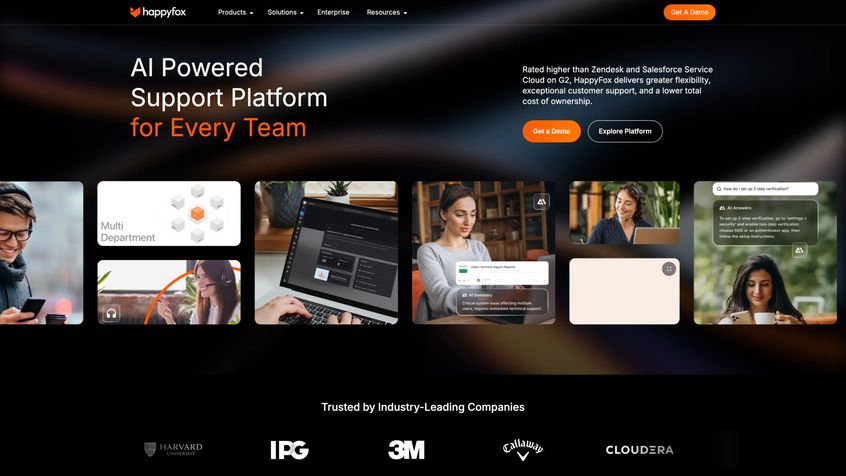
HappyFox is a veteran player in helpdesk software that has recently made waves as an alternative for Gorgias users. It's not e-commerce-specific like Gorgias or Richpanel, but HappyFox offers a robust omnichannel support suite (tickets, live chat, knowledge base, and even workflow automation) with a big emphasis on transparent pricing and great support.
Notably, HappyFox charges per agent (unlimited tickets), which can be a relief for those burned by Gorgias' per-ticket billing. They also have added AI features and a reputation for a clean, easy-to-use interface.
Key Features
HappyFox is a full-featured support platform. You get:
- Ticketing system for email and web inquiries
- Live chat module
- Knowledge base for self-service
- Community forums if needed
It's all integrated, so you can manage multiple channels in one place (they also offer add-ons like chatbot, WhatsApp integration, and survey tools). For e-commerce teams, HappyFox provides deep integrations with Shopify and other platforms: you can view order details within tickets and even automate actions like refunds or returns by connecting Shopify, WooCommerce, BigCommerce, Magento, etc..
In fact, HappyFox positions itself as a complete support tech stack. Rather than using separate systems for helpdesk, live chat, and AI, it's all under one roof.
Ease of Use
A strong point in HappyFox feedback is its user-friendly interface. Compared to Gorgias, users report that HappyFox is more intuitive and requires less training[34]. The onboarding is quicker (they even have "HappyFox University" in-app guides). This matters if you struggled with Gorgias' complexity. HappyFox aims to have you up and running in days, not weeks.
AI and Automation
HappyFox has invested in AI as well. They offer an "Assist AI" module and "Smart Rules" for automation. For example, you can set up rules to auto-prioritize tickets with angry sentiment, or send automated follow-ups/surveys after a ticket resolves.
They also have chatbot capabilities (for self-service Q&A) and AI-assisted answer suggestions, though details on their AI resolution bot are not as widely publicized as some others. The key is that automation is quite advanced. You can create multi-step workflows that handle things like order status checks or refund processes with minimal agent input.
If Gorgias' automation felt basic, HappyFox will feel like an upgrade.
Pricing Comparison
For Gorgias refugees, this is where HappyFox shines. No ticket-based charges. HappyFox has traditional per-agent plans with unlimited tickets (and even an unlimited agent plan for big teams).
| Scenario | Gorgias | HappyFox (Pro) |
|---|---|---|
| 5 agents, 5000 tickets | ~$1,500/month | $495/month |
Their Agent plans start at $24/agent/month (when billed annually) for the entry-level, which includes core helpdesk features. Higher tiers with more features (like automation, BI reports, etc.) go up from there (e.g. $39, $59… and they mention an Unlimited Agents plan starting at $1,999/month for large enterprises).
That transparency is appealing. Do note, HappyFox is a premium product in its space. For 5 agents you're likely looking at a few hundred dollars per month on a suitable plan. But the value is strong given you also get live chat and KB included (Gorgias charges extra for some add-ons) and you avoid overage surprises.
Pros and Cons
• Transparent pricing with no hidden costs, easier to budget as you grow
• Excellent multi-channel capabilities (email, chat, social, phone, etc.)
• One of the highest-rated support teams in the industry (HappyFox prides itself on providing a dedicated account manager and fast support responses, addressing a major Gorgias pain point)
• Highly customizable. You can tailor ticket fields, workflows, and even set up different support portals for multiple brands or departments
Essentially, it's an enterprise-grade helpdesk used by companies across many industries, but packaged in an SMB-friendly way. And as noted, usability is a pro. Less training needed for your staff.
Best For
Growing e-commerce brands who want a reliable, full-featured helpdesk that will scale without nasty pricing surprises. If you value top-notch support from your software vendor (ironic if you left Gorgias for lacking support), HappyFox is known for its support team's quality.
Also, if your support operation involves multiple teams or you plan to support customers across email, chat, and phone, HappyFox's all-in-one suite is very attractive. It can replace several tools (Gorgias plus a live chat widget plus a knowledge base site plus maybe even an IT ticket system, etc.).
Companies that outgrow Gorgias because of ticket volume and need more structure often find HappyFox a breath of fresh air in terms of both cost and capabilities.
4. Zendesk: Enterprise-Grade Customer Service Platform
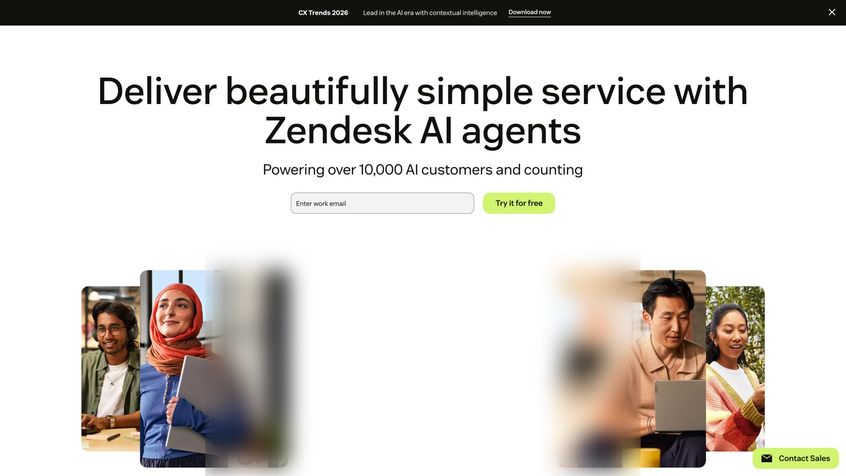
Zendesk is the longstanding giant in customer support software. It's not e-commerce-specific, but many online retailers use Zendesk due to its robust feature set and scalability. Think of Zendesk as the "safe choice" alternative.
If you need a system that can handle any channel, large teams, complex workflows, and integrations, Zendesk likely has an answer. However, it comes with the trade-offs of higher complexity and cost per agent. For a company that has perhaps outgrown Gorgias in size or needs, Zendesk is often on the shortlist.
Key Features
Zendesk provides a full omni-channel suite:
- Ticketing (for email, contact forms, etc.)
- Live Chat
- Phone support (Voice)
- SMS
- Help Center/Knowledge Base
All integrated. Agents work in a unified interface but can switch between modes (tickets vs. live chats) easily. The strength of Zendesk is in its workflow customization and automation. You can create triggers, automations, and macros to handle almost any support process, from auto-assigning tickets to the right department, to sending satisfaction surveys, to escalating if SLAs (service level agreements) aren't met.
Zendesk also boasts hundreds of integrations in its marketplace, so you can connect CRM systems, ecommerce platforms (yes, there's a Shopify integration app), order management tools, analytics dashboards, etc. It basically can serve as the central hub of a large support operation.
Reporting and Analytics
Zendesk has very powerful analytics, especially on higher plans or with the add-on "Explore" module. You can get granular reports on metrics like first response time, handle time, backlog trends, agent performance, and customer satisfaction. You can build custom dashboards.
For a data-driven support manager, this is gold. (Gorgias's reporting in comparison is much more basic, often limited to volume stats and tag counts.)
AI and Bots
Zendesk has introduced AI features over the years. There is "Answer Bot", which can automatically suggest knowledge base articles to customers to resolve questions, and more recently Zendesk has been rolling out AI for summarizing tickets and even generating draft responses.
However, these AI features often come as add-ons or only in higher tiers. It's not as out-of-the-box as some newer platforms, but the functionality is there if you invest in it. Many large teams also integrate third-party AI bots with Zendesk (given its flexibility) or use Zendesk's bot builder to create guided flows in messaging channels.
Pricing
Zendesk's pricing is per agent, per month, and it's known to be on the higher side. To compare apples to apples: Zendesk offers a Suite that bundles support channels. As of 2025:
- Suite Team (basic omnichannel): around $55 per agent/month (annual billing)
- Suite Growth and Suite Professional: go up from there ($89, $115+ range per agent), adding more features and automation
- Enterprise tier: custom pricing for big orgs
If you only wanted the support ticketing (no live chat, etc.) there are slightly cheaper legacy plans, but most e-commerce use cases need the full Suite (for email plus chat plus social messaging). Additionally, some Zendesk features like bots or analytics might cost extra or require higher plans.
In short, Zendesk isn't cheap. A team of 5 agents could easily be spending $300 to $500/month or more on it, which might be on par with or higher than Gorgias. However, unlike Gorgias, there's no ticket limit: you won't pay more for being successful and getting lots of inquiries.
What Makes Zendesk Stand Out
Extremely powerful and feature-rich. Zendesk has proven capability to support companies with hundreds of agents and multi-million ticket volumes. You won't likely run into a feature Zendesk can't do, from multi-language help centers to skills-based routing, it's all there somewhere.
It's truly omnichannel, one of the best if you need to handle email, chat, phone, WhatsApp (via Sunshine Conversations or Twilio), and more in one platform.
The customization is a big plus: you can tailor workflows exactly to your needs, integrate with all your systems, and even use their API to do advanced stuff (some brands build entire custom interfaces on Zendesk's API). Reporting is enterprise-grade. And Zendesk's reliability and security are top-notch (important for larger enterprises with compliance needs).
The Trade-Offs
Complexity and overhead. Small teams often find Zendesk overkill. There's a lot of configuration possible, which means setup can be daunting if you only need simple support. Administering Zendesk (setting up triggers, managing permissions, etc.) can feel like a job in itself. Agents might require significant training to use all the features effectively.
The UI has improved over time, but it's still quite busy compared to the simplicity of Gorgias' interface. Another con is that to unlock certain features, you have to be on higher-cost plans or add-ons. E.g., the standard plans might have basic workflow automation, but if you want AI chatbots or advanced analytics, you're looking at premium tiers or extra money.
Finally, support from Zendesk (the company) can sometimes be slow unless you have a premium support package, according to some users.
Best For
Mid-to-large businesses that need a scalable, tried-and-tested platform. If your support team is growing past the startup stage (say dozens of agents, multiple managers, perhaps a need for IT/helpdesk for internal use too), Zendesk is a safe investment.
It's also suitable if you operate across many channels and want to unify them (including voice support, which many Gorgias alternatives don't handle natively; Zendesk Talk is built-in). Companies that require advanced workflow customization or have to integrate support deeply with other business systems will appreciate Zendesk's flexibility.
Be prepared to spend time on implementation or bring on a specialist to help configure it to your needs. In essence, Zendesk vs. Gorgias is like enterprise tool vs. niche tool. Zendesk can do more and scale more, but it demands more effort and budget.
If you felt Gorgias was limiting in features or reporting, Zendesk is an alternative that removes those limits (while introducing some complexity). Many fast-growing e-commerce brands eventually consider Zendesk once they reach a certain size or support maturity level.
5. Gladly: Personalized Support with Built-In Phone Channel
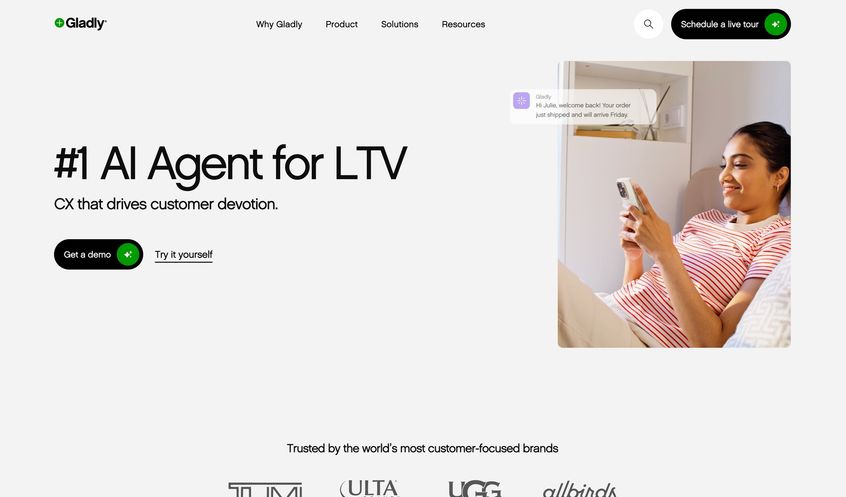
Gladly is a customer service platform designed around the concept of people, not tickets. It's known for its sleek UI and a very customer-centric approach: every conversation (across channels) with a customer is in one continuous thread, and agents are encouraged to build a relationship.
Gladly also uniquely includes built-in voice (telephony) as a channel without needing external phone systems. High-end retail brands like TUMI, Crate & Barrel, and Ralph Lauren have used Gladly to deliver "white glove" service. It's an alternative to Gorgias for those who prioritize personalization and are willing to invest in a premium platform.
Key Features
Gladly provides a unified inbox for email, chat, SMS, social messaging, and voice calls, all tied to a single customer profile. When a customer contacts you, no matter the channel, the agent sees the entire conversation history and profile of that person in one place.
One standout feature: you can assign a "Dedicated Support Hero" (a specific agent) to a customer, so whenever that customer reaches out, they ideally get the same agent for continuity. This can be great for VIPs or B2B accounts where a personal relationship matters.
Gladly's integrated phone system means you don't have to use a separate call center solution; agents can accept calls in the same interface and see who's calling with all their info (Gladly provides the VOIP service, and you just buy phone numbers through them). They also have features like IVR for phone menus and voicemail transcriptions.
User Interface
Gladly is often praised for its clean, modern UI. Agents tend to love it because it feels like a familiar messaging app rather than an old-school ticket system. There aren't separate tickets; it's all one timeline per customer. This means less context switching and a more conversational flow. For new agents, the learning curve is shallow; it's one of the more aesthetically pleasing platforms out there.
Automation
Gladly is more about human-driven service, but it does have some automation like rules-based routing and some basic chatbots for after-hours. However, one critique has been that if customers message after hours on chat, Gladly's widget might just prompt them to email instead of capturing the message for later.
So, it's not primarily an automation-focused tool (unlike, say, Richpanel or Zendesk which have robust bot options). That said, you can integrate third-party bots or use Gladly's APIs to implement AI if needed.
Pricing
Gladly is a premium product and is priced accordingly. They traditionally sell packages with a minimum agent count. Based on reports, Gladly typically requires a 10 agent minimum, at around $150 to $200 per agent per month (their pricing page mentioned $180/agent as a starting point).
Also, they usually require an annual contract (no month-to-month) and there's no self-service trial; you go through sales and demos. This puts it clearly in the enterprise pricing bucket, significantly higher upfront cost than Gorgias or others, but it includes all channels (including telephony). For a team of 10, you might be looking at ~$1,800/month at minimum.
If you have fewer than 10 agents, they still might charge the minimum. Gladly positions this as "we include everything (voice minutes may be extra though), with unlimited contacts", and the philosophy that you're paying for premium support software.
Pros
Excellent agent experience. The interface and the unified conversation model can make agents more efficient and customers feel more recognized.
Voice and SMS built-in. You don't need a separate call center tool or text messaging service, which could simplify your stack and costs if you heavily use those channels.
The focus on personalization (like dedicated agents and rich customer profiles) aligns well with high-touch customer service strategies.
Also, Gladly's routing capabilities are advanced: you can route conversations based on customer VIP status, language, or even purchase history.
Another pro is their customer-centric pricing. You don't pay per ticket or per resolution; you pay per agent (unlimited interactions) which is predictable at least in that sense.
Cons
Cost, cost, cost. Gladly is one of the pricier solutions on the market.
It's likely only viable for brands that see customer service as a true competitive differentiator and are willing to invest heavily in it (think luxury retail, high-end D2C, travel/hospitality, etc.).
Additionally, because Gladly eschews the traditional ticket model, some features like multi-party ticket collaboration or certain analytics may feel lacking. For example, agents not assigned to a conversation might not easily view it (since it's tied to a specific agent or team), which can be a double-edged sword when you need flexibility.
Also, as noted, the chat after-hours issue and some other missing minor features (like no built-in community forums or limited knowledge base functionality) can be considerations.
Finally, the lack of a free trial and a heavy sales process can be a barrier if you just want to "try before you buy."
Best For
Premium brands and retailers that want to deliver a concierge-like support experience. If you run a company where customer lifetime value is high and customers expect white-glove treatment, Gladly is tailored for that.
Also, if your support strategy involves phone calls significantly (and you want those integrated with your digital channels), Gladly's inclusion of voice is a big plus. For many midmarket e-commerce brands, Gladly might be overkill or out-of-budget, but for larger outfits (or those with a mandate to improve CSAT at any cost), it's a compelling alternative to consider.
Essentially, choose Gladly over Gorgias if you're seeking a more personal, relationship-driven support model and are okay with the higher price tag that comes with a top-shelf tool.
6. Re:amaze: Affordable All-in-One Support for SMBs
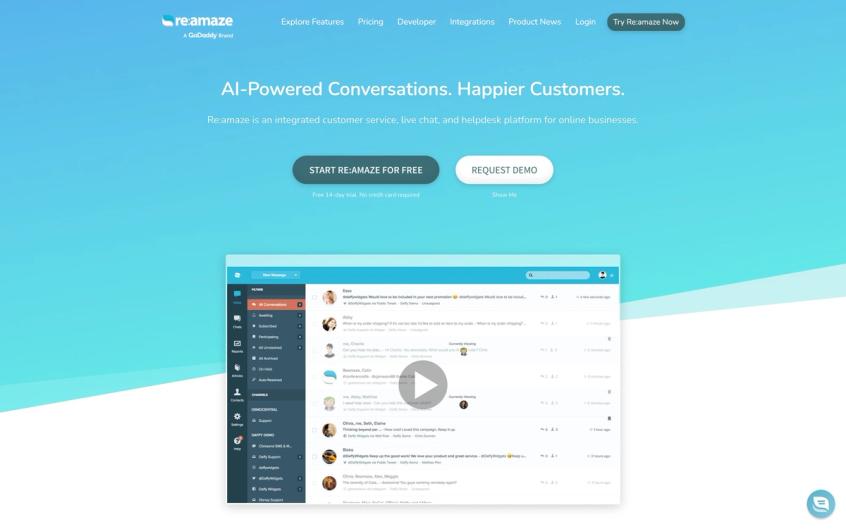
Re:amaze is a popular helpdesk among small-to-medium e-commerce businesses, known for being cost-effective and feature-rich. It's an all-in-one customer communication hub that combines email ticketing, live chat, social media, and even a little bit of marketing (you can do things like send engagement messages to website visitors).
Many Shopify store owners have chosen Re:amaze as a simpler, cheaper alternative to Gorgias that still covers the essentials, and then some.
Key Features
At its core, Re:amaze provides a shared inbox that unifies email, live chat, Facebook Messenger, Instagram DMs, SMS, and Twitter into one dashboard. Agents can respond to all channels from Re:amaze without needing to switch tools.
It also has a built-in live chat widget for your website that's quite flexible. You can customize the look, set availability hours, etc. One neat feature: the chat widget supports FAQ articles and even has an "Order Status" self-service bot, where customers can enter their order number and instantly get status updates themselves.
This is a mini version of what bigger platforms offer, baked right into Re:amaze, and it directly addresses one of the highest-volume support queries (order tracking) for e-commerce. Re:amaze also supports multi-store management. If you have several stores, you can manage support for all from one Re:amaze account (with separate email addresses, etc.).
Collaboration features like internal notes, assignments, and collision detection are present, though the UI is perhaps not as slick as some competitors.
Automation and Bots
Re:amaze has a feature called "Cue" bots, simple chatbots that can be set to trigger messages based on conditions. For example, you can have a chatbot pop up if a visitor has been on the checkout page for more than 60 seconds ("Need help? Here's a 10% off coupon!").
Or trigger a message if someone visits your Returns policy page ("Have a question about returns? Chat with us."). These proactive chat prompts can boost engagement and preempt questions. There's also basic workflow automation for incoming tickets (e.g., auto-tagging or assigning based on keywords or channel).
While not as AI-driven as others, Re:amaze covers the basics of automation to reduce manual work. The Order Status bot mentioned earlier is a form of automation specifically for e-com that customers appreciate, as it operates 24/7.
Pricing
Re:amaze is considered budget-friendly.
They also had a unique "Starter" plan for $59/month that allowed unlimited agents but with a cap of support volume (this plan is great for small teams that want to add all staff without per-agent fees, though it limits the number of tickets/chats per month).
Importantly, all plans have unlimited chatbots, integrations, etc. There's also a Free plan for very small use (I believe it covers 1 agent and 1 chat widget, for example). Compared to Gorgias, Re:amaze's pricing can save a lot of money for a small team: e.g., 3 agents might be about $90/month on Re:amaze vs hitting ticket caps on Gorgias that cost several hundred.
And you won't get charged per ticket or conversation; it's flat per agent in most cases, which means predictable billing.
What Works Well
Excellent value for money. You get a broad feature set (ticketing plus chat plus social plus FAQ bot) at a fraction of the cost of some competitors.
Easy integration with Shopify (available via an app) and other platforms; Shopify store owners can see order details alongside conversations, and even trigger refunds or cancellations from Re:amaze directly. The platform is quite easy to use and lightweight. Small teams can pick it up quickly.
Also, the proactive chat and order bot features can help with conversion and customer experience, functioning as a bit of a sales tool as well as support tool. Re:amaze also allows multiple brands/stores in one account which is handy if you're an agency or run several e-com sites. Support from the Re:amaze team is generally well-reviewed. They may not have 24/7 phone support, but they are responsive and helpful via email/chat, which is good for an affordable software.
The Limitations
Not as advanced in AI or workflows. Re:amaze's capabilities, while broad, are not as deep as some enterprise tools. For instance, its reporting is fairly standard (you might miss the level of detail that Gorgias or Zendesk provide on analytics).
The UI, while functional, isn't the prettiest or most modern-looking (some describe it as a bit "utilitarian" or even slightly dated in parts). For agents used to something like Gladly or Zendesk, Re:amaze might feel less polished.
Additionally, some features have limitations: e.g., the mobile app for Re:amaze exists, but some users have found it a bit limited or clunky. And while you can integrate Instagram and Facebook, if you need WhatsApp or other channels, Re:amaze doesn't natively support WhatsApp (whereas some newer competitors or Spur do). Finally, high-volume operations might find Re:amaze struggles to keep up. It's best suited for SMBs rather than large enterprises.
Best For
Small to mid-sized e-commerce businesses that want a solid, affordable customer service platform covering all basic channels. If you're just outgrowing Gmail or simple helpdesk tools, Re:amaze is a gentle step up that won't break the bank.
It's especially great for Shopify store owners. It's well-integrated, and many Shopify entrepreneurs use Re:amaze for its balance of cost and functionality. Also, if you liked Gorgias' e-commerce features but left because of cost or support issues, Re:amaze will give you similar core functionality (unified inbox, Shopify data, etc.) with a more predictable cost and a bit less bloat.
Startups and fast-growing boutique brands often pick Re:amaze as a Gorgias alternative to save money while still keeping customers happy.
7. Kustomer: Omnichannel CRM-Style Support with AI
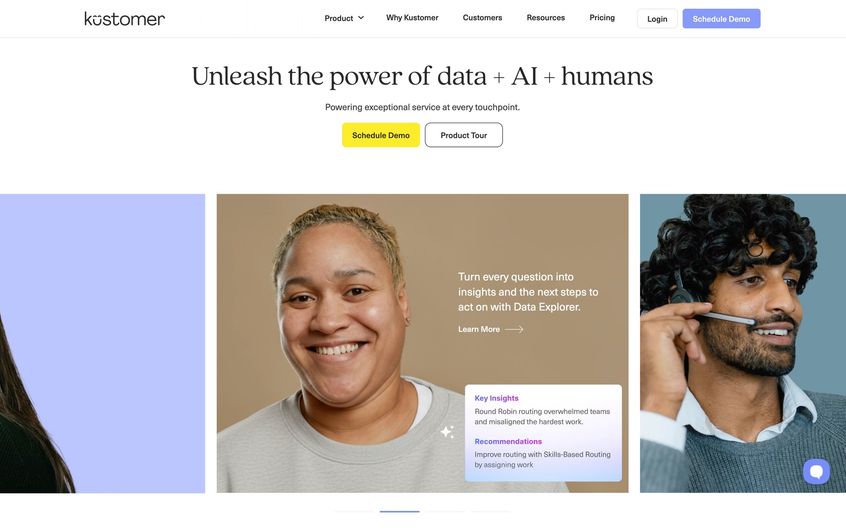
Kustomer is a customer service CRM platform that, like Gladly, puts the customer at the center rather than individual tickets. Originally rising to fame around 2018-2019, Kustomer was acquired by Meta (Facebook) in 2020 to power business messaging on WhatsApp/Instagram, and then spun out again to a private equity in 2022.
It's known for its timeline view of customer interactions and strong omnichannel capabilities. If you're considering Gorgias alternatives, Kustomer might come up especially if you heavily use social messaging channels (as Kustomer has strengths there, given its history with Meta) or if you want a CRM-like approach to support.
Key Features
Kustomer provides a unified timeline of each customer, showing every interaction (emails, chats, orders, returns, etc.) in chronological order. Agents don't open separate tickets for each issue; they view and contribute to this timeline, which gives full context.
Kustomer has built-in channels for email, chat, phone (via integration), SMS, WhatsApp, Facebook Messenger, Instagram, and more. It also has an integrated customer database/CRM. You can store custom fields about customers, segment them, and even use it for marketing follow-ups in some cases.
Another differentiator is workflows: Kustomer includes a powerful automation engine to create multi-step workflows (e.g., if an order is delivered, auto-send a check-in message; or if a high-value customer writes in, escalate priority). They also offer Kustomer IQ, a suite of AI features like chatbots and automated triage.
AI and Automation
Kustomer's latest push is unlimited AI and a shift to conversation-based pricing (more on that shortly).
With Kustomer IQ, they offer an AI chatbot that can resolve common issues, deflecting tickets by giving answers or performing actions through integrations. Reviews, however, have noted that Kustomer's older chatbots were a bit rigid or "robotic" in responses, they might have improved with newer LLM integrations by 2025.
They also have AI for classifying conversations, suggesting responses, and other agent assist features. Since many big brands use Kustomer, the AI is tuned for scale (e.g., auto-tagging thousands of conversations).
If one of your gripes with Gorgias is limited automation, Kustomer could be attractive, as it's built to handle complex logic and integrations via its workflows and bot capabilities.
Pricing
Kustomer historically sold per-seat like others, but in 2023-2025 they introduced conversation-based pricing as an option.
Their seat-based plans are roughly $89 per agent/month (Enterprise) and $139 per agent/month (Ultimate), typically with an 8 seat minimum on annual contracts. That aligns closely with enterprise-tier pricing of others.
The interesting part: they started offering usage-based pricing around $0.35 to $0.50 per conversation instead of per agent.
This could be cost-effective for teams that handle lots of conversations but have many part-time agents or departments pitching in; or if you leverage a ton of automation to keep human conversations low. Additionally, Kustomer now touts "unlimited seats" on some plans if you go by conversation count, meaning you could involve your whole company in customer service (retail staff, etc.) without paying per head, and just pay for actual conversations handled.
For a direct compare: if you handle 1000 conversations a month and have 10 agents, conversation pricing might be ~$350-500 monthly which is quite good, but if you handle 10,000 conversations, that scales to $3,500+ which might exceed a seat-based model. They give flexibility to choose. Keep in mind, as an enterprise solution, Kustomer's pricing often requires discussions, and they may bundle in certain features or not. It's certainly at the higher end alongside Zendesk and Gladly.
What Stands Out About Kustomer
360° customer view. Agents see the full context without digging through multiple tickets, which can improve first-contact resolution and personalization.
Strong omnichannel support, especially for chat and messaging (given the Meta background, their WhatsApp and Instagram integrations are first-class and reliable).
Kustomer also shines in integration flexibility: it has pre-built integrations with e-commerce platforms and can pull in data like orders, loyalty points, shipping status, etc., into the timeline automatically.
The workflow engine allows powerful custom automations that can eliminate repetitive tasks. Some big retail brands use Kustomer to orchestrate things like sending an automatic apology and coupon if an order is delayed, all without agent involvement. The UI is fairly modern, and agents can handle multiple chats at once with a sidebar view.
Another pro: if you need multi-brand support, Kustomer can handle it in one org (you can have multiple "businesses" or brands configured).
The Challenges
Setup can be complex and lengthy. Kustomer is often reported to take several weeks or months to implement fully. You might need developer help to integrate all your systems properly (though they have APIs and webhooks to facilitate that).
Also, similar to Gladly, Kustomer typically requires an annual commitment and a sales process; no self-service trial. Some smaller users find the interface has too much information (the timeline can be cluttered with events from long ago that aren't relevant). Agents might need training to interpret the timeline effectively.
Additionally, if not configured well, the wealth of info can be distracting rather than helpful (e.g., an agent might see every single marketing email the customer received, which might not matter for solving a single issue). Cost is also a factor; even though conversation pricing is innovative, you have to analyze if it truly saves money in your scenario.
Lastly, being a heavy-duty system, if you have a very straightforward support operation, Kustomer might be more than you need.
Best For
Customer-centric brands that want a unified view and heavy customization. Retailers who have both online and offline (store) interactions, or who use a lot of messaging apps (WhatsApp/IG) for support, will benefit from Kustomer's design.
If your support strategy involves extensive automation or integrating data from custom systems (like a bespoke ERP or CRM), Kustomer's platform is built to accommodate that, more so than Gorgias, which is relatively limited outside of Shopify.
Also, if you're considering investing in AI bots to handle a chunk of inquiries, Kustomer's unlimited AI approach could be appealing (no extra charge per resolution, theoretically). Choose Kustomer over Gorgias if you have the resources to implement a more complex solution and you see value in connecting every customer touchpoint in one timeline.
It's a forward-looking choice for companies aiming to truly unify service across channels and even departments.
8. eDesk: Multi-Marketplace E-Commerce Support
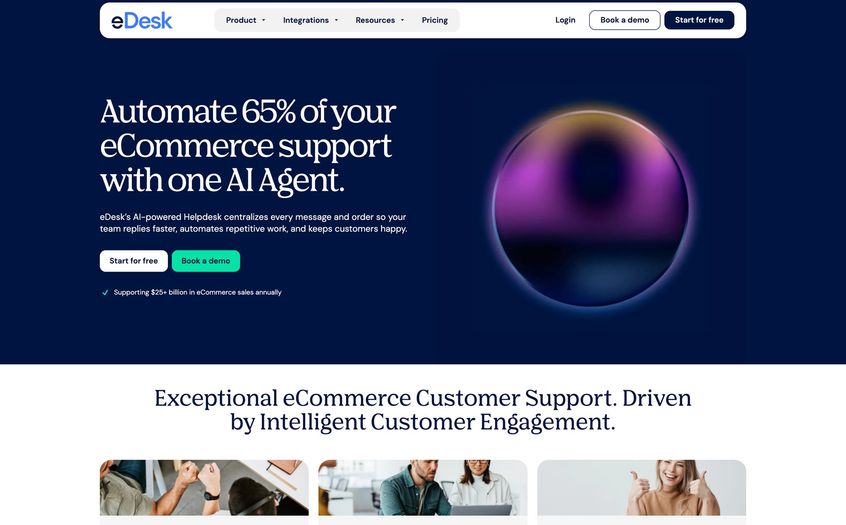
eDesk (formerly xSellco) is an e-commerce helpdesk tailored for businesses that sell across multiple marketplaces and online stores. If your customer messages come not just from your website, but also from Amazon, eBay, Walmart Marketplace, Etsy, etc., eDesk is built for you.
It pulls in all those marketplace messages and order details into one inbox. Gorgias has some marketplace integrations, but eDesk specializes in them, which makes it a strong alternative if Amazon/eBay are big support channels for you.
Key Features
The core of eDesk is a centralized ticketing hub for marketplace messages[66]. It has native integrations with Amazon, eBay, Shopify, WooCommerce, Magento and many others.
When a customer messages you on Amazon (for example), it appears in eDesk with the order information attached, so agents can see what the customer bought, the order status, and even reply in a way that sends through Amazon's messaging system. eDesk automatically creates tickets from marketplace messages and can also handle things like Amazon's "Buyer-Seller Messages" and eBay's messaging without agents needing to log into each seller portal.
In addition, eDesk provides templates and AI-powered translations, important for marketplace selling where you might deal with international customers. There's also sentiment analysis to help prioritize angry customers first.
Order Management
Because it's e-commerce-focused, eDesk lets agents perform some tasks right from the helpdesk, like issuing a refund, creating a return, or sending a shipping update (where supported by the integration). It's not a full OMS, but it ensures agents don't have to switch to Shopify/Amazon Seller Central to do common actions.
The system will also auto-match incoming emails to orders by recognizing things like order numbers or customer email addresses.
Automation
eDesk includes features to automate responses to common queries. For instance, you can set a rule: if a message is about "Where is my order" and tracking shows delivered, send a predefined reply with delivery confirmation.
Or if an Amazon customer leaves a negative review, eDesk can create a ticket so you can follow up (they have a feedback/review management component too). The AI-driven sentiment analysis highlights which tickets might be urgent (negative sentiment).
They also provide reporting on team performance and satisfaction. While not as heavy on AI chatbots as some others, eDesk's automation is focused on e-commerce triggers and response templates.
Pricing
eDesk's pricing is per agent with tiers based on features. As of late 2024/2025, their plans started around $79/agent/month (Growth plan) and higher plans around $119/agent/month (with more AI features).
They often have a minimum agent count or a minimum monthly spend, especially if you have many marketplace integrations. It's not the cheapest, but consider that if you're managing marketplace customer service, the cost of not missing messages or being late (and risking your seller ratings) can justify a specialized tool.
Also, eDesk sometimes offers plans that include a certain number of marketplace integrations in the price. Be sure to account for the cost in context: eDesk might replace several siloed systems (Amazon's buyer messages, eBay messages, emails, etc.) with one, which has efficiency benefits.
Strengths
Excellent for multi-channel sellers. If you're on Amazon, eBay, and your own website, eDesk prevents nothing from slipping through cracks. It enforces SLA reminders specific to marketplaces (e.g., Amazon's 24-hour reply requirement) to keep you compliant.
Integrated order data makes it much faster to handle tickets ("Where is my Amazon order?" is answered with two clicks pulling up tracking). The templates and translation features help small teams provide consistent support across channels and languages.
Also, eDesk has specialized features like handling Amazon A-to-Z Guarantee claims or eBay Return requests from within the interface, which is something generic helpdesks won't do. If Gorgias' limited marketplace support was an issue, eDesk squarely addresses that.
Another pro: eDesk includes a feedback management module. It can consolidate and help you respond to product reviews or seller feedback, attempting to turn negatives into positives.
Limitations
If you only sell on your brand's website and don't use marketplaces, eDesk might be more tool (and cost) than necessary; its special power might be wasted. eDesk's interface, while functional, isn't the most modern or pretty; some users find it a bit dated compared to slicker UIs.
Also, for advanced workflows or AI, eDesk is a bit behind others. It's catching up with AI features (sentiment, etc.) but it doesn't have the sophisticated chatbot or self-service portal of some competitors. Customization is somewhat limited. It's built for e-commerce, which means it's structured in certain ways that you can't heavily alter (fewer custom fields or complex automations than, say, Zendesk or Kustomer).
Another potential con is support responsiveness. Some users have reported slower replies from eDesk support themselves, which is worth noting if you expect quick vendor support. And, similar to Gorgias, eDesk's mobile app or interface can be hit-or-miss (if you primarily work from desktop it's fine, but on mobile it may not be as easy to triage).
Best For
E-commerce companies selling on multiple platforms, especially if marketplaces like Amazon and eBay form a large chunk of your sales. Many Amazon-first sellers who launch D2C sites later will find eDesk very handy to manage everything together.
If your pain with Gorgias is that it doesn't pull in Amazon/eBay messages or that you're juggling separate inboxes, eDesk is a top alternative. It's also great for customer support teams that are small, because eDesk centralizes info, a team of 2-5 can handle a lot of volume across channels efficiently.
Choose eDesk over Gorgias if you need that marketplace integration depth and want to ensure no customer inquiry goes unanswered on any platform. Conversely, if you are purely D2C and want heavy AI automation, eDesk might not beat some others; it really caters to the multi-channel retail niche.
9. Freshdesk: Budget-Friendly Omnichannel Support by Freshworks
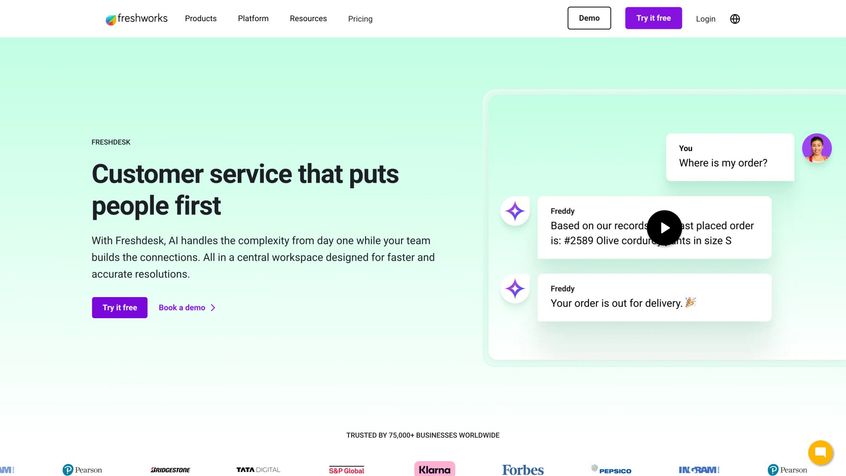
Freshdesk is a widely-used customer support platform from Freshworks (the same company behind Freshchat, Freshsales CRM, etc.). It's often pitched as a more affordable and easy-to-use alternative to Zendesk, making it relevant for those who find Gorgias too limiting but Zendesk too expensive.
Freshdesk offers multi-channel support (email, chat, phone, etc.) with a mix of traditional ticketing and modern messaging features. It's not specialized for e-commerce, but many small businesses (including online stores) use Freshdesk for its balance of cost and capability.
Key Features
Freshdesk's core is a ticketing system that covers email and web inquiries, with features like ticket assignment, SLA management, and a knowledge base for self-service.
On top of that, Freshdesk includes Freshchat (live chat) and Freshcaller (voice/call center) either as integrated modules or as part of the Freshdesk "Omnichannel" plans. Essentially, you can have one platform for handling emails, chatting with customers on your site, and even taking/making calls. Freshdesk also supports social channels (Facebook, WhatsApp, etc.) through add-ons.
It has robust automation rules similar to Zendesk. You can create triggers and time-based actions to automate routine tasks (like closing tickets after 3 days of no response, or sending escalation emails). Another feature is the knowledge base and forums (Freshdesk calls the KB "Solutions"), allowing you to build a help center for customers to find answers on their own.
AI (Freddy) and Bot
Freshworks has an AI engine named "Freddy AI". In Freshdesk, Freddy can do things like suggest article links for agents to send, auto-tag or prioritize tickets by sentiment, and even power a chatbot that pulls answers from your knowledge base.
For example, with the Freddy Answer Bot, customers on chat can get instant answers to common questions from your FAQs, deflecting those tickets. There's also an AI email bot that drafts replies for agent approval, etc. Some of these AI capabilities come only in higher-tier plans or as add-ons, but they are there, making Freshdesk one of the more AI-equipped in the mid-market segment (whereas Gorgias' AI is relatively newer/paid add-on).
Pricing
Freshdesk is known for offering a Free plan (limited to email and basic features for small teams) and very affordable entry plans.
- Growth plan can be around $15/agent/month (billed annually) which includes email ticketing and basic automation
- Pro plan is about $49/agent/month and adds more channels (like chat and some AI, and reporting)
- Enterprise plan around $79-$99/agent with the full kit (advanced AI, bots, multiple workspaces, etc.)
These prices are typically lower than Zendesk's equivalent tiers. Also, Freshworks often allows "occasionally agent" roles for free or cheaper (agents who only need to read or have limited actions). Importantly, Freshdesk doesn't charge per ticket or conversation; it's seat-based and usually unlimited tickets.
So, it can be significantly cheaper than Gorgias if you have loads of tickets. Even adding on their Freddy AI bot, the cost can stay moderate, especially for small teams.
What Makes Freshdesk Appealing
Cost-effective. You get a lot of functionality per dollar. Even small businesses can afford a pretty full-featured support system with Freshdesk, and as you grow, the pricing scales reasonably (plus you can often find promotions or startup credits).
User-friendly interface. It's generally considered simpler to navigate than older Zendesk UIs, with a modern feel that doesn't overwhelm newbies. Integrated omnichannel, having chat and phone and email in one platform is convenient. Freshdesk's phone integration (Freshcaller) means you can manage calls similar to tickets and have recordings, etc., logged, which Gorgias doesn't do natively.
Also, extensive integration ecosystem. Freshdesk connects with a lot of third-party apps (CRM, ecommerce, etc.), including a Shopify app. While not as deep as Gorgias or Richpanel on Shopify specifics, it covers order lookup and such for Shopify.
Automation and workflows are fairly strong. You can set up complex rules and even some custom app logic. And the Freddy AI options give you a taste of AI assistance without needing a separate tool.
The Trade-Offs
Because Freshdesk is general-purpose, it may lack some e-commerce-specific finesse. For example, templated flows for returns or such aren't built-in; you'd configure those yourself. The reporting is decent but might not directly provide e-com metrics (you can customize to some extent).
Some users find that as their team scales, Freshdesk's performance can lag (page load times, etc., if you have thousands of tickets, sometimes the interface can slow down; this can depend on region and setup). Also, certain features like WhatsApp integration or advanced chatbot require add-ons or the higher plans, which can add to cost if you need them.
Freshdesk's mobile app is solid, but the desktop UI can sometimes feel a bit cluttered when you have many extensions or apps enabled. Another con: support from Freshworks has been a mixed bag in reviews. They serve a huge customer base, so sometimes responses can be templated or slow for complex issues.
However, they do have a large community and knowledge base to self-solve issues. Lastly, if you require very granular permission controls or complex multi-brand setups, Freshdesk might not match Zendesk or Salesforce Service Cloud in that regard (but those are enterprise-level needs).
Best For
Startups, SMBs, and cost-conscious teams that still need robust support tools. If you're leaving Gorgias primarily due to cost or needing more channels like phone, Freshdesk is worth a look.
It's particularly well-suited if you already use other Freshworks products (like if you use Freshsales CRM or Freshmarketer, the ecosystem integration is a plus). Also, teams that want to experiment with AI self-service (but can't invest in building something from scratch) will find Freshdesk's Freddy bot a convenient solution.
For pure e-commerce, Freshdesk works nicely if your volume has outgrown simpler solutions but you don't have the budget or desire for something like Zendesk yet. It's a middle-ground tool: more powerful than basic helpdesks, less specialized (and less pricey) than enterprise solutions.
It's also a good "stepping stone". You could very well start on Freshdesk, grow to hundreds of agents, and stick with it unless you have specific reasons to move upmarket. Many organizations do.
So, choose Freshdesk over Gorgias if you want similar multi-channel support without per-ticket billing, and you value a full-featured solution that's reasonably priced and continuously evolving.
10. Zoho Desk: Customer Service on a Shoestring with Surprising Features
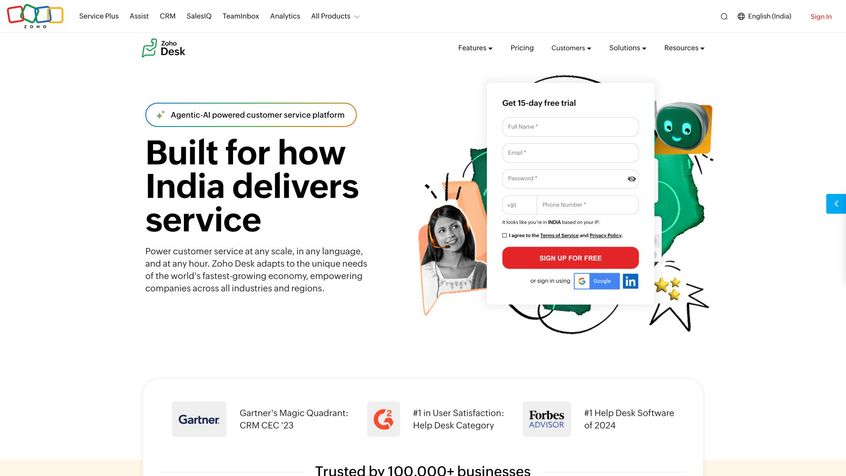
Zoho Desk is part of the Zoho ecosystem (Zoho is known for its suite of affordable business apps). It offers a solid helpdesk solution tightly integrated with Zoho CRM and other Zoho tools.
For those on a budget, Zoho Desk can deliver a lot of bang for very few bucks, even a free plan for starters, making it an alternative if Gorgias or others feel too expensive. While it's not as fancy in UI, Zoho Desk has steadily added AI and multi-channel features, quietly becoming a strong contender in the support software space by 2025.
Key Features
Zoho Desk covers the basics:
• Multi-channel ticketing (email, web forms, Twitter, Facebook, etc.)
• Knowledge base
• Community forums
• Mobile app for agents
They also offer a live chat integration via Zoho SalesIQ (which can be embedded on your site).
Agents in Zoho Desk can handle tickets across departments. You can set up different departments (like Support, Returns, etc.) with their own emails and help center sections, which is useful for organizing or multi-brand setups.
Zoho Desk's interface is clean and functional, with a left sidebar for filters and a main pane for ticket details and reply threads (somewhat similar to Zendesk's layout).
A nifty feature is contextual AI recommendations via "Zia". Zoho's AI (named Zia) can automatically tag tickets, detect language or sentiment, and suggest knowledge base articles or even draft replies based on past similar tickets.
For collaboration, agents can @mention colleagues or make internal notes. It also supports SLAs and escalation rules out of the box.
AI and Automation (Zia)
Zoho Desk includes Zia AI features starting from its higher-tier plans. Zia can do things like:
- Automatically classify incoming tickets (e.g., billing vs technical)
- Predict ticket sentiment ("frustrated" customer flag)
- Provide answer suggestions to agents by searching your knowledge base for relevant articles
There's also a Zia chatbot (if you have Zoho SalesIQ, Zia can act as a chat assistant for customers, handling common questions). Another aspect is Zia's anomaly detection, it can alert you if, say, suddenly there's a spike in tickets about "login issue" which could indicate a broader problem.
On the automation side, Zoho Desk lets you create custom workflows and macros (like bulk actions for tickets or multi-step automations triggered by ticket events). You can also use Zoho's scripting language (Deluge) for advanced custom functions inside your workflows, which is powerful if you have the tech know-how.
Pricing
Zoho Desk is very budget-friendly. They have a Free plan (for up to 3 agents, with email ticketing and basic forum/KB; a small operation could actually run on this).
The paid plans start at:
- Standard: ~$14/agent/month
- Professional: ~$23/agent/month
- Enterprise: ~$40/agent/month (these are annual pricing roughly)
The Enterprise plan includes the AI features (Zia) and multi-brand help center, etc. Even that $40 top tier is often cheaper than Gorgias' per-user effective cost, and there's no ticket limit.
If you pay monthly, prices are a bit higher, but still quite affordable. There's also often an academic or non-profit discount if that applies, and Zoho has been known to negotiate for larger deals, but their list prices are so low many just go with that.
Given the integration with Zoho's suite, if you already use Zoho CRM (which itself can be much cheaper than Salesforce), bundling Desk is a logical step.
What Works
Incredible value. You get an AI-equipped, multi-channel support system for a fraction of the cost of some competitors. Zoho Desk is perfect for lean teams that need functionality without luxury frills.
Another pro is deep integration with Zoho CRM. Agents can see customer data from CRM (sales history, etc.) right inside tickets, and support interactions can sync back to the CRM. If your company uses Zoho One (the all-app bundle) you essentially get Desk included, which is a steal.
Customization is pretty good: you can add custom fields to tickets, define your own status values, etc., which helps adapt it to different workflows. Zoho's mobile apps for Desk are also quite good, enabling on-the-go responses.
And despite the low cost, Zoho Desk supports some advanced needs: e.g., round-robin ticket assignment, time tracking on tickets (for billable support scenarios), and even multi-lingual knowledge base support (handy if you serve customers in different languages). The platform has matured over the years, and by 2025 it's quite robust.
The Limitations
One common con is that the UI, while functional, is not as slick or modern as some others. It can feel a bit utilitarian (which is subjective, but it's not something that usually "wows" users at first glance).
Also, the ecosystem nature: Zoho Desk is best if you use it with other Zoho products; if you only take Desk, you might find certain things (like live chat or analytics) less integrated until you also adopt Zoho SalesIQ or Analytics, which could be a con if you prefer one standalone tool.
The community and third-party integration scene for Zoho is smaller than, say, Zendesk's marketplace. So if you need a specific integration, you might end up using Zapier or custom code.
Some users also report that Zoho's support can be slow (ironic for a support software vendor). Usually they respond, but it might take a day or two for complex queries. Migration in/out can require some effort (though APIs exist).
Lastly, while Zoho Desk has added AI, the sophistication of Zia may not equal that of, for example, Intercom's Fin or IBM Watson. It's good for suggested articles and tagging, but not a full-blown conversational AI agent in the base product (as of now).
Best For
Small and mid-size businesses on tight budgets, especially those already using Zoho apps. If you're leaving Gorgias because of cost, Zoho Desk can reduce your support software expenses dramatically while still giving you comparable capabilities in many areas (except perhaps direct WhatsApp integration; Zoho has WhatsApp but often via Twilio integration).
It's also great for teams that want to align support with sales: e.g., if your sales team is on Zoho CRM, having support on Zoho Desk closes the loop nicely. I'd also recommend it for companies that want a low-risk trial.
You can start for free or cheap, see if it meets your needs, and not feel like you sunk a lot of money if it doesn't work out. For many, it does the job well.
Choose Zoho Desk over Gorgias if affordability and basic reliability are higher priority than having a specialized e-commerce focus or the flashiest interface. It can particularly shine for multi-department support (since you can use it beyond just customer service, IT helpdesk, etc., under one account with segmented departments).
In essence, Zoho Desk proves you don't need to spend a fortune for a capable helpdesk. It covers the core needs and then some, as long as you're okay with the Zoho ecosystem quirks.
11. Help Scout: Personal, Email-Centric Support with a Human Touch
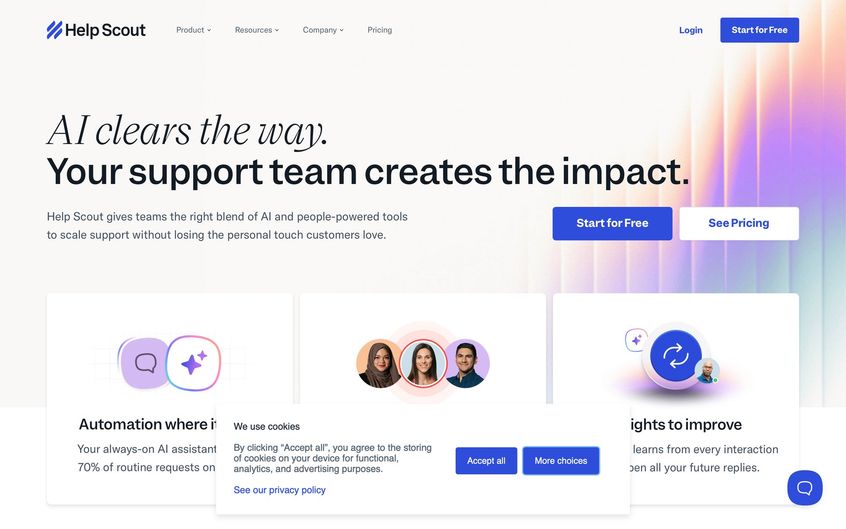
Help Scout is a helpdesk platform beloved by many small businesses and startups for its simplicity and customer-friendly approach. It feels more like using a shared email inbox (with extras) than a heavyweight ticket system.
Help Scout focuses on enabling a personal touch in support interactions. It doesn't even call them "tickets" (no visible ticket IDs to customers by default), to keep the tone human. If you found Gorgias (or others) too convoluted or "robotic" and just want a system that helps your team answer customers efficiently and warmly, Help Scout is a top alternative.
Key Features
Help Scout provides email management via shared inboxes. You can have multiple email addresses (support@, info@, etc.) that all come into Help Scout for your team to tackle collaboratively.
Every conversation thread looks like a regular email thread but has internal features like notes and assignments. There's also a Beacon live chat/knowledge base widget: Beacon can function as a contact form, a live chat (with real agents or just offline messaging), and a searchable knowledge base portal, all in one embeddable widget on your site. It's quite elegant. Customers can search FAQs and if they still need help, it guides them to contact you.
Help Scout includes a Knowledge Base (Docs) product for creating help articles, which integrates with Beacon for self-service. It also has customer profiles that show a brief history of their conversations and any data you sync (like if you use their API to pull in customer info, or if connected via apps like Shopify, it can display recent orders in the profile sidebar).
Collaboration features include notes, @mentions, and collision detection to prevent two people from responding to the same email. One more thing: multiple mailboxes. You can manage several brands or departments in one Help Scout account with separate email addresses, which is useful for multi-brand companies.
Simplicity and Productivity
Help Scout's UI is very clean and minimalistic. New team members can get the hang of it with little training (it feels like Gmail). They emphasize speed and productivity. There are lots of keyboard shortcuts, a bonus if your team is quick with those.
You can also save canned responses ("Saved Replies") for common questions, and use variables in them. Automation in Help Scout is a feature called Workflows. You can create simple if-then rules that, for example, auto-assign conversations with certain keywords to a specific user, or tag and close certain auto-replies, etc. It's not as heavy-duty as Zendesk automations, but covers common scenarios.
Reporting in Help Scout is straightforward: volume by tag, handle time, individual performance, etc., and they recently added customer satisfaction ratings tracking.
One key differentiator: Help Scout treats customers like people. For instance, if the same person emails you twice in a day, it can smartly thread it as one conversation rather than two tickets (some systems might split by subject or channel, but Help Scout tries to keep continuity).
Pricing
Help Scout's pricing used to be strictly per-user, but they have introduced some new packages. As of 2025:
- Base Standard plan is around $20-$25 per user/month (billed annually) which includes 2 mailboxes and one Docs site (knowledge base)
- Plus plan is around $40-$50 per user/month with more features (like Beacon live chat, more mailboxes, advanced reporting)
- Pro plan near $65 per user with capabilities like Salesforce integration, custom fields, and HIPAA compliance for those who need it
They did recently experiment with a "user or bundle" pricing – for example, an Unlimited plan that allows unlimited users for a fixed price (around $1500/month) which might appeal to larger teams, but their sweet spot is really SMB teams of 5-50 agents.
Importantly, no ticket limit or extra usage fees. You pay per agent and that's it. They also offer a 15-day free trial and sometimes discounts for non-profits or startups.
Compared to Gorgias, Help Scout can be much cheaper once your ticket volume grows, since Gorgias would charge more and more for volume whereas Help Scout is flat per seat. If you have a team of 5, you might be paying ~$125/month on Help Scout (Standard), whereas on Gorgias 5 agents with high ticket count could be in the many hundreds due to ticket pricing.
What Makes Help Scout Special
Easy and friendly, both for your team and your customers. Help Scout's outgoing emails look like normal emails (no weird ticket IDs or portals for customers to log into), which customers appreciate. This can improve the tone of your support.
Fast learning curve. New support agents can get productive quickly on Help Scout.
Great for collaboration. Since it's designed for teams to work out of a shared inbox, it has nice touches like seeing who is viewing or typing on a thread in real-time, and leaving internal notes that are clearly distinguished from customer messages.
The Beacon feature allows you to have a lightweight chat without investing in a separate chat infrastructure (and if you're offline, Beacon just captures the message for email follow-up).
If you use Shopify, Help Scout's integration lets you see order info and even refund or cancel orders from within Help Scout, so it covers basic e-commerce needs.
Another pro is excellent support from Help Scout's own team and a focus on documentation. They publish a lot of best practices and have a good reputation in the support community (their founders and team are very customer-service driven).
In fact, many customer support professionals love Help Scout because it was built with a certain philosophy of support in mind (high empathy, human-centric service).
The Constraints
Limited channels. Help Scout primarily handles email and website live chat. It does not natively integrate WhatsApp or Instagram or other social DMs into the inbox (you could maybe rig something with third-party tools or Zapier, but it's not built-in).
They do have a basic Facebook Messenger integration, and you can forward certain things to the mailbox, but if you need a true multichannel hub including say, voice calls, SMS, etc., Help Scout might be too minimal.
Also, not ideal for huge teams or complex workflows. It lacks things like skills-based routing or native multilingual workflow that larger enterprises might need (though you can have multiple mailboxes for different languages, for example).
Automation is basic. It's fine for small teams, but if you want highly intricate automations, you might hit a ceiling.
Additionally, no built-in phone system. If phone support is needed, you'd be using a separate tool (some integrate via screen pop, but it's not part of Help Scout).
Another con to consider: analytics depth. While they cover essentials, you can't do the level of custom reporting that, say, Zendesk Explore or Salesforce would allow.
And if your support volume is very high, Help Scout's model of threading might become messy (like if the same customer keeps emailing about distinct issues, an agent has to decide to keep in one thread or split off; there's no automatic ticket splitting; it's not a big issue, but just different from rigid ticket systems).
Best For
Customer-centric teams (especially SMBs) that primarily use email and chat for support. If you want to maintain a personable support style at scale, Help Scout is built for that.
Many direct-to-consumer brands, SaaS startups, non-profits, and even technical support teams love Help Scout for its balance of features and simplicity. If Gorgias' UI or pricing turned you off and you don't need all of Gorgias' marketing or WhatsApp features, Help Scout is a refreshing alternative.
It's also great for multi-product companies. E.g., you can have support@productA.com and support@productB.com as separate mailboxes, but your team can work across them in one place.
Choose Help Scout over Gorgias if you value ease of use, email as a primary channel, and a more personal approach. Also, if your support volume is moderate and you'd rather not worry about counting tickets, Help Scout's flat pricing will be a relief.
It's a solution that can scale with you up to a point. Many companies stick with it even as they grow to dozens of agents, only moving off if they truly need advanced enterprise features or more channels integrated.
For many e-commerce brands with a handful of agents and a lot of customer love to give, Help Scout hits a sweet spot in 2025.
How to Choose the Right Gorgias Alternative for Your Business
We've covered a lot of ground, from all-in-one platforms with AI bots, to lean helpdesks focused on personal support, to specialized e-commerce solutions. Which Gorgias alternative should you choose? It ultimately depends on your business size, channels, and priorities:
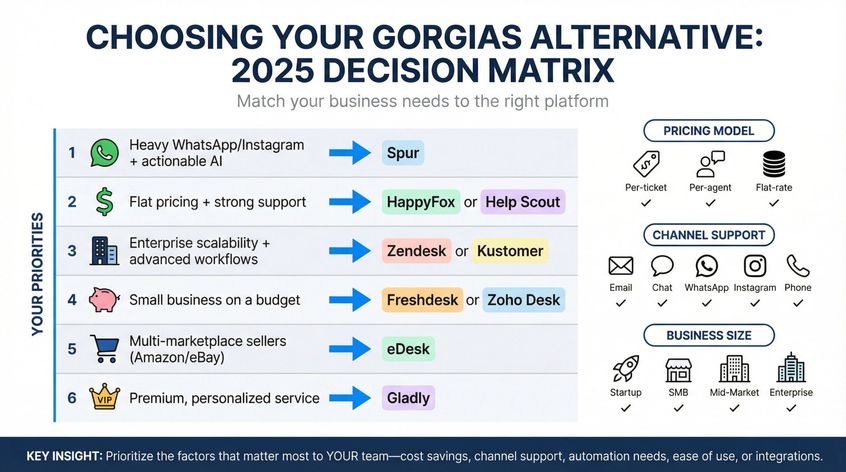
Quick Decision Guide
| If you need... | Consider... |
|---|---|
| Heavy WhatsApp/Instagram + actionable AI | Spur |
| Flat pricing + strong support | HappyFox or Help Scout |
| Enterprise scalability + advanced workflows | Zendesk or Kustomer |
| Small business on a budget | Freshdesk or Zoho Desk |
| Multi-marketplace sellers (Amazon/eBay) | eDesk |
| Premium, personalized service | Gladly |
In any case, prioritize the factors that matter most to your team: be it cost savings, certain channel support, automation needs, ease of use, or integration with other tools. Many of these platforms offer free trials or demos. Take advantage of that to see the look-and-feel and specific features in action.
Finally, remember that switching helpdesks is a project: migrate your knowledge base, maybe your historical tickets, train your team on the new system, update your contact pages, etc. So, you want to pick a solution that will last you the next few years.
The good news is that the customer service software space in 2025 is rich with options. Likely one of the above alternatives is a better fit for your business than the Gorgias of today.
By carefully assessing your needs and using the information in this guide, you're well on your way to finding a support platform that makes both your team and your customers happier. Here's to better conversations and efficient support!
Sources
The pages this article links out to, in the order they appear.
- Gorgias alternatives happyfox.com
- Gorgias alternatives richpanel.com
Was this article useful?