
Best Tidio Alternatives for Live Chat & AI (2025)

Discuss with AI
Get instant insights and ask questions about this topic with AI assistants.
💡 Pro tip: All options include context about this blog post. Feel free to modify the prompt to ask more specific questions!
TL;DR: Looking beyond Tidio? If you need stronger WhatsApp and Instagram support, AI that actually connects with your backend systems, or pricing that won't explode as you grow, you have options. This guide breaks down 10 real alternatives, from social-first automation tools to enterprise helpdesks, so you can find what actually fits your business.
Tidio built its name on an easy-to-use live chat widget and AI chatbots, especially popular with e-commerce and small businesses. The free plan is generous, and setting up basic automation is straightforward.
But as your business grows, you might hit some walls. Maybe you're drowning in Instagram DMs and WhatsApp messages that Tidio barely touches. Maybe the pricing based on monthly conversations is getting expensive. Or maybe you need AI that does more than answer FAQs (like actually pulling order data or booking appointments).
The good news? There are compelling alternatives built for different needs. Some focus on social media automation across Instagram and WhatsApp. Others specialize in pure AI power, training bots on your own knowledge base. A few offer flat pricing that won't punish you for growth. And if you need serious helpdesk features with ticketing and routing, those exist too.
We'll start with what to look for when evaluating alternatives, then dive into 10 specific platforms. Each brings something unique, whether that's multi-channel messaging, actionable AI, or budget-friendly unlimited chat.
Let's explore your options.
When you're comparing alternatives, keep your specific pain points front and center. Here's what actually matters:
If your customers live on Instagram, Facebook, or WhatsApp, you need a platform that treats those channels as first-class citizens, not afterthoughts.
Tidio focuses mainly on website chat. True omnichannel platforms let you manage Instagram DMs, WhatsApp conversations, Facebook messages, and web chat all from one unified inbox.
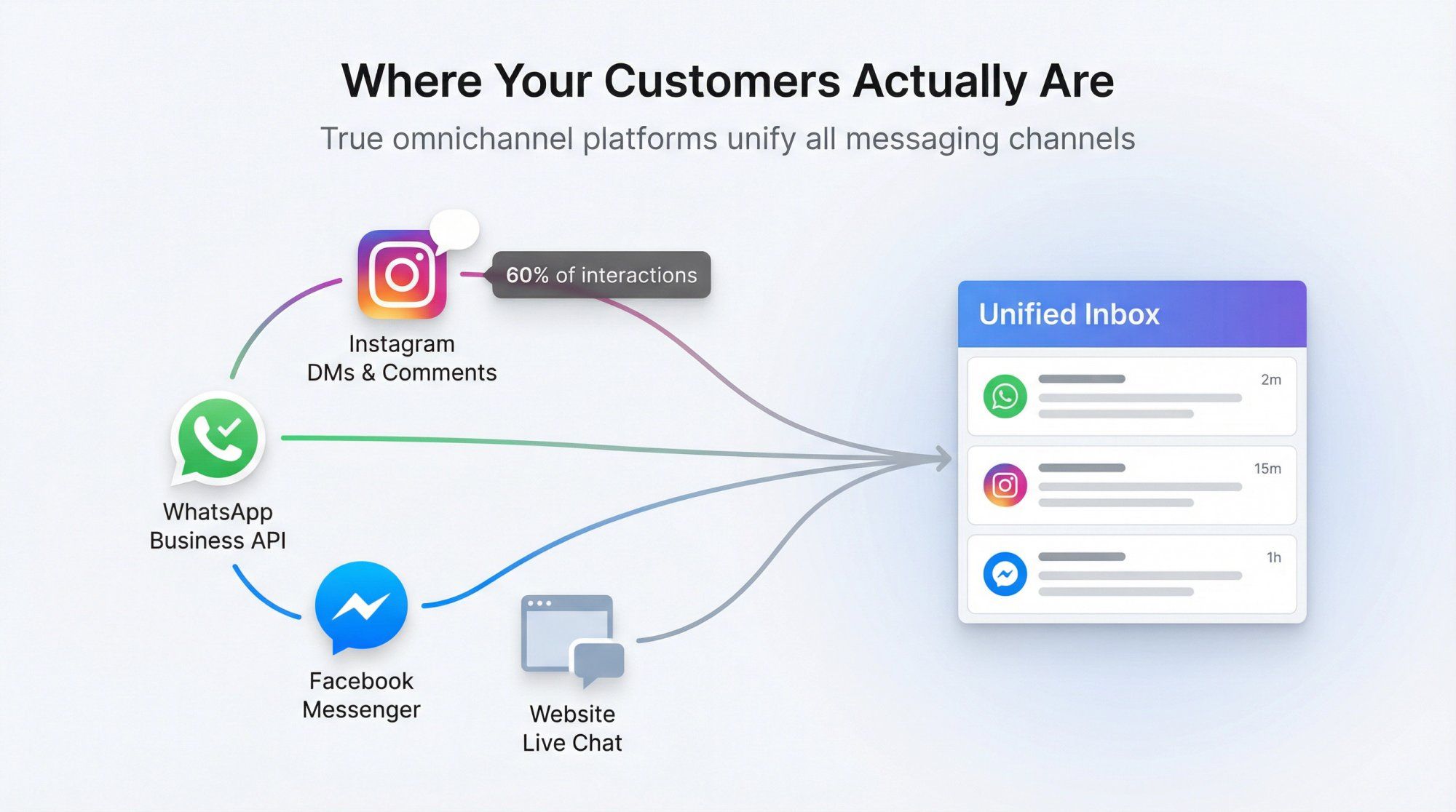
Think about where your actual conversations happen. If 60% of your customer interactions come through Instagram comments and DMs, you need tools built for that reality.
Not all AI is created equal. Some bots just answer pre-written FAQs. More advanced platforms let you train chatbots on your own knowledge base or documents, creating AI support that actually understands your specific products and policies.
But here's what really separates basic from powerful: Can your AI do things?
The best platforms offer what's called "actionable AI." Instead of just answering "Where's my order?", they can connect to your systems, pull the actual tracking data, and solve the issue completely. That's the difference between deflecting a question and resolving it.
Even with great AI, you'll need humans for complex issues. Look for platforms with proper ticketing systems, conversation assignment, and smooth handover from bot to agent.
Features like internal notes, conversation history, and smart routing become critical as your team grows. The best tools make it seamless. A customer shouldn't notice when they transition from bot to human (the context should carry over perfectly).
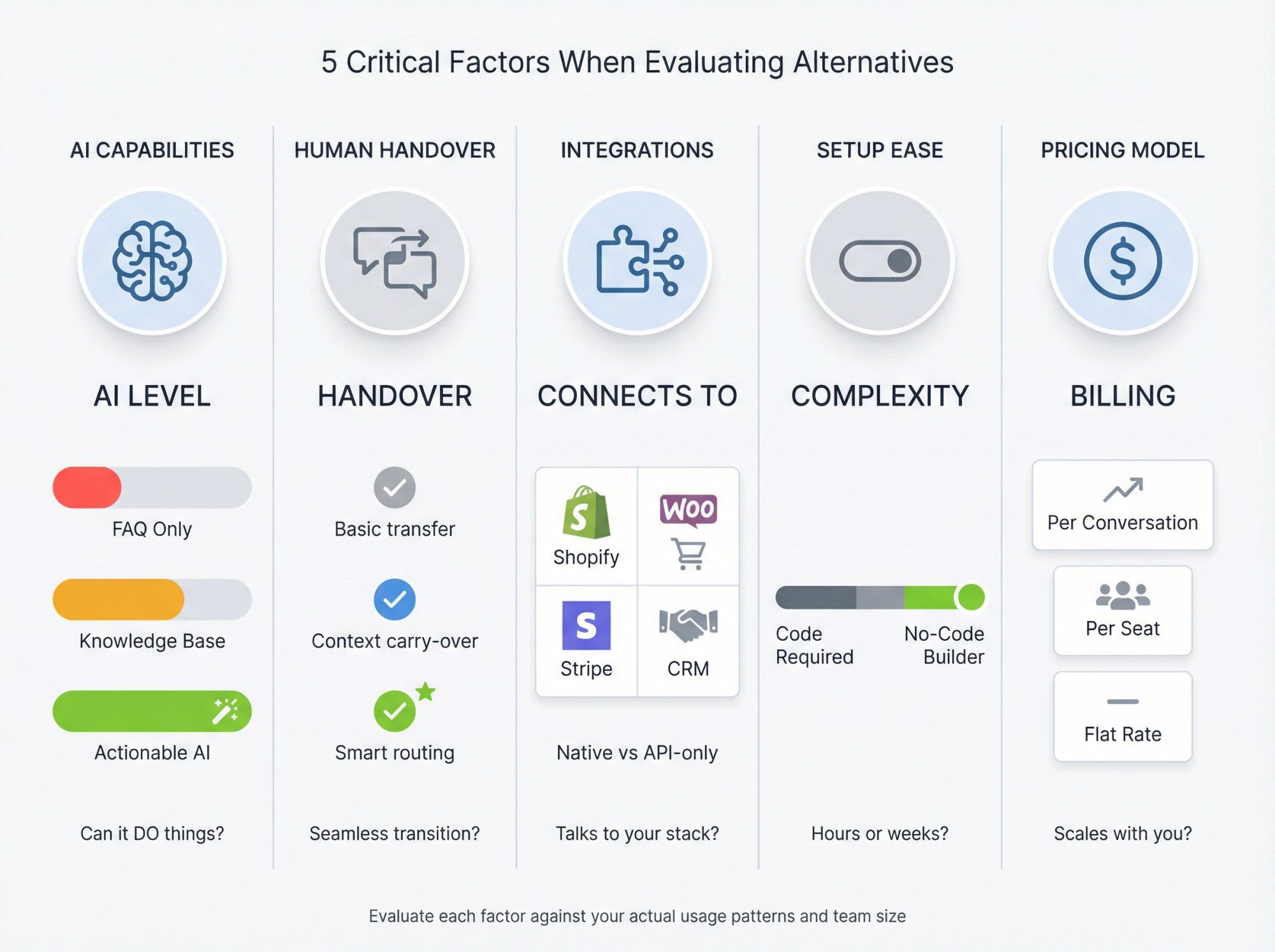
Your chat tool needs to talk to your other systems. Check for native integrations with your e-commerce platform (Shopify, WooCommerce), CRM, payment gateways (Stripe, Razorpay), and marketing tools.
Deeper integrations mean your bot can pull order information, update customer records, or trigger workflows automatically. For example, if you run on Shopify, a native integration lets your chatbot check inventory, look up past purchases, and even process returns without breaking a sweat.
Tidio's per-conversation pricing works great at low volume but can scale painfully. Some alternatives charge per agent/seat, others offer flat monthly rates with unlimited contacts and conversations.
Run the math for your actual usage:
• If you handle thousands of chats monthly, a flat-rate plan might save you hundreds of dollars
• But if you have a large team, per-seat pricing could add up differently
• There's no universal "cheap" option (it depends on your volume patterns)
A no-code visual bot builder can save weeks of development time. Look for platforms with drag-and-drop interfaces, pre-built templates, and clear documentation.
Also consider the quality of customer support. Will you get help when things break, or will you be stuck searching forums?
Keep these criteria in mind as we explore the alternatives. Each platform excels in different areas.
If Tidio's web-first approach feels limiting, Spur offers a compelling alternative built specifically for WhatsApp, Instagram, Facebook, and website chat, all powered by AI agents.
We're an official Meta Business Partner specializing in conversational commerce and support automation where your customers actually are.

→ Actionable AI Customer Support
Our AI chatbot doesn't just answer questions (it takes action). You can train it on your website content or knowledge base, similar to Tidio's Lyro, but with much more customization.
The key difference? We call it "Actionable AI" because the bot can pull real-time data from your systems. When a customer asks "Where's my order?", our AI doesn't just say "check your email." It actually connects to your order management system, pulls the tracking information, and solves the problem immediately.
It can handle up to 70% of common queries instantly, freeing your team for complex issues that actually need human judgment.
→ Multi-Channel Shared Inbox
We connect WhatsApp Business API, Instagram DMs, Facebook Messenger, and your web chat widget into one dashboard. Your team sees every customer message in one place, with built-in ticketing, tags, and assignment for smooth collaboration.
This isn't just convenience. It's about consistency. When a customer messages you on Instagram, then follows up via WhatsApp, your team sees the full conversation history. No more "Can you repeat that?" or asking customers to explain their issue twice.
→ No-Code Visual Flow Builder
Design automated conversations across all channels with our drag-and-drop builder:
① Create flows for WhatsApp abandoned cart recovery
② Set up Instagram story mention auto-replies
③ Build website chat lead capture flows
You can include conditions, custom fields, and even HTTP requests/webhooks to integrate with external apps. One particularly powerful feature: Comment-to-DM automation. When someone comments on your Instagram post with a trigger word, Spur automatically sends them a DM. Perfect for turning engagement into actual sales conversations.
→ Marketing Campaigns and Broadcasts
Beyond reactive chat, we support proactive messaging:
• Send WhatsApp broadcasts to thousands of contacts with deliverability rates above 80%
• Set up automated sequences like welcome messages, post-purchase check-ins, or win-back campaigns
• Create sophisticated drip campaigns across channels
A customer might interact with an Instagram ad, get a DM sequence, then receive a WhatsApp follow-up if they don't convert. All orchestrated from Spur.
→ E-commerce Integrations
We have native integrations with Shopify and WooCommerce. Your chatbot can pull order details, track shipments, and automatically message customers about cart abandonment or shipping updates.
The integration is deep enough to actually resolve customer service issues, not just surface information.
We offer a 7-day free trial, and paid plans start at $12/month (billed annually) for basic AI automation. All plans include unlimited contacts and messages. We don't charge per conversation on our platform.
Pricing snapshot:
| Plan | Price/mo | AI Credits | Seats | Best For |
|---|---|---|---|---|
| AI Acquire | $12 | 100 credits | 1 | Instagram automation starter |
| AI Start | $31 | 2,000 credits | 2 | WhatsApp + IG automation |
| AI Accelerate | $127 | 12,000 credits | 5 | Growing teams |
| AI Max | $399 | 40,000 credits | 10 | Enterprise scale |
If you use WhatsApp, you'll pay WhatsApp's conversation fees through our wallet system, but that's standard across any WhatsApp solution. Higher plans unlock more AI agents, team seats, and advanced features.
Here's what matters: Even our mid-tier plan includes both WhatsApp and Instagram automation. Getting comparable functionality in Tidio would require multiple add-ons and likely hit conversation limits quickly.
Spur works best if you want a single solution for marketing, sales, and support across messaging apps and web chat.
Example: A D2C fashion brand selling on Instagram can use Spur to:
• Automate comment-to-DM flows when someone asks about sizing
• Run WhatsApp broadcast campaigns for new collections
• Handle customer service questions with AI
• Manage everything from one inbox
It's especially powerful for teams that use Instagram and WhatsApp for actual sales, not just brand awareness. If Tidio's web-first approach doesn't match where your customers actually reach out, Spur brings those channels together with automation that actually works.
If your primary need is social media automation rather than website live chat, ManyChat deserves serious consideration. While Tidio concentrates on web chat, ManyChat focuses entirely on Messenger, Instagram DM, and WhatsApp bots.
→ Powerful Marketing Automation
ManyChat shines at creating interactive marketing campaigns on Instagram and Facebook. You can set up broadcasts, drip sequences, and keyword-based auto-replies with their visual builder.
For example, broadcast a flash sale to all Messenger subscribers, or automatically reply to Instagram comments with a shopping link.
→ Instagram & Facebook Integration
As an official Meta partner, ManyChat fully supports the latest Instagram features:
• Reply to story mentions
• Set up comment-to-message funnels
• Integrate with Click-to-Messenger ads
If you run Facebook Ads, ManyChat can capture users into automated chat flows post-click, helping with lead qualification.
→ WhatsApp Automation
ManyChat also offers WhatsApp bot capabilities. You can build WhatsApp campaigns and send template messages within ManyChat. Note that WhatsApp in ManyChat requires connecting your own WhatsApp API provider and might have additional costs.
→ Visual Flow Builder
Their drag-and-drop builder is known for simplicity. Design conversation flows visually, tailored for social channel triggers like receiving specific keywords via DM. There are lots of pre-built templates for common scenarios.
| Strengths | Limitations |
|---|---|
| Full-funnel marketing chatbots | No traditional website live chat widget |
| Collect leads, send newsletters via Messenger | AI capabilities relatively basic |
| Cart abandonment reminders through social channels | Must use Messenger plugin for web (requires Facebook) |
| Integrates with HubSpot, Google Sheets, Shopify | WhatsApp and AI are paid add-ons |
| Generous free plan (1,000 contacts) | Not built for comprehensive support |
URL: https://manychat.com/ Location: ManyChat section (§2) Status: Network error during automated capture Instructions: See clients/Spur/blogs/tidio-alternatives/web-screenshots/captures/SC-03-manychat.md for detailed manual capture instructions
Free for up to 1,000 contacts. Pro plans start at $15/month, scaling with subscriber count. The AI add-on is $29/month extra if you use their GPT-powered features. WhatsApp is also an add-on (roughly $10-15/month plus message fees).
ManyChat is perfect if you market and sell primarily through Instagram or Facebook.
An Instagram boutique could automate DMs when someone comments "price", send product carousels in chat, and follow up via WhatsApp. It's built for conversational marketing, not comprehensive support. If Tidio's missing those growth tools, run ManyChat for social alongside a simpler live chat on your site.
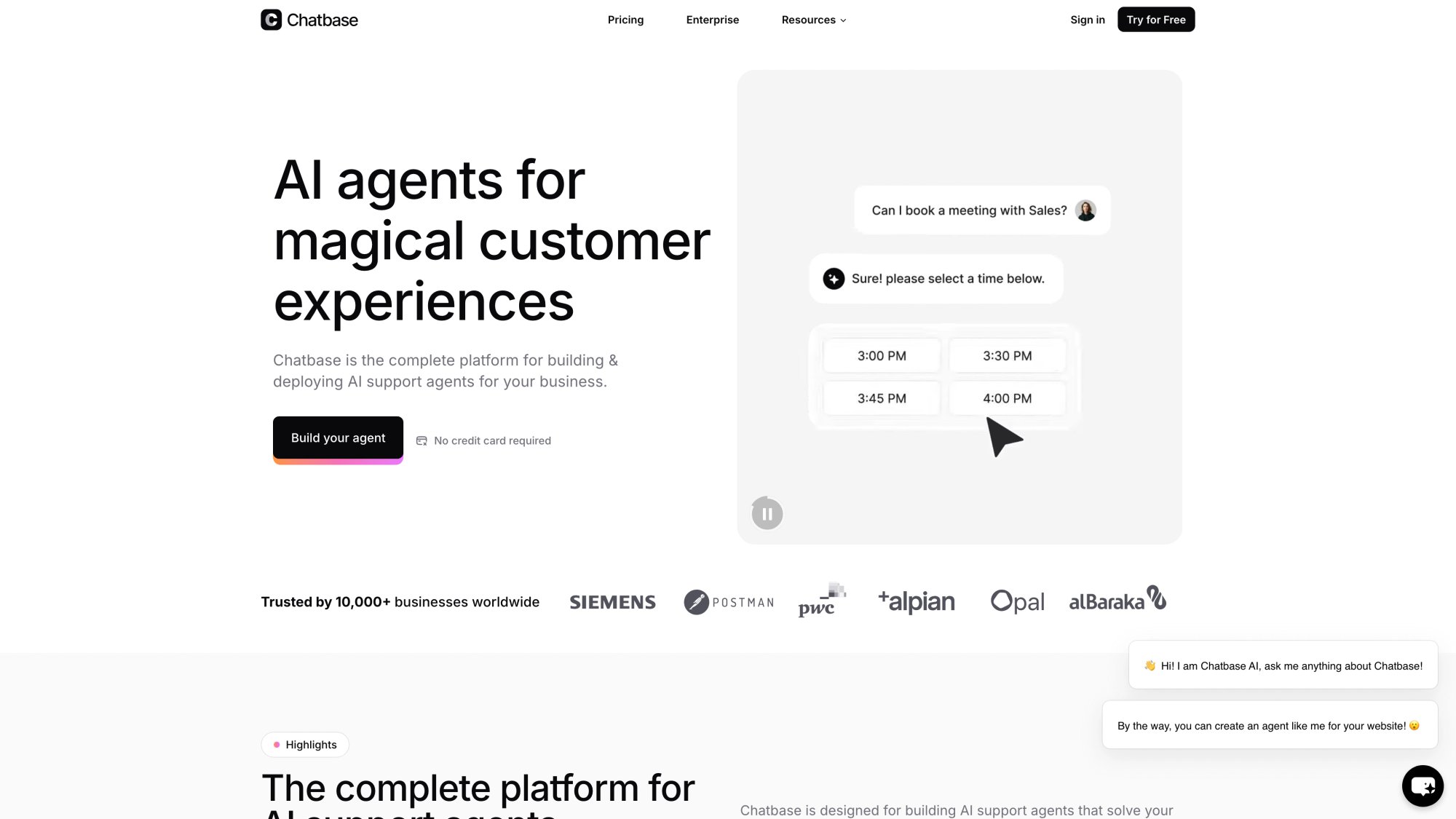
If you loved Tidio's AI chatbot abilities but want to take that further, Chatbase is a top specialized alternative. It lets you create a custom chatbot in minutes by uploading your own data.
Think of it as building your own ChatGPT trained specifically on your business.
→ Instant AI Bot Training
Simply upload PDFs, paste your website URL, or add text documents, and Chatbase trains an AI model on that content. In minutes, you have a chatbot that answers questions using your knowledge.
Upload product manuals or FAQ pages, and the bot uses that to answer customer questions accurately.
→ AI Actions (Beta)
Beyond Q&A, Chatbase has an "AI Actions" feature that allows the bot to perform tasks. Your chatbot can call external APIs or run commands when specific intents are detected.
If a user asks "Where's my order 12345?", the bot could call your order tracking API and respond with actual status. This makes the bot useful for solving problems, not just answering from text.
→ Suggestions and Learning
Chatbase's Suggestions tool analyzes real chats and highlights questions your bot couldn't answer. This helps you continually improve by adding information to fill gaps. Over time, the AI gets better at handling variations.
→ Integration & Channels
Deploy via a chat widget on your website (just like Tidio). They also offer an API to plug the bot into other channels. With some development, you could use Chatbase as the brain behind a WhatsApp or Slack bot.
Strengths:
• For getting an AI support bot running quickly, Chatbase is hard to beat
• You don't manually script answers (just provide content and it's ready)
• Can dramatically reduce your live chat load, with the bot handling repetitive questions 24/7
• Supports multiple languages and handles complex inquiries if the info is in your docs
Limitations:
• Chatbase is not a full customer communication platform
• It lacks a shared inbox, doesn't do outbound messaging or marketing automation, and you can't design multi-step conversational flows
• It's focused purely on Q&A
• Best used in combination with another tool for comprehensive support
Free plan for a single bot with limited messages (around 30 per month). Paid plans start at $40/month for "Hobby" tier with higher message limits. Larger plans exist for businesses with thousands of messages monthly.
Chatbase is ideal if you want to add a self-service AI assistant on your website without overhauling your whole support system.
If you have a large knowledge base and want customers to ask questions in natural language to get instant answers, Chatbase delivers out-of-the-box. Some companies use it internally for staff to query company policies.
Just plan for how you'll handle queries it can't answer (typically via a contact form or escalation path).
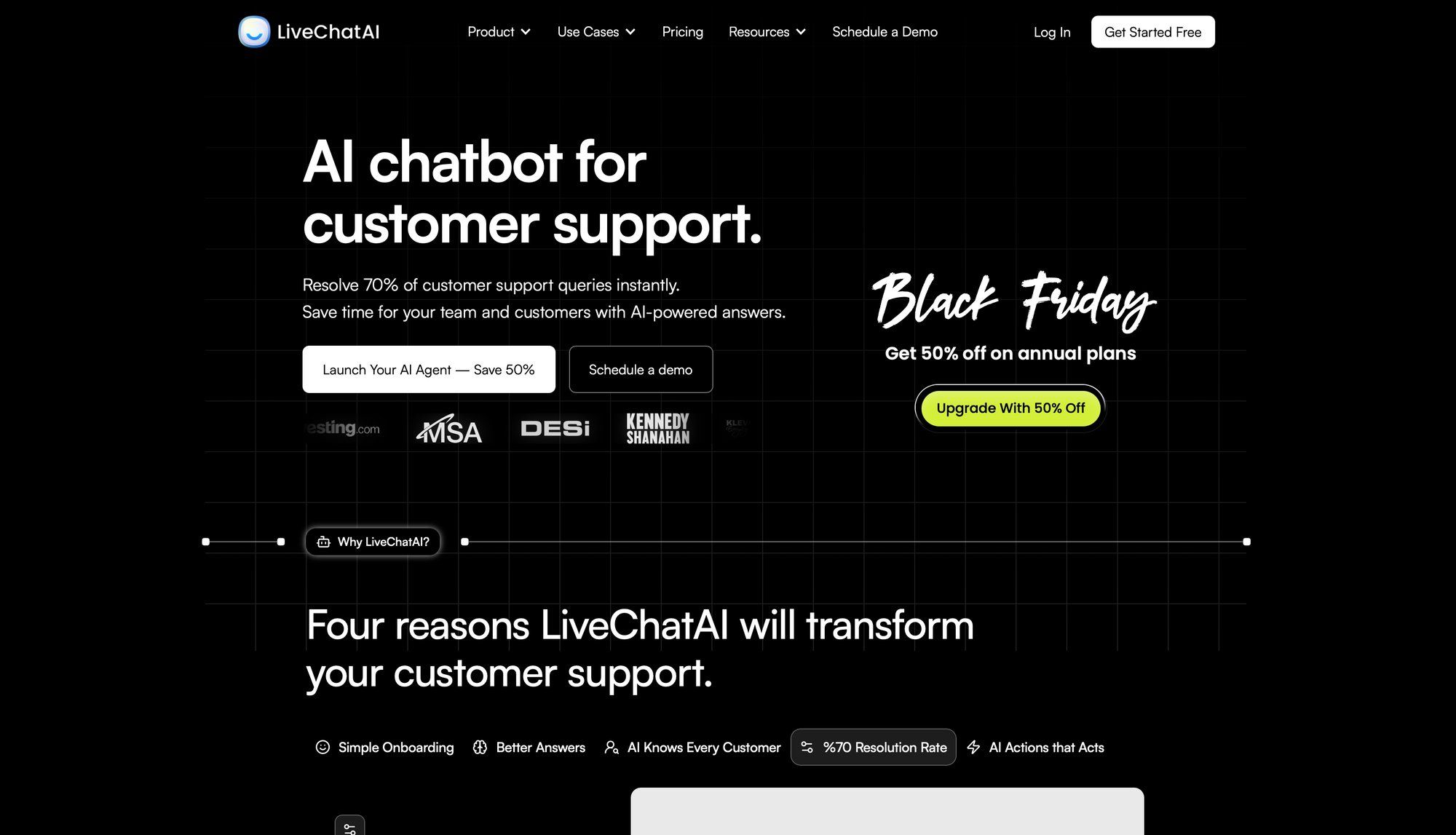
LiveChatAI is another emerging platform in the AI chatbot space. It allows you to create an AI-powered chatbot trained on your content and deploy it on various channels like your website, WhatsApp, Slack, and more.
The platform positions itself as a way to resolve 70% of support queries instantly.
① Fast Custom Training
Feed LiveChatAI your website URLs, knowledge base articles, or PDFs, and it creates an AI assistant that knows that information. The bot's knowledge updates whenever you add new content, ensuring customers get accurate, up-to-date answers without manually writing responses.
② Live Chat Integration
LiveChatAI is designed to integrate into existing live chat or helpdesk tools:
• Embed it on your site as a chat widget
• Connect it to Slack or Microsoft Teams to help support agents
• Even deploy to WhatsApp
This multi-channel flexibility is a strength.
③ Agent Assist Mode
An interesting use: Have LiveChatAI assist your human agents. If integrated with your helpdesk, the AI can listen to conversations and suggest answers in real-time based on your knowledge base.
Agents can accept or tweak the suggestion before sending, maintaining human touch with AI efficiency.
④ AI Suggestions & Learning
LiveChatAI offers an AI Suggestions feature that analyzes past conversations and recommends new Q&A pairs or content to add. If customers ask something the AI couldn't answer, it flags it so you can improve.
| Capability | LiveChatAI | Chatbase | Tidio |
|---|---|---|---|
| Train on custom data | ✓ | ✓ | Limited |
| Multi-channel deployment | ✓ | API only | Web-focused |
| Agent assist mode | ✓ | ✗ | ✗ |
| Marketing automation | ✗ | ✗ | ✓ |
| Average resolution rate | 70% | High | Varies |
Strengths:
• Highly customizable and scalable, aiming to fit into your existing workflow rather than replace it
• Claims an average 70% resolution rate for common queries
• Being able to deploy on multiple platforms (website widget, WhatsApp, etc.) gives flexibility Tidio's built-in AI doesn't have
• Platform emphasizes security and data privacy
Limitations:
• Focused on Q&A, lacks many features Tidio has out-of-the-box like proactive chat triggers, visual flow building for lead forms, or built-in ticketing
• Some technical effort might be required to integrate with existing tools
• Cost can be a factor with usage-based pricing at high volumes
Offers a free plan or trial to get started, with paid plans based on number of interactions and knowledge size. One user noted LiveChatAI's pricing was more affordable than some competitors, with good customization for training with your own help center.
LiveChatAI is ideal if you already have a support system you like and want to add an AI assistant to deflect FAQs.
For example, deploy it across support email, Slack community, and website chat to answer common questions instantly. Good choice for teams needing an AI knowledge bot that can work on channels like WhatsApp or mobile apps where Tidio might not reach.
Chatbot.com is from the team behind LiveChat. It's focused on website chatbots and automation, with a strong mix of AI and rule-based flows.
One expert noted it's "probably the most similar alternative to Tidio, sharing many of the same strengths."

Visual Flow Builder
Chatbot.com provides an easy drag-and-drop chatbot builder for creating conversation flows. Design multi-step dialogs, collect user input (emails, order numbers), and set up conditional logic. Comparable to Tidio's visual workflows.
AI Knowledge Base & NLP
A standout feature is the AI Knowledge Base. Train the bot on your documents and website content, so it can answer questions like Tidio's Lyro. It also supports Intents and Entities for more advanced natural language understanding.
This combination of pre-scripted flows plus AI Q&A gives flexibility.
LiveChat Integration for Handover
Since Chatbot.com is part of the LiveChat ecosystem, it integrates tightly with LiveChat (their agent software). Set the chatbot to automatically hand off to a human agent after certain triggers.
The handover is seamless, but note: LiveChat license is separate. Unlike Tidio where live chat and bot are one app, here they're modular.
Channel Integrations
While website chat is primary, Chatbot.com can also deploy bots on Facebook Messenger and Slack. It doesn't natively do Instagram or WhatsApp yet, and isn't focused on broad social marketing like ManyChat.
Strengths:
• Rich feature set for building sophisticated chatbots without coding
• Enterprise features like API calls, webhook actions, and detailed analytics
• Integrates with Shopify, Zendesk, Freshdesk, Zapier, and more
• Your chatbot can create tickets, log CRM entries, or trigger Zapier workflows
Limitations:
• The split between Chatbot.com and LiveChat for full functionality
• If you only use Chatbot.com, handoff shows "leave a message" unless you have LiveChat agents
• No free plan beyond trial (it's a paid product, unlike Tidio's free tier)
Starts at $52/month (billed annually) for one active chatbot. Higher plans increase bots, users, and AI capacity.
If you also need LiveChat for agents, that's another $16-$50 per agent monthly depending on plan.
Best for businesses that want a capable website chatbot and possibly already use (or don't mind adopting) LiveChat for live agents.
If you receive lots of repetitive queries (order tracking, product info) and want to deflect those with a smart bot, this is a great solution. An SaaS company could use it to handle common support questions and create Zendesk tickets if the bot can't solve it.
If you're looking for a platform that handles chatbots on almost every channel imaginable, UChat should be on your radar.
UChat supports 13+ channels, from Website, WhatsApp, Facebook, Instagram to Telegram, WeChat, LINE, Viber, SMS, voice (Alexa/Google), and more. It's the Swiss Army knife of chatbot platforms.
URL: https://www.uchat.com.au/ Location: UChat section (§6) Status: Network error during automated capture Instructions: See clients/Spur/blogs/tidio-alternatives/web-screenshots/captures/SC-07-uchat.md for detailed manual capture instructions
Multi-Channel Deployment
UChat really excels here. You can build one chatbot and deploy across 13+ channels with minimal tweaks:
• Web chat, mobile apps
• Messenger, Instagram DM, WhatsApp (official API)
• Telegram, Slack, Microsoft Teams, LINE
• Voice platforms, custom APIs
Flow Builder & Templates
Visual flow builder similar to ManyChat or Tidio, where you can create broadcasts, sequences, and automation rules for each channel. Design complex flows with conditions, API calls, and even script code (JavaScript function node for advanced users). Many templates for common use cases.
Built-in Live Chat and Inbox
UChat isn't just bots. It has a unified inbox where human agents can jump in across any channel. Your team uses UChat to see incoming messages from WhatsApp, Instagram, web, etc., and respond live.
Features include quick replies, tags, notes, and assignment.
AI and NLP Features
UChat offers GPT-4 integration, AI agents, and custom AI knowledge base capabilities. Connect an OpenAI key to let bots use AI for intent detection or Q&A.
As of 2025, UChat's knowledge base feature (training on documents) is not as developed as Chatbase or Tidio. It's more about using AI within flows.
Integrations and Extensibility
Supports 50+ integrations natively, including CRM, email marketing, e-commerce, calendars. Plus webhooks and API calls to integrate with anything.
You can integrate Stripe to accept payments inside chat flows, or connect Google Sheets to log leads.
| Advantage | Challenge |
|---|---|
| Consolidate all chatbot efforts into one platform | Complexity - Interface can feel overwhelming for beginners |
| Cost-effective - One account runs bots on multiple channels | Might be overkill if you only need web chat + one channel |
| Generous free plan and relatively cheap paid plans | WhatsApp requires connecting API provider (extra setup) |
| Power user paradise with advanced features | Steeper learning curve |
Free plan available. Paid plans start at $15/month and scale by number of bots and feature unlocks.
For most SMB use, the $15 or $50 plan will suffice. Keep in mind channels like WhatsApp or SMS have their own usage fees. UChat also offers lifetime deals occasionally and an agency plan.
UChat is ideal if you're a power user or agency that needs chatbots in many places.
If you have presence on multiple social platforms, a website, maybe Telegram or WeChat for international customers, UChat allows one unified solution. Great for tech-savvy businesses that want full control and aren't afraid to tinker.
Example: A restaurant chain could use UChat to handle reservations via Facebook Messenger, answer FAQs via web widget, send promotional broadcasts on WhatsApp, and take voice orders via Alexa, all from UChat.
Crisp is an all-in-one customer messaging platform that often comes up as a lightweight alternative to Tidio and Intercom.
You get a live chat widget, multi-channel inbox (Messenger, email, etc.), knowledge base, and even marketing features, all under one roof. A standout aspect is Crisp's flat pricing with unlimited contacts, attractive if you dislike conversation-based models.
Live Chat and Shared Inbox
Crisp provides a modern live chat widget for your site with features like real-time typing view, rich media messages, and even video calls.
All incoming chats (and messages from other connected channels) land in a shared team inbox. Agents can collaborate with private notes and assign conversations. Crisp's chat has built-in ticketing (mark conversations as resolved, pending, etc.).
Multichannel Integration
Out of the box, Crisp integrates with:
• Facebook Messenger
• Telegram
• Twilio SMS
• Twitter DMs
It acts as a single hub. You can respond to customer emails and live chats from the same dashboard. They also have a mobile app for replies on the go. Slack integration lets you pipe chats into Slack if your team prefers that.
Chatbot and Automation Plugins
Crisp doesn't have a drag-and-drop chatbot builder like Tidio's, but it has a marketplace of plugins to add functionality. There's an Auto Responder plugin for keyword-based instant replies (rudimentary chatbot).
Also plugins for routing rules or integrating external AI. Crisp is developer-friendly with an open API for custom bots.
Knowledge Base and Email Campaigns
Crisp includes a basic Helpdesk/knowledge base module for hosting FAQs and articles. They also have Email marketing features to send campaigns or automated emails. Not as advanced as dedicated tools, but handy to have in one platform.
Unique Extras
Crisp has some interesting features:
• MagicBrowse (screen co-browsing to assist customers)
• LiveTranslate (automatically translate messages in real-time for multilingual support)
• Audio/video calls directly from chat
• Status page plugin to communicate incidents
Also plugins for routing rules or integrating external AI. Crisp is developer-friendly with an open API for custom bots.
Knowledge Base and Email Campaigns
Crisp includes a basic Helpdesk/knowledge base module for hosting FAQs and articles. They also have Email marketing features to send campaigns or automated emails. Not as advanced as dedicated tools, but handy to have in one platform.
Unique Extras
Crisp has some interesting features:
• MagicBrowse (screen co-browsing to assist customers)
• LiveTranslate (automatically translate messages in real-time for multilingual support)
• Audio/video calls directly from chat
• Status page plugin to communicate incidents
| Plan | Price/mo | Agents | Contacts | Best For |
|---|---|---|---|---|
| Free | $0 | 2 | Limited | Testing |
| Pro | $25 | 4 | Unlimited | Small teams |
| Unlimited | $95 | Unlimited | Unlimited | Growing support teams |
| Tidio comparable | Varies | 5 | 500 conv | Per-conversation pricing |
Strengths:
• Often praised for simplicity and value
• Easy to set up, and you can run customer communication (chat, email, knowledge base) without multiple tools
• The pricing is fixed per workspace with unlimited contacts and seats on higher plans
• Crisp's Unlimited plan is ~$95/month for your whole team with no conversation limits, whereas Tidio at similar scale could cost far more
• Users like the plugin ecosystem for customization
Limitations:
• Each component is slightly less powerful than specialized tools
• Chatbot capabilities are basic unless you integrate external solutions
• Campaign features not as sophisticated as true email marketing platforms
• If you require WhatsApp integration, Crisp doesn't natively support WhatsApp Cloud API yet
Crisp is a great Tidio alternative for startups and SMBs that want a unified solution at predictable cost.
If you run an online business and need to handle support chats, emails, and maybe some social DMs in one place, Crisp does that elegantly. Especially useful if you anticipate rapid growth in support volume, since you won't be penalized by per-conversation pricing.
For teams that appreciate extras like co-browsing or built-in knowledge base, Crisp offers those without separate add-ons.
If cost is a primary concern and you want an affordable chatbot solution, BotPenguin is worth considering.
It's a no-code chatbot builder that promotes itself as a cost-effective Tidio alternative, reportedly up to 4× cheaper. Supports multiple platforms (website, WhatsApp, Facebook, Instagram, Telegram) with unlimited chatbot messages on plans.
Omnichannel Chatbot Support
BotPenguin lets you create a chatbot and deploy on:
• Your website
• Messenger platforms like Facebook and Telegram
• WhatsApp integration (with connectors)
• Even Line or Skype via connectors
Covers the main channels for small business needs.
No-Code Bot Builder
Design conversation flows in BotPenguin's visual interface. Provides templates for common tasks (appointment booking, lead gen, customer support).
The builder is straightforward, aimed at quick setup. They advertise launching a bot in minutes.
AI & NLP
BotPenguin has AI chat capabilities for understanding user queries using NLP and providing responses from a knowledge base.
Features include lead qualification (bot asks questions to qualify leads) and contextual responses (memory of previous user replies). Described as "generative AI-powered".
Live Chat and Handover
Importantly, BotPenguin includes a live chat dashboard for human agents to take over when needed. You're not stuck with just the bot. Sends alerts to your team when users need attention.
Integration and Data Sync
Can integrate with CRM and other systems to some extent. They mention data sharing with CRMs, ticketing software, and calendars. Webhooks available for custom integration.
• Baby (Free) - Basic features
• Little (~$15/month) - More contacts and features
• King (~$50/month) - Enterprise features
Paid plans increase contacts and features. They point out that even the $50/month plan can cover what might cost several hundred on Tidio for similar usage.
Strengths:
• The biggest pro is affordability for unlimited usage
• BotPenguin's plans generally offer unlimited chats and generous contact limits at a fraction of competitor costs
• They even have a free plan with basic features
• Fairly easy to use, with many non-tech users reporting quick setup
• Multi-channel in one tool simplifies the stack
Limitations:
• With lower cost comes some trade-offs
• The platform is not as mature or polished as Tidio or others
• The chatbot AI might not handle very complex conversations as well, or the UI might not be as slick
• The company is smaller, so support resources or community might be limited
• While they advertise WhatsApp integration, that typically requires a WhatsApp API provider and possibly an add-on fee
BotPenguin is ideal for small businesses, startups, or personal projects that want chatbot automation without big investment.
If you're running a simple e-commerce site or Facebook page and need an FAQ bot plus live chat during work hours, BotPenguin can do the job inexpensively. It's a decent stepping stone for experimenting with automation.
For budget-conscious scenarios (nonprofits, side-hustle websites), BotPenguin is friendly. If you require high reliability or advanced AI, you might quickly feel the limits.
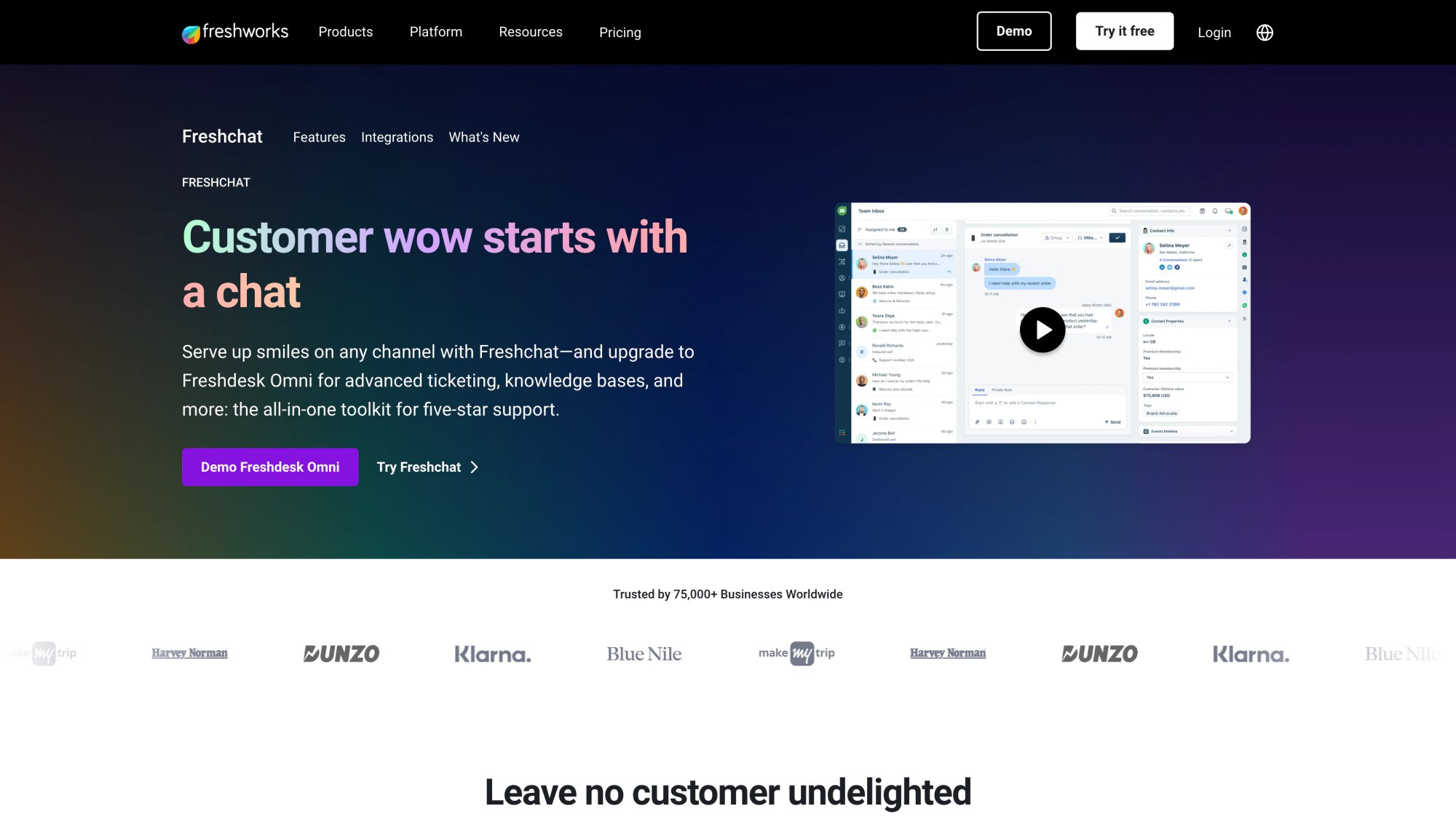
Freshchat is the messaging-centric tool from Freshworks (known for Freshdesk, Freshsales). It's positioned as a robust live chat and messaging app for businesses handling high volumes efficiently.
If you're leaving Tidio because your support needs have outgrown it, Freshchat is a strong alternative. One reviewer noted "Freshchat excels at live chat for large support teams... great for handling lots of messages efficiently."
Omni-channel Inbox
Freshchat provides a unified inbox bringing together:
• Live chat (web and mobile apps)
• Facebook Messenger
• Apple Business Chat
• And more
Part of the wider Freshworks suite, it integrates with voice (Freshcaller) and tickets (Freshdesk). Agents see all conversations in one place with assignment to different teams or agents.
Sophisticated Routing & Automation
Designed for scale, Freshchat includes:
① Assignment rules
② Skill-based routing
③ Business hours settings
Ensure chats are automatically routed to the right department using keywords or user properties. Chat workflows to collect info or qualify before routing, and auto-assign to agents in round-robin or load-balanced ways.
Built-in AI and Bot
Freshchat has an AI engine ("Freddy AI") that powers chatbots and assists agents:
• Set up FAQ bots that answer common questions
• Use AI to suggest answers to agents in real time based on knowledge base
• The AI can detect customer sentiment or intent to prioritize conversations
Multilingual & Auto-Translation
Freshchat supports 42+ languages for the widget and has auto-translate feature: an agent types in English, user sees Spanish, and vice versa, seamlessly. For global businesses, this serves customers in their language without needing bilingual staff.
Integration with CRM/Helpdesk
If you use Freshdesk or FreshCRM, Freshchat integrates natively. A chat can create a ticket or link to customer record easily.
Even without, Freshchat has APIs and connectors for other systems (Salesforce, Shopify). Show customer order info to agents right inside Freshchat when a known user messages.
| Feature | Freshchat | Tidio | Advantage |
|---|---|---|---|
| Multi-agent routing | Advanced | Basic | Freshchat |
| Bulk actions | ✓ | ✗ | Freshchat |
| Agent performance dashboards | ✓ | Limited | Freshchat |
| Chat SLAs | ✓ | ✗ | Freshchat |
| Multilingual (42+ languages) | ✓ | Limited | Freshchat |
| Per-conversation pricing | ✗ | ✓ | Freshchat |
Strengths:
• Built for efficiency at scale
• Features like bulk actions, canned responses library, agent performance dashboards, and chat SLAs
• If you have 10, 20, or more agents, these capabilities are essential
• Freshchat's interface is modern and can handle thousands of concurrent conversations
• Flexible pricing for growth: entry plan allows up to 10 agents free, then pay per agent which can be more predictable than volume-based pricing
Limitations:
• Freshchat's focus on support means it's not as marketing-oriented as Tidio or ManyChat
• Doesn't have built-in email marketing or social comment automation
• Some features require higher plans (advanced bots or AI might only be in premium tiers)
• Might be overkill if you're a very small operation
• Free plan (Team Inbox) for up to 100 agents but limited features (basic chat)
• Paid plans range from $19/agent/month (Growth) to $69/agent/month (Pro)
• Around $95/agent for Enterprise with all features (billed annually)
For comparison, Tidio's $49 plan is limited to 5 seats and 500 conversations, whereas with Freshchat $50 (for ~2-3 agents) you might handle unlimited chats.
Freshchat is ideal if you have a growing support operation or call center-like chat team.
An online service with 24/7 support across multiple countries could use Freshchat to manage incoming chats from web, mobile, WhatsApp in one place, assign to agents in different time zones, and use AI to handle tier-1 queries.
If Tidio's features felt lacking in multi-agent management or prioritization, Freshchat will likely solve those. Also great if you already use or plan to use Freshdesk/CRM to unify chat with customer data.
The right choice ultimately depends on what you felt Tidio was lacking for your needs:
If it's social media automation and marketing you need:
• Tools like ManyChat (for Instagram/Facebook) or UChat (broader channels) could be the answer
• Spur offers a unified approach that includes WhatsApp, Instagram, and actionable AI in one platform
If you were excited by Tidio's AI chatbot but want more power:
• Chatbase or LiveChatAI can level up your AI game
• Or consider Spur's actionable AI and BoldDesk's AI copilot which embed AI in practical ways
For those who found Tidio's pricing too steep as you grow:
• Options like Crisp or BotPenguin provide more generous usage at lower cost without sacrificing core functionality
If your team is growing and you need advanced support workflows:
• Look at Freshchat or BoldDesk, which bring professionalism (routing, SLAs, integrations) and can scale with larger operations
Sometimes you might even combine solutions. It's not uncommon to use Chatbase for the AI bot on your site and Crisp for live chat and inbox, achieving balance of automation and human touch.
Be sure to take advantage of free trials or free tiers. All platforms listed offer ways to test them out. Sign up, recreate common scenarios from your business, and see how they perform.
Check for features that matter most, whether that's WhatsApp broadcasting, knowledge base integration, multi-language support, or CRM syncing.
Consider the transition effort. Switching from Tidio means embedding a new widget, training a new bot, and learning a new interface. Some alternatives (like Spur, ManyChat) emphasize no-code ease, so you can get going in hours. Others (like helpdesk platforms) might take days of setup.
Plan accordingly and involve your team in testing.
Data and pricing note: All pricing and features mentioned are based on information available as of 2025. These tools evolve rapidly. Prices change, and new features roll out. Always double-check latest details on provider websites.
The good news is this competition means more innovation and better value.
Finally, the best alternative is one that not only matches Tidio in what it did well (fast live chat, easy bots) but also addresses your specific pain point that made you search for alternatives in the first place.
Keep that core need in focus, and you'll find your ideal chat solution.
Here's to happier customers, more efficient support, and successful conversations ahead.
What's the best free alternative to Tidio?
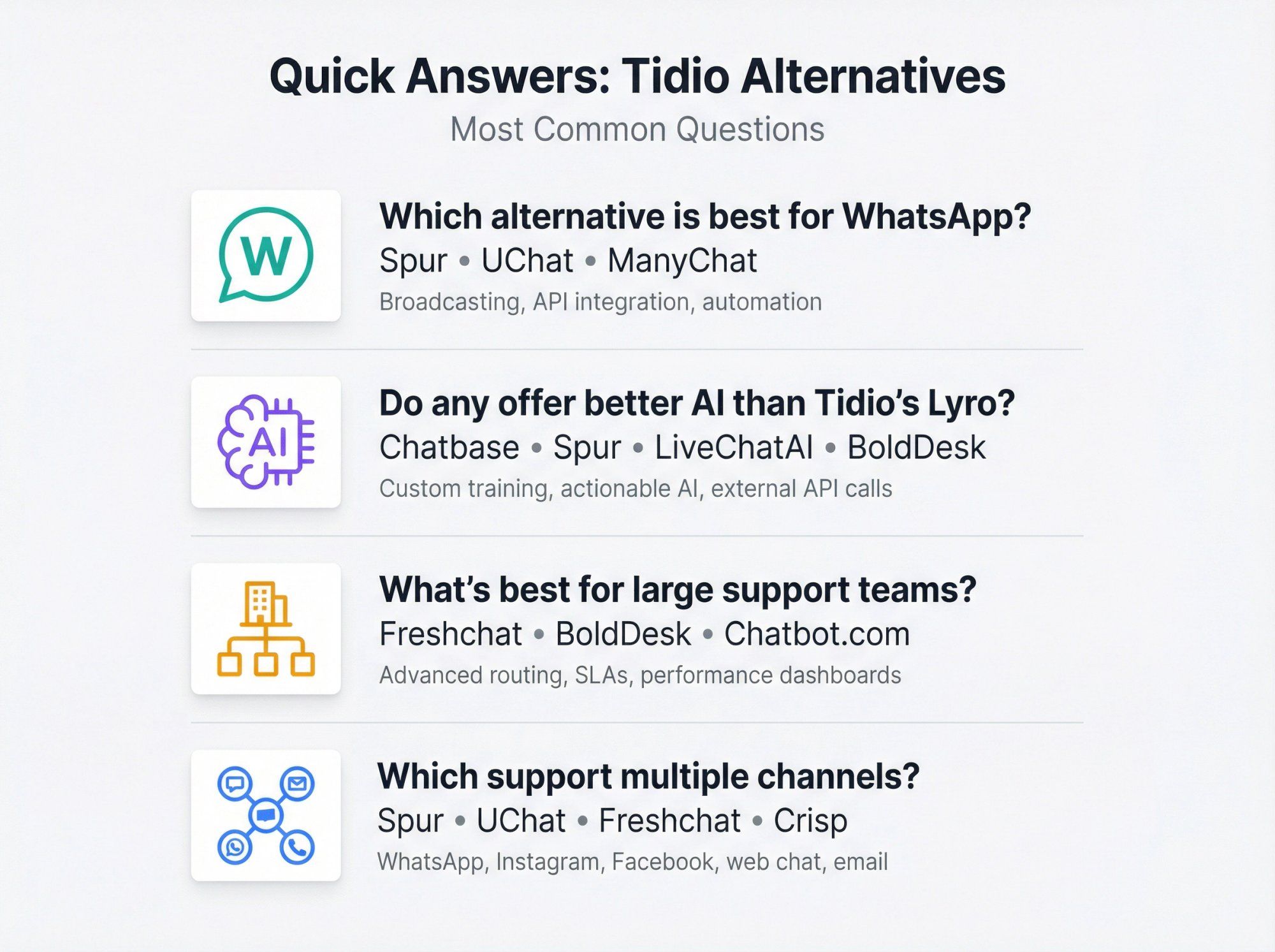
ManyChat offers a generous free plan (up to 1,000 contacts) for Instagram and Facebook automation. Crisp has a free tier for 2 agents with basic features. BotPenguin also has a free "Baby" plan.
If you need website chat specifically, Tidio's own free plan is actually quite good. For pure AI chatbot, Chatbase has a free tier with limited messages. Spur offers a 7-day free trial to test multi-channel automation.
Which Tidio alternative is best for WhatsApp?
Spur is specifically built for WhatsApp Business API with broadcasts, drip campaigns, shared inbox, and e-commerce flows.
UChat also supports WhatsApp across 13+ channels. ManyChat has WhatsApp capabilities but requires external API provider. Freshchat can integrate WhatsApp into its omnichannel inbox.
Can I train AI chatbots on my own content like Tidio's Lyro?
Yes. Chatbase and LiveChatAI specialize in training AI on your documents, website, or knowledge base.
Spur's AI agent can also be trained on your content and goes further with actionable AI that connects to backend systems. Chatbot.com and BoldDesk also offer knowledge base training.
What's the most affordable Tidio alternative?
BotPenguin markets itself as up to 4× cheaper than Tidio with unlimited chats. Crisp's flat pricing ($95/month for unlimited agents and conversations) can be very cost-effective for teams.
Spur's pricing starts at $12/month with unlimited contacts and messages (plus WhatsApp conversation fees). UChat's plans start at $15/month for multi-channel access.
Which platform is best for Instagram automation?
ManyChat is often cited as best for Instagram and Facebook marketing automation, with official Meta partnership.
Spur offers strong Instagram automation including Comment-to-DM, story reactions, and integrated with WhatsApp and web chat. UChat also supports Instagram among 13+ channels.
Do any alternatives offer better AI than Tidio's Lyro?
Several do. Chatbase offers more control over AI training and has AI Actions for calling external APIs. Spur's actionable AI can pull real-time data and perform actions like order tracking or appointment booking.
BoldDesk's AI copilot assists agents with suggestions and automation. LiveChatAI can deploy AI across multiple channels.
What's the best alternative for large support teams?
Freshchat is designed for scalable support with sophisticated routing, skill-based assignment, and agent performance dashboards. BoldDesk offers full helpdesk functionality with ticketing, SLAs, and AI automation.
Chatbot.com (with LiveChat) provides enterprise-grade chatbot capabilities with proper agent handoff.
Can I use these alternatives on multiple channels?
UChat supports 13+ channels including website, WhatsApp, Instagram, Facebook, Telegram, Slack, and more.
Spur unifies WhatsApp, Instagram, Facebook, and web chat in one platform.
Freshchat brings together web, mobile, WhatsApp, Messenger, and email. Crisp integrates Messenger, Telegram, SMS, and email. For omnichannel needs, these are stronger than Tidio's primarily web-focused approach.