Templates can now carry a GIF or a location header
A WhatsApp template header can now be a looping GIF or a location card with a map and an address, alongside the text, image, video and document headers you already had.
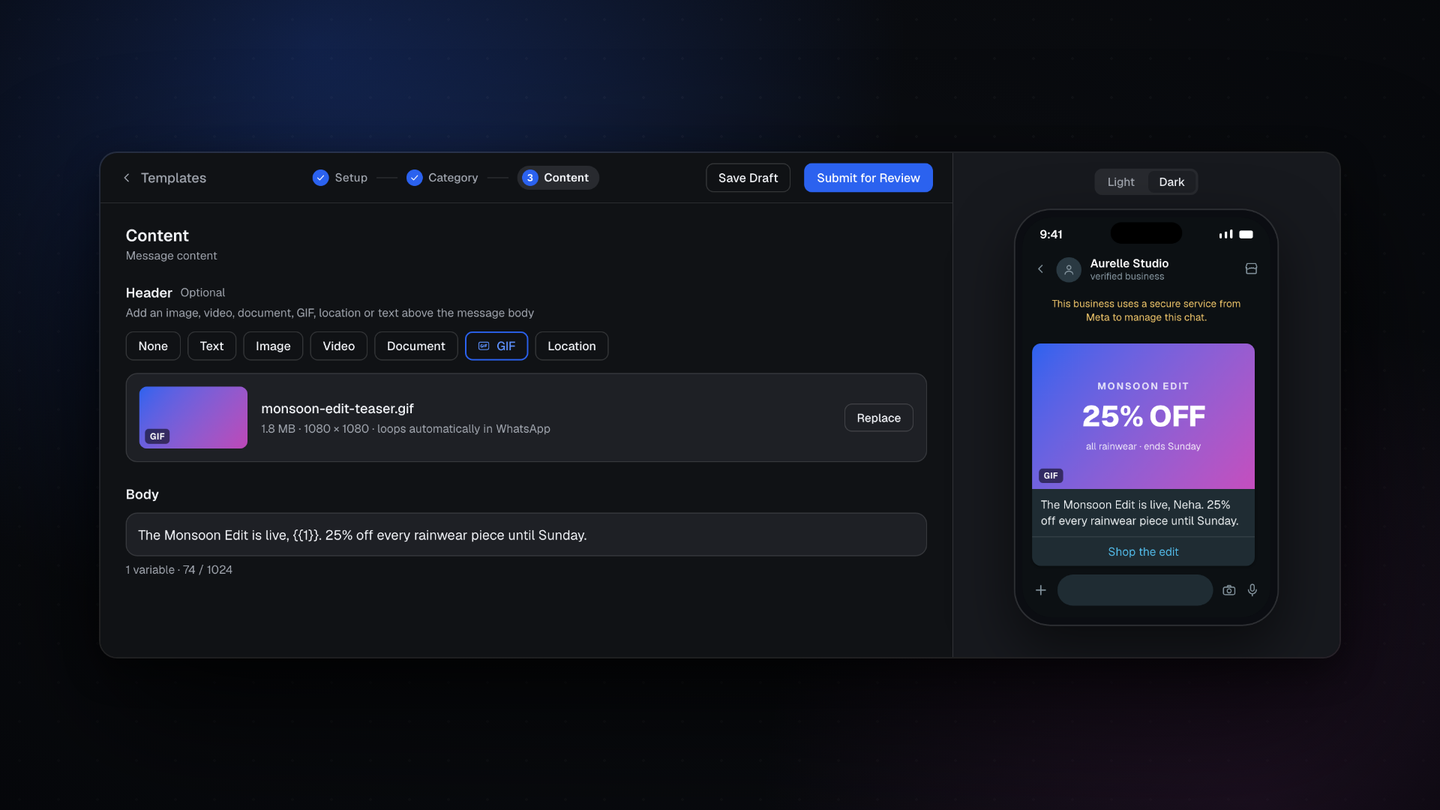
A WhatsApp template header can now be a GIF or a location, alongside the text, image, video and document headers you already had.
Every template can carry one header
A WhatsApp template is built from a header, a body, a footer and buttons. The header is optional, it sits above the body, and it is the first thing a customer sees when the message lands. On a phone showing a dozen notifications, it is usually what decides whether the message gets opened at all.
The header types you can choose
- None, when the body should stand on its own
- Text, a single line up to 60 characters, which can carry a variable
- Image, for a product shot or a campaign creative
- Video, for a demo or a launch clip
- Document, for an invoice, a catalogue or a ticket
- GIF, which loops in the conversation
- Location, which sends a map card with an address
The last two are the new ones. You pick the type on the Content step of the template builder, and the preview beside the form renders it the way WhatsApp will, in light and dark.
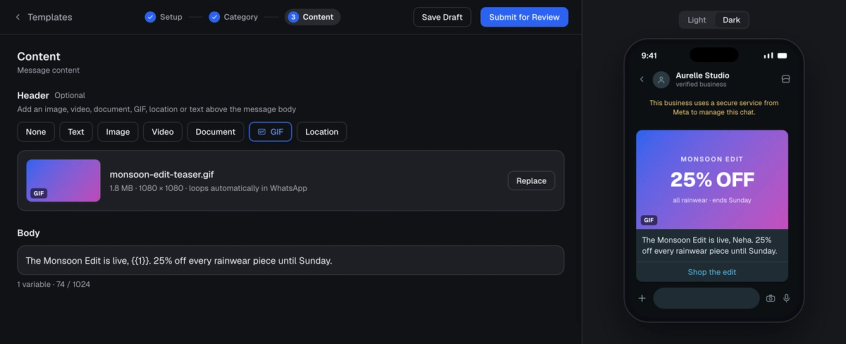
GIF headers
A GIF loops in the conversation, so it earns attention in a crowded inbox. It suits a launch teaser, a quick how to, or an announcement you need people to actually notice. Heavy GIFs render reliably rather than falling back to a broken thumbnail.
Location headers
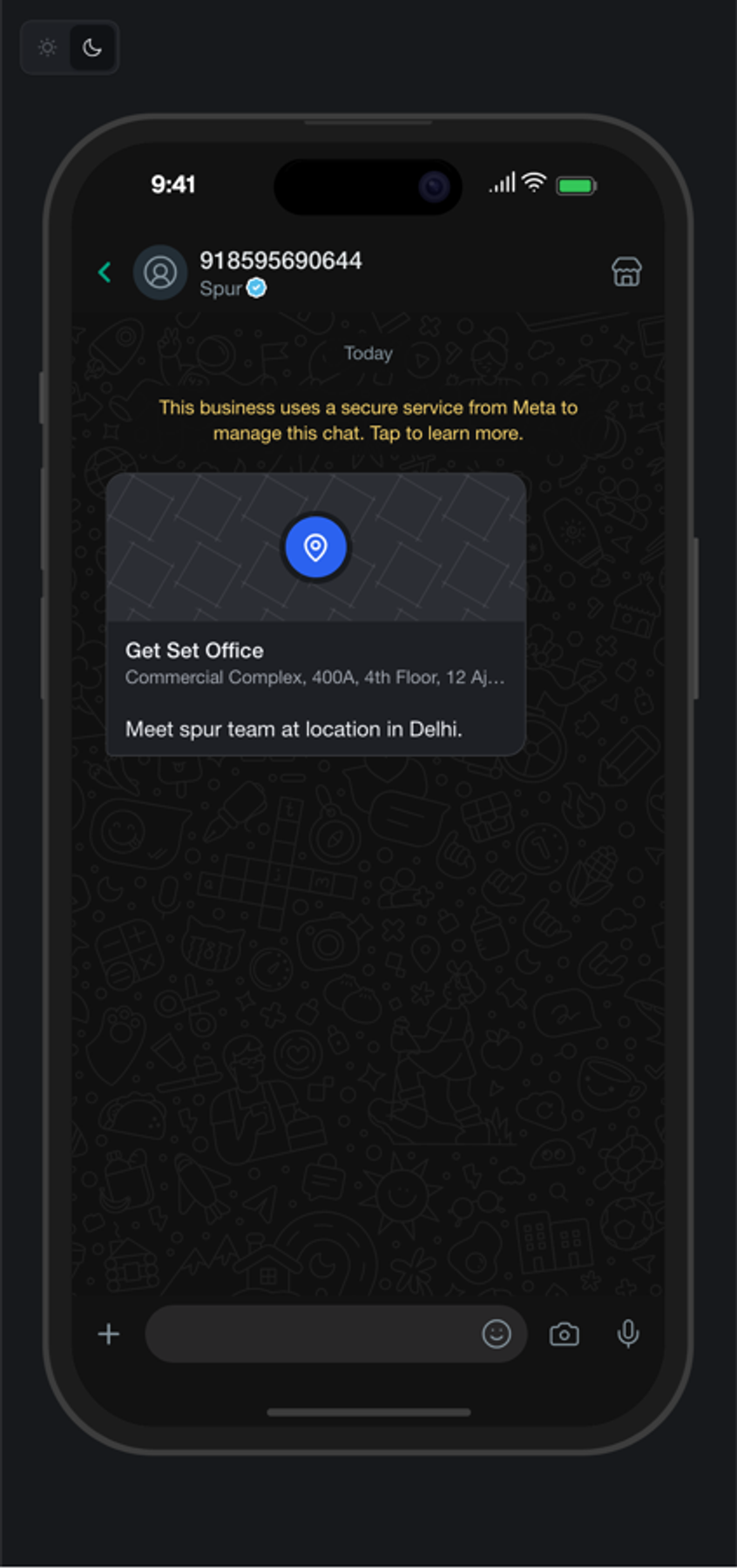
A location header delivers a proper location card: a map, the address and your own label. Useful for a store, an office, an event venue, a pickup point or a meeting place.
Where to find it
Open Message Templates, create or edit a template, and choose GIF or Location as the header type on the Content step.