Best Freshdesk Alternative in 2026 (That Isn't Zendesk)

Discuss with AI
Get instant insights and ask questions about this topic with AI assistants.
💡 Pro tip: All options include context about this blog post. Feel free to modify the prompt to ask more specific questions!
TL;DR: Freshdesk's per-agent pricing and bolted-on AI costs sting as you grow, and its ticket-first design fights back the moment your customers move to WhatsApp or Instagram. This guide breaks down 10 alternatives built for 2026 support realities, organized by your actual bottleneck. If your team is messaging-first, Spur handles WhatsApp, Instagram, and live chat in one tab, with AI that takes real actions, starting at $12/mo.
If you're looking for the best Freshdesk alternative in 2026 and you've already ruled out Zendesk, you probably fall into one of these camps:
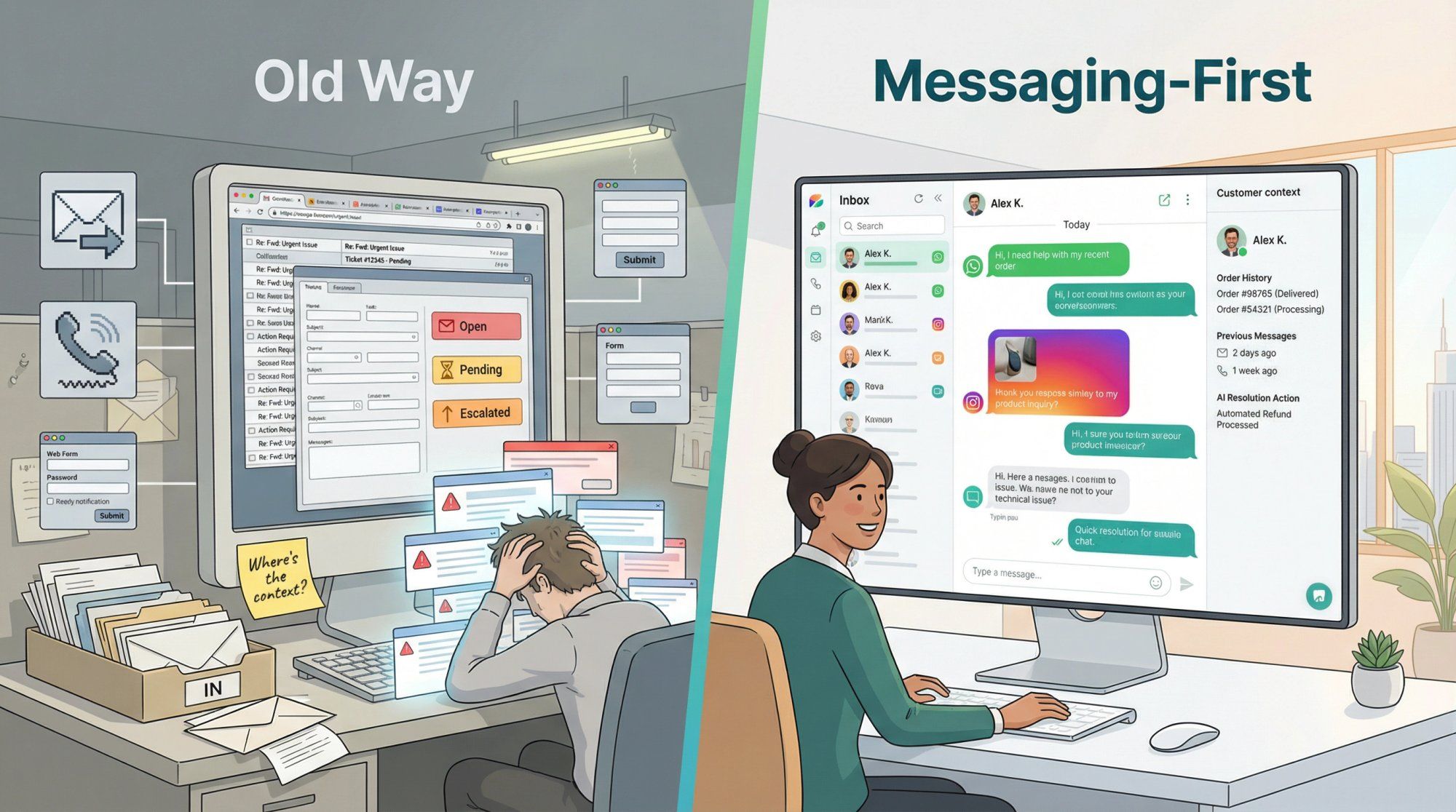
Freshdesk feels like the tool is winning and your customers are losing. You want faster replies, less tab chaos, and fewer "wait, where's the context for this conversation?" moments. Your customers moved to messaging (WhatsApp, Instagram DMs, web chat) but your support stack is still shaped around email and ticket forms.
Or maybe the pricing math that once made Freshdesk the "affordable helpdesk" simply stopped working once you added AI sessions, omnichannel upgrades, and a growing team.
You're not alone. And more importantly, you're not stuck.
This isn't a generic listicle. We've done the homework on real pricing models, actual AI billing traps, and the tradeoffs that matter in 2026. By the end of this guide, you'll know exactly which type of tool fits your support shape, and which specific platform deserves your trial signup.
Take a look at what Freshdesk actually costs right now, because "affordable helpdesk" hasn't been accurate for a while.
Freshdesk's core ticketing plans (billed annually):
| Plan | Price |
|---|---|
| Growth | $19/agent/month |
| Pro | $55/agent/month |
| Enterprise | $89/agent/month |
Plus a free program for 1–2 agents for 6 months. That looks reasonable until you realize most teams also need channels beyond email.
When Freshworks realized customers wanted WhatsApp and social DMs, they didn't add those to core Freshdesk. They created a separate product line:
| Plan | Price |
|---|---|
| Growth | $29/agent/month |
| Pro | $79/agent/month |
| Enterprise | $119/agent/month |
WhatsApp campaign capability doesn't even appear until Omni Pro (the $79/agent tier). If you want a full Freshdesk vs Zendesk breakdown to understand how both platforms stack up before you decide, we've covered that comparison in depth.
2026 adds another wrinkle. Freshworks prices AI agent usage in sessions: 500 sessions included, then $49 per 100 additional sessions.
Do that math for a team handling 3,000 conversations a month where AI resolves even half of them. That's 1,500 sessions, so 1,000 over the included amount, which means $490/month just for AI. On top of your per-agent fees. On top of your Omni upgrade.
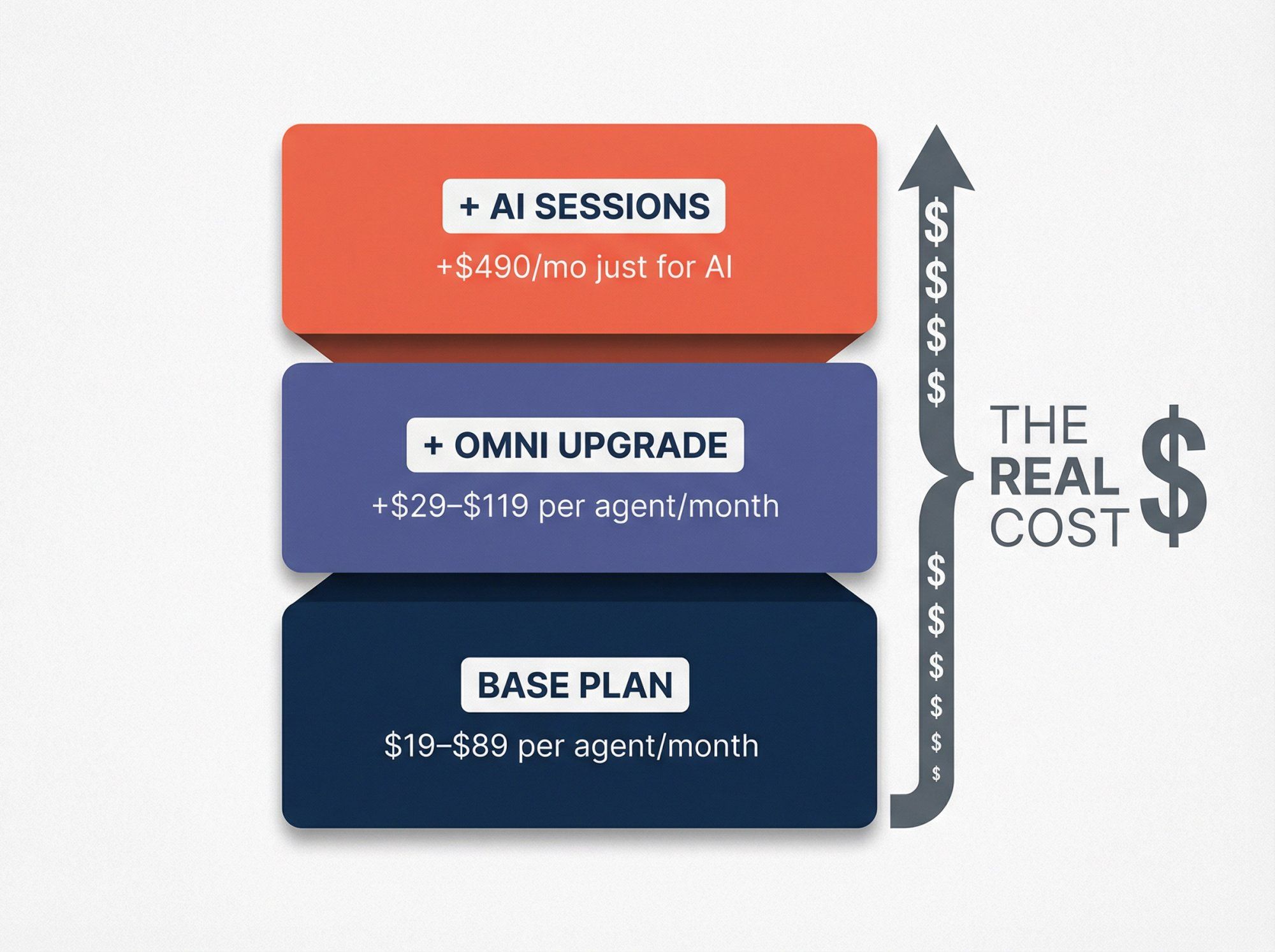
The "affordable helpdesk" is now a three-layer cost sandwich: base plan + omnichannel upgrade + AI usage. And that's the real reason teams are searching for alternatives.
Before you pick a replacement, it helps to understand what a helpdesk is at its core. Picking the wrong category of tool is the most expensive mistake you can make.
From first principles, a customer communication platform is essentially a queueing system with five components:
- Incoming work: emails, chats, DMs, calls, forms
- State: every conversation needs a "thread memory" (what happened, what's promised, what's pending)
- Routing rules: who handles it, when, with what priority
- Deadlines: SLAs and escalation paths
- Quality control: macros, knowledge base, audits, CSAT, reporting
Freshdesk does this well when the unit of work is a ticket. But the moment your support moves to messaging, the ticket model starts fighting reality. If you're exploring what a small business ticketing system actually needs to do vs. what a conversation-first platform does, that distinction matters more than any feature checklist.
Messaging is fundamentally different from ticketing, in three specific ways:
- It's asynchronous and high-frequency (lots of short back-and-forth, not a single "submit and wait" interaction)
- Context spans everything: orders, refunds, delivery, identity, marketing touchpoints, not just "issue category"
- Your best outcomes often require actions, not replies: check order status, create a return, reschedule a delivery, collect a payment, qualify a lead
That last point is the killer. In a ticket system, the "resolution" is an agent writing a reply. In a messaging system, the "resolution" is often the system doing something, like looking up an order, triggering a refund, booking an appointment. The tool needs to be wired into your backend, not just your inbox. This is the core promise behind customer support automation done right.
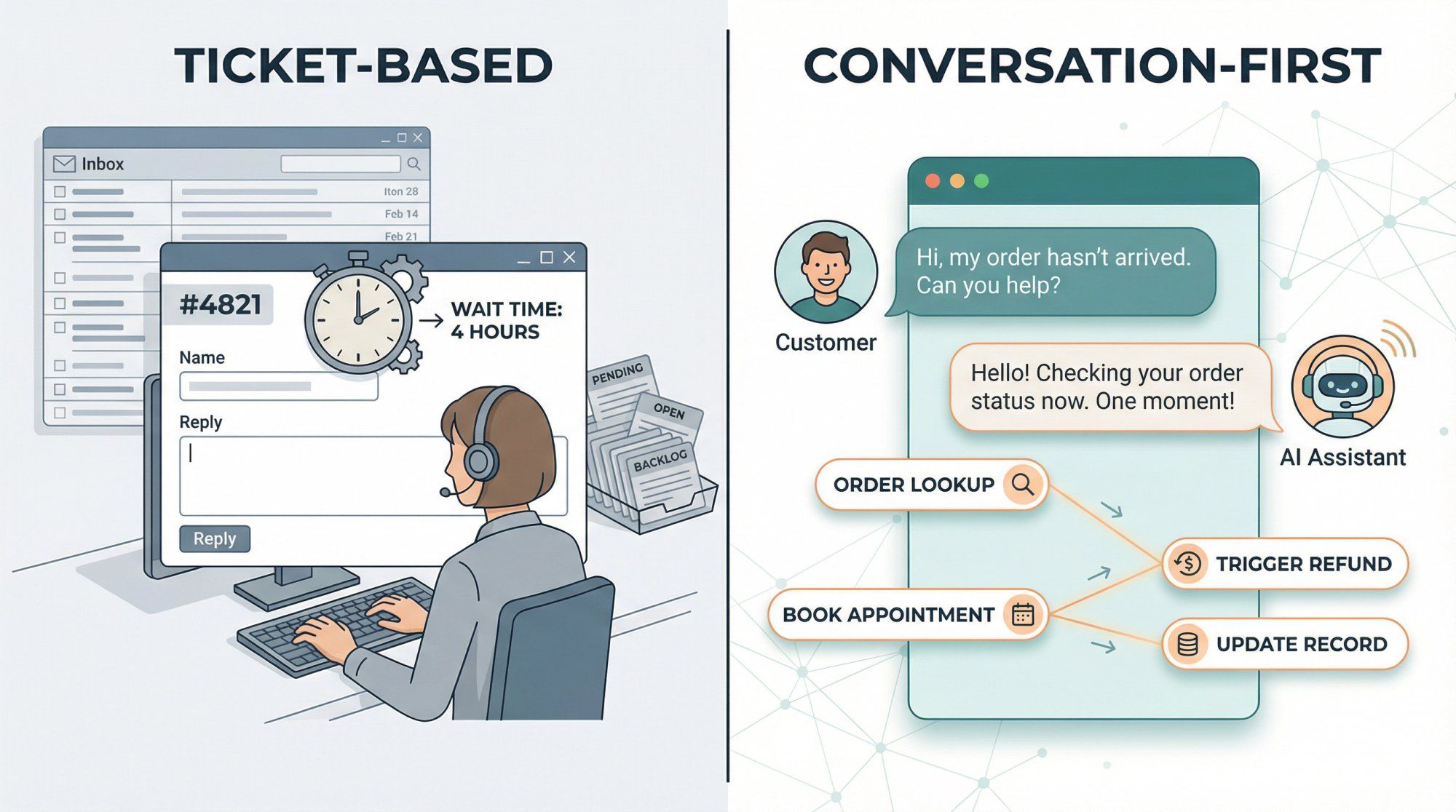
This is why the best Freshdesk alternative in 2026 depends on one fork-in-the-road question: are you replacing a helpdesk, or are you replacing a whole support + messaging workflow?
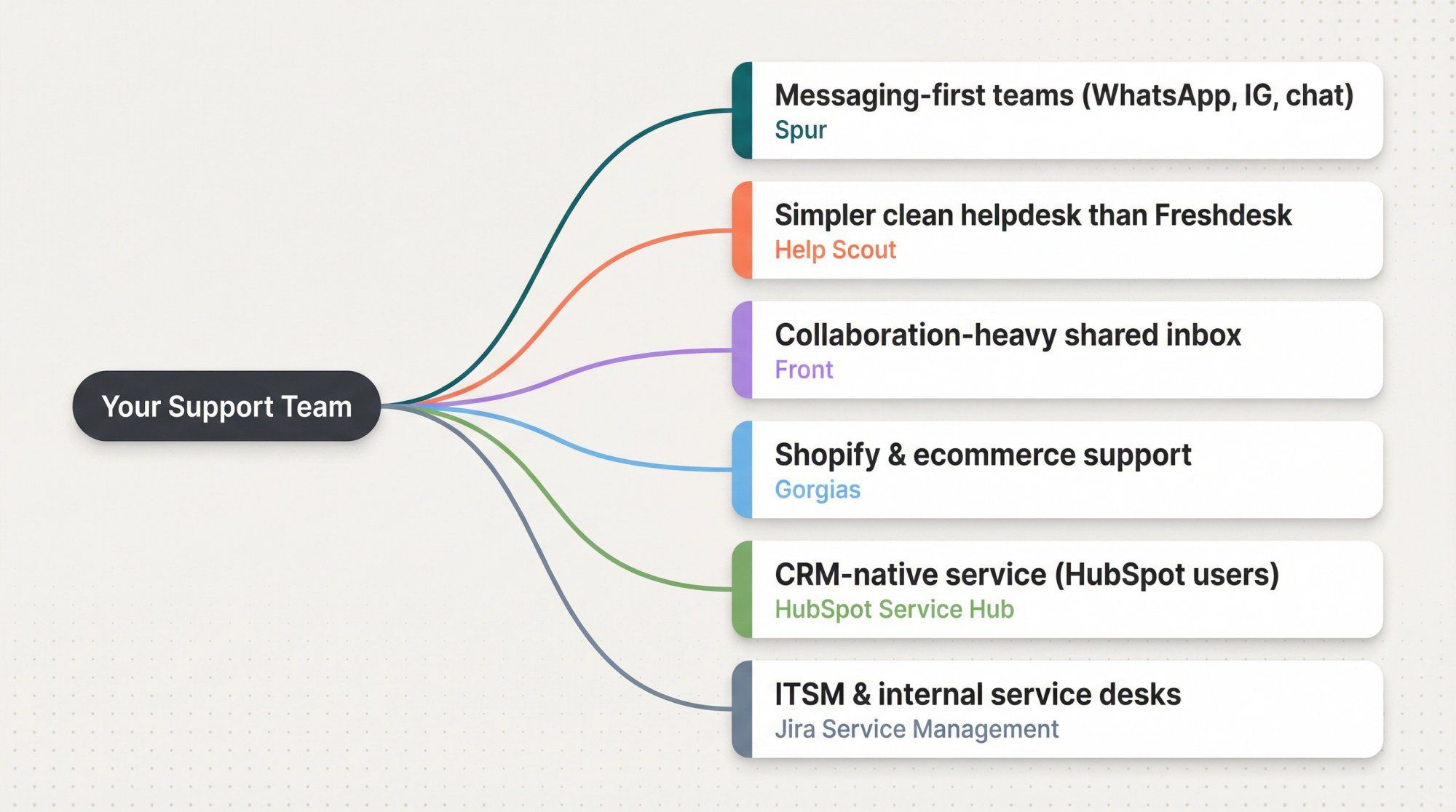
Before getting into individual tools, figure out which shape of solution matches your team. This saves you from evaluating nine tools when only two or three are actually relevant.
| Your Biggest Bottleneck | What You Actually Need | Best Pick |
|---|---|---|
| Customers are on WhatsApp/IG/web chat; helpdesk is email-shaped | Conversation-first platform with AI + automation | Spur |
| Need a simpler, cleaner helpdesk than Freshdesk | Email-and-portal-first platform, lighter weight | Help Scout |
| Team is drowning in collaboration, not tickets | Collaboration-first shared inbox | Front |
| Support is a revenue lever (Shopify, returns, order edits) | Ecommerce-native helpdesk | Gorgias |
| Support lives inside your CRM | CRM-native service tooling | HubSpot Service Hub |
| ITSM, internal service desk, heavy workflows | ITIL-style service management | Jira Service Management |
Everything below explains these picks with current 2026 pricing, honest tradeoffs, and the specific scenarios where each tool wins.
Already know you need messaging-first support? Start a free trial with Spur and see the difference a conversation-first platform makes.
If your customers primarily reach you through WhatsApp, Instagram DMs, Facebook Messenger, or website chat, and you're tired of forcing those conversations into a ticket-shaped box, this is the section that matters most.
Spur is built around a simple idea: the conversation is the unit of work, not the ticket. That distinction changes everything about how support, lead capture, and customer engagement work in practice.
At our core, Spur is two things working together:
An AI Agent for Customer Support that trains on your actual website data and knowledge base, then deploys across live chat, Instagram, WhatsApp, and Facebook Messenger. This isn't a FAQ bot that matches keywords to canned answers. Our AI takes actions: it can look up order status, process returns, book appointments, and update records by connecting to your backend systems. When something genuinely needs a human, it hands off seamlessly with full context in a shared inbox.
A Customer Engagement Platform that handles abandoned cart recovery on WhatsApp, marketing automation on Instagram and Facebook, broadcast campaigns, drip sequences, and click-to-DM ad flows. The comment-to-DM automation alone (where someone comments on your Instagram post and instantly gets a DM with a link, discount, or lead qualification flow) is genuinely powerful for D2C brands and creators.
- WhatsApp Business API: Broadcasts, drip campaigns, shared inbox, click-to-WhatsApp ad capture, cart recovery, order updates
- Instagram Automation: Comment-to-DM flows, story reaction auto-replies, DM automation, lead qualification
- Live Chat: AI agent + human handoff widget for your website, trained on your knowledge base, with built-in lead capture
- Facebook Messenger: Full automation and inbox support
All of these feed into a single shared inbox with built-in ticketing, so your team never has to bounce between tabs.
Freshdesk bolts on messaging channels as an afterthought. You need the Omni upgrade at $79/agent/month just to get WhatsApp campaigns. Spur was designed for these channels from day one. The visual workflow builder, the AI agent, the shared inbox: they all assume messaging is the primary workflow, not an add-on.
And the AI difference is real. Where Freshdesk charges $49 per 100 sessions on top of your existing plan, Spur's pricing includes AI credits in every tier, starting with the base plan. No surprise bills. No separate AI product to purchase.
Spur's plans start dramatically lower than Freshdesk, especially when you factor in what you actually get:
| Plan | Monthly (Annual Billing) | AI Credits | Seats | Key Features |
|---|---|---|---|---|
| AI Acquire | $12/mo | 1 AI agent, 100 credits | 1 | Instagram automation, click-to-DM, 3 flows |
| AI Start | $31/mo | 1 AI agent, 2,000 credits | 2 | + Shopify integration, WhatsApp automation, 25 flows |
| AI Accelerate | $127/mo | 2 AI agents, 12,000 credits | 5 | + Webhooks, custom AI actions, 50 flows, priority support |
| AI Max | $399/mo | 3 AI agents, 40,000 credits | 10 | + Unlimited flows, dedicated account manager |
That $12/month entry point isn't a stripped-down demo. It includes a real AI agent with Instagram automation. Compare that to Freshdesk's $19/agent/month for just email ticketing, before any channels, before any AI.
Spur also integrates natively with Shopify, WooCommerce, Stripe, Razorpay, and logistics tools like Shiprocket and Return Prime, so your AI agent can actually do things with order data, not just talk about it.
- D2C and Shopify brands that blend support with marketing across WhatsApp and Instagram
- Service businesses (real estate, education, travel, events) with high lead volumes in DMs
- Creators and influencers who need comment-to-DM funnels with lean budgets
- Any team where "support" and "customer engagement" aren't separate departments
We'll be honest: if your world is primarily email ticketing with complex SLAs across many departments, call center-heavy workflows, or ITIL-style service management, a classic helpdesk (Help Scout, Front, HubSpot) might be your better core platform. Spur is purpose-built for messaging-first teams, and that focus is both our strength and our boundary.
No-code setup means you can be live in hours, not weeks. Start your free trial here and see if a conversation-first approach fits your team.
If what you really need is a cleaner, simpler version of Freshdesk (email inbox, knowledge base, solid reporting, without the platform sprawl) Help Scout is probably your answer. For teams who prefer help desk best practices without the enterprise complexity, this straightforward approach has real appeal.
Help Scout's plans (billed monthly):
| Plan | Price |
|---|---|
| Standard | $25/user/month |
| Plus | $45/user/month (includes WhatsApp messaging) |
| Pro | $75/user/month |
They also offer an AI Answers add-on at $0.75 per resolution, a very different billing model than Freshworks' session-based pricing. You pay when AI actually resolves something, not when a session starts.
Less "enterprise sprawl." Help Scout stays focused on the fundamentals (inbox, knowledge base, reporting) without becoming a platform project that needs a dedicated admin. It's the tool that gets out of your way and lets your team do support work.
If you need heavy omnichannel plus deep workflow automation, you may outgrow Help Scout and end up in Front, HubSpot, or Intercom territory. It's intentionally simple, which is a feature until it becomes a limitation. Teams that need omnichannel marketing automation alongside their helpdesk will find this limiting quickly.
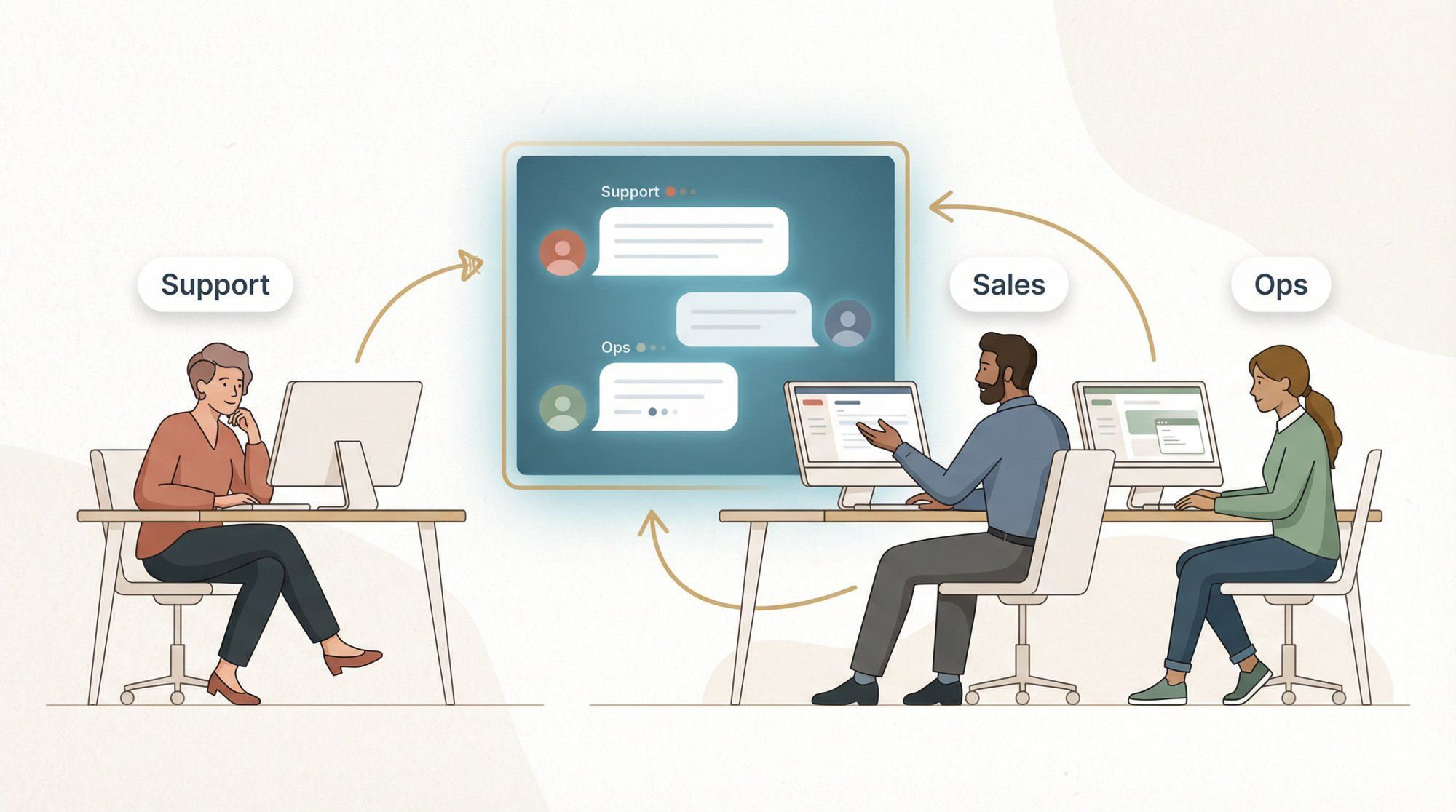
Front occupies a different niche than traditional helpdesks. It's less "ticketing database" and more "high-velocity team inbox," which fits companies where support overlaps with ops and sales and everyone needs to see and collaborate on the same conversations.
Front's annual plans:
| Plan | Price |
|---|---|
| Starter | $25/seat/month (up to 10 seats) |
| Professional | $65/seat/month |
| Enterprise | $105/seat/month |
Front also offers a native WhatsApp channel, but note the billing model: WhatsApp conversation costs are billed by Meta, and Front adds a 20% administration fee on top (available on Professional and Enterprise).
When your support team doesn't just handle tickets but also coordinates with logistics, sales, and account management (all in the same inbox) Front's collaborative model makes more sense than Freshdesk's ticket-centric approach. Understanding customer service best practices around team collaboration can help you decide if Front's model fits your workflow.
You're paying for a collaboration layer. If you need deep customer support features like advanced help center workflows or sophisticated automation, make sure Front covers those needs before you commit.
If support is a revenue function at your company (meaning your agents handle order edits, returns, upsells, and cart recovery alongside traditional support) Gorgias was built for that exact workflow. Before settling on Gorgias, it's worth reading about Gorgias alternatives to understand where it falls short for teams that also need messaging-first automation.
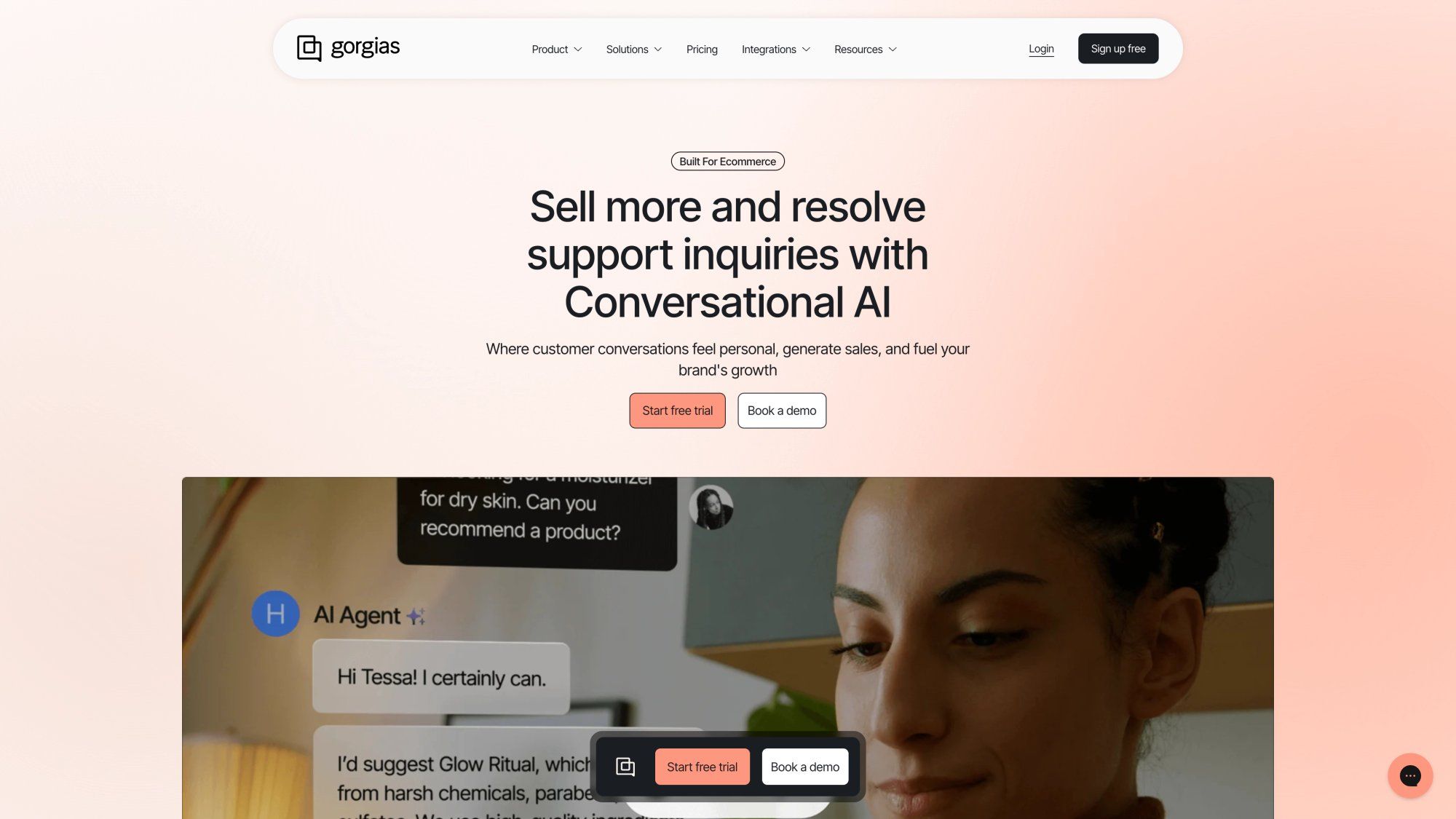
Gorgias uses ticket-volume pricing (not per-seat), which is a fundamentally different model:
| Plan | Price | Volume |
|---|---|---|
| Starter | from $10/month | 50 tickets/month |
| Basic | from $50/month | 300 tickets/month |
| Pro | from $300/month | 2,000 tickets/month |
| Advanced | from $750/month | 5,000 tickets/month |
Overage pricing kicks in at $0.40 per ticket on lower tiers. Omnichannel includes email, live chat, Facebook, Instagram, TikTok, WhatsApp, plus SMS and voice as add-ons.
Their AI Agent is priced per resolved conversation, with examples shown ranging from $0.90 to $1.00 per resolved conversation depending on your tier.
Because ecommerce support is often "support + order actions + revenue recovery," and Gorgias is built around that reality. Your agents can see Shopify order data, process returns, and trigger post-purchase flows without leaving the support interface.
Ticket-volume pricing can jump fast when you scale. If you're at 2,500 tickets and the Pro plan covers 2,000, you're either paying overages or jumping to the $750 Advanced tier. Model your ticket counts honestly before you commit.
If your company runs on HubSpot CRM and you've been stitching Freshdesk in alongside it, you already know the pain: duplicate customer records, lost context, routing gaps between marketing and support. A CRM-native helpdesk fixes all of that. If this resonates, our guide on customer data integration explores the underlying problem of fragmented records across tools.
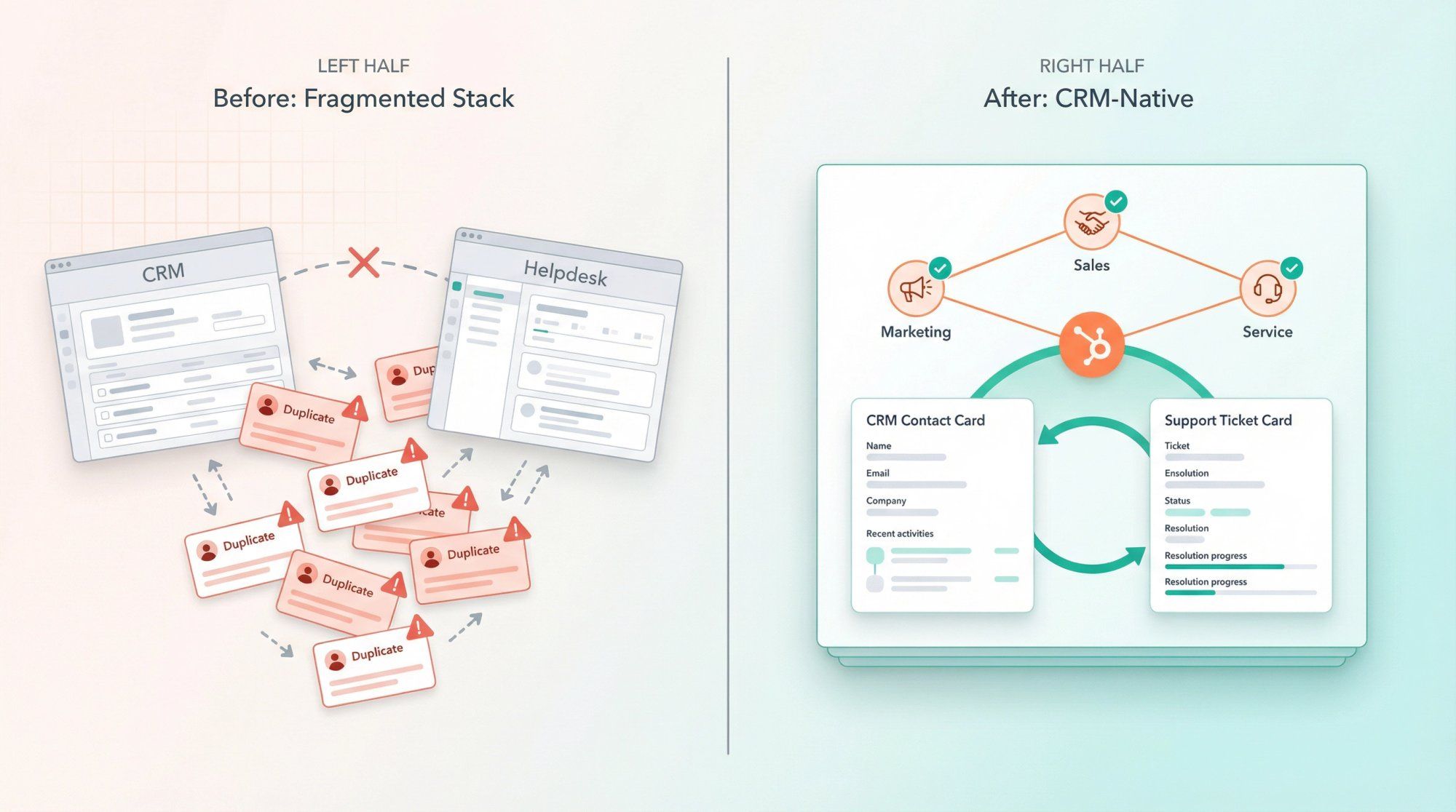
HubSpot's Service Hub plans:
| Plan | Price |
|---|---|
| Free | $0/month |
| Starter | starts at $15/seat/month |
| Professional | $100/seat/month |
| Enterprise | $150/seat/month |
HubSpot also includes an AI agent (Breeze customer agent) as part of the platform strategy, so AI is embedded, not bolted on.
HubSpot can become your entire go-to-market stack (CRM, marketing, sales, service, all in one). Whether that's a feature or a lock-in risk depends on your perspective. Just know what you're signing up for.
If you're doing real ITSM (incidents, change management, problem management) or you need tight integration with engineering workflows in Jira, then Freshdesk was probably always the wrong mental model for your team. For context on what a well-structured customer service escalation process looks like in practice, that foundation applies whether you pick Jira or another ITSM platform.
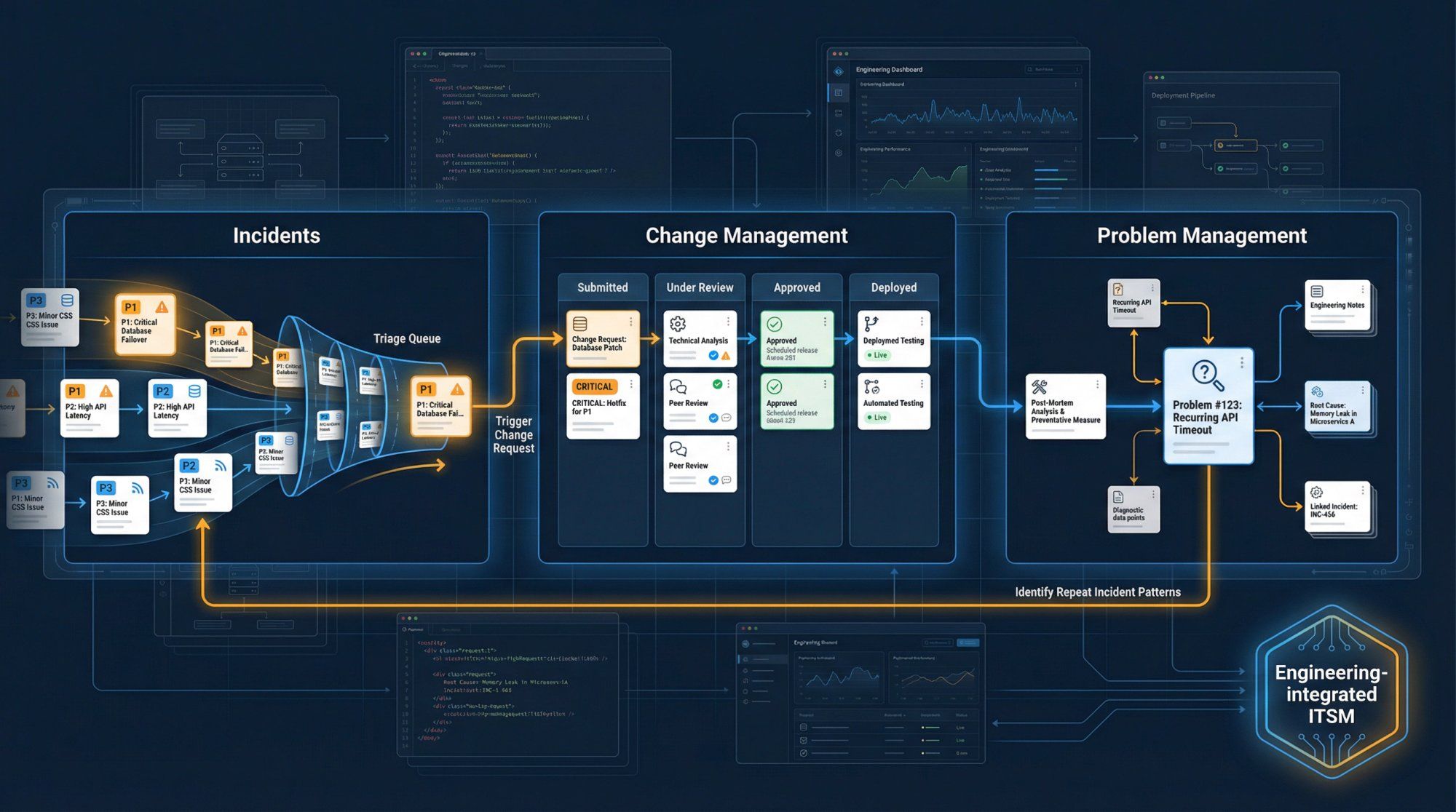
Atlassian's Service Collection pricing:
| Plan | Price |
|---|---|
| Free | $0 (up to 3 agents) |
| Standard | $20/agent/month |
| Premium | $51.42/agent/month |
| Enterprise | contact sales |
Multi-channel support includes portal, email, Microsoft Teams and Slack, and an embedded widget. The virtual service agent is included in Premium and Enterprise with 1,000 assisted conversations/month, then $0.30 per assisted conversation above the included amount.
The learning curve is real. Jira Service Management inherits Jira's powerful but complex configuration model. If your support team is non-technical, treat adoption as a dedicated project with training time built in.
Intercom is arguably the cleanest "AI-first support" story in the market right now. Their model is compelling: pay for outcomes (resolved conversations), not just for seats or sessions. If you're deeply evaluating Intercom, check out our comparison of Intercom alternatives to see how it stacks up in head-to-head comparisons, especially on messaging channel depth and pricing transparency.
Intercom's plans (annual billing):
| Plan | Price |
|---|---|
| Essential | $29/seat/month |
| Advanced | $85/seat/month |
| Expert | $132/seat/month |
The Fin AI Agent costs $0.99 per resolution, and pay-as-you-go charges apply for channels like WhatsApp, SMS, and phone.
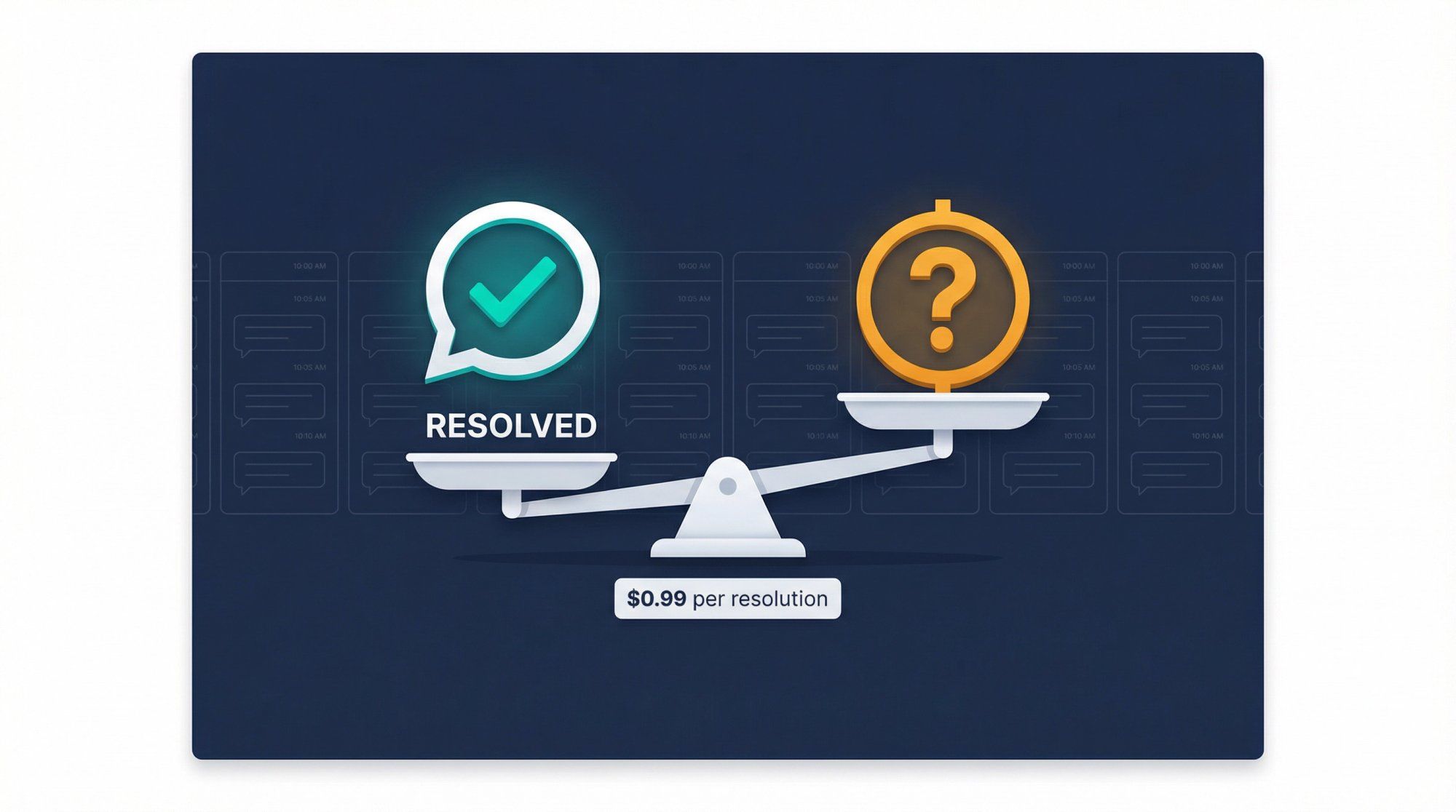
Outcome-based pricing can be great until you don't control the outcome definition. What exactly counts as a "resolution"? Does a customer who comes back 24 hours later about the same issue trigger a new billable resolution? Model your expected resolution counts carefully and confirm with Intercom exactly what counts as billable before you commit.
Not every team fits neatly into the categories above. Here are three alternatives that serve specific situations well.
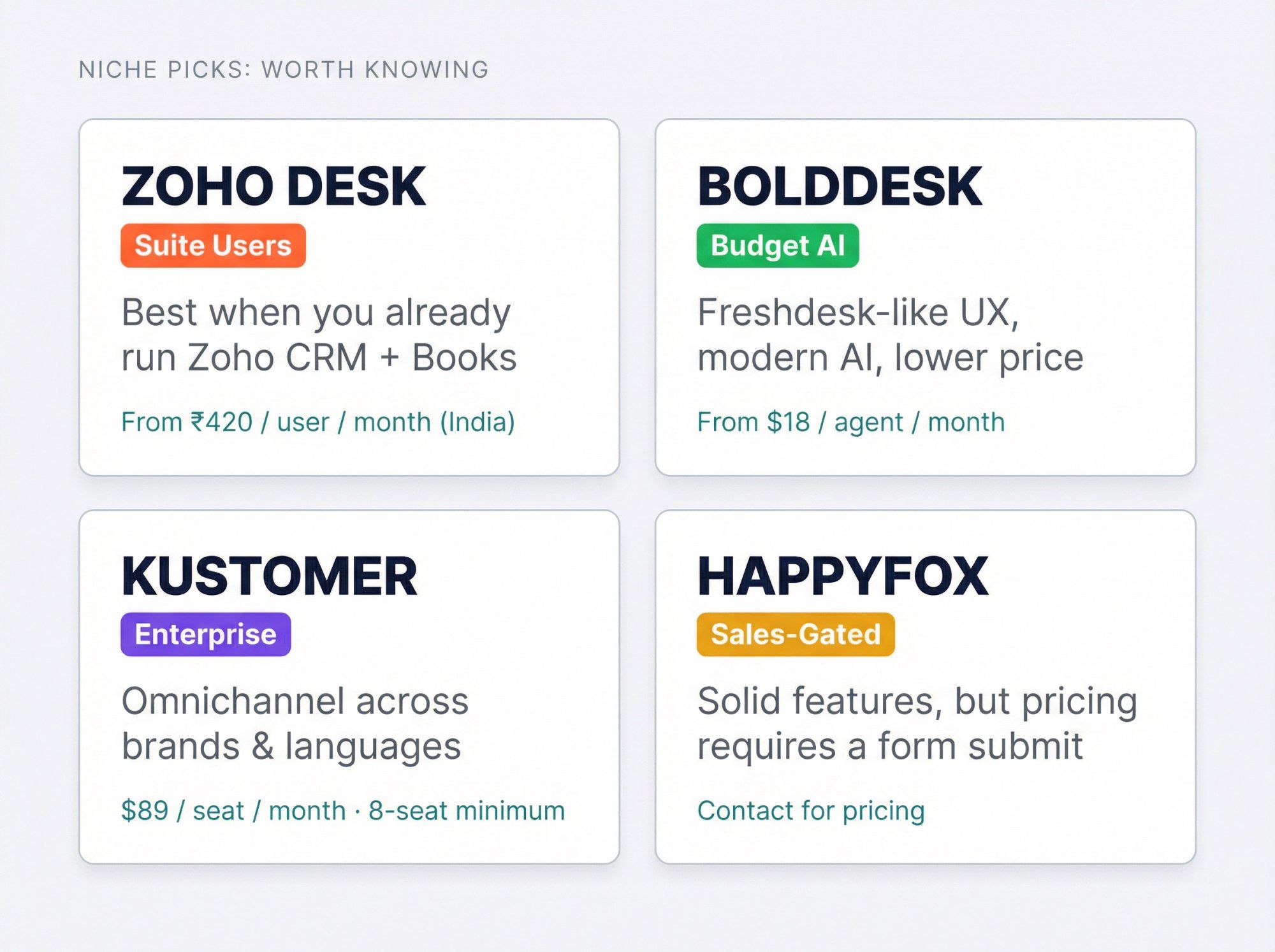
If you're already running Zoho CRM, Zoho Books, and other Zoho tools, adding Zoho Desk makes your whole stack tighter. Zoho localizes pricing by region. The India pricing (billed annually) runs: Express ₹420, Standard ₹800, Professional ₹1,400, Enterprise ₹2,400 per user/month.
The suite play is the draw here. If you're not in the Zoho suite, the value proposition diminishes. And because pricing varies by geography, always validate your exact quote for your region and billing terms.
BoldDesk is the most direct "I want Freshdesk but cheaper and with better AI" replacement on this list.
| Plan | Price |
|---|---|
| Scale | $18/agent/month |
| Momentum | $25/agent/month |
| Enterprise | $49/agent/month |
Their AI Agent charges $0.75 per resolved case, outcome-based, like Intercom and Gorgias. The Momentum tier includes WhatsApp, Facebook, Instagram, and SMS channels. If BoldDesk is on your shortlist but you're not sure it covers your messaging automation needs, read through the BoldDesk alternative comparison to see where it falls short for teams that need real channel depth.
Watch-out: When a pricing page shows both monthly and annual values in different spots, confirm the billing mode in writing before you purchase.
Kustomer targets larger organizations: Enterprise at $89/seat/month, Ultimate at $139/seat/month, with a minimum of 8 seats paid annually.
AI add-ons include $0.60 per engaged conversation (AI for Customers) and $40/user/month (AI for Reps).
If Freshdesk feels too SMB and you need enterprise-grade omnichannel across brands and languages, Kustomer is in that tier. But minimum seats and implementation overhead make it a mismatch for smaller teams.
HappyFox has a solid feature set, but their pricing page requires you to fill a form to reveal numbers. Plan prices show as "$ -- per agent/mo" until you submit. That doesn't mean the product is bad, just that you should expect a more sales-driven buying process.
Most comparison articles skip over this: you cannot compare AI pricing across support tools unless you normalize the units. In 2026, every vendor prices AI differently, and the labels are designed to sound similar while meaning very different things.
| Vendor | AI Pricing Unit | Cost |
|---|---|---|
| Freshworks | Per session | 500 included, then $49/100 sessions |
| Spur | AI credits included per plan | Starts at 100 credits (AI Acquire), up to 40,000 (AI Max) |
| Intercom | Per resolution | $0.99/resolution |
| Gorgias | Per resolved conversation | ~$0.90–$1.00/resolved conversation |
| BoldDesk | Per resolved case | $0.75/resolved case |
| Help Scout | Per resolution | $0.75/resolution |
| Atlassian (Jira) | Per assisted conversation | 1,000 included, then $0.30 each |
| Kustomer | Per engaged conversation | $0.60/engaged conversation |
These terms are not interchangeable. A "session" starts when AI enters the chat. A "resolution" means it actually solved the problem. An "engaged conversation" could be anything in between. Every vendor picks the unit that makes their pricing look best in a demo.
Understanding human agents vs AI chatbots (and the right division of labor between them) is the prerequisite conversation before you can evaluate any AI pricing model intelligently. Once you know your expected AI resolution rate, the math becomes straightforward.
Pick one month of real support data and estimate:
- Total inbound conversations (or tickets)
- Percentage you expect AI to fully resolve (be honest, 30–50% is realistic for most teams)
- Your definition of "resolution" (then make each vendor confirm whether theirs matches)
Then compute: AI cost = (AI-resolved volume) × (vendor's unit price)
Don't compare vendors by "they have AI." Compare by what AI costs per avoided agent-minute. That's the only honest unit.
How Spur handles this differently: Instead of pay-per-resolution billing that scales unpredictably, we include AI credits in every plan. You know your AI budget upfront. If you need more, additional credits are $12 per 1,000, transparent and predictable.
Most Freshdesk migrations fail for boring reasons: broken routing rules and unmigrated macros, not data export problems. Here's a four-step playbook that works.
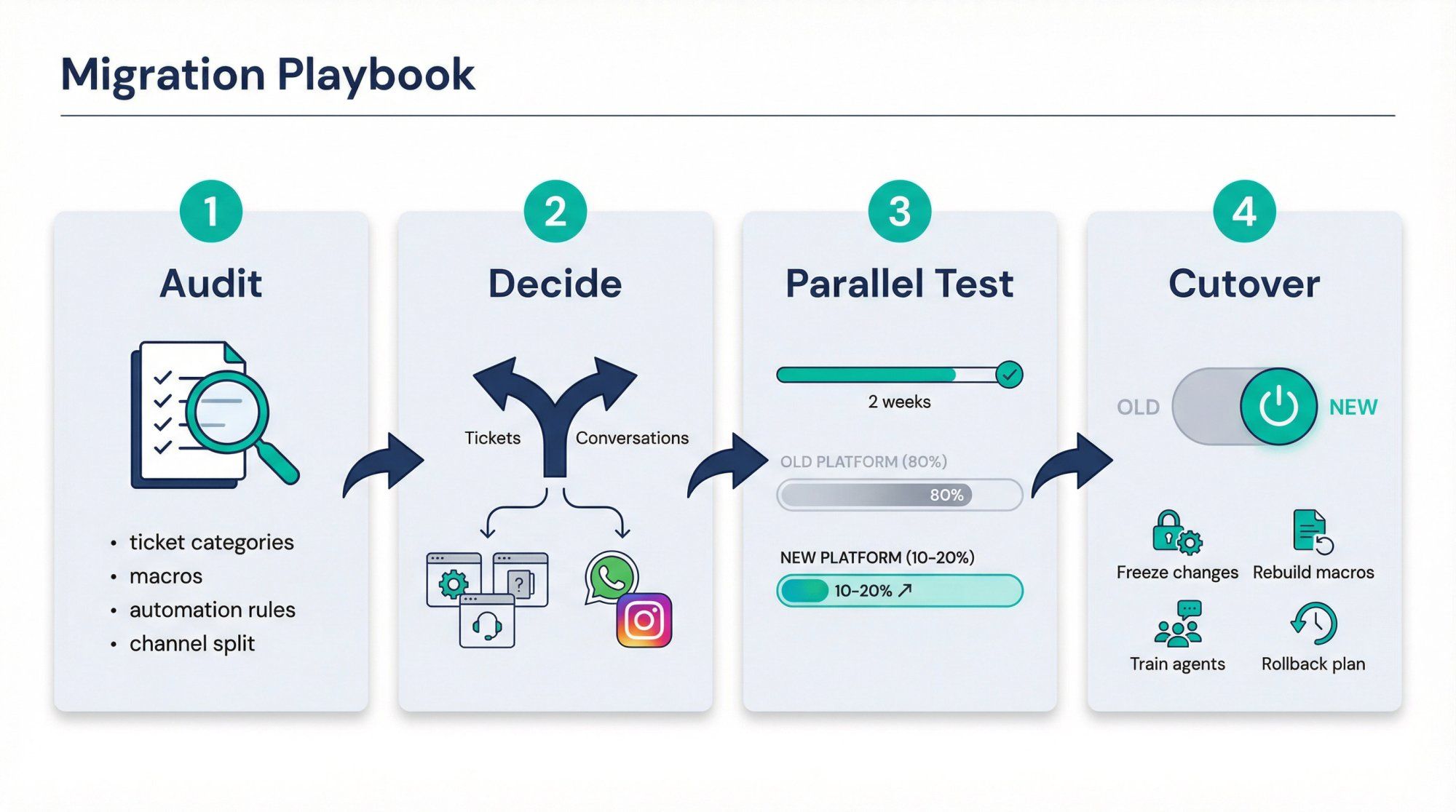
Before you touch anything, document what you actually have:
- Top 20 ticket categories by volume
- Top 20 macros your agents use
- Top 10 automation rules
- SLA rules and escalation paths
- Channel split: what percentage is email vs. chat vs. WhatsApp vs. social?
That last bullet is the most important one. If more than 40% of your volume comes through messaging channels, you're almost certainly better off with a conversation-first platform rather than another ticket-based helpdesk.
This is the fork in the road:
- If the unit of work is tickets → Help Scout, Front, HubSpot, Zoho Desk, BoldDesk
- If the unit of work is conversations → Spur or another conversation-first platform
If you choose the wrong unit, you'll spend the next year fighting your tool instead of serving your customers.
Don't go all-in on day one. Route 10–20% of your volume to the new platform while keeping Freshdesk running for the rest. Track the metrics that actually matter:
- First response time
- Resolution time
- Backlog size
- CSAT scores
- Agent time per case
Two weeks of real data beats three months of demo evaluations.
When you're ready for the full switch:
- Freeze workflow changes 48 hours before migration
- Migrate or rebuild macros, tags, routing rules, and SLAs
- Train agents on "how we work now," not just where the buttons are
- Keep a rollback plan active for 7 days, because things will go wrong, and that's okay as long as you can recover quickly
No-code automation tools dramatically reduce the rebuild burden when you're migrating to a platform like Spur. Instead of engineering resources, a drag-and-drop workflow builder handles the heavy lifting.
Copy-paste these into your next vendor call or RFP. They'll save you from the most common post-purchase regrets. And if you want a broader framework, our guide on customer service performance indicators covers the metrics you should be tracking regardless of which platform you choose.
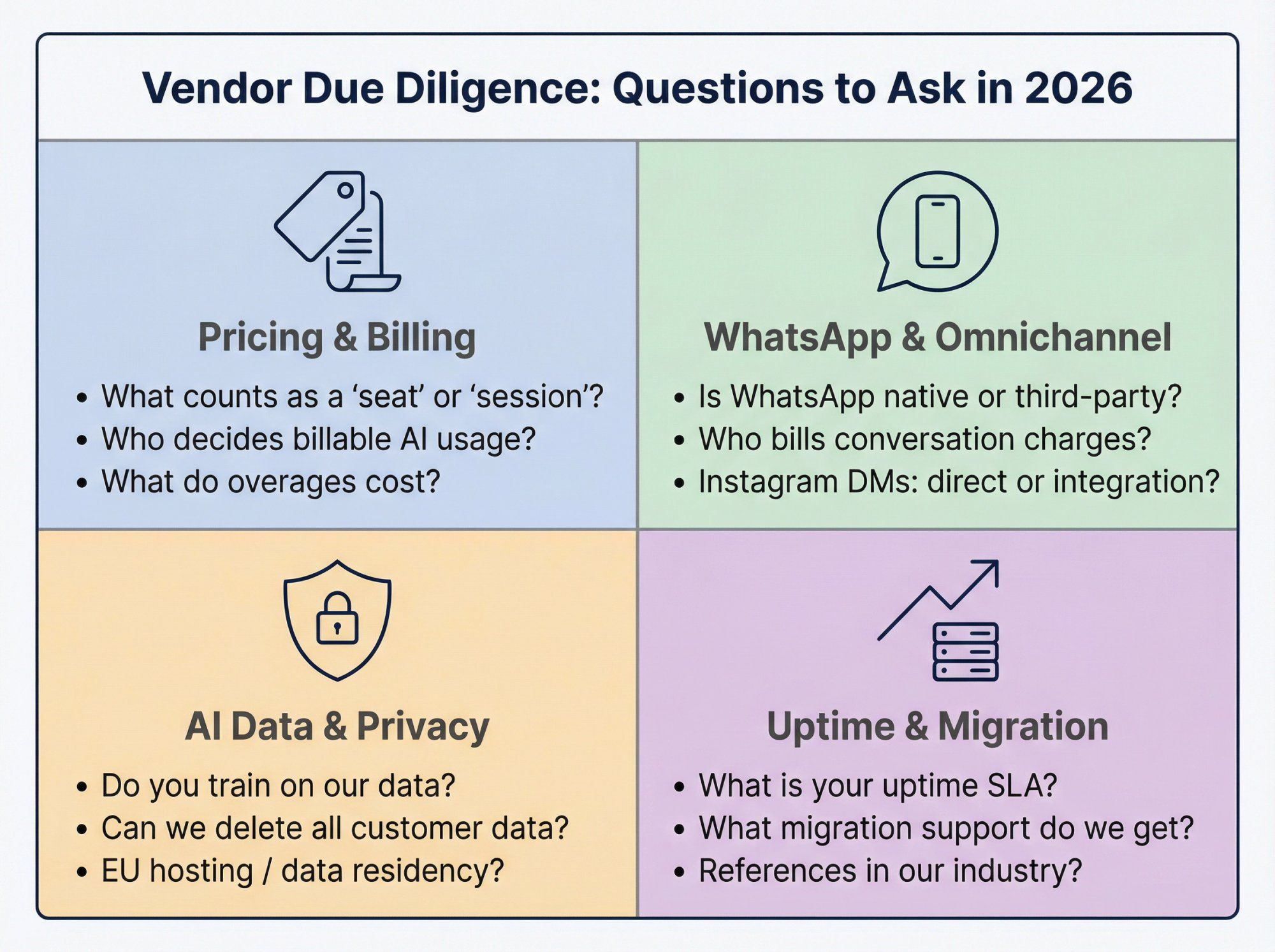
- What exactly is a "seat," "agent," "ticket," "session," or "resolution" in your billing model?
- What counts as billable AI usage? Who decides, us or the system?
- What are common overage scenarios, and what do they cost?
- Is WhatsApp native or via a third-party? Who bills the WhatsApp conversation charges?
- Are Instagram DMs supported directly or through an integration? What are the limitations?
- Do you train models on our data? If yes, is it opt-in or opt-out?
- Can we delete all customer data, and how long does it take?
- Do you support data residency or EU hosting if needed?
- What is your uptime SLA?
- What support do we get during migration?
- Can you show references in our industry and region?
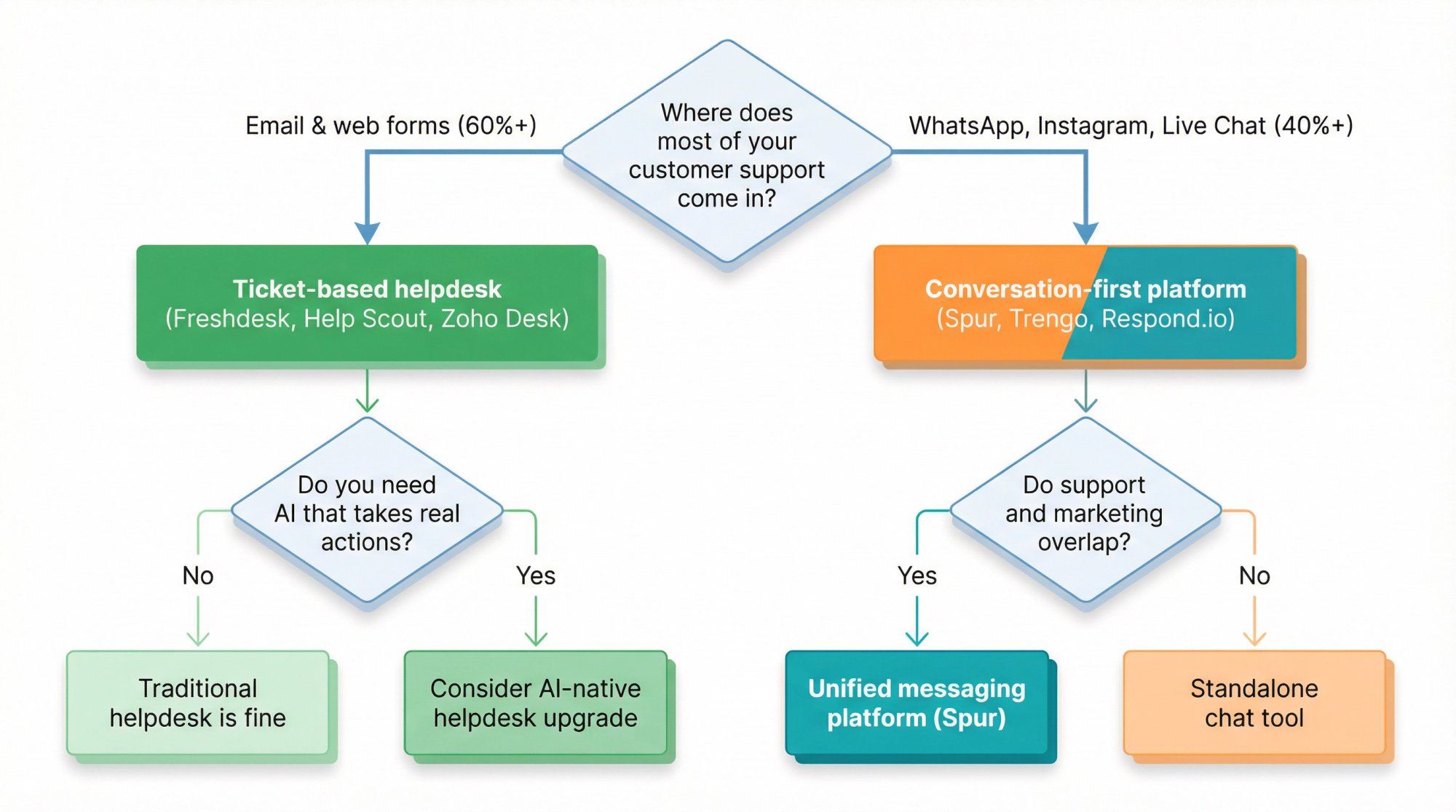
Freshdesk treats every customer interaction as a ticket, a discrete unit with an open/close lifecycle. Spur treats it as a conversation, an ongoing thread across WhatsApp, Instagram, and web chat where context persists, AI can take actions (not just answer questions), and support blends naturally with marketing and sales engagement. If your customers primarily reach you through messaging channels, the conversation model eliminates the friction that a ticket system creates. The difference between these two approaches is exactly what we explore in the chatbot to human handoff guide, covering how AI and humans should divide the work, and what that means for your tooling choice.
Spur is purpose-built for messaging channels (WhatsApp, Instagram, Facebook Messenger, and website live chat). If email is a significant part of your support volume, you might pair Spur with a lightweight email tool, or choose a platform like Help Scout that covers email natively. The key question is: where do most of your customer conversations actually happen?
Look at your channel split. If more than 40% of your inbound support comes through WhatsApp, Instagram, Facebook, or web chat, and especially if support overlaps with sales, lead capture, or marketing engagement, you need a conversation-first platform. If 80%+ of your volume is email and web forms, a traditional helpdesk is probably the right call. Our guide on omnichannel marketing automation explains exactly how the channel strategy question affects tool selection.
It depends on what's driving your frustration. Freshdesk Omni does add WhatsApp and social channels, but at a significant price jump ($79/agent/month at Pro). And the AI billing layer ($49 per 100 sessions) still applies on top of that. If your issue is pricing or AI cost predictability, Omni doesn't solve the underlying problem. It's still the same billing architecture with a channel upgrade.
The platform cost of your new tool is usually the smallest line item. The real costs are: (1) team time spent learning the new system (budget 1–2 weeks of reduced productivity), (2) rebuilding macros, routing rules, and SLAs, and (3) the parallel testing period where you're paying for both tools. Most migrations can be completed in 3–4 weeks for teams under 20 agents. The ROI math works out quickly if your new tool genuinely reduces per-agent costs or eliminates an entire AI billing layer.
Several platforms offer free tiers: HubSpot Service Hub (free plan), Jira Service Management (free for up to 3 agents), and Freshdesk itself has a limited free program. Spur's pricing offers a 7-day free trial on all plans, so you can test the full product before committing. Just be realistic: free tiers are great for evaluating, but they rarely represent what the production experience will be.
Freshdesk supports data export for tickets, contacts, and knowledge base articles. Most alternative platforms have import tools or migration assistance. The data transfer itself is usually straightforward. The harder part is recreating your automation rules, macros, and routing logic, which don't export cleanly. Budget more time for workflow rebuilding than data migration. If you're moving to Spur, the how to train a chatbot on your website data guide walks you through getting your knowledge base live quickly after the switch.
Because you asked us not to include it. The title says "That Isn't Zendesk" for a reason. Many teams searching for Freshdesk alternatives have already evaluated Zendesk and found it's not the right fit, often due to similar pricing concerns or complexity. If you want to see how Spur compares to Zendesk specifically, we've covered that comparison in full on our compare page.
The best Freshdesk alternative in 2026 isn't a single tool. It's the tool that matches your support shape.
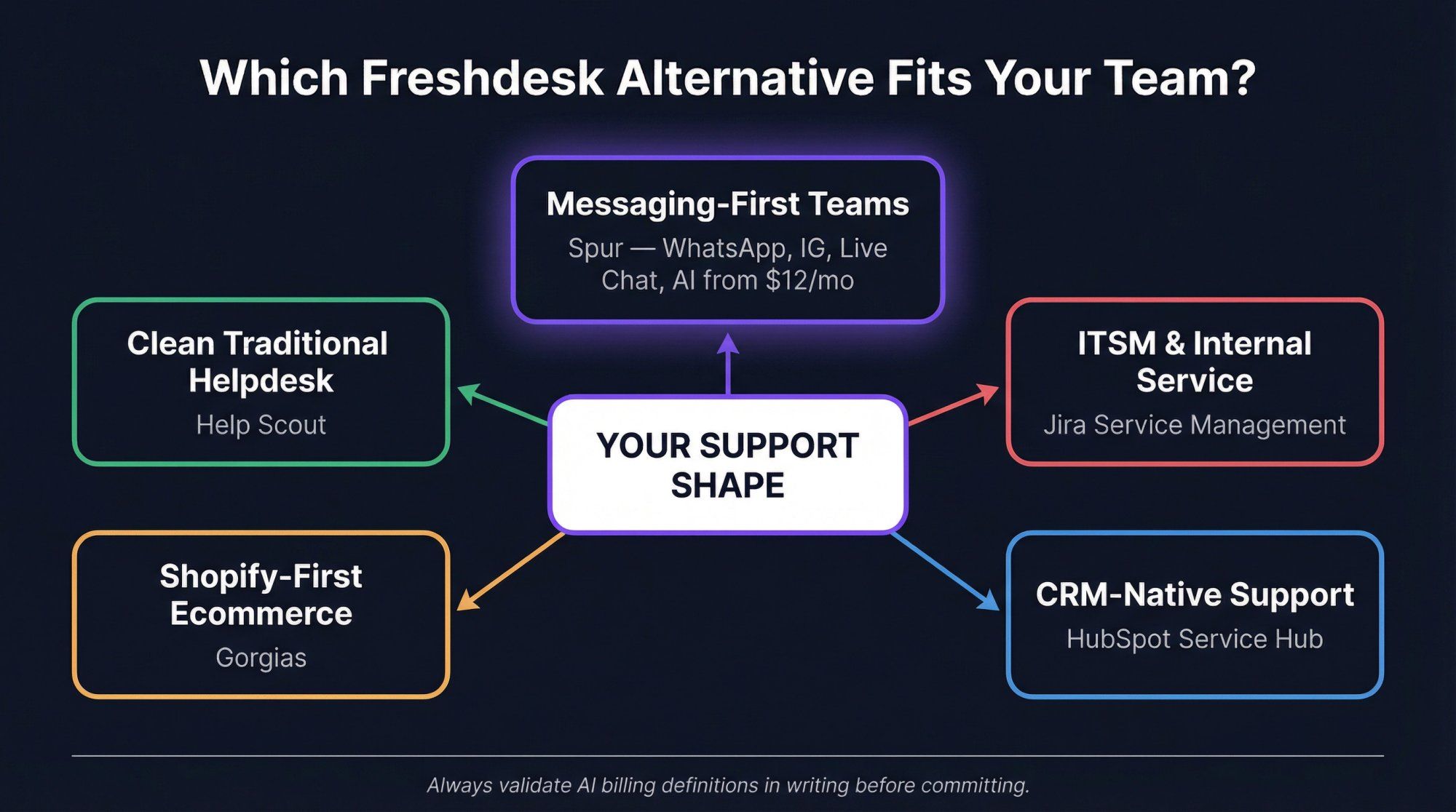
If your customers live on WhatsApp, Instagram, and web chat, and you need AI that does things instead of just answering questions, Spur is built for exactly that. Starting at $12/month with AI included, no per-agent tax on messaging channels, and a no-code setup that gets you live in hours, it's the alternative for teams that have outgrown the ticket model.
For everything else, here's the quick map:
- Clean traditional helpdesk? Go Help Scout
- Shopify-first ecommerce? Gorgias
- CRM-native support? HubSpot Service Hub
- ITSM and internal service desks? Jira Service Management
Each tool on this list is excellent at what it does. The question is which problem you're actually solving.
Whatever you choose, remember: normalize AI costs before you commit, run a parallel test before you cut over, and always validate the billing definitions in writing. And if Freshdesk's close sibling is what you've been comparing, our Freshchat alternatives guide covers that territory too.
Ready to see what messaging-first support actually looks like? Start your free trial with Spur. No credit card required, live in minutes.