Key takeaways
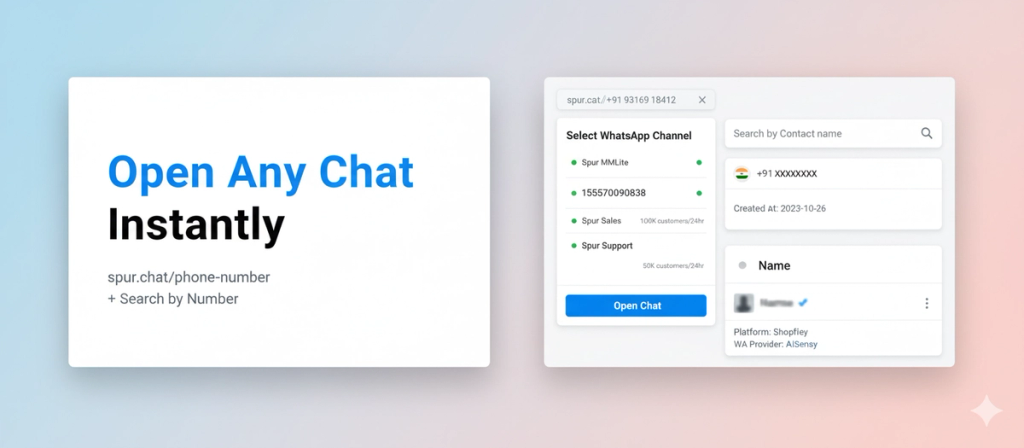
Open any Spur chat instantly with spur.chat/phone-number links. Plus search contacts by phone number in the database. Faster lookups, zero hunting through inboxes.
Ask an AI about this article
Two quick wins for finding and opening customer chats faster.
1. spur.chat/phone-number
Share chat links that open directly in Spur. No more hunting through the inbox or copy-pasting numbers.
How it works:
Type spur.chat/+91XYZXYZXYZX (or any number) in your browser. If you have multiple WhatsApp numbers connected, pick which one to use to view your chat with that number. The chat opens instantly.
Where this helps:
- Support tickets: Drop a spur.chat link in Slack or your CRM. Your team clicks it and lands directly in the conversation.
- Handoffs: Pass a chat to another agent without explaining where to find it.
- Bookmarks: Save spur.chat links for VIP customers or ongoing issues.
- External tools: Use it in Zapier, webhooks, or custom dashboards to jump straight into Spur chats.
No more "search for this number in the inbox" back-and-forth. Just click and you're in.
2. Search by Number in Database
Find any contact by typing their phone number in the database search bar.
Before this, you could only search by name. If a customer reached out from a new number or you had their number but not their name, you were stuck scrolling or filtering by date.
Now just paste the number (with country code) and hit enter. The contact shows up immediately with all their tags, custom fields, and order history.
Quick use cases:
- Customer sent you a different number to reference? Search it, find their account, pull up past orders.
- Webhook sends you a phone number? Search it in Spur instead of cross-referencing spreadsheets.
- Need to check if a number is already in your database? Type it in and you'll know in 2 seconds.
How to Use
spur.chat links:
- Format:
spur.chat/+[country code][phone number] - Example:
spur.chat/+919316918412 - Works in any browser. If you have multiple WhatsApp numbers, select which one to view the chat from.
Search by number:
- Go to Database > Contacts
- Paste phone number in search bar (with or without + or country code)
- Hit enter
Faster lookups. Less time hunting. More time actually helping customers.
Was this article useful?