Key takeaways
- Instagram auto comments are automated replies to comments on your own posts, often paired with a DM. Using official APIs or Meta partner tools is allowed; spam comments on other accounts are not.
- Instagram has no built-in auto-reply for public comments. You need a Business or Creator account and a third-party tool connected through Facebook login.
- Set keyword triggers for common questions like price or shipping, post a short public reply, and send the details by DM. A comment counts as user-initiated contact, so the DM is allowed.
- Test every trigger before going live, since a loose keyword like 'price' can fire on 'priceless'. Send negative comments to a person instead of a cheerful canned reply.
- Measure response time, comment volume, clicks and promo-code use from DMs, and how many repetitive questions the automation handles instead of your team.
Ask an AI about this article
Instagram has over 2 billion monthly users, and 90% of them follow at least one business account. When someone comments on your post asking about price or availability, that's a warm lead. Answer in 5 minutes, you might close a sale. Answer in 5 hours? They've already bought from your competitor.
That's where Instagram auto comments come in. But there's a right way and a very wrong way to do this.
What Are Instagram Auto Comments and How Do They Work?
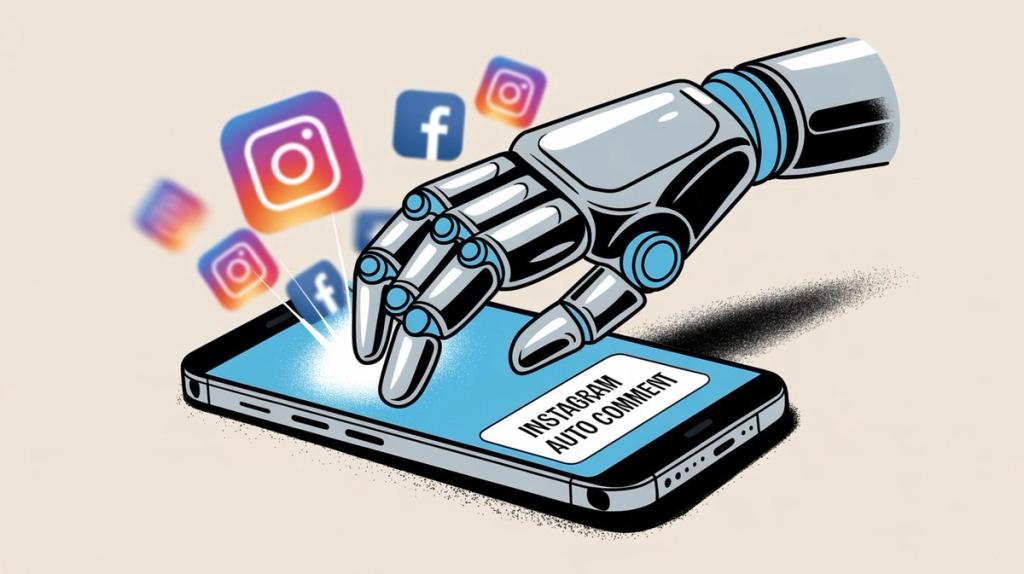
Instagram auto comments are automated responses to comments on your own Instagram content. When someone comments on your post, a system detects it and instantly posts a reply or sends them a DM with helpful information.
This is not about spam bots that comment "Nice pic!" on random accounts. Those violate Instagram's terms of service and will get you shadowbanned faster than you can say "engagement pod."
Real Instagram comment automation is about responding to your own audience on your own content. It's customer service at scale, not a growth hack.
Here's what it looks like in practice:
→ Someone comments "What's the price?" on your product post
→ Your system instantly replies: "Thanks for asking! Check your DMs for pricing and a special offer"
→ Simultaneously, it sends them a DM with your product link and a 10% discount code
The commenter gets instant help. You capture a lead without lifting a finger. Your Instagram algorithm sees engagement happening fast, so it shows your post to more people. Everyone wins.
Why Smart Brands Are Automating Instagram Comments in 2025
The speed of social media has changed. Research shows that about 90% of consumers now consider an immediate response important when contacting a brand. "Immediate" means minutes, not hours.
Your customers won't wait around. A person who comments "Is this available in size M?" at 10 PM isn't going to check back tomorrow morning. They'll buy from whoever answers first.
How Instagram's Algorithm Rewards Fast Engagement
Instagram's algorithm loves posts that generate quick engagement. Posts that accumulate comments rapidly get shown to significantly more people through improved algorithmic distribution.
When you reply to comments within seconds, you're:
① Increasing total comment count on your post
② Showing the algorithm that your content sparks conversation
③ Encouraging other followers to join in (active comment sections attract more commenters)
One brand, Libas, used Instagram comment automation during an Instagram Live sale. By auto-replying to every commenter with a DM containing product links and discount codes, they converted 64 orders from just over 100 commenters (roughly 6% conversion rate). That's the power of instant response.
How to Handle High Comment Volume Without Hiring 24/7 Staff
What happens when your post goes viral? Or when you run a flash sale that generates 500 comments in an hour?
Manually replying to each one is impossible. Your team would need to work in shifts around the clock. With automation from platforms like Spur, every single commenter gets an instant, helpful reply. You capture peak interest moments that you'd otherwise completely miss.
Instagram Auto Comments: The Right Way vs. The Wrong Way
Let's be crystal clear about what's legitimate and what will get you banned.
Legitimate Instagram Auto-Commenting | Spam Bot Commenting (Don't Do This) |
|---|---|
✓ Automatically replies to comments on your own posts | ✗ Automatically comments on other people's posts to draw attention |
✓ Responses are helpful and relevant (answering questions, providing links, acknowledging feedback) | ✗ Generic, irrelevant messages like "Nice pic! Check my profile 😍" |
✓ Uses official Instagram APIs or Meta-approved partner platforms | ✗ Uses shady tools that violate Instagram's API terms |
✓ Complements human engagement (automation handles simple stuff, humans step in for complex issues) | ✗ Gets your account flagged, shadowbanned, or suspended |
✓ Makes your audience feel heard and valued | ✗ Annoys users and damages your brand reputation |
Instagram's algorithm is smart at detecting inauthentic activity. Accounts that abuse automation by leaving identical comments on hundreds of posts risk serious penalties.
The golden rule: If a tactic would annoy you as an Instagram user, don't use it on your business account.

What Benefits Will You See from Comment Automation?
When you automate Instagram comments the right way, the benefits compound quickly:
Lightning-Fast Response Times
Responding within seconds impresses customers. It signals that your brand is attentive and on top of things. In a world where immediate responses are expected, this becomes a competitive advantage.
Improved Brand Reputation
Studies show that consistently replying to comments shows your audience that their input matters. No comment goes ignored. This builds trust faster than almost any other tactic.
Plus, automation can filter out spam and hateful comments instantly, keeping your community space positive.
Massive Time Savings for Your Team
Common questions like "What's the price?", "When will this be back in stock?", or "How do I order?" can be answered automatically. This frees your social media team to handle complex inquiries and strategic work instead of typing the same reply 50 times a day.
It's the classic 80/20 rule in action. Automation handles 80% of simple interactions, so humans can focus on the 20% that truly need personal attention.
Higher Conversion Rates
When you funnel interested commenters into DMs with personalized offers, you're moving them down the sales funnel in real-time. Spur's case studies show that brands using comment-to-DM automation during promotions see direct revenue impact.
Example: Run a "Comment DISCOUNT to get 10% off" campaign. Your automation instantly DMs each person who comments with a unique promo code. This boosts your comment count (great for reach) and generates trackable sales.
24/7 Global Presence
Social media never sleeps. If you have customers in different time zones (or just night owls), a comment might come in at 3 AM. Your automated Instagram system doesn't need coffee or sleep. It ensures conversations don't have to wait for business hours.
Best Use Cases for Instagram Auto Comments
You don't have to automate everything. Focus on scenarios where automation creates the most value:
How to Automate Frequently Asked Questions
If you constantly answer the same questions in comments ("What are your store hours?", "Do you ship internationally?", "What sizes do you have?"), set up keyword triggers.
When someone's comment contains "shipping" or "delivery", automatically reply with: "Great question! We ship worldwide. Check your DMs for details on shipping times and costs 📦"
How to Use Comment-to-DM for Lead Generation
This strategy is gold for list building and sales. Post something valuable ("Comment YES for our free Instagram marketing guide") and set automation to instantly DM everyone who comments with the promised content.
This works because:
• It boosts engagement on your post (lots of comments = more reach)
• It moves interested people into private DMs where you can nurture them
• It delivers instant gratification (people get what they asked for immediately)
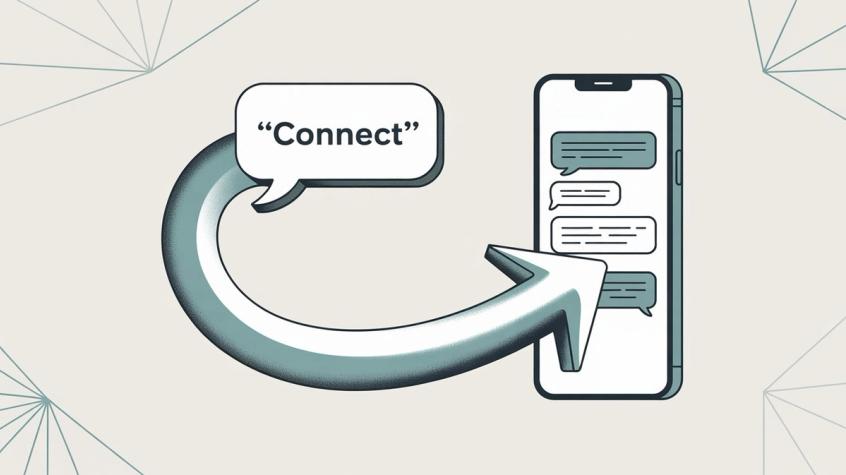
How to Manage Instagram Live Event Comments
During Instagram Live, comments fly by so fast that manual replies are impossible. Automation becomes essential for capturing high-intent viewers.
Set up a rule: Any comment during your live session triggers a DM with product links and discount codes. This way, every interested viewer gets purchasing information without delays, even if 200 people are commenting simultaneously.
How to Automate After-Hours & Weekend Coverage
When someone comments at 2 AM with a question, you probably don't have staff online. An automated response can acknowledge them and set expectations:
"Hi! Thanks for reaching out. Our team will respond first thing in the morning (9 AM EST). In the meantime, check out our Help Center for instant answers. Talk soon!"
This manages customer expectations better than radio silence.
How to Handle Crisis Management at Scale
If something goes wrong (website outage, shipping delays, product issues), you might get flooded with concerned comments. Automation lets you respond at scale with consistent messaging.
Example: Website down? Auto-reply to every comment with: "We're aware of the temporary outage and working to fix it ASAP. We'll update you once it's resolved. Thank you for your patience!"
This prevents frustration from escalating and shows you're actively addressing the issue.
How to Handle Peak Sales Season Support
During Black Friday, product launches, or major campaigns, query volume spikes dramatically. Auto-replies help you handle the surge without overwhelming your team.
Set up temporary automation rules just for the sale period. On a Black Friday post, any comment mentioning "code" or "coupon" gets instant instructions on how to apply the discount.
How to Set Up Instagram Auto Comments (Step-by-Step Guide)
Ready to implement this? Here's your roadmap:
① Switch to a Business or Creator Account
Instagram's API and third-party tools only work with professional accounts. Converting is free and gives you access to analytics and automation features.
On the Instagram app: Settings → Account → Switch to Professional Account
② Choose Your Automation Tool
Instagram doesn't have built-in auto-comment features for public posts. You need a third-party solution.
Your options:
Option A: Customer Engagement Platforms
Tools like Spur (official Meta partner) offer visual interfaces for setting up comment triggers and auto-replies. These platforms use official Instagram APIs and focus on customer service automation.
Spur stands out because it's specifically built for Instagram and WhatsApp automation with actionable AI agents. Unlike basic Q&A bots, Spur's AI can take actions like tracking orders or booking appointments while also handling comment automation. Plus, it trains on your own knowledge base, giving more accurate responses than generic chatbots.
Option B: Social Media Management Tools
Some social media management platforms provide auto-moderation capabilities for comments. These focus more on filtering and organizing comments than complex automation flows.
Option C: Custom Build via Instagram Graph API
If you have engineering resources, you can build directly on Instagram's API. You'd subscribe to webhooks for comment notifications, then use API endpoints to post replies.
This gives full control but requires technical expertise. Most businesses find pre-built tools faster and more cost-effective.

③ Connect Your Instagram Account
Once you've chosen a tool, connect your Instagram Business account to it. This typically involves:
• Logging in through Facebook (Instagram's API is managed via Facebook)
• Granting permissions for the tool to read comments and post replies
• One-time secure authentication
After connection, the tool can monitor your comments and respond on your behalf.
④ Define Your Automation Rules
This is where strategy matters. Think through when and how you want to respond.
Common rule types:
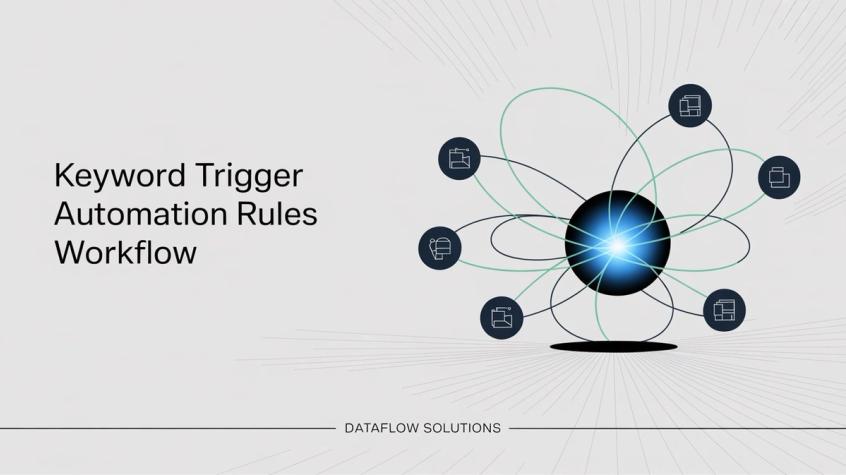
Keyword Triggers
Set the system to watch for specific words or phrases.
Examples:
• Comment contains "price" or "cost" → Reply: "Good question! I'll DM you our pricing and current promotions"
• Comment contains "shipping" → Reply: "We ship worldwide! Check your DMs for details 📦"
• Comment is exactly "YES" → Send DM with your lead magnet
Post-Specific Rules
Different posts might need different auto-replies. For a giveaway post, trigger DMs when someone comments "ENTER". For a product launch, answer sizing questions automatically.
Many tools let you set rules per post or apply them across all content.
Blanket Coverage
Some brands reply to every single comment in some way, even if it's just "Thanks for commenting!"
This ensures nobody feels ignored, though you'll want to be careful not to reply inappropriately to negative comments or spam.
Negative Comment Handling
Set rules to detect complaints or negative keywords. Instead of a cheerful auto-reply, route these to a human or use a specialized response:
"We're sorry to hear that. We'll DM you so we can make this right."
Time-Based Automation
Some tools let you schedule automation for specific hours. Only auto-reply at night and weekends when your team isn't working. During business hours, let humans respond naturally.
⑤ Craft Your Response Messages
Keep these principles in mind:
✓ Sound human and conversational (use contractions, friendly tone)
✓ Be helpful first, promotional second
✓ Keep public replies brief (1-2 sentences max)
✓ Move detailed info to DMs for privacy
✓ Include personalization when possible (use the commenter's @username)
Example of good automated response:
Public comment: "Hi @sarah! Thanks for your interest. I just sent you a DM with all the details you need"
DM: "Hey Sarah! Here's everything about our spring collection: [product link]. Use code SPRING15 for 15% off your first order. Any questions? Just reply to this message!"

⑥ Test Everything Thoroughly
Before going live, test your automation rules with a test Instagram account or a colleague's account.
Check that:
• Triggers fire when they should (and only when they should)
• Response messages read naturally
• Links work correctly
• DM flows deliver the right content
Loose keyword matching can cause problems. A trigger for "price" might accidentally fire when someone comments "priceless!" Test edge cases to avoid embarrassing mistakes.
⑦ Monitor Closely at First
When you first activate automation, watch your Instagram notifications and your tool's dashboard closely.
Look for:
• Appropriate responses to comments
• Unexpected triggers (adjust keywords if needed)
• User reactions (are people thanking you or seeming confused?)
The first week or two will reveal patterns you hadn't considered. Adjust your rules based on real-world usage. Over time, you'll fine-tune the system to handle most scenarios smoothly.
⑧ Blend Automation with Human Touch
Automation should enhance human engagement, not replace it.
Continue to:
• Read through your comment sections regularly
• Jump in personally for complex questions or upset customers
• Pin particularly good human responses
• Show your presence as a brand with occasional personal touches
Many effective strategies use a bot-first, human-follow-up approach. The bot handles the immediate response, then a team member follows up if needed. This gives you both speed and personal attention.
Pro Tips for Maximum Results (Without Getting Banned)
Keep Responses Personal
Even though it's automated, make it sound human. Use warm, conversational language. Where possible, include the person's username: "Hi @jane_doe, thanks for reaching out!"
Some tools let you rotate between a few different response variations to avoid sounding copy-paste.
Don't Be Suspiciously Fast
If your reply lands one second after someone comments, it might seem robotic. Some marketers add a 30-60 second delay to appear more natural. This is optional, but consider it if you want maximum authenticity.
Mind the Context
Not every comment deserves the same response. If someone comments "This product sucks," cheerfully replying "Glad you're interested! I'll DM you details" is tone-deaf and can escalate issues.
For negative comments, use different templates:
"We're sorry to hear that. We'll DM you to see how we can help."
Better automation tools can detect sentiment or let you exclude certain keywords from standard auto-replies.
Avoid Over-Promoting
If every auto-reply is "Buy our product! Link in bio!", people will tune out. Focus on being genuinely helpful.
It's fine to include relevant CTAs ("You can find it here: [link]"), but lead with value, not pushiness.
Stay Within Instagram's Limits
While official tools enforce rate limits automatically, keep your automation proportional to your account's typical activity. A sudden spike from 10 comments per day to 500 could trigger spam detection.
Instagram's API allows up to 100 automated replies per second for Live comments and about 750 calls per hour for standard messaging. Official partner tools like Spur handle this for you, but it's worth understanding the boundaries.

Regularly Update Keyword Lists
People ask the same questions in different ways. Someone might type "price," "cost," "how much," or "what's the $?"
Review what kind of comments you're getting and expand your trigger keywords to catch more variations. Also update your blocked keywords list for spam as you encounter new trolls or scam patterns.
Combine Auto-Comments with Auto-DMs
The most effective strategy? Post a brief public auto-reply, then send detailed info via DM.
Example:
Public comment from user: "How do I purchase?"
Your auto-reply: "Thanks for your interest! Check your DMs for all the details"
Simultaneous DM: "Hey! Here's how to purchase: [product link]. Use code WELCOME10 for 10% off your first order. Reply if you have questions!"
This keeps comment sections clean while giving users the information they need privately. Instagram's API allows businesses to DM users who commented on their posts, since that counts as user-initiated contact.
Monitor Quality and Iterate
Check your Instagram regularly. Are people reacting positively to auto-replies? If you see confusion or complaints about bot responses, adjust your approach.
Treat your automation as a living system that evolves with your business and audience. Add new rules for new products. Update messaging when campaigns change. Tweak tone based on what resonates with your followers.
How to Measure Success with Instagram Auto Comments
Track these metrics to know if your automation is working:
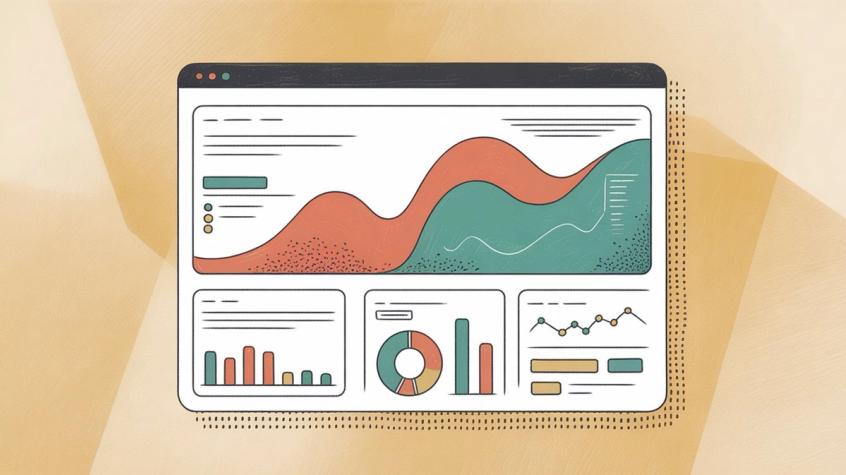
Response Time
Check your Instagram analytics or tool dashboard for average comment response time. If you went from hours to seconds, that's a win. Fast responses typically correlate with higher customer satisfaction.
Engagement Metrics
Are your posts getting more comments overall? Is engagement rate (comments relative to follower count) improving? Active, automated responses often encourage more people to comment because they see that you actually respond.
DM Conversions
If you're using comment triggers to send DMs with links or promo codes, track:
• How many people click those links
• How many use the promo codes
• How many purchases come from those DM conversations
Use UTM parameters on links to track traffic and sales in Google Analytics.
Team Workload Reduction
Measure how many simple inquiries your automation deflects. If your support team previously handled 50 repetitive questions daily and automation now covers 40 of them, that's significant time saved.
Quantify this as hours saved or tickets deflected.
Follower Growth & Retention
A responsive account is more likely to retain and attract followers. Check if your follower metrics improved since implementing better engagement. While many factors affect growth, responsiveness definitely helps.
Customer Feedback
Sometimes the best metric is qualitative. Are you getting DMs like "Wow, that was quick!" or "Thanks for the fast reply"? Positive feedback indicates your automation feels helpful, not robotic.
The ultimate measure of success? Your Instagram feels lively and responsive, leads aren't slipping through the cracks, and your team isn't overwhelmed by repetitive questions.
The Spur Advantage: Actionable AI for Instagram Automation
If you're serious about Instagram automation, you need tools that do more than send basic canned responses.
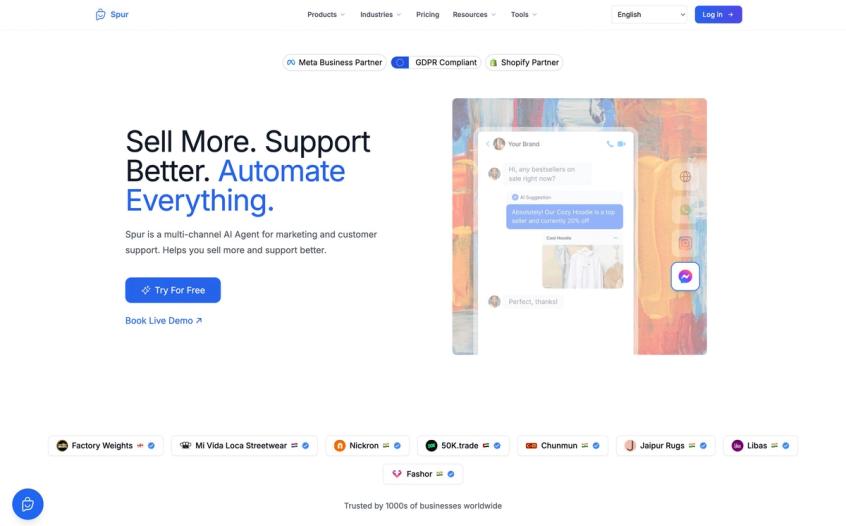
Spur is an official Meta Business Partner offering Instagram DM and comment automation specifically designed for businesses that want to scale customer engagement without losing the personal touch.
What makes Spur different:
Actionable AI Agents, Not Just Q&A Bots
Most Instagram chatbots can only answer pre-programmed questions. Spur's AI agents can actually take actions: track orders, book appointments, update customer records, and connect to your backend systems.
This means your Instagram automation doesn't just provide information, it solves problems and moves customers through your funnel.
Train AI on Your Own Knowledge Base
Unlike tools where the AI gives generic responses, Spur trains on your website content, FAQs, and knowledge base. This means more accurate, brand-specific answers that actually help customers.
Unified Multi-Channel Inbox
Manage Instagram comments and DMs alongside WhatsApp, Facebook, and live chat in one shared inbox. Your team can see the full conversation history no matter which channel a customer uses.
Built for E-Commerce & High-Volume Brands
Spur integrates directly with Shopify, WooCommerce, and major payment platforms. This means automation can check order status, process returns, or send abandoned cart reminders through Instagram DMs.
If you're running Instagram Live sales, product launches, or major campaigns, Spur handles the volume without breaking a sweat.
Simple, No-Code Setup
You don't need engineering resources to get started. Spur offers a visual automation builder that lets you set up comment triggers, DM flows, and response rules through a user-friendly interface.
Start your free 7-day trial to see how automated Instagram engagement can transform your customer experience.
Final Thoughts: Engage Smarter, Not Harder
Instagram auto comments aren't about replacing human interaction. They're about amplifying it. They let you be present for every customer, every question, every opportunity - even when you're physically unavailable.
When someone comments on your Instagram at 2 AM, they get an instant, helpful response. When your post goes viral with 500 comments in an hour, every single person feels acknowledged. When a potential customer asks "How much does this cost?" during your Instagram Live, they get an immediate DM with purchase info and a discount code.
That's the power of smart automation.
The companies winning on Instagram in 2025 are the ones that respond fast, provide real value, and make engagement effortless for their audience. They're using tools like Spur to handle the mechanics of instant response while their teams focus on building relationships and solving complex problems.
Start small. Automate your most common questions. Test your responses. Monitor results. Iterate based on what works. Before long, you'll have a 24/7 Instagram engagement engine that never misses an opportunity and never lets a customer feel ignored.
Ready to transform your Instagram engagement? Try Spur free for 7 days and see how automated comment replies can drive real business results.
Frequently Asked Questions About Instagram Auto Comments
Yes, when done correctly. Automating responses to comments on your own posts using official APIs or Meta-approved partner platforms is completely legitimate. What's not allowed is using bots to spam comments on other people's posts or artificially inflate engagement through fake accounts. Stick to helping your own audience, and you'll be fine.
If your responses are natural, helpful, and contextually appropriate, most followers won't know or care. The key is making automated replies sound human and relevant. Avoid generic responses that could apply to any comment. When in doubt, combine automation with human follow-up for the best of both worlds.
Instagram's native features are limited. You can set up Quick Replies (canned responses you manually select) and auto-replies for DMs through Meta Business Suite, but there's no built-in way to automatically respond to public comments based on triggers. For true automation, you'll need a third-party solution like Spur that uses Instagram's API.
Costs vary widely. Some social media management tools include basic comment automation in plans starting around $50-100/month. Dedicated customer engagement platforms like Spur start at around $12-15/month for smaller plans and scale based on features, channels, and message volume. Many offer free trials so you can test before committing.
This is why testing and monitoring are crucial. Start with specific, narrow trigger keywords to minimize false positives. Use sentiment detection if your tool offers it. When mistakes happen, jump in manually to clarify and fix the situation. Most users will understand if you quickly follow up with a human response. Over time, refine your rules to prevent similar issues.
Many advanced tools support multilingual comment automation. You can set up different response rules for different languages, or use AI-powered tools that detect language automatically. If you have a global audience, look for platforms that offer localization features.
It depends on your goals and capacity. Many brands start by automating common questions and after-hours responses, while letting humans handle comments during business hours. As you get comfortable, you can expand to more scenarios. The sweet spot is usually automating 60-80% of simple interactions while keeping humans available for complex or sensitive conversations.
Good automation systems have fallback responses. Example: "Great question! Let me connect you with someone on our team who can help." Then it notifies a human to take over. The key is acknowledging the comment quickly (via automation), then routing to human support when needed.
Sources
The pages this article links out to, in the order they appear.
- Instagram's API allows developers.facebook.com
Was this article useful?