WhatsApp Newsletter: How to Create, Schedule & Send at Scale

Discuss with AI
Get instant insights and ask questions about this topic with AI assistants.
💡 Pro tip: All options include context about this blog post. Feel free to modify the prompt to ask more specific questions!
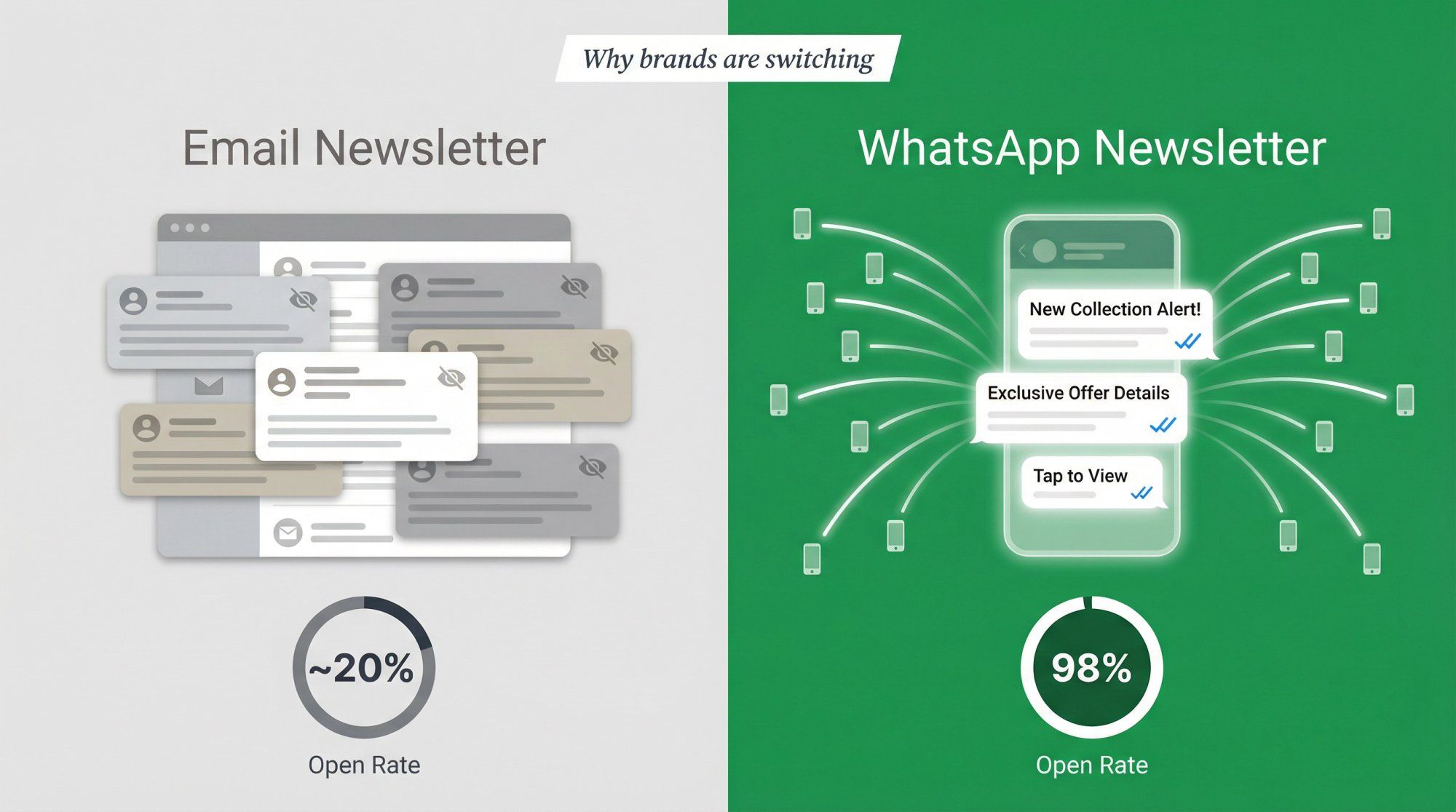
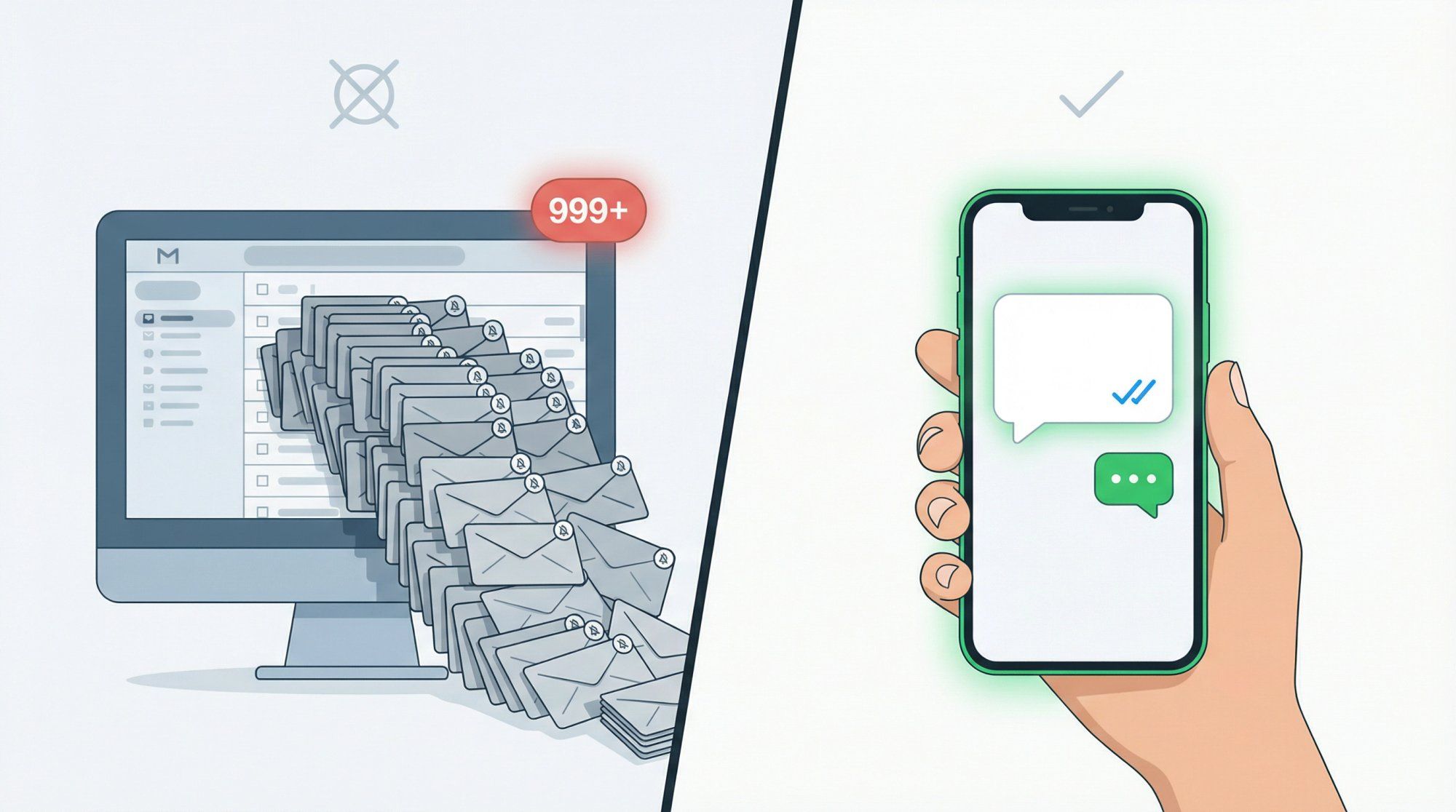
TL;DR: A WhatsApp newsletter lets you send targeted, recurring messages to your audience where they actually pay attention (98% open rates vs. email's ~20%). But WhatsApp is not email. You need opt-in consent, pre-approved templates, and a platform that handles segmentation, scheduling, and delivery pacing. This guide walks you through every step, from collecting your first subscriber to sending broadcasts to thousands. If you want the fastest path, Spur handles the entire stack: segments, templates, scheduling, analytics, and revenue tracking, all built into our WhatsApp Broadcasts product.
If you're searching "WhatsApp newsletter," you probably want to do something pretty specific. You want to send recurring updates (like email newsletters) on WhatsApp, where people actually open them. You want to schedule those messages so you're not copy-pasting at midnight. You want to send them at scale (thousands, maybe tens of thousands of contacts) without getting throttled, blocked, or burning money. And you want to track real outcomes: clicks, replies, purchases, not just "sent."
This guide is built for exactly that. It goes deep on purpose because WhatsApp is not email. The mechanics are different, the rules are stricter, and the failure modes are sneakier than you'd expect.
The term "WhatsApp newsletter" gets used to describe three very different things. Understanding which one you need saves you from building on the wrong foundation.
WhatsApp Channels are WhatsApp's built-in one-to-many broadcast feature. Think of them as a public announcement board inside the WhatsApp app: community updates, content drops, brand announcements. This is the closest thing to a traditional "newsletter" that lives natively in WhatsApp.
Use Channels when you want organic reach inside WhatsApp and don't need personalization, segmentation, or automation. You're fine with "broadcast to everyone who follows" as the default behavior.
Don't use Channels when you need targeting ("VIPs only," "buyers of Product X," "people who clicked last time"), revenue attribution, or automation triggers based on user behavior.
This is the free broadcast feature inside the standard WhatsApp Business app. It works, but it breaks at scale.
The hard limits are what kill it. You're capped at 256 recipients per broadcast list, which is widely documented across providers and guides. Recipients generally need to have your number saved in their contacts for reliable delivery, according to WhatsApp's own documentation. And there's no real scheduling, no segmentation logic, and no meaningful analytics.
If you have fewer than 256 contacts and don't mind the manual work, this can get you started. But if you're reading about "sending at scale," this isn't your tool. Our guide on how to send bulk WhatsApp messages breaks down exactly where the Business app falls short and when you need to upgrade.
This is what brands actually mean when they say "send WhatsApp newsletters at scale." It's the WhatsApp Business Platform (formerly called the WhatsApp Business API), and it works through official Business Solution Providers.
The mechanics are straightforward: you collect opt-ins, you send approved template messages to opted-in contacts, and you schedule, segment, throttle, and track performance through a platform like Spur.
Understanding WhatsApp marketing automation at the API level is what separates brands that scale from brands that stall.
The key rule to internalize: on the WhatsApp Business Platform, you can only initiate outbound messages using approved message templates. Outside the 24-hour customer service window, you can't free-type messages to contacts. WhatsApp's documentation makes this explicit.
Here's a quick comparison to keep things clear:
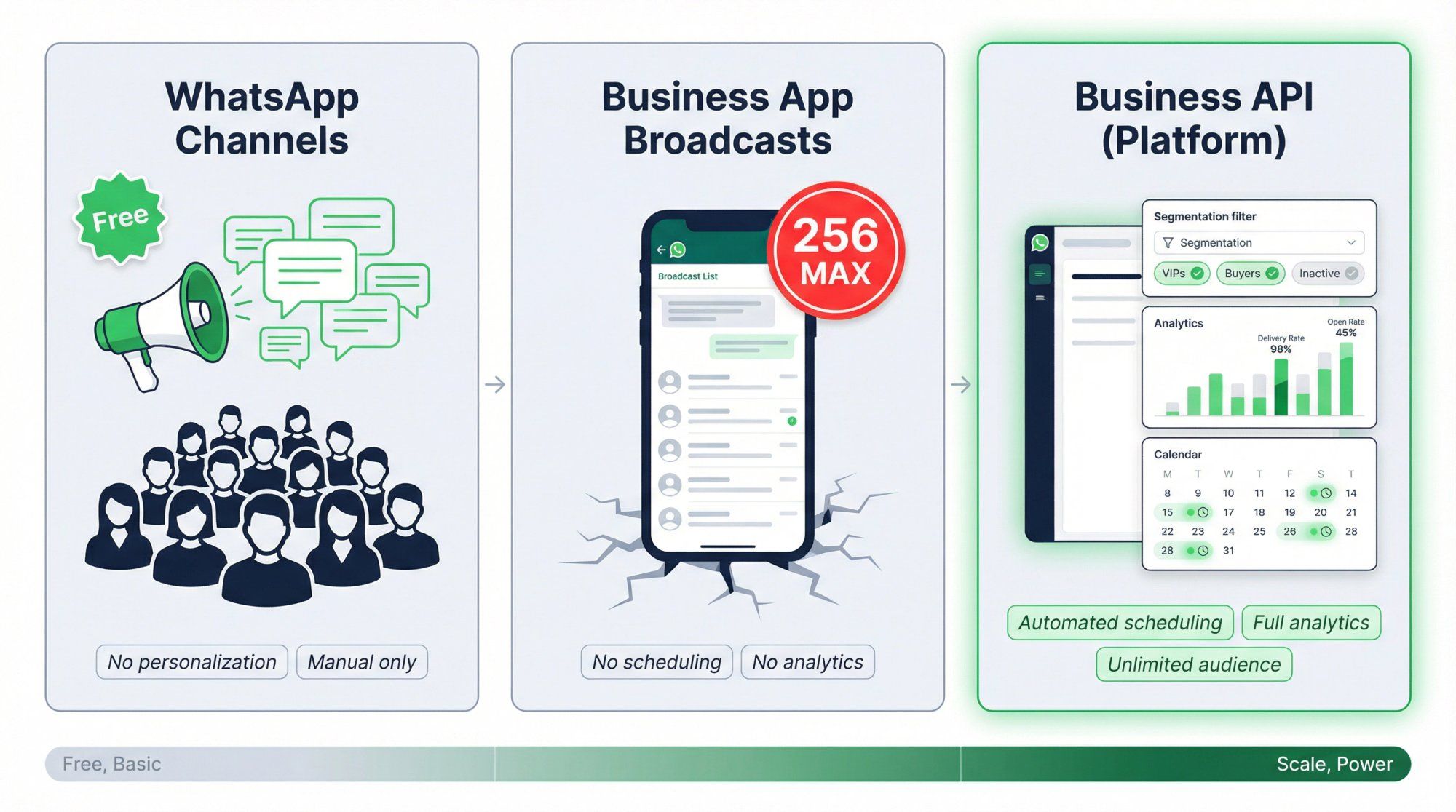
| Feature | WhatsApp Channels | Business App Broadcasts | Business Platform (API) |
|---|---|---|---|
| Audience size | Unlimited followers | 256 per list | Unlimited (tier-based) |
| Personalization | None | Minimal | Full (variables, segments) |
| Scheduling | Manual only | Manual only | Automated, time-zone aware |
| Analytics | Basic views | None | Delivery, reads, clicks, revenue |
| Automation | None | None | Full flow builder |
| Cost | Free | Free | Per-message + platform fee |
| Best for | Public announcements | Micro-businesses | Serious newsletter operations |
If you're reading about sending at scale, you almost always mean the third option.
Spur's WhatsApp Business API product page is a good starting point for understanding exactly what the API platform enables — broadcasts, drip campaigns, segmentation, and shared inbox all in one place.
WhatsApp is a trust-and-cost channel. Unlike email (which is nearly free to send and gets filtered in the inbox), every WhatsApp message is a push notification. Users can block and report you instantly. Meta enforces quality with messaging limits, template pausing, and delivery suppression. And you pay for every delivered message, so spam isn't just risky, it's expensive.
The game is not "send more." The game is: send fewer, more relevant messages that trigger replies, clicks, and purchases while keeping your quality rating high.
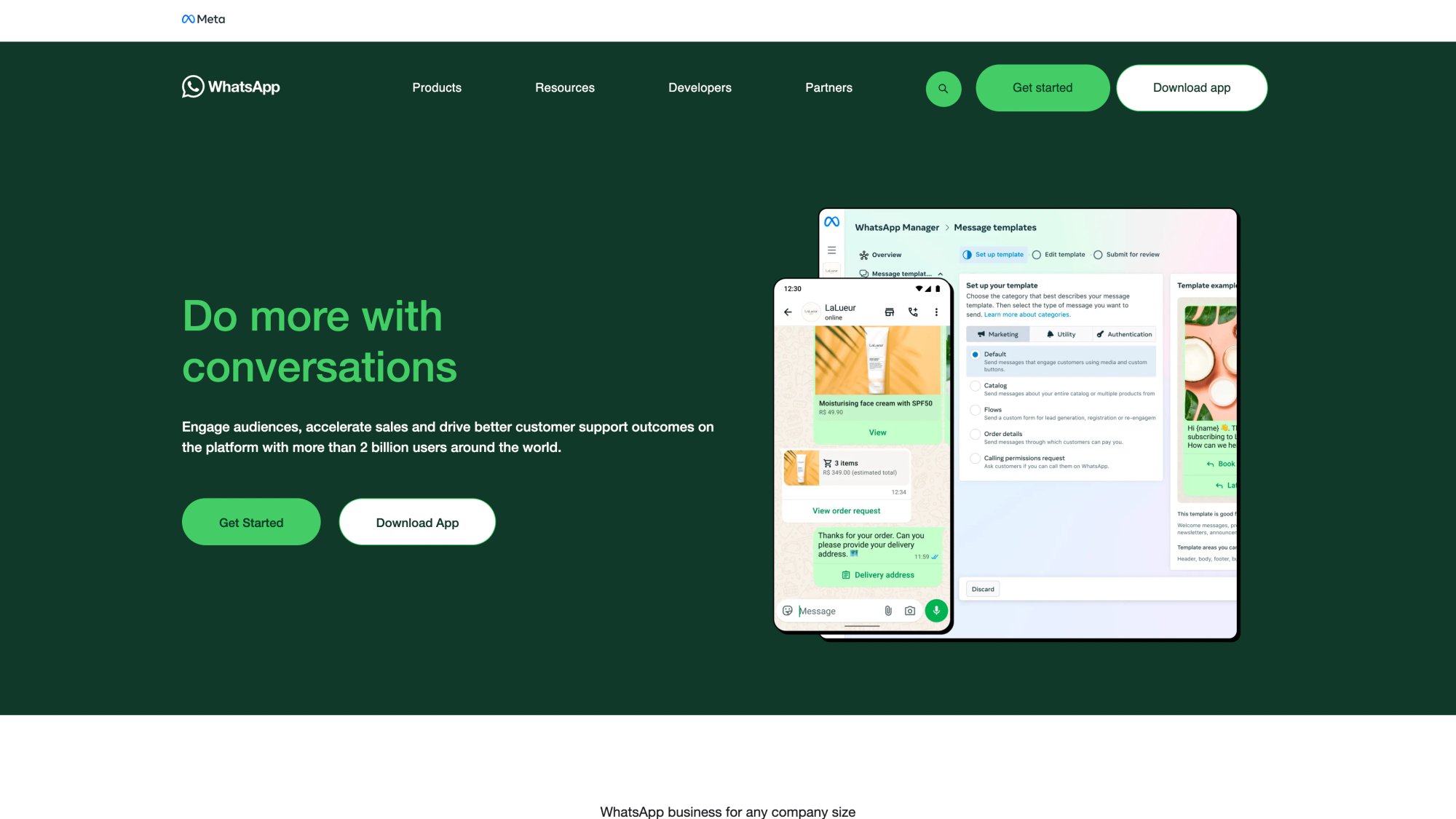
The platform enforcing these rules is WhatsApp for Business — Meta's official channel. Their homepage captures the core mandate clearly:
WhatsApp's Business Messaging Policy is direct about this. You may only contact people who gave you their phone number and explicitly opted in to receive messages from you. You must respect opt-out requests and stop messaging people who ask you to stop.
If your "newsletter list" is a scraped database, you're building on sand. WhatsApp will enforce this, and the penalties (flagged account, reduced messaging limits, potential ban) are real. Spur's smart segmentation tools make managing opted-in contacts, exclusions, and consent status seamless at scale.
On the WhatsApp Business Platform, you can only start conversations using an approved message template. WhatsApp reviews, approves, rejects, or pauses templates based on content quality and compliance.
This means you can't just type whatever you want and blast it out. Every outbound newsletter message needs to go through the template approval process first. Learning how to craft high-converting WhatsApp templates before you start building your library will save you a lot of rejection headaches.
When a user messages you (or replies to your broadcast), a 24-hour customer service window opens. During this window, you can respond freely without using templates, and WhatsApp says service messages within this window are not charged.
The window resets every time the user sends a new message. This creates a powerful dynamic for newsletters: if you can engineer replies, you move from paid outbound territory into a cheaper, more flexible conversation window.
A smart WhatsApp newsletter is designed to trigger replies on purpose. We've written extensively about how to get more replies on WhatsApp broadcasts, covering the tactics that actually work in 2026.
WhatsApp's pricing page states charges apply on a per-message basis when a message is delivered (not just sent). Pricing depends on the message category (marketing, utility, authentication, service) and the recipient's country.
A major shift happened effective July 1, 2025: WhatsApp moved toward per-message template pricing, replacing the older per-conversation pricing model. This change is documented across Meta's developer documentation and multiple industry sources. Our complete WhatsApp Business API pricing guide walks through exactly what changed and what it means for your newsletter budget. The practical impact is that every template message you send now has a direct per-delivery cost.
WhatsApp uses "messaging limits" to control how many unique users you can message in a rolling 24-hour period. New accounts typically start at lower tiers and scale up based on quality ratings and usage volume.
Multiple 2025-2026 sources describe starting levels around 250 unique contacts, then scaling to 1,000, 10,000, 100,000, and eventually unlimited, depending on your verification status and performance history.
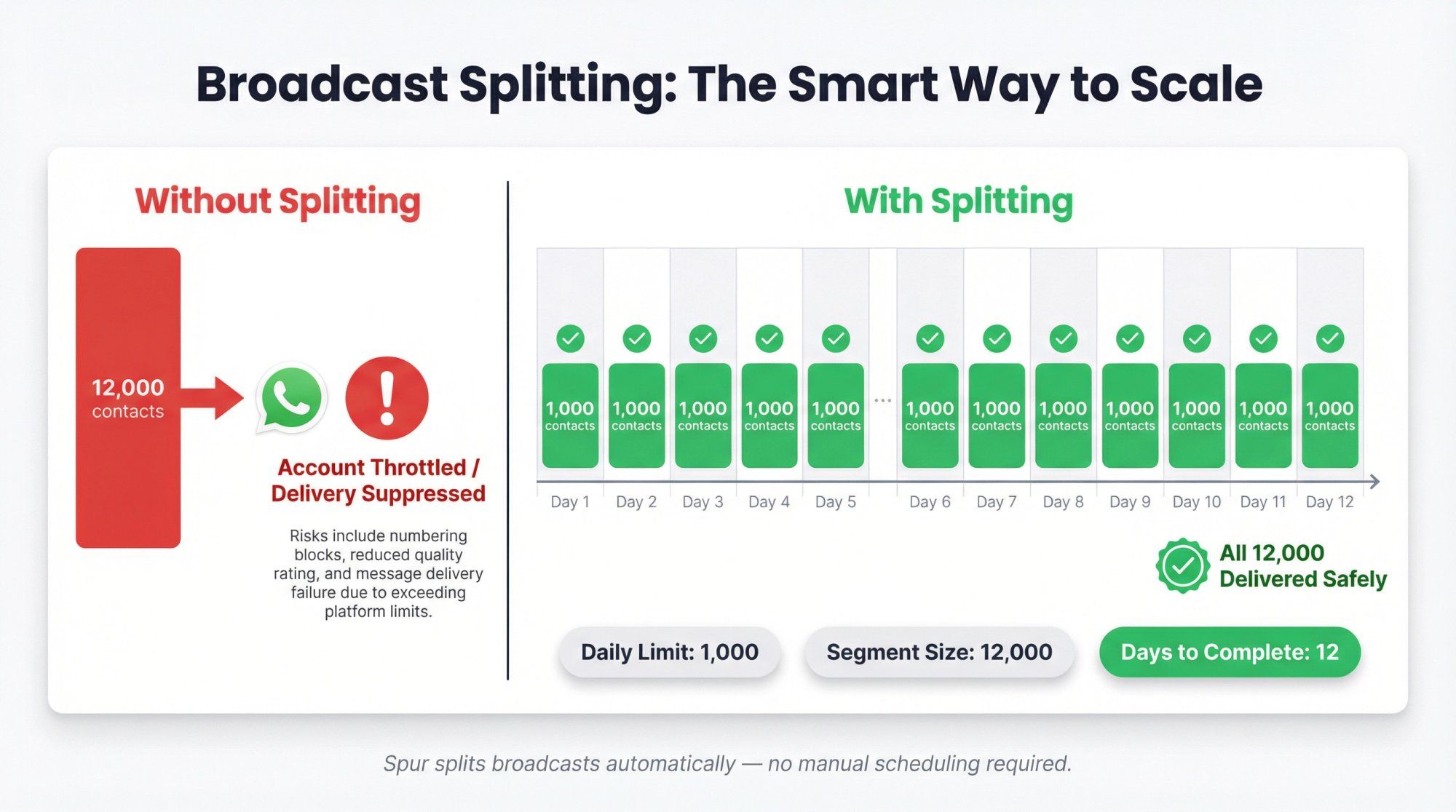
The practical implication is this: if your list has 50,000 contacts and your current tier allows 1,000, you can't blast everyone tomorrow. You need to schedule and split your broadcasts across multiple days. Broadcast splitting is not optional when your list outgrows your tier. It's survival. Spur explicitly supports splitting broadcasts across days to respect WhatsApp's messaging limits.
This one surprises most teams. Meta's developer documentation explains that WhatsApp may limit how many marketing template messages a single person receives across all businesses in a given period.
Spur's Help Center explains this as a global per-user cap: messages can fail delivery simply because the recipient already hit their limit from other businesses. Your campaign can have perfect setup and still see suppressed delivery. We've written a dedicated guide on handling WhatsApp's per-user marketing limits with the exact strategies that improve delivery rates.
Two important implications here. First, retrying immediately after a failure usually does nothing because the cap is time-based. Second, you need a spacing strategy and better timing rather than just resending. Spur's platform handles this with built-in retry behavior and delivery pacing through our DeliveryBoost feature.
WhatsApp requires opt-in. The only way to scale safely is to make that opt-in feel natural and genuinely valuable to the person giving you their number.
For ecommerce businesses:
- Checkout checkbox: "Get order updates and offers on WhatsApp"
- Post-purchase thank-you page: "Track your order on WhatsApp"
- Account page: "Manage WhatsApp preferences"
- Packaging insert with QR code: "Get VIP drops on WhatsApp"
Ecommerce brands running these opt-in flows on WhatsApp see dramatically higher engagement than email. Our ecommerce industry page shows real results from brands using Spur for exactly this funnel.
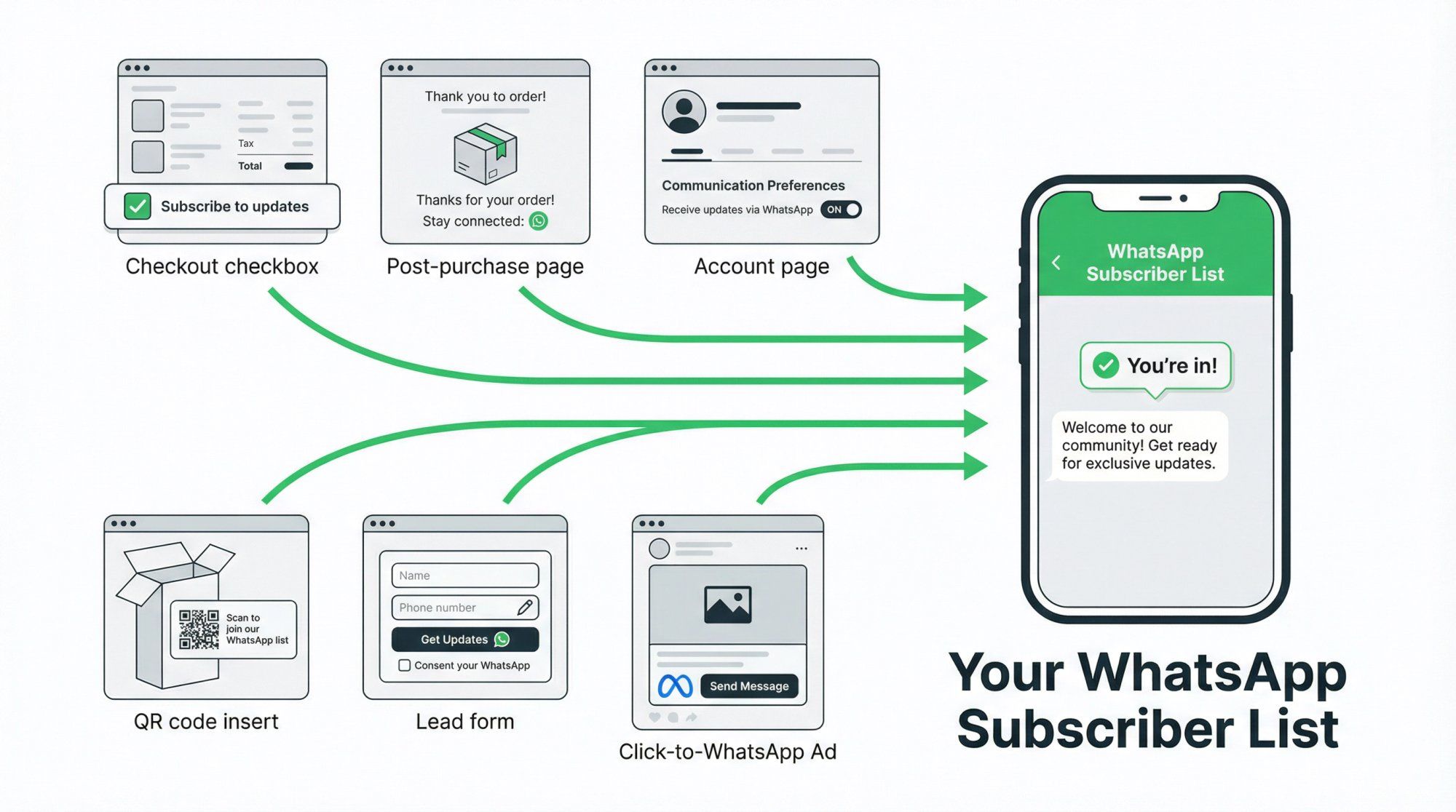
For service businesses:
- Lead form: "Get appointment slots on WhatsApp"
- Webinar signup: "Get the link and reminders on WhatsApp"
- Offline QR in-store: "Get offers and receipts on WhatsApp"
From paid ads:
Click-to-WhatsApp ads are a powerful "intent-based opt-in" channel. WhatsApp notes a 72-hour free messaging window when users message you from a click-to-WhatsApp ad or Facebook Page CTA. That means you get three full days of free messaging with that contact, which is a huge advantage for newsletter onboarding. Our Click-to-WhatsApp Ads product is built specifically to capture this intent and route it into your subscriber funnel automatically.
Keep your opt-in language explicit and expectation-setting:
"Yes, send me updates on WhatsApp about my orders and occasional offers. I can opt out anytime by replying STOP."
Why this works: "Orders" sets a utility expectation. "Occasional offers" signals marketing content. "STOP" establishes a clear opt-out mental model. WhatsApp's policy recommends getting opt-in that covers the categories you'll actually send (order updates, offers, recommendations) and providing clear opt-out instructions.
A WhatsApp newsletter is not a "list." It's a database with attributes that let you send the right message to the right person. Getting this right is the difference between a newsletter that drives revenue and one that gets you flagged.
Start with these, and add more as your system matures:
- Phone number (obviously)
- Name (with a fallback like "there" for unnamed contacts)
- Language
- Location (city/state/country)
- Opt-in source (checkout, ad, QR, etc.)
- Opt-in timestamp
- Last message sent date
- Last reply date
- Last purchase date
- Total purchases
- Product interests (tags)
- Unsubscribe status
Why this matters: it lets you avoid sending irrelevant broadcasts (which protects your quality rating), makes personalization possible without manual work, and enables smarter scheduling based on time zones and frequency control. Spur's WhatsApp marketing tools include all the field-level management and exclusion handling you need to keep this database clean.
Spur's broadcast system emphasizes segmentation, exclusions (like opted-out users), and Shopify-native behavioral filters so you can build these segments right inside our platform. If you're on Shopify, our Shopify integration syncs customer data directly, so your segments are always current without manual imports.
A simple but powerful model combines Recency, Frequency, and Monetary value with engagement data:
→ Recency (when did they last buy?)
- Last 30 days (hot)
- 31-90 days (warm)
- 91-180 days (cooling)
- 180+ days (cold)
→ Frequency (how often do they buy?)
- 1 purchase (new)
- 2-3 purchases (developing)
- 4+ purchases (loyal)
→ Engagement (are they interacting with your messages?)
- Clicked in last 30 days (active)
- Replied in last 30 days (very active)
- Silent for 90+ days (disengaged)
Then tailor the newsletter accordingly. VIPs get early access and can tolerate higher frequency. New buyers get onboarding content and usage tips. Silent contacts get winback campaigns with lower frequency but higher perceived value.
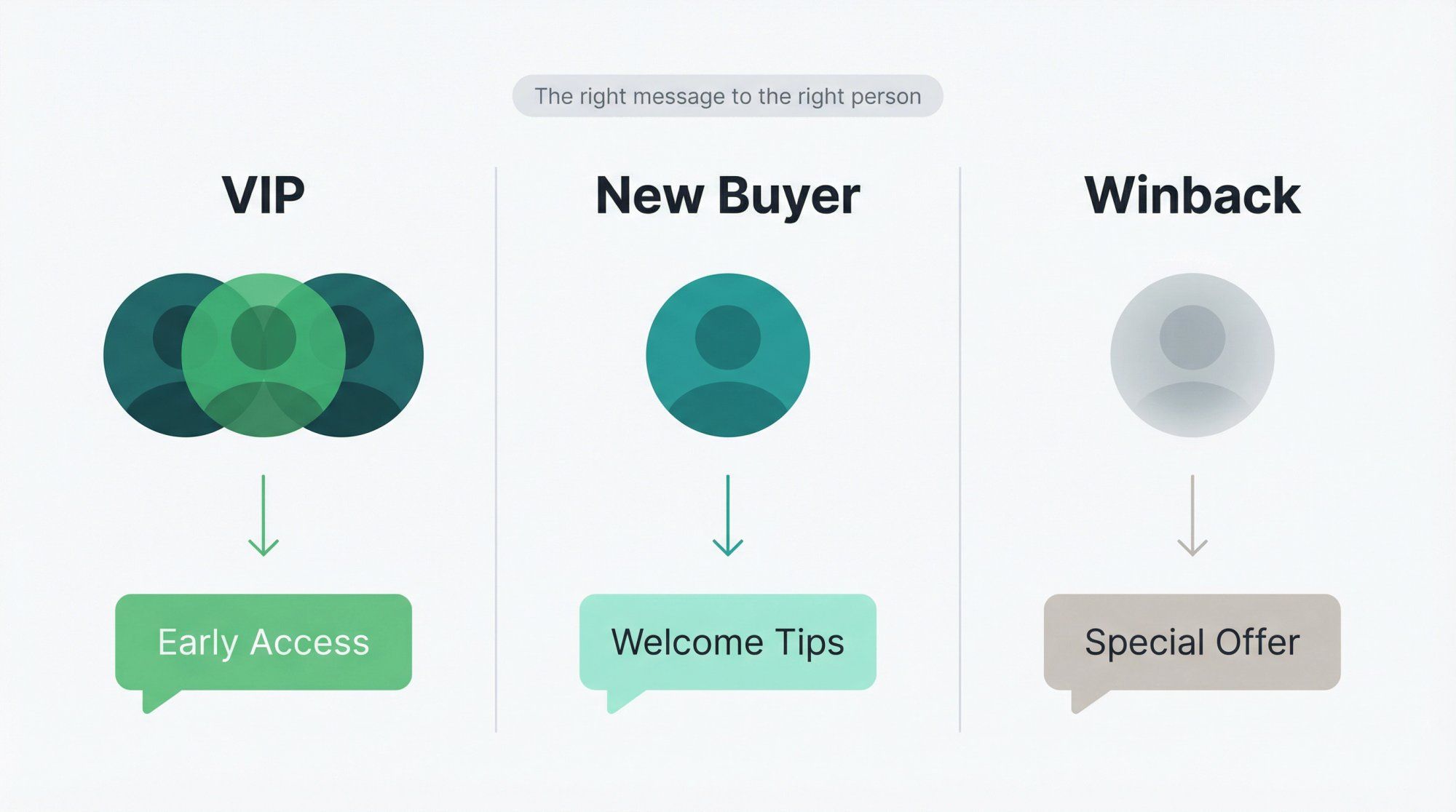
This avoids the single most common mistake in WhatsApp newsletters: blasting everyone with the same promo and tanking your quality rating. Spur's smart segments product gives you 30+ behavioral filters to build exactly these RFM-style audiences. And if you're on Shopify, Shopify Segments for Broadcasts lets you import your existing Shopify audiences directly.
On the WhatsApp Business Platform, you need approved templates for every outbound message. That means your newsletter operation depends on having a well-stocked template library ready to go.
Don't build your entire campaign the night before a sale. Templates are often approved or rejected within minutes, but some go to human review and can take up to 48 hours. Spur's Help Center similarly notes that most single templates approve quickly, but pending reviews can take longer during high-volume periods.
Build your template library well in advance. Have backup templates ready for time-sensitive campaigns. Our guide on why WhatsApp templates get rejected and how to fix rejections quickly is the best preparation you can do before a major campaign.
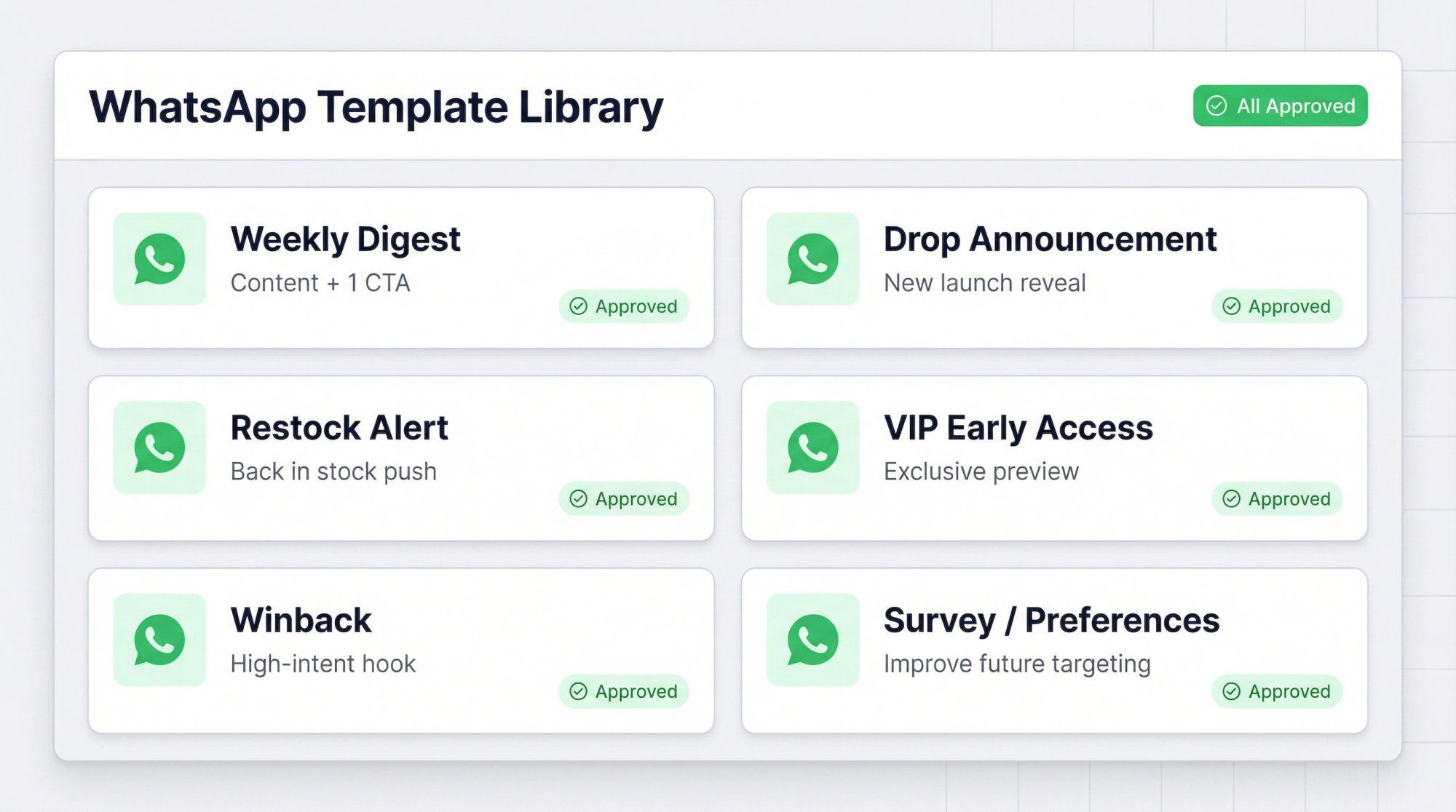
Create these six reusable templates and you can mix and match them for virtually any newsletter scenario:
① Weekly digest (content + 1 CTA)
② New drop/launch announcement
③ Restock alert
④ VIP early access
⑤ Winback (high-intent hook, not spam)
⑥ Survey/preferences (to improve future targeting)
Weekly Value Drop:
Hi {{1}}
This week's picks:
1) {{2}}
2) {{3}}
3) {{4}}
Want recommendations for {{5}}?
Reply 1, 2, or 3.
Buttons: "Shop now" | "Get recommendations" | "Stop promos"
Meta supports template buttons, including dedicated opt-out buttons. Even if you don't use a dedicated opt-out button, you must still honor opt-out requests per WhatsApp's policy.
Drop Launch:
{{1}}, it's live.
{{2}} just dropped.
Limited stock.
Tap to view: {{3}}
Reply "size" if you want help choosing.
Winback (The Safe Version):
Hi {{1}}! Quick check-in.
Want 1 personalized recommendation based on what you bought last time?
Reply YES and I'll send it.
Reply STOP to opt out.
Why this winback template is smart: it asks for engagement (the YES reply), which opens the 24-hour service window. It gives an easy opt-out. And it shifts from "blast" to "conversation," which is exactly what WhatsApp rewards. For more inspiration, see our collection of WhatsApp drip campaign examples with 22 proven sequences you can adapt.
The most common issues that get templates rejected:
- Wrong placeholder/variable formatting
- Variables placed at the very start or end of the message
- Content that's too vague or generic
- Broken or suspicious links
- Too many variables relative to the actual text content
Clean template hygiene isn't optional if you want to operate at scale. Before every submission, run through our complete WhatsApp template rejection guide with before-and-after examples for each failure mode.
"Scheduling" a WhatsApp newsletter is not just picking a date and time. At scale, it involves editorial cadence, time zone optimization, daily messaging limit management, per-user marketing caps, and retry behavior. Three layers are worth understanding.
Pick a cadence your audience can tolerate. Most brands do best with 1-2 "newsletter-style" sends per week, plus lifecycle automations running in the background (order updates, back-in-stock alerts, etc.).
If you try to replicate daily email blast frequency on WhatsApp, you'll run into opt-outs, blocks, quality score drops, and per-user marketing delivery suppression. WhatsApp is a high-attention channel, and that attention cuts both ways. Retention marketing with WhatsApp works best when cadence is earned, not forced.
You're optimizing for "read + action," not just "delivered." A message delivered at 3 AM is technically delivered, but nobody's buying at 3 AM.
The practical playbook: start with two send windows per segment (for example, lunch vs. evening), then run A/B tests on those windows for the same offer. Spur includes built-in A/B testing and analytics for broadcasts, so you can measure which windows actually drive action.
If your daily messaging limit is 1,000 and your segment has 12,000 users, you need to split that broadcast across 12 days. Spur supports this splitting automatically.
This is where most "WhatsApp newsletter" guides stay shallow. They tell you to "schedule it." They don't tell you to schedule it across 12 days so you don't hit limits and get your account throttled. Our broadcast splitting guide explains exactly how this works and why it's the most underrated feature in WhatsApp marketing.
We built Spur specifically for businesses that want to run WhatsApp (and Instagram) messaging at scale without the headaches of cobbling together multiple tools. Here's how our broadcast workflow maps to the newsletter system we've been describing.
① Build Your Segment
Inside Spur, you define who gets each newsletter using segment-based targeting. Create segments like "VIP customers: 2+ orders, last purchase within 90 days" or "Browsed category X but no purchase." You can also set exclusions (opted-out contacts, recently messaged contacts) and, if you're on Shopify, pull in behavioral filters directly from your store through our Shopify integration.
You can test segments before sending to validate your audience size and composition.
② Create and Submit Your Template
Our Template Manager lets you build templates with headers, body copy with variables, and interactive buttons. Your variable values get set when you configure the broadcast or automation flow. Submit the template for Meta's approval, and our system tracks its approval status so you know exactly when it's ready to send.
③ Schedule Intelligently
Spur's scheduling supports time zone-aware delivery, automatic splitting across days to respect WhatsApp's messaging limits, and throttling controls. If you're near your messaging limit, splitting isn't optional (it's survival), and our platform handles that for you.
④ Send, Monitor, and Iterate
Once your newsletter goes out, Spur's dashboard provides live metrics: delivered count, read rate, reply rate, button clicks, link clicks, conversions, and revenue attribution. Our analytics dashboard is where you build compounding gains over time. Clone your winners. Adjust segments based on what the data tells you. Improve template clarity. Optimize send windows. Reduce frequency for contacts who've gone silent.
Spur's pricing works in two parts: your platform subscription (plans start at $12/month billed annually) and Meta's WhatsApp charges, which are deducted from a prepaid wallet inside our platform. You're charged per delivered template message. If your wallet balance hits zero, outbound delivery pauses until you top up, so we recommend keeping auto-recharge enabled.
Ready to send your first WhatsApp newsletter? Start a free 7-day trial and set up your first broadcast in minutes.
Scaling a WhatsApp newsletter is about building trust with WhatsApp's systems, not just growing your contact list. Here's what that looks like in practice.
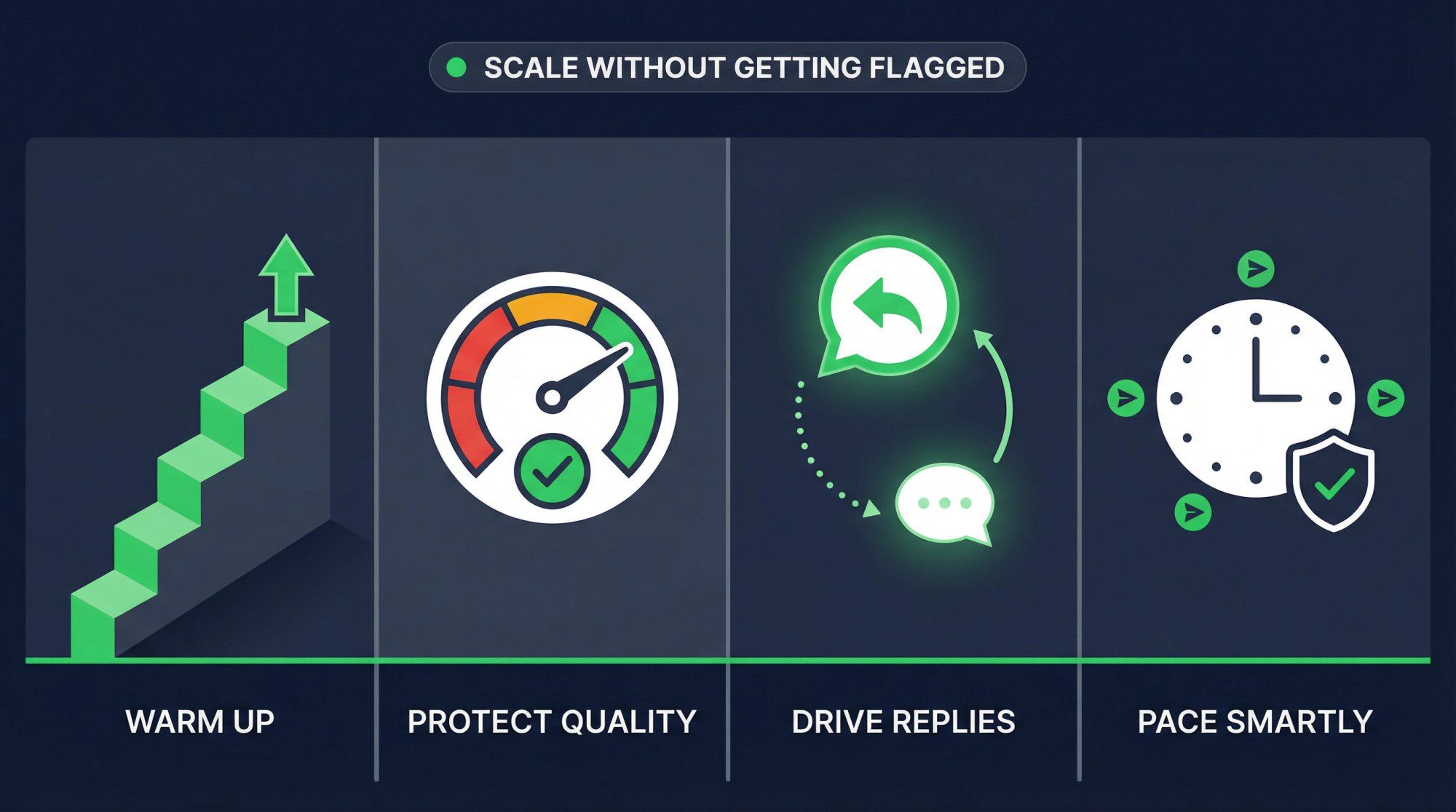
New phone numbers and new WhatsApp Business Accounts should ramp volume gradually. Multiple sources describe the progression from starting limits through higher tiers based on quality and activity. Spur's documentation recommends starting with small batches rather than big spikes.
A safe principle: start with your most engaged customers (recent buyers, recent chatters). Increase volume only as your quality rating stays high. Our guide on improving WhatsApp broadcast delivery covers the exact warmup sequence and how DeliveryBoost handles retry timing automatically.
Templates can get paused if their quality drops. Repeated low-quality instances can lead to template pausing and eventual disabling, which breaks any broadcast or automation that depends on that template.
You're not just "writing copy" when you create newsletter templates. You're managing a deliverability asset. Treat your templates with the same care you'd give a domain reputation in email marketing. Spur's WhatsApp marketing platform includes quality monitoring built directly into the broadcast dashboard.
Replies do three valuable things at once. They open or reset the 24-hour service window (meaning more flexible messaging). They signal engagement to WhatsApp's quality systems, which helps maintain or improve your quality rating. And they create a natural handoff point to AI-powered or human sales/support conversations via our shared inbox.
Spur's broadcast features are specifically built around driving reply rates and triggering follow-up automations based on replies and clicks.
When marketing messages fail because of per-user limits, resending immediately accomplishes nothing. Spur recommends spacing your broadcasts and avoiding immediate resends. Our DeliveryBoost feature includes retry behavior that respects these timing constraints automatically. For a complete breakdown of how these limits work and how to work around them, see our guide on WhatsApp's per-user marketing limits.
Understanding the cost structure prevents unpleasant surprises, especially as you scale.
According to WhatsApp's pricing documentation, charges apply per delivered message (not per sent message). Pricing depends on the message category and the recipient's country. Service messages within the 24-hour customer service window are not charged. And there are free entry points: click-to-WhatsApp ads give you a 72-hour free messaging window.
For a marketing newsletter broadcast:
Estimated cost = Delivered messages x Marketing rate for the recipient's country
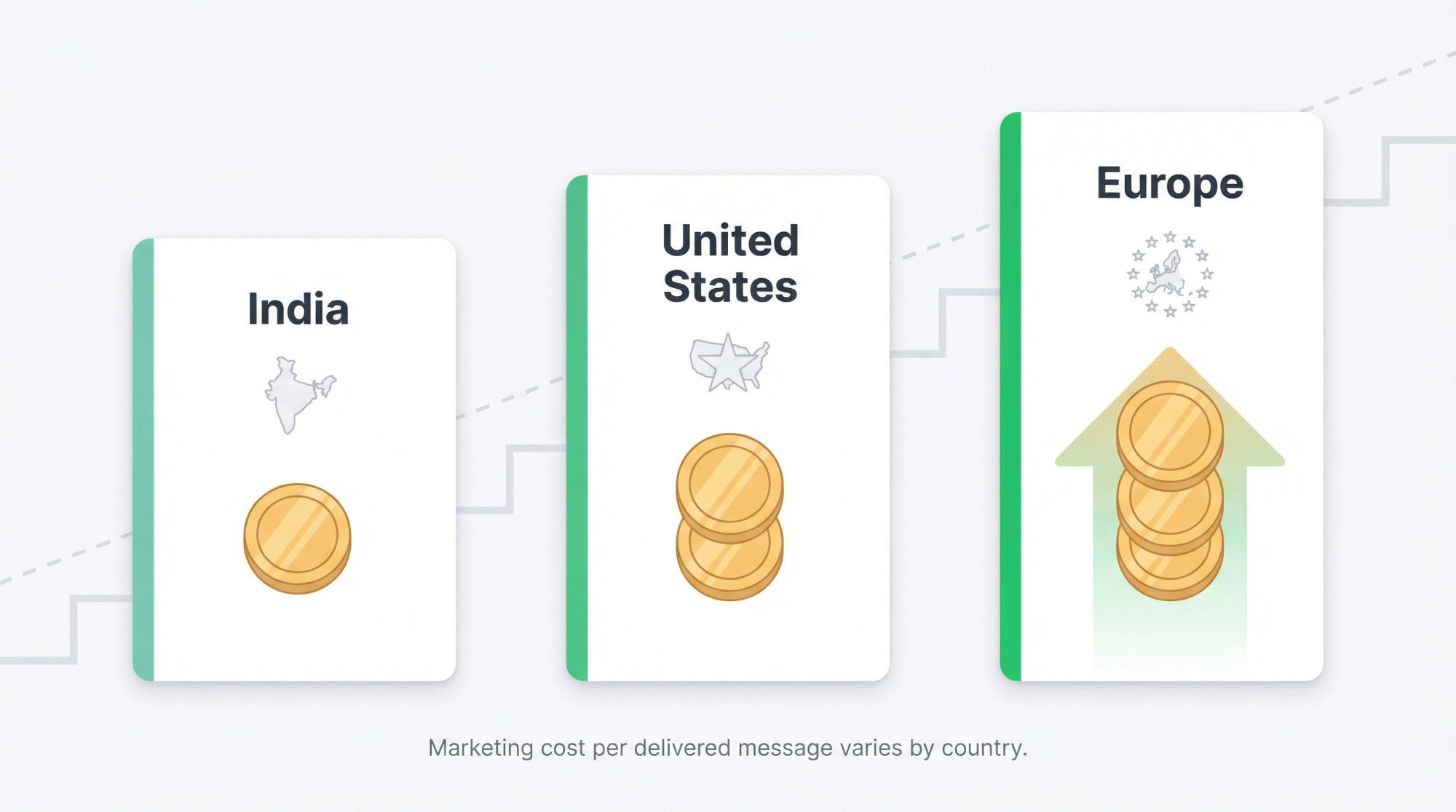
Our WhatsApp Business API pricing guide includes a country-by-country rate breakdown. As a rough guide:
- India marketing messages run around $0.019 per delivery
- US messages around $0.035
- European markets can be $0.20+
These are approximate, and Meta updates rate cards periodically. Always check the live rate card in your platform dashboard before large sends.
Better targeting: Fewer, higher-intent recipients beats blasting your entire list. Every irrelevant message is wasted money.
Reply engineering: Design your newsletters to prompt replies, pushing conversations into the free 24-hour service window.
Use utility categories where appropriate: Order updates and reminders typically cost less than marketing messages. Don't classify something as "marketing" if it's actually "utility."
Clean your list: Remove inactive numbers and suppress opted-out users. Spur helps automate this by managing exclusions and opt-out handling within the broadcast flow.
What you track determines what you can improve. Here are the metrics that actually matter for WhatsApp newsletters.
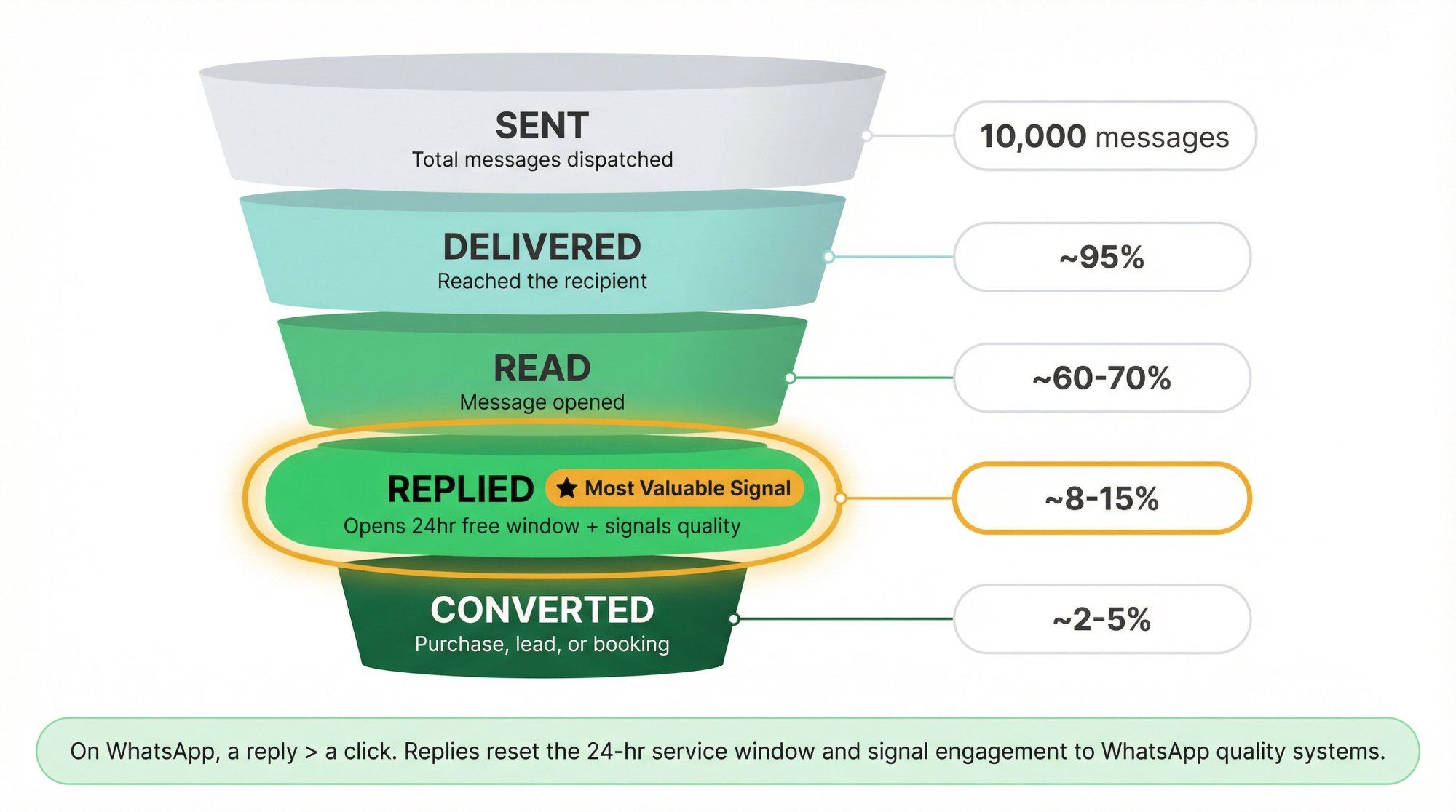
Track sent, delivered, and failed counts. More importantly, track why messages failed: was it an inactive number, a per-user marketing cap, or a quality issue? And watch delivery rate trends by segment over time, not just totals.
Reads, replies, button clicks, and link clicks. On WhatsApp, replies are arguably more valuable than clicks because they open the service window and signal quality.
Purchases, revenue attributed to the broadcast, leads booked, and support tickets deflected. Spur's broadcast analytics ties ROI directly to clicks, orders, and revenue, giving you specific benchmarks for your campaigns.
Spur's Broadcasts product page also emphasizes live metrics and direct revenue attribution, which takes the guesswork out of proving newsletter ROI. You can see our customer case studies for real examples of how brands measure and attribute newsletter revenue.
On WhatsApp, a newsletter is often successful if it starts conversations that later convert, not just if it drives immediate clicks. So also measure your conversation rate per send and your assisted conversion rate (purchases that happen after a reply, not just after a click).
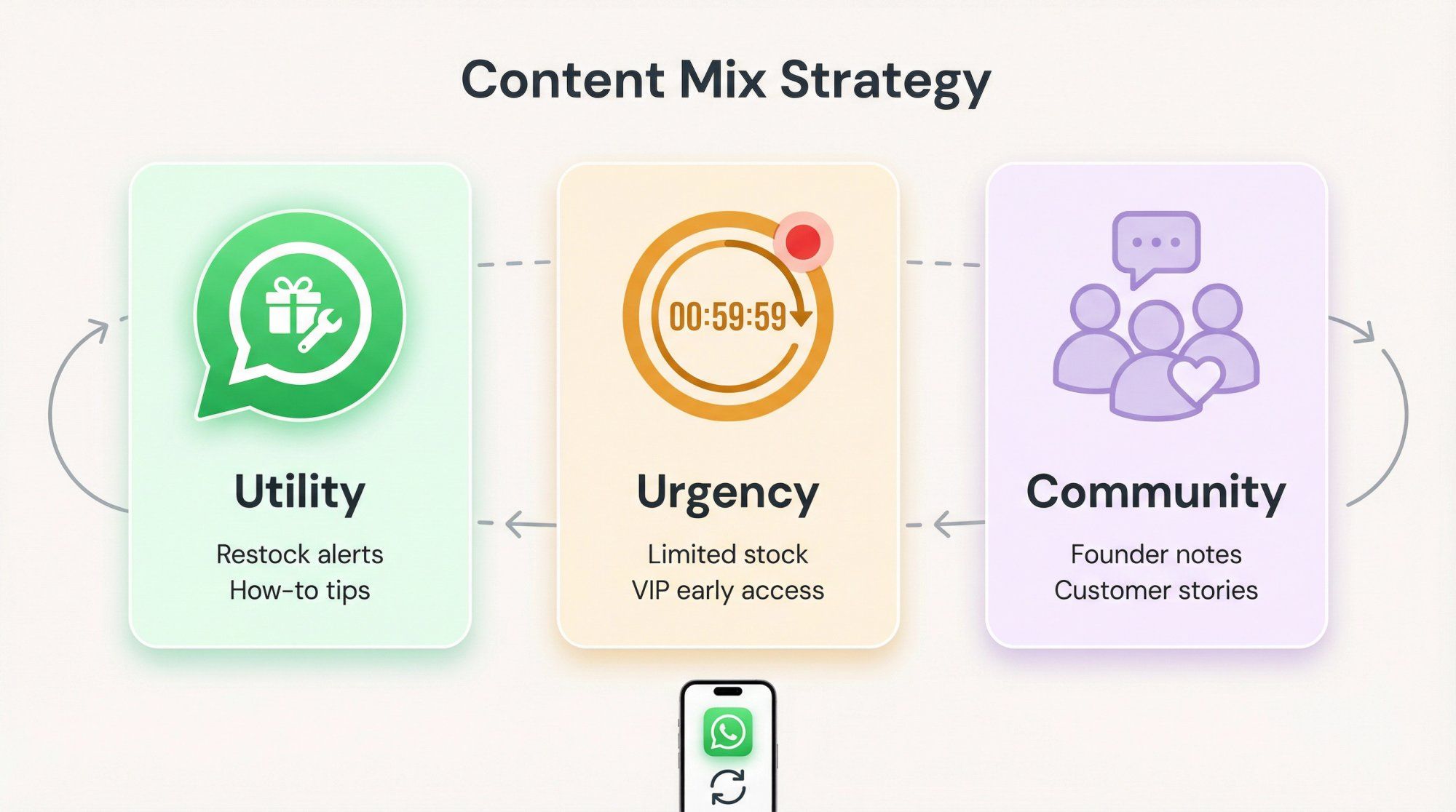
A WhatsApp newsletter needs to earn attention every single time. Three content pillars keep your messages worth opening.
Restock alerts for items they viewed. "How to use" tips for products they bought. Care guides. Sizing help. "What to buy if you liked X" suggestions.
Utility content drives replies, and replies are the engine of a healthy WhatsApp newsletter. The more helpful your messages are, the more engagement you get, and the more flexible your future messaging becomes. Retention marketing with WhatsApp is built almost entirely on this pillar. Useful messages keep subscribers from ever wanting to opt out.
"Stock is low." "Price increases tomorrow." "VIP early access ends at 8 PM."
Use this sparingly. If every message is "urgent," nothing is. But when used authentically, urgency creates action. Ecommerce marketing automation guides like ours show how to blend urgency with utility to maximize conversions without damaging long-term subscriber relationships.
Founder notes. Behind-the-scenes content. Customer stories. User-generated content roundups.
This pillar is how you reduce opt-outs long-term. When your messages feel worth receiving (not just "another promo"), people keep you in their inbox.
The best WhatsApp newsletters mix all three pillars, rotating between them so subscribers never feel like they're on a "discount cannon" mailing list.
When things go wrong at scale, here's what's usually happening and how to fix it.
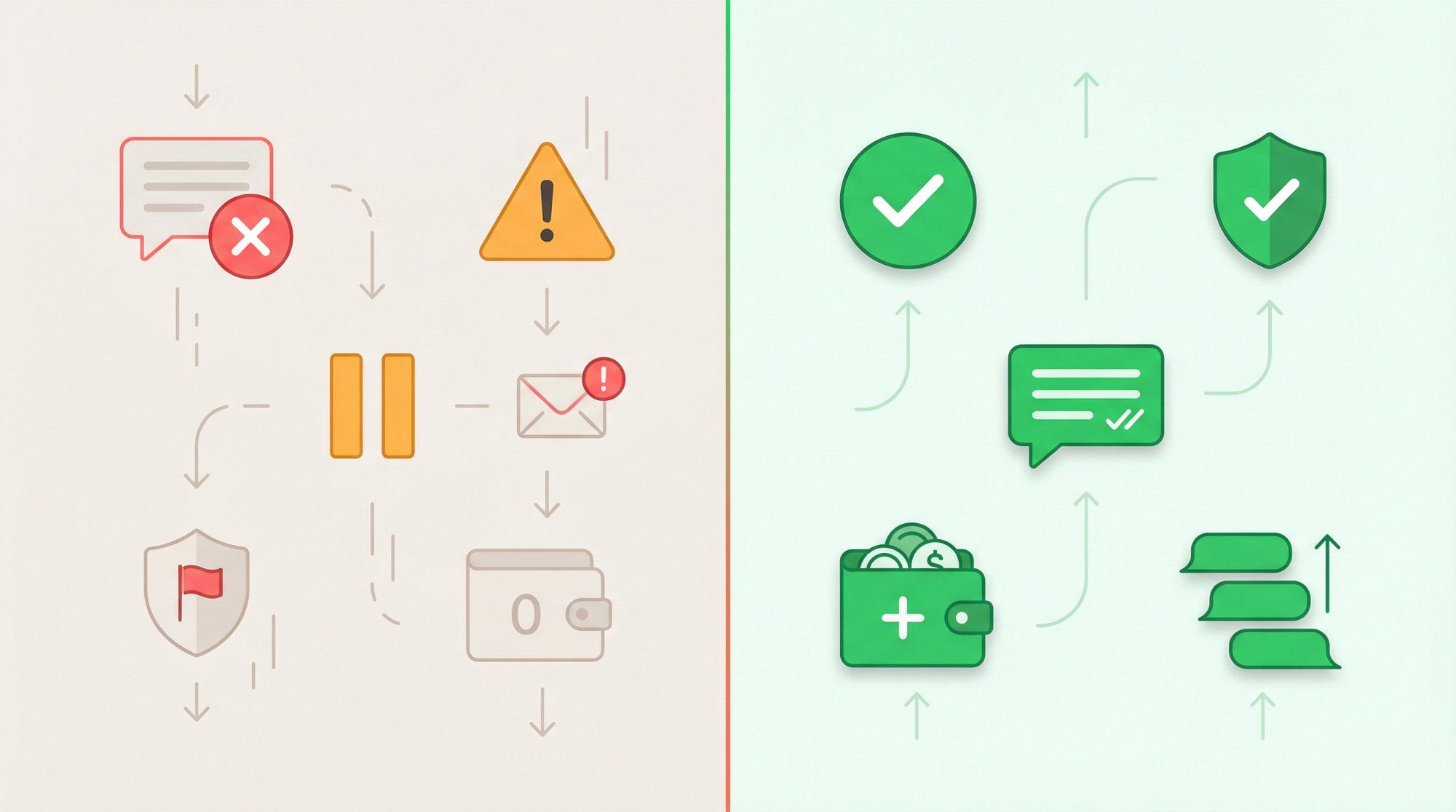
"My template got rejected."
Run through the basics: variables formatted correctly, content is specific (not vague), correct category selected, links are clean and working, and you're not in a restricted vertical. Our comprehensive guide on why WhatsApp templates get rejected includes concrete before-and-after examples for every major rejection reason.
"My template has been pending forever."
It happens during high review volumes. Most single templates approve quickly, but pending reviews can stretch longer. Have backup templates ready and don't wait until the last minute.
"Delivery dropped and I don't know why."
The most common culprits: per-user marketing limits (frequency capping across all businesses), inactive phone numbers on your list, declining quality ratings, or template-level issues. Check each one systematically. Our guide on increasing WhatsApp broadcast delivery walks through a diagnostic process for each failure mode.
"Messages fail only for some users."
This is the signature pattern of per-user marketing limits. It's not that your account is broken; those specific recipients already hit their cap from other businesses messaging them.
"My template got paused."
Low quality feedback can trigger pausing. If it keeps happening, WhatsApp may disable the template entirely, which breaks any broadcast or automation depending on it. Monitor quality proactively.
"My account got flagged."
Blocks, reports, and negative feedback from recipients can reduce your quality rating and risk enforcement actions. This is usually a sign you're sending to the wrong audience, too frequently, or with low-value content.
"My scheduled broadcast didn't go out."
The boring but real answer: check your wallet balance. If your prepaid WhatsApp messaging wallet is empty, delivery stops until you recharge. Spur recommends enabling auto-recharge so this never catches you off guard.
Before every WhatsApp newsletter broadcast, run through this checklist.
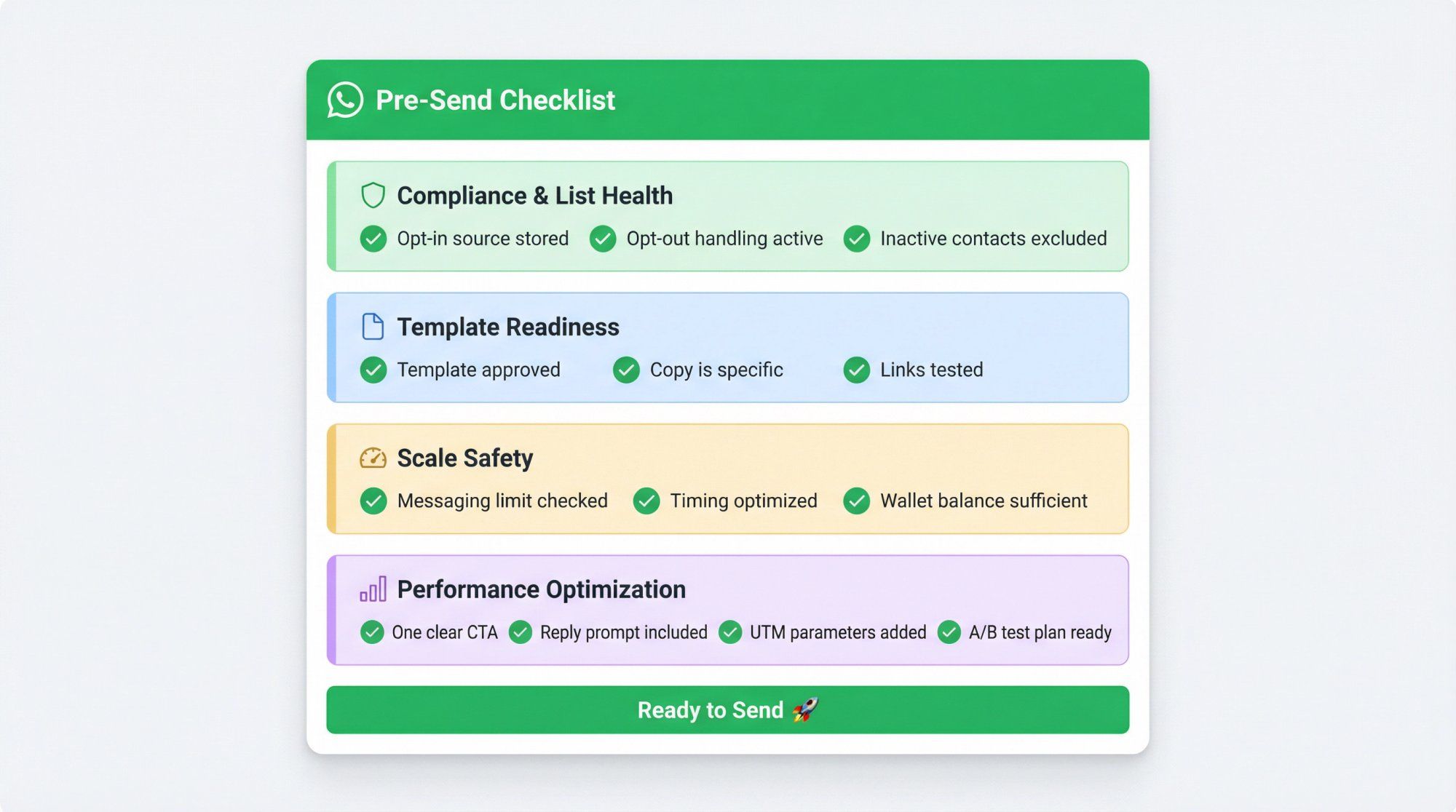
- Opt-in source and timestamp stored for every recipient
- Opt-out handling is active and tested
- Opted-out and inactive contacts excluded from the broadcast
- Template is approved and categorized correctly
- Copy is specific (no vague placeholder text)
- All links are clean and tested
- Messaging limit checked; broadcast size fits your current tier (or is split across days)
- Timing avoids "early day pileup" that increases per-user cap collisions
- Wallet balance is sufficient; auto-recharge is enabled
- One clear CTA per message
- One reply prompt to turn the newsletter into a conversation
- UTM parameters on links for attribution tracking
- A/B test plan ready (if you have enough volume)
A WhatsApp Channel is a public broadcast feature built into WhatsApp, similar to a Telegram channel. Anyone can follow it, and there's no personalization or segmentation. A "WhatsApp newsletter" (as most businesses use the term) refers to sending targeted, personalized template messages to opted-in contacts via the WhatsApp Business Platform (API). The API version gives you segmentation, scheduling, analytics, and automation. Channels are free but limited; API newsletters cost per message but offer full marketing capabilities.
Yes. The standard WhatsApp Business app caps broadcast lists at 256 recipients, offers no scheduling, and provides no analytics. If you need to send to more than a few hundred contacts, segment your audience, schedule deliveries, or track performance, you need the WhatsApp Business Platform through a provider like Spur.
You pay per delivered message, with pricing depending on the message category (marketing, utility, authentication, service) and the recipient's country. Marketing messages are typically the most expensive category. As a rough guide: India marketing messages run around $0.019 per delivery, US messages around $0.035, and European markets can be $0.20+. You also pay a platform subscription fee. Spur's pricing starts at $12/month billed annually, and WhatsApp charges are deducted from a prepaid wallet.
Most brands find 1-2 newsletter-style sends per week is the sweet spot, supplemented by automated lifecycle messages (order updates, restock alerts, etc.). Going beyond that risks opt-outs, blocks, and quality rating drops. WhatsApp is a high-attention channel, so each message needs to justify the interruption.
WhatsApp won't ban you for sending newsletters if you follow the rules: proper opt-in consent, approved templates, respectful frequency, and immediate opt-out compliance. What gets accounts flagged or restricted is sending to contacts who didn't opt in, ignoring opt-out requests, sending low-value spam at high frequency, or using scraped/purchased contact lists. Play by the rules and focus on quality, and your account will scale smoothly.
There's no universal "best time" because it depends on your audience's habits, time zones, and industry. The best approach is to A/B test send windows. Start with two windows per segment (for example, late morning vs. early evening), measure which one drives more reads, replies, and conversions, then optimize from there. Spur includes built-in A/B testing for broadcasts to make this easy.
You'll need to fix the issue and resubmit. Common rejection reasons include incorrect variable formatting, vague or misleading content, broken links, or mismatched categories. Spur's Help Center has a template rejection guide with specific examples of what goes wrong and how to fix it. Most resubmissions get approved quickly once the issues are addressed.
Yes. WhatsApp message templates support rich media including images, videos, documents, and interactive elements like buttons and quick replies. Using media strategically (product images, short demo videos, carousel-style layouts) can significantly boost engagement and click-through rates compared to text-only messages.
The most effective channels are checkout opt-ins (for ecommerce), click-to-WhatsApp ads (which also give you a 72-hour free messaging window), QR codes on packaging or in-store displays, and website chat widgets that capture phone numbers. The key is making the opt-in feel valuable: "Get order updates and exclusive offers on WhatsApp" converts better than "Subscribe to our WhatsApp list." Our WhatsApp lead generation guide covers six proven strategies for building a high-quality subscriber list.
Track three layers: delivery health (sent, delivered, failed, and why), engagement (reads, replies, button clicks, link clicks), and outcomes (purchases, revenue attributed, leads booked). On WhatsApp, replies are often a more valuable metric than clicks because they open the free 24-hour service window and signal engagement quality to WhatsApp. Spur's broadcast analytics dashboard tracks all of these with direct revenue attribution.
A WhatsApp newsletter isn't just an email newsletter on a different channel. It's a fundamentally different communication model built around trust, relevance, and conversation. The brands that succeed treat each message as a chance to start a valuable interaction, not just push a promotion.
The system we've laid out (opt-in collection, smart segmentation, pre-approved templates, intelligent scheduling, reply-driven follow-ups, and rigorous measurement) is exactly how we built Spur's messaging platform. Every piece of this guide maps directly to features you can use inside Spur today.
Our workflow builder powers your automations. Our broadcasts product handles splitting, scheduling, and delivery pacing at scale.
Start your free 7-day trial and send your first WhatsApp newsletter this week.