Key takeaways
- Direct Send lets a business send utility messages after WhatsApp's 24-hour window in its own words, without creating a template first.
- The strongest use cases are late replies, order and delivery updates, refunds, support follow-ups, bookings, cash on delivery checks and feedback on a specific order.
- One-time passcodes can use Direct Send's authentication category, which is still in beta and needs separate access from Meta.
- Promotions, cart reminders, renewal offers and credits for delays are marketing in Meta's guidelines and must never go through Direct Send.
- In Spur, typed agent replies after the window go through Direct Send on Cloud API and Onextel numbers that Meta has enabled, with Magic Message as the fallback.
Ask an AI about this article
WhatsApp Direct Send use cases are the utility and authentication messages a business can now send without a template: replies after the 24-hour window, order and delivery updates, returns and refunds, support follow-ups, bookings, payment confirmations, feedback on a specific order and one-time passcodes. Promotions are not on the list. Spur already uses Direct Send for agent replies after the window, so this guide also shows how it works in the inbox.
Each example below says why Meta treats it as utility, so you can write your own without crossing into marketing. If you are new to the feature itself, start with what WhatsApp Direct Send is and how Meta generates its templates. Everything here was checked against Meta's documentation on 16 October 2026.
Why Direct Send matters after the 24-hour window
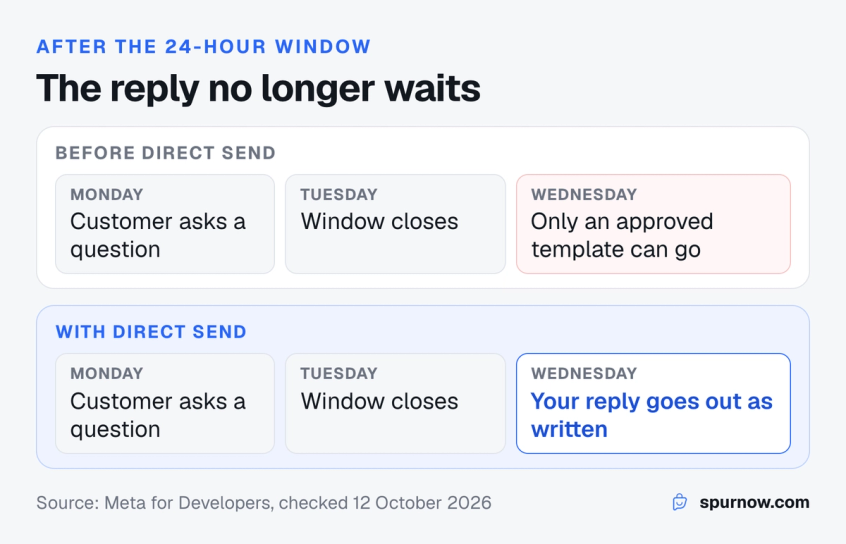
Under WhatsApp's 24-hour customer service window policy, a business on the WhatsApp Business API can reply without a template for 24 hours after a customer's last message. Once that window closes, the only standard way to reach them has been a template that Meta has reviewed and approved in advance.
Say a support agent sees a question a day late. They either write a new template and wait for Meta to approve it, knowing WhatsApp templates get rejected for small wording choices, or send a generic one that says "please reply to continue".
Direct Send removes that wait for utility messages. You write the reply or update as you need it and send it with a utility category. Meta matches it to a template or creates one behind the scenes, and the customer sees your actual message.
- It costs the same as a utility template. Meta charges each delivered Direct Send utility message at the utility rate for the customer's country, as our WhatsApp Business API pricing guide breaks down.
- It is not a reason to skip normal replies. While the window is open, a normal reply needs no category, and each business number gets 1,000 free service messages a month before Meta charges for them.
- It only covers utility and authentication. The moment a message tries to sell, it is marketing. Sending it through Direct Send gets the template flagged and, if it keeps happening, your access restricted.
Not sure which message type you need? Our breakdown of WhatsApp service message pricing explains what each reply costs since 1 October 2026.
8 Direct Send use cases for ecommerce and support teams
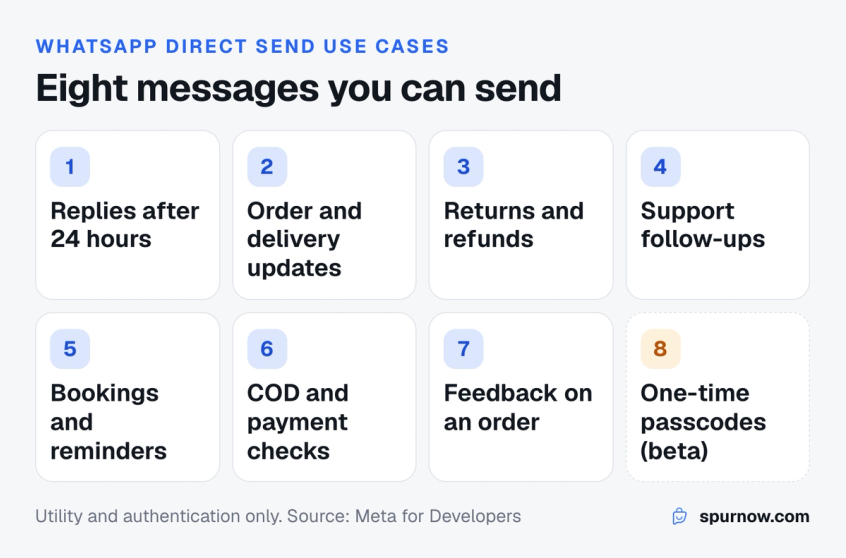
These eight Direct Send use cases cover most of what a D2C brand or support team sends outside the window, and the first seven double as WhatsApp utility message examples you can adapt. Meta's test for utility has two parts, and every utility example passes both: the message is non-promotional, and it is specific to the customer, about their order, account, booking or request.
The examples show everything Meta's API allows, including buttons. In Spur, Direct Send carries the text replies your agents type in the inbox. Automated order updates and cash on delivery checks sent by Spur workflows still use approved templates.
1. Reply to a customer after the 24-hour window
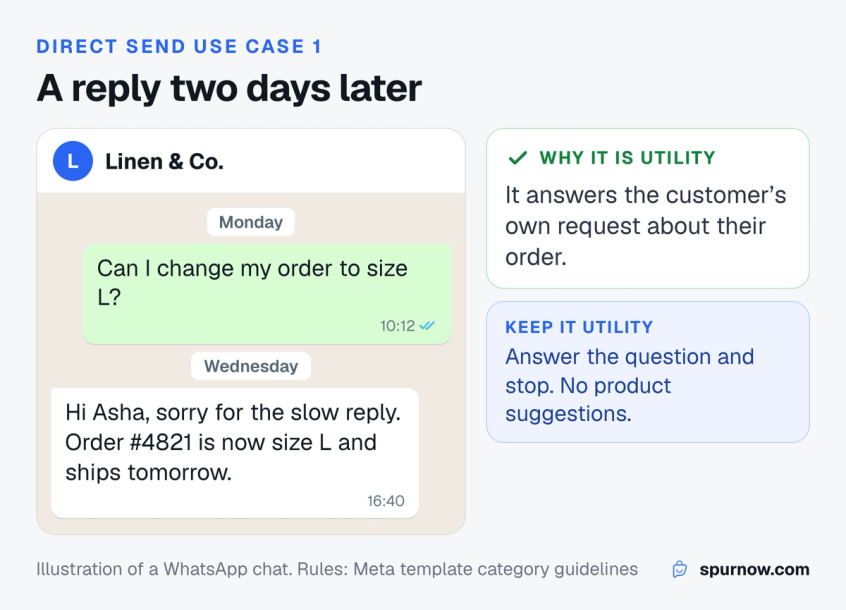
The core use case. A customer asks something, your team answers a day or two later, and the reply reaches them as normal text. Until now Spur sent these late replies as Magic Message templates, with the reply printed onto an image.
Example: "Hi Asha, sorry for the slow reply. We have changed order #4821 from M to L. It ships tomorrow and we will send the tracking link then."
- Why it is utility: it answers the customer's own request about their order.
- Keep it utility: answer the question and stop. A product recommendation is marketing even when the customer asked for it, so keep late replies to their order, account or support case.
2. Order, shipping and delivery updates
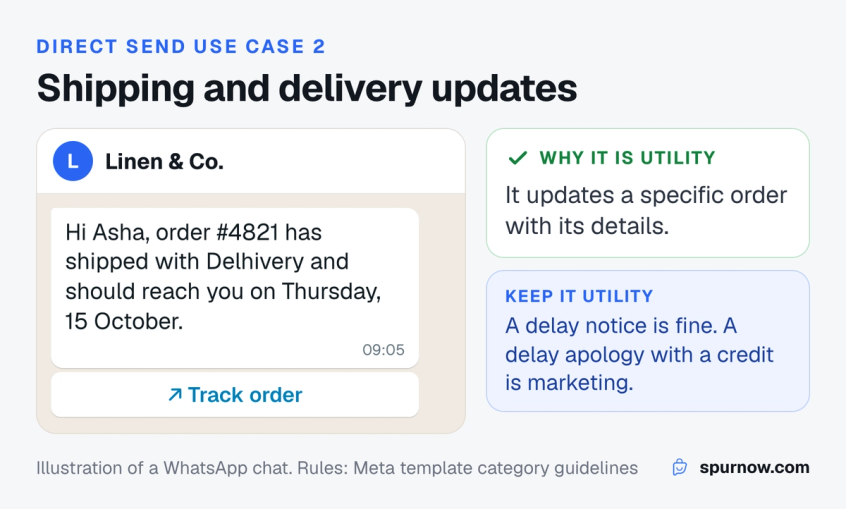
Shipping confirmations, out-for-delivery notices, delays and delivery confirmations can be written in plain words for each order, without a separate approved template for every status.
Example: "Hi Asha, order #4821 has shipped with Delhivery and should reach you on Thursday, 15 October." Add a Track order link button for the tracking page.
- Why it is utility: Meta's guidelines list order confirmations, updates and cancellations with specific order details as utility.
- Delays are fine, credits are not: a delay notice with the new date is utility. Meta's own guidelines classify an apology for a delay that adds a credit to the customer's account as marketing.
Writing these as templates today? These WhatsApp order confirmation template examples show the details every update should carry.
3. Returns, refunds and exchanges
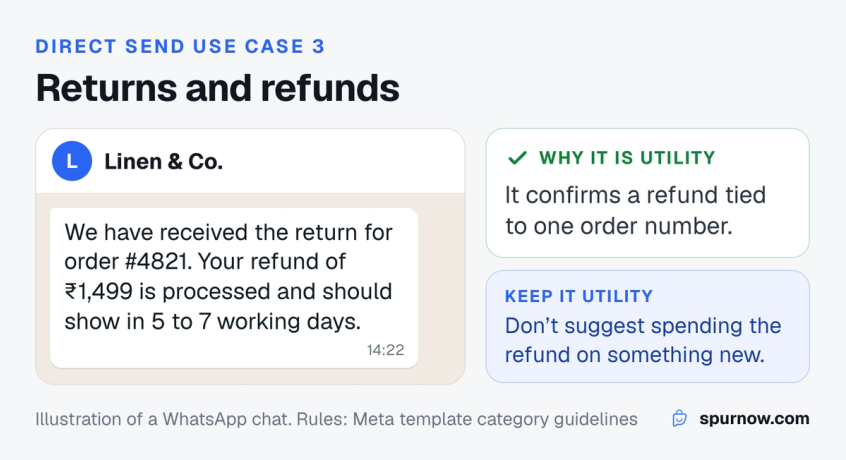
Returns create the most "where is my money?" messages, and they rarely land inside the window. Direct Send lets the agent confirm each step in the customer's own case.
Example: "We have received the return for order #4821. Your refund of ₹1,499 has been processed to your original payment method and should show in 5 to 7 working days."
- Why it is utility: Meta's own utility examples include a refund confirmation tied to an order number.
- Watch the ending: "use this refund on our new collection" turns it into marketing.
4. Support follow-ups
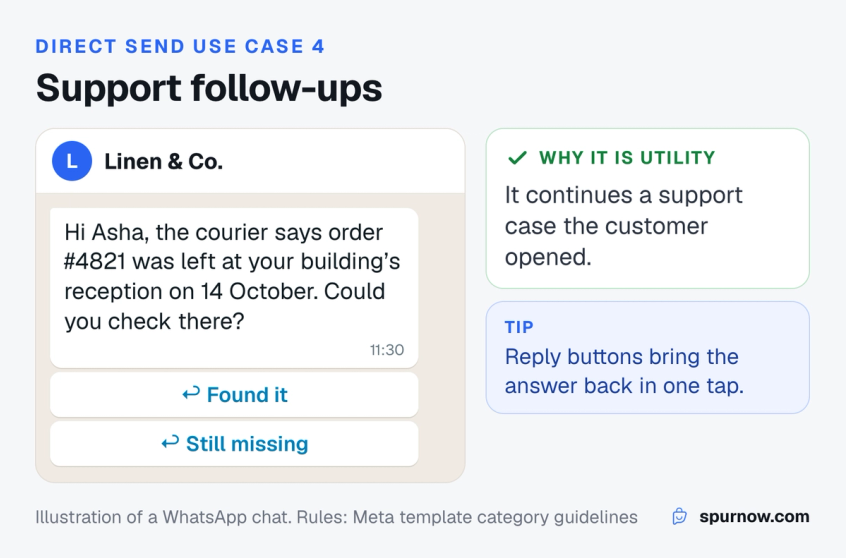
Tickets often need a second message days later: the courier replied, the replacement is ready, or you still need a photo. These follow-ups are the clearest case for Direct Send.
Example: "Hi Asha, about your missing parcel for order #4821: the courier says it was left at your building's reception on 14 October. Could you check there?" Add Found it and Still missing reply buttons so the answer comes back in one tap.
- Why it is utility: it continues a support conversation the customer started.
- Need a call? Direct Send can carry a single Call on WhatsApp button, sent on its own, if the number has calling enabled.
Running support on WhatsApp at scale? See how teams automate customer support without losing the human follow-up.
5. Appointment and booking confirmations
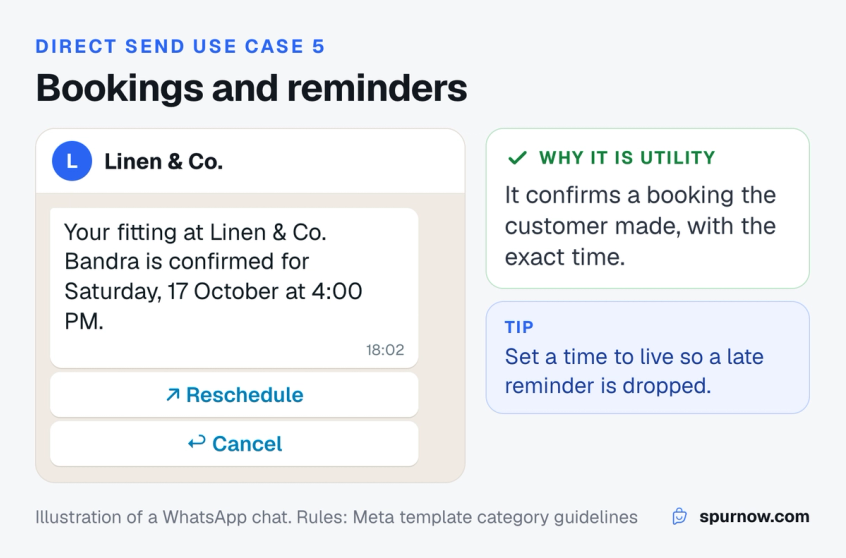
Salons, clinics, studios and stores with fittings can confirm, change or remind a booking with the exact details, and offer Reschedule and Cancel buttons.
Example: "Your fitting at Linen & Co. Bandra is confirmed for Saturday, 17 October at 4:00 PM. Reply if you need to move it."
- Why it is utility: it confirms a booking the customer made, with the exact time, so it is specific to them and has no promotional intent.
- Set a time to live: if you send through the API, add ttl_seconds so a same-day reminder is dropped if it cannot be delivered within a few hours, rather than arriving after the appointment.
6. Cash on delivery and payment confirmations
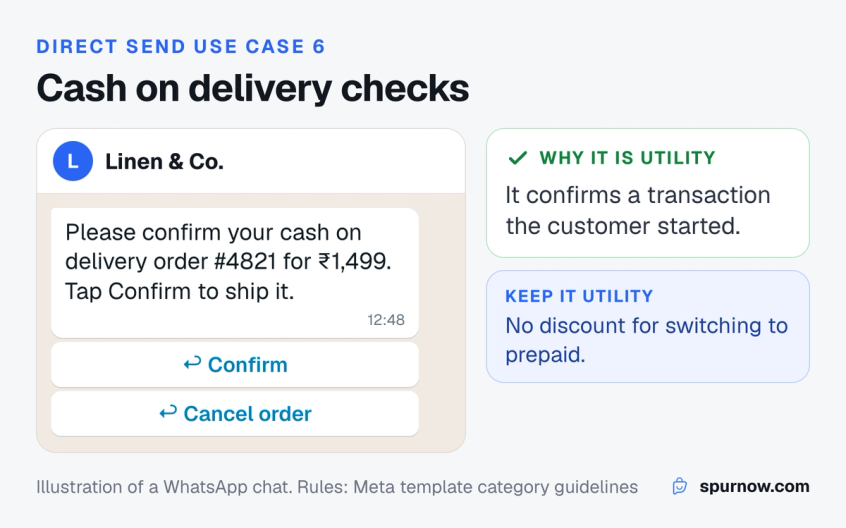
For brands that take cash on delivery, a confirmation before dispatch lets the customer confirm or cancel before you pay to ship it. It is one of the order flows covered in our guide to WhatsApp for ecommerce. Payment notices, like a failed payment on a placed order, work the same way.
Example: "Please confirm your cash on delivery order #4821 for ₹1,499. Tap Confirm to ship it or Cancel if you did not place it."
- Why it is utility: it confirms a transaction the customer started, with its specific details.
- Keep it plain: asking them to switch to prepaid for a discount makes it marketing.
7. Feedback on a specific order
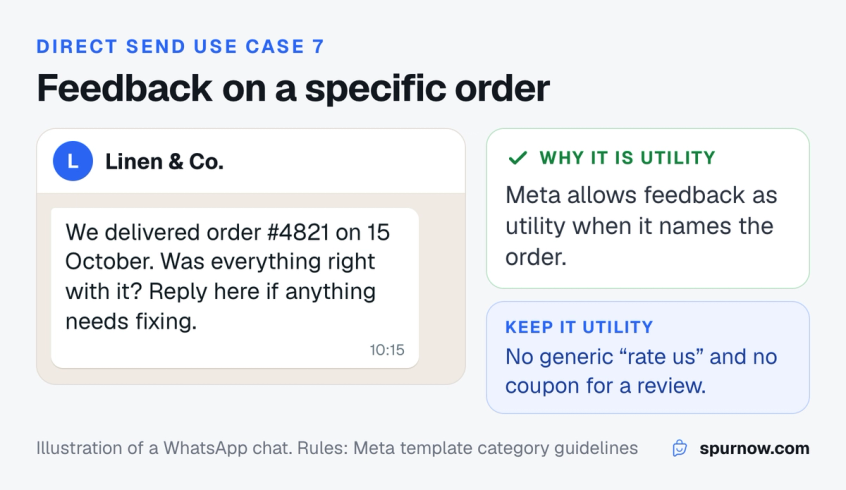
A short check-in after delivery catches problems before they become reviews. Meta allows feedback requests as utility only when they are tied to a specific order or interaction.
Example: "We delivered order #4821 on 15 October. Was everything right with it? Reply here if anything needs fixing."
- Why it is utility: Meta's guidelines list feedback on a previous order as utility, provided it names that order.
- What fails: a generic "rate us" survey, or a review request that offers a coupon in return.
8. One-time passcodes (authentication, beta)
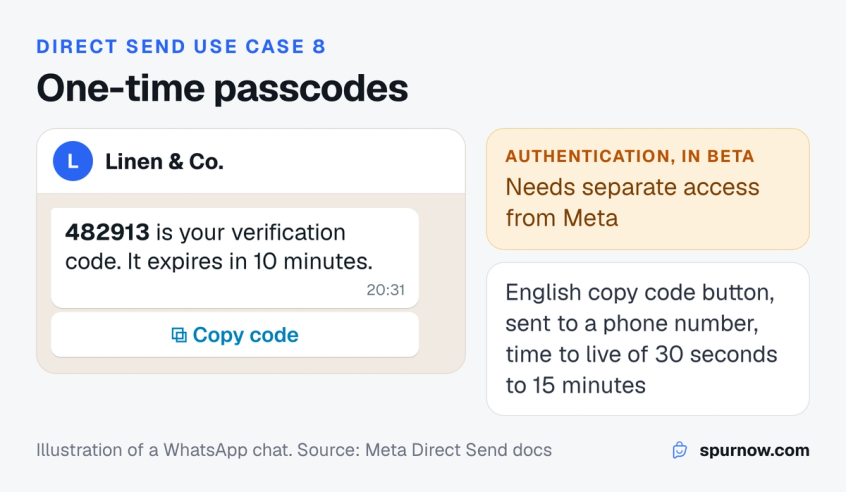
Login and checkout codes can go through Direct Send's authentication category, which is still in beta and needs separate access from Meta.
Example: "482913 is your verification code. It expires in 10 minutes." Add a Copy code button.
- The limits: text and an English copy code button only, sent to a phone number, with a time to live of 30 seconds to 15 minutes.
- Without beta access: use an authentication template with a one-time password button. Here is how authentication templates for OTPs work on WhatsApp.
Spur's inbox already sends replies after the window through Direct Send once Meta enables it for your account. See how Spur handles WhatsApp support for teams like yours.
What not to send with Direct Send
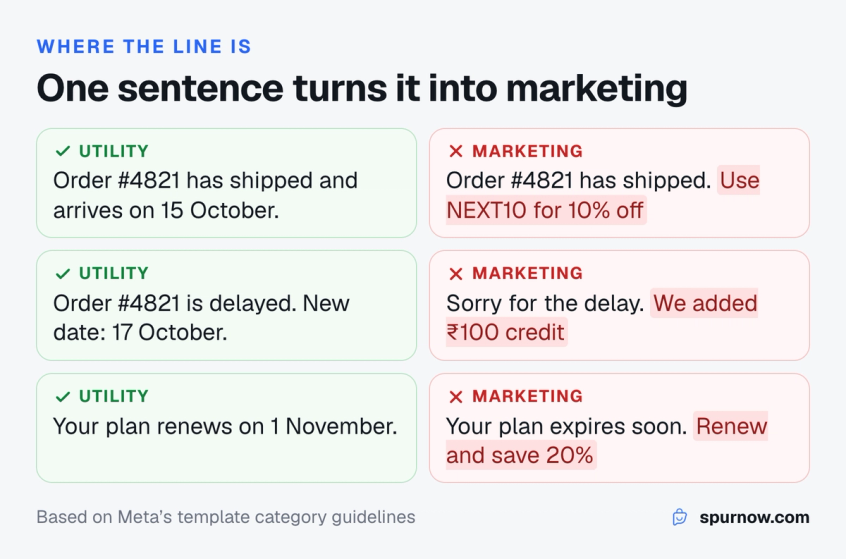
Direct Send is not for promotions, promotional broadcasts or anything persuasive. If you set the category to marketing, the API rejects it with error 100. If you send promotional content as utility, Meta flags the generated template, and repeated misuse brings a warning, a rate limit, 7-day and 30-day blocks, and finally permanent removal of Direct Send.
The line is often one sentence. These pairs are adapted from the examples in Meta's category guidelines:
| Message | Fine for Direct Send | Marketing, so not allowed |
|---|---|---|
| Shipping update | Order #4821 has shipped and arrives on 15 October | Order #4821 has shipped. Use NEXT10 for 10% off your next order |
| Delivery delay | Order #4821 is delayed. New date: 17 October | Sorry for the delay, we have added ₹100 credit to your account |
| Feedback | Was everything right with order #4821? | Rate us and get 15% off |
| Billing | Your plan renews on 1 November on your saved card | Your plan expires soon. Renew today and save 20% |
| Checkout | Confirm your cash on delivery order #4821 | You left items in your cart. Check out now |
Three rules cover almost every case:
- One purpose per message. Mixed content, such as an update with a promo at the end, counts as marketing.
- Name the specific thing. An order number, booking, ticket or account detail. Vague messages like "Congratulations!" read as marketing.
- Send only what the customer expects. Meta's integrity guidelines ask for messages people are expecting, like an appointment reminder.
Already seeing flags? Our guide to WhatsApp template category change alerts covers how Meta moves templates to marketing.
Check your message before you send it
The checker above counts characters against Direct Send's 1,024 limit and looks for promotional phrases like those in Meta's marketing examples, and for links, whose previews Direct Send does not render. It is a quick check, not Meta's classifier, which reads the whole message.
How to use Direct Send in Spur
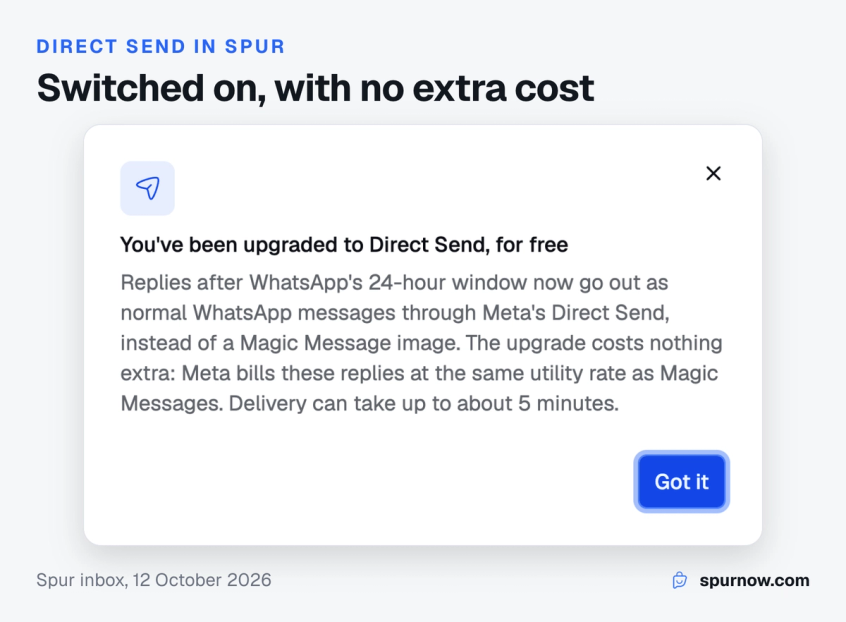
In Spur, Direct Send works inside the inbox your team already uses. There is no separate tool and no template to write.
- Connect a WhatsApp Cloud API or Onextel number. Direct Send runs on these numbers. Numbers on other providers keep using Magic Message.
- Reply as usual after the window closes. In the new Spur inbox and the mobile app, the composer shows a Direct Send badge with a live count against the 1,024-character limit, and the sent message is labelled "Sent via Direct Send".
- Let the first reply test your account. Meta documents no API that tells Spur whether an account is enabled, so Spur sends your real reply through Direct Send. If Meta accepts it, the account is marked enabled and later replies go the same way.
- Keep replies under 1,024 characters. A longer reply goes as a Magic Message instead. If you sign replies with your name, the signature counts toward the limit.
A few details worth knowing:
- What goes through it: text replies your agents type in the Spur inbox, on the web and the mobile app. Broadcasts, workflows, AI agent replies, the API and group chats do not use Direct Send. Replies are text only, so the buttons, time to live and media headers in the examples above are Meta API features that Spur's inbox does not add.
- What it costs: Meta bills each Direct Send reply at the utility rate, the same rate as a Magic Message, so the switch adds no cost.
- Timing: delivery can take up to about 5 minutes.
- Automation: like any agent reply, a Direct Send reply pauses automation for that conversation, by default for an hour.
What Spur does when Meta has not enabled Direct Send
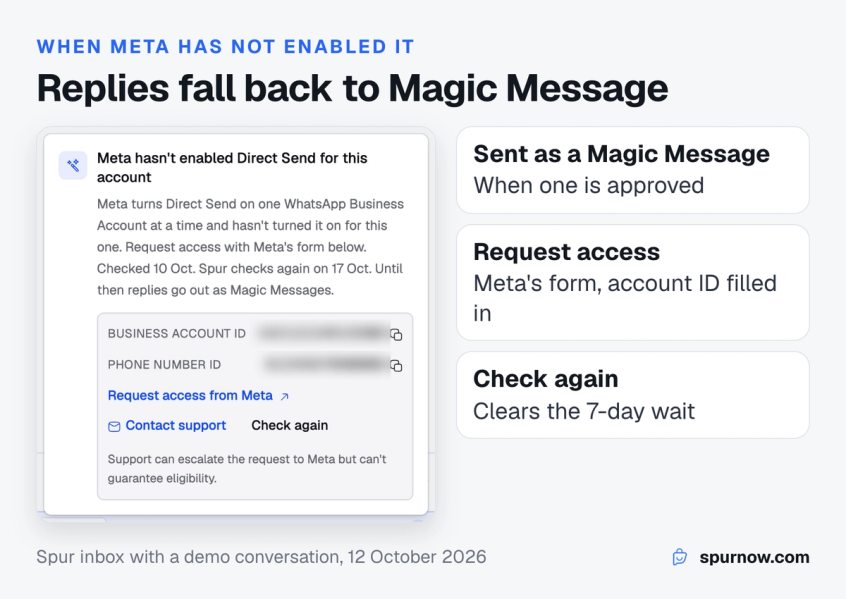
If Meta has not enabled Direct Send for your account, the same reply goes out as a Magic Message, provided the number has an approved Magic Message template, so the customer still hears from you, and Spur tells you why. Without an approved Magic Message, the reply is not sent and the agent sees why.
- What you see: a note that Meta, not Spur, has not enabled Direct Send for this account, with your Business account ID and phone number ID to copy and a Request access from Meta link that opens Meta's form with your Business account ID and business name filled in.
- Contact support: Spur's support team can escalate the request to Meta, but cannot guarantee that Meta enables it.
- When Spur tries again: 7 days later. To try sooner, click Check again (at most once an hour) and the next reply your agent sends will try Direct Send straight away. Clicking it does not send anything, and it does not end a pause set by Meta.
- If Meta pauses Direct Send: after a block, the composer says Direct Send is paused until a date and replies go as Magic Messages. After a rate limit, it says Direct Send is limited, and Meta may refuse Magic Messages too until the limit lifts.
Building out the rest of your support stack? This customer support automation guide covers what to automate and what to keep human.
Bottom line
The strongest Direct Send use cases are the ones your team already does by hand: answering a customer a day late, updating an order, closing a support ticket, confirming a booking or a cash on delivery order.
Keep each message about one specific thing and free of offers, and Direct Send lets you send it in your own words without a template. Promotions stay in marketing templates. If you want those late replies to go out as plain text today, Spur already sends them through Direct Send from the inbox once Meta enables your account, on Cloud API and Onextel numbers, with Magic Message as the fallback.
Frequently asked questions about Direct Send use cases
Yes, if Meta has enabled Direct Send for your account and the message is utility, such as a reply about the customer's order or request. Otherwise you still need an approved template outside the 24-hour window.
No. Meta classifies cart reminders as marketing, even when the customer asked for them. Send them as an approved marketing template.
Not promotional ones. Direct Send carries only utility and authentication messages, so a campaign, offer or promotional announcement needs a marketing template. In Spur, broadcasts always use approved templates and never go through Direct Send.
Not today. In Spur, Direct Send carries an agent's own reply from the inbox. AI agent replies, workflows and broadcasts do not use Direct Send.
The same WhatsApp opt-in rules apply as for any business-initiated message, and Meta's integrity guidelines ask you to send only messages people expect. Direct Send changes how the template is made, not who you can message.
Meta flags the generated template and emails you. You have 60 days to request a review, once per template. Repeated misuse escalates from a warning to a rate limit, 7-day and 30-day blocks, and then permanent removal.
Sources
Checked against the original source. Dates are when we last verified each one.
- Direct Send messages Meta for Developers. Retrieved 12 October 2026
- Direct Send: Supported features and limits Meta for Developers. Retrieved 12 October 2026
- Direct Send: Supported message types Meta for Developers. Retrieved 12 October 2026
- Direct Send: Configure message time-to-live (TTL) Meta for Developers. Retrieved 12 October 2026
- Direct Send: Integrity and content guidelines Meta for Developers. Retrieved 12 October 2026
- Template categorization Meta for Developers. Retrieved 12 October 2026
- Pricing on the WhatsApp Business Platform Meta for Developers. Retrieved 12 October 2026
Was this article useful?