Shared Inbox Software for WhatsApp & Instagram DMs (2026)

Discuss with AI
Get instant insights and ask questions about this topic with AI assistants.
💡 Pro tip: All options include context about this blog post. Feel free to modify the prompt to ask more specific questions!
TL;DR: Most "shared inbox software" you find online was built for email teams. If your customers message you on WhatsApp, Instagram DMs, or Facebook, you need something different. Spur is the shared inbox built specifically for messaging-first teams: one workspace for WhatsApp, Instagram, Facebook, and live chat, with AI agents, automation, and broadcasts included.
If you searched "shared inbox software" and ended up reading reviews for tools that look a lot like Gmail on steroids, you've already run into the problem.
The most-recommended shared inbox tools online are built for email teams. They're good at what they do (turning a shared support@ or info@ address into something a team can manage together). But your customers aren't emailing you. They're sending WhatsApp messages, commenting on your reels, clicking your Instagram DM ads, and expecting a reply within minutes.
That's a different product. And the SERP for this keyword doesn't reflect it yet.
What you actually need is a shared inbox built for messaging channels. One that understands WhatsApp's template rules, Instagram's 24-hour messaging windows, comment-to-DM automation, cart recovery flows, and the reality that a "where is my order?" message on WhatsApp can turn into a repeat purchase in the same conversation. This guide is written for exactly that use case.
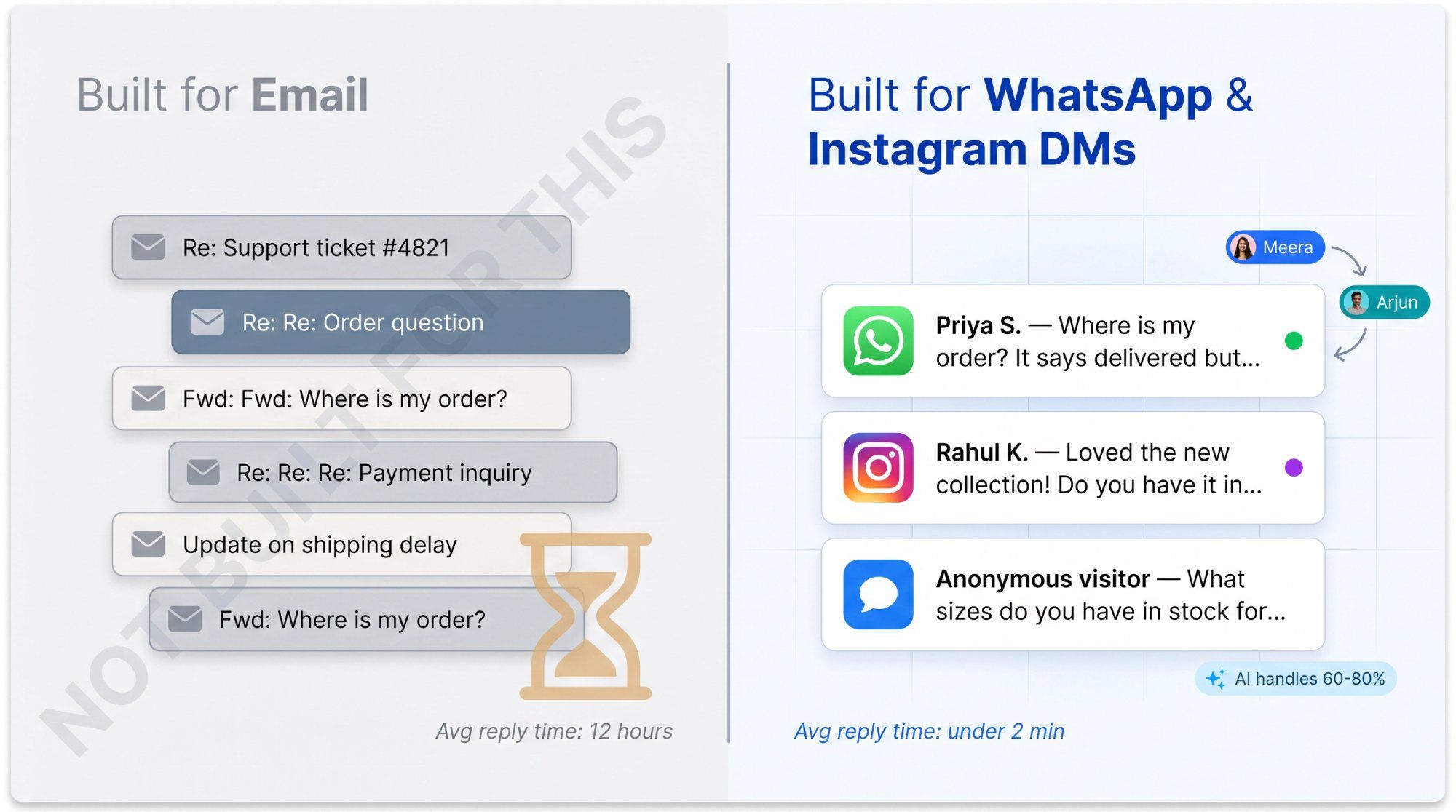
A shared inbox for WhatsApp and DMs gives your team one place to see, reply to, assign, and automate conversations from:
The key difference from a standard helpdesk is this: email helpdesks manage tickets. A messaging-first shared inbox manages live conversations. That changes everything about what the software needs to do.
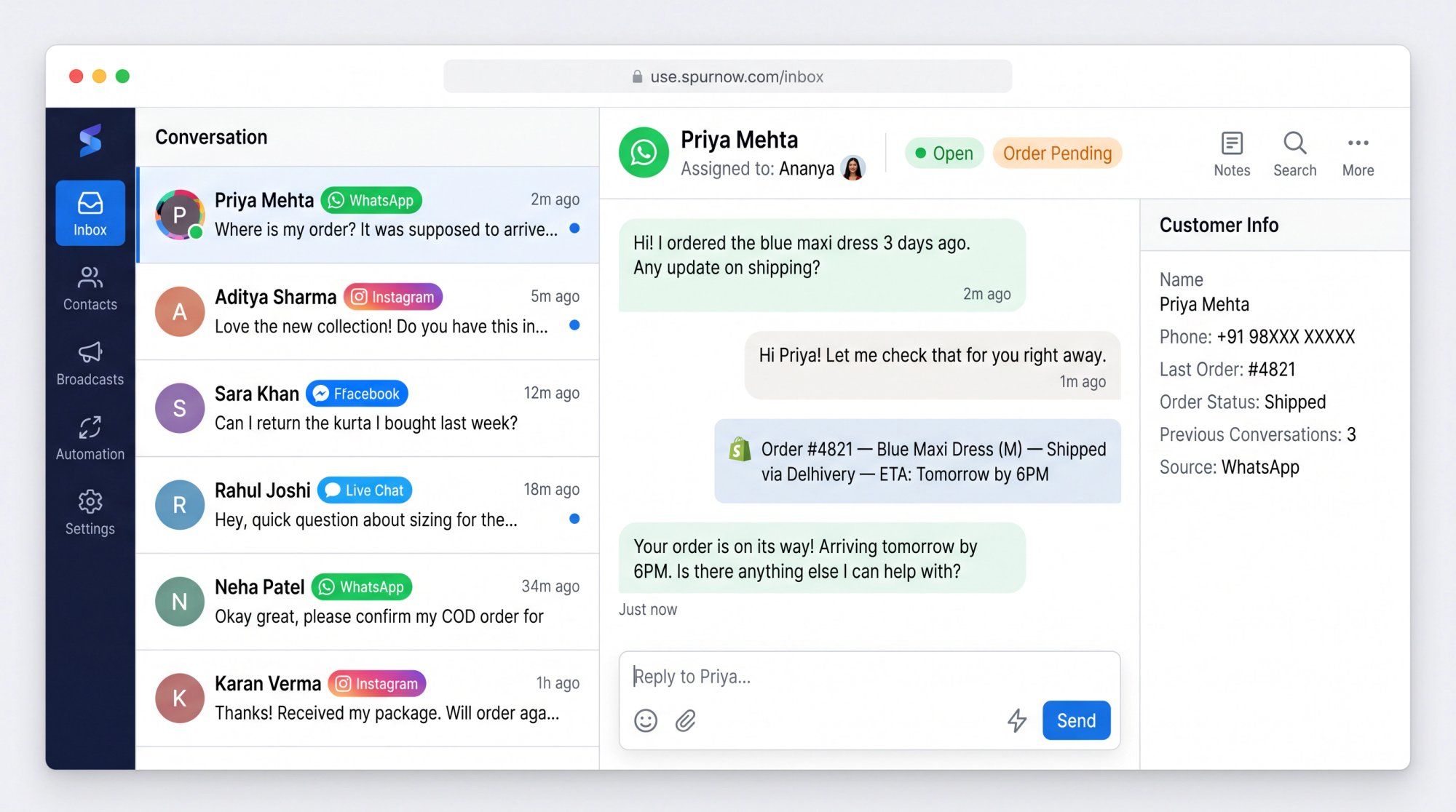
In email, a customer might wait 12 hours for a reply and that's acceptable. On WhatsApp or Instagram, slow replies lose sales. On Instagram, missed comments waste ad spend. On WhatsApp, two agents accidentally replying to the same customer looks unprofessional fast.
So the inbox isn't just a view. It's a coordination system. Conversations need owners, statuses, routing rules, customer context pulled from Shopify or your CRM, saved replies, AI that can handle the repetitive 60-80%, and a clean handoff path to a human when the situation needs one.
Good shared inbox software centralizes messages. A great one changes how the business operates through those conversations.
Email-first tools aren't bad. They're just optimized for a world where messages are asynchronous, customers have email addresses, and the support flow is ticket-in, ticket-out.
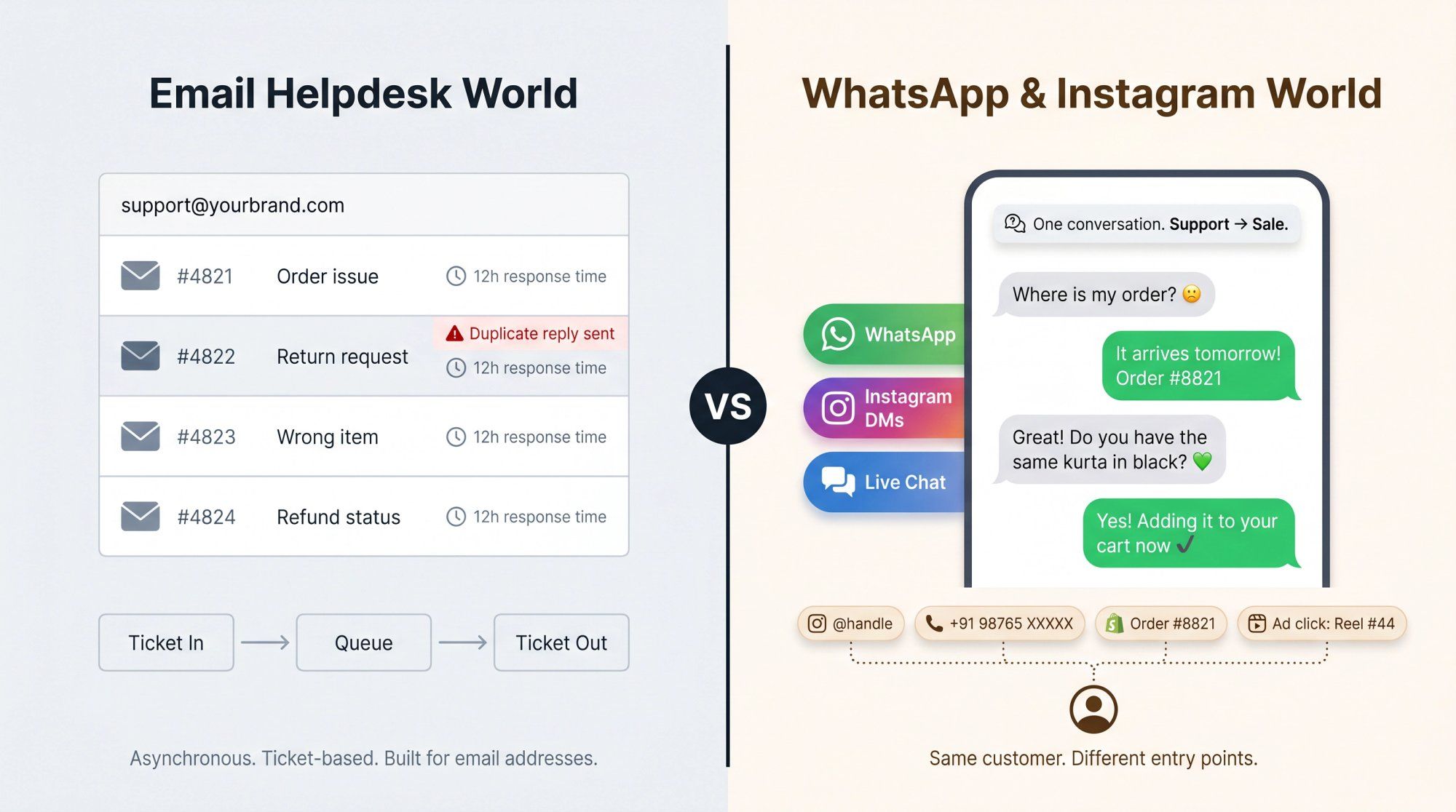
WhatsApp and Instagram DMs work differently at almost every level.
The platform rules are completely different. WhatsApp isn't an open messaging protocol. It's a controlled platform with pricing, compliance, and API rules that email-first tools typically don't account for. WhatsApp's Business Platform pricing charges per delivered template message for marketing, utility, and authentication categories. Service messages sent within the 24-hour customer service window (when a user has messaged you first) are free. When customers message you through a click-to-WhatsApp ad or a Facebook Page CTA, you get a 72-hour free entry point window.
If your shared inbox software doesn't understand these distinctions, you can accidentally build expensive workflows, non-compliant automations, or confusing billing surprises. Instagram and Messenger have their own rules too: standard messaging generally works within a 24-hour window after a user messages your business, and Instagram's API supports private replies in specific cases (like responding to a user who commented on your post or ad).
Customer identity is messier. In email, identity is an email address. In DMs, a customer might come through their Instagram handle, their WhatsApp phone number, a Facebook profile, a Shopify order ID, or an ad click source. And they might switch channels entirely. A good shared inbox for messaging needs to merge enough of this context so your agent isn't asking the same customer for the same information twice.
Support and sales happen in the same conversation. A WhatsApp exchange can start as a support question and become a sale before it's done. Someone asks where their order is, you tell them it arrives tomorrow, and they ask if you have the same kurta in black. That's not just support. That's revenue. An email-first tool built around ticket resolution misses that entirely.
Speed is part of the customer experience. On DMs, slow replies lose leads. Without the right infrastructure, small breakdowns cascade fast:
- Duplicate replies from two agents responding to the same message look unprofessional
- Missed Instagram comments waste the ad spend that drove them
- No routing rules mean the wrong person handles the wrong conversation
- No working hours settings leave customers waiting without context
The cost model has more layers. WhatsApp shared inbox software isn't just a platform subscription. The real cost picture includes seats, extra WhatsApp numbers, additional Instagram accounts, Meta template charges, AI credits, and automation limits. Understanding this upfront prevents budget surprises later.
Evaluating these tools gets confusing fast because every vendor has a long feature list. Here's what separates the tools that work for WhatsApp/DM teams from the ones that look good in demos.
Build your customer communication stack on the official WhatsApp Business Platform and official Meta API-supported flows for Instagram and Messenger. Tools that rely on unofficial methods, QR code hacks, or browser automation put your phone number and customer data at risk. For a business where WhatsApp is a revenue channel, that's not a risk worth taking.
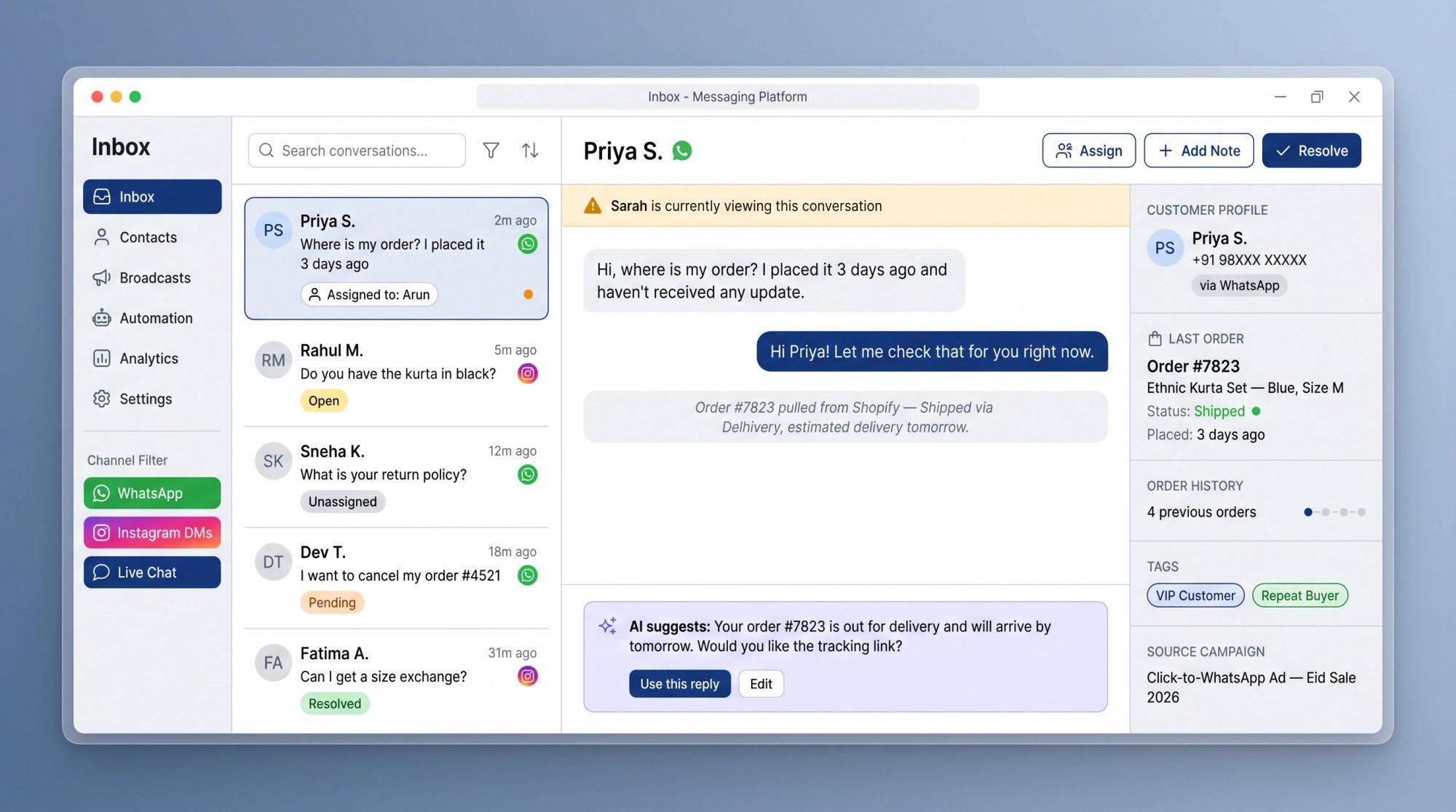
The inbox should show WhatsApp, Instagram DMs, Facebook Messenger, and live chat conversations in one place, while preserving channel context. Our shared inbox does exactly this. One workspace with:
- Omnichannel conversation history
- Routing and canned responses
- Working hours and collision detection
- Analytics and ticketing
- Internal notes, tags, and customer context
Not "just another inbox," but a common workspace designed for messaging channels.
Every conversation should have an owner. The minimum features are:
- Assign to a person or a team
- Unassigned queue with open/pending/resolved statuses
- Priority, internal notes, and transfer
- Complete conversation history
Without clear ownership, shared inboxes become shared blame.
Two agents replying to the same customer at the same time is awkward for everyone. The inbox should show when a teammate is viewing, typing, or already handling a conversation. This is table-stakes, but a lot of tools still get it wrong.
Agents shouldn't need to open five browser tabs to answer one question. Useful context includes:
- Name, phone number, and last order
- Order status and cart contents
- Tags, segment, and source campaign
- Previous conversations and any custom CRM fields
For ecommerce teams, this is a massive practical difference. A "where is my order?" question becomes a 10-second answer instead of a 3-tab hunt.
Generic AI chatbots aren't enough. The AI should know your actual return policy, shipping rules, product catalog, pricing, appointment workflows, and internal escalation rules. Not just general internet knowledge. It should also know when not to answer and hand off to a human when the situation calls for it.
That chatbot-to-human handoff needs to be seamless. Our live chat and AI agent works this way: trained on your business data, capable of taking actions like order lookups, and equipped with a clean handoff to your team.
This is also an important distinction worth understanding: as of 2025, Meta updated its terms in a way that restricted standalone AI assistant products using WhatsApp as their primary distribution channel, while customer support and service chatbots remained permitted. Using AI to support your customers on WhatsApp is different from building a general-purpose AI assistant product on top of WhatsApp. For brands running support, sales, and ecommerce workflows, the official business messaging use cases are clear.
Rules and AI serve different jobs, and the best setup uses both:
| What needs doing | Use this |
|---|---|
| Collect phone number, confirm COD, send tracking link | Rule-based automation |
| Route to returns team, send after-hours message | Rule-based automation |
| "Do you deliver to Jaipur?" | AI |
| "What's your return policy?" | AI |
| "How do I choose my size?" | AI |
You can build these with a no-code workflow builder rather than needing developer resources.
Many inboxes are support-only. That's not enough for WhatsApp and Instagram teams. A messaging-first tool should support WhatsApp broadcasts, drip campaigns, cart recovery, order updates, comment-to-DM flows, click-to-WhatsApp ad follow-ups, and click-to-Instagram DM follow-ups in the same platform.
One important note: WhatsApp's Business Platform charges per delivered marketing, utility, and authentication template message, so every broadcast campaign has a real cost attached. Good shared inbox software should make it easy to model that cost and measure revenue against it.
For ecommerce brands, a shared inbox without order data is just a prettier place to be confused. Look for integrations with:
- Shopify
- WooCommerce
- Stripe and Razorpay
- Logistics tools and return platforms
Spur's Shopify integration connects abandoned cart alerts, order updates, customer support, and broadcasts to your Shopify data directly.
We built Spur for teams whose customers already live in WhatsApp, Instagram DMs, and website chat. Not as a workaround, but as the primary way they talk.
The core idea is one shared inbox for WhatsApp, Instagram, Facebook, and live chat, with AI agents that actually understand your business, plus the marketing automation tools to run broadcasts, cart recovery, and DM campaigns from the same place. Support and marketing in one stack, not glued together with integrations.
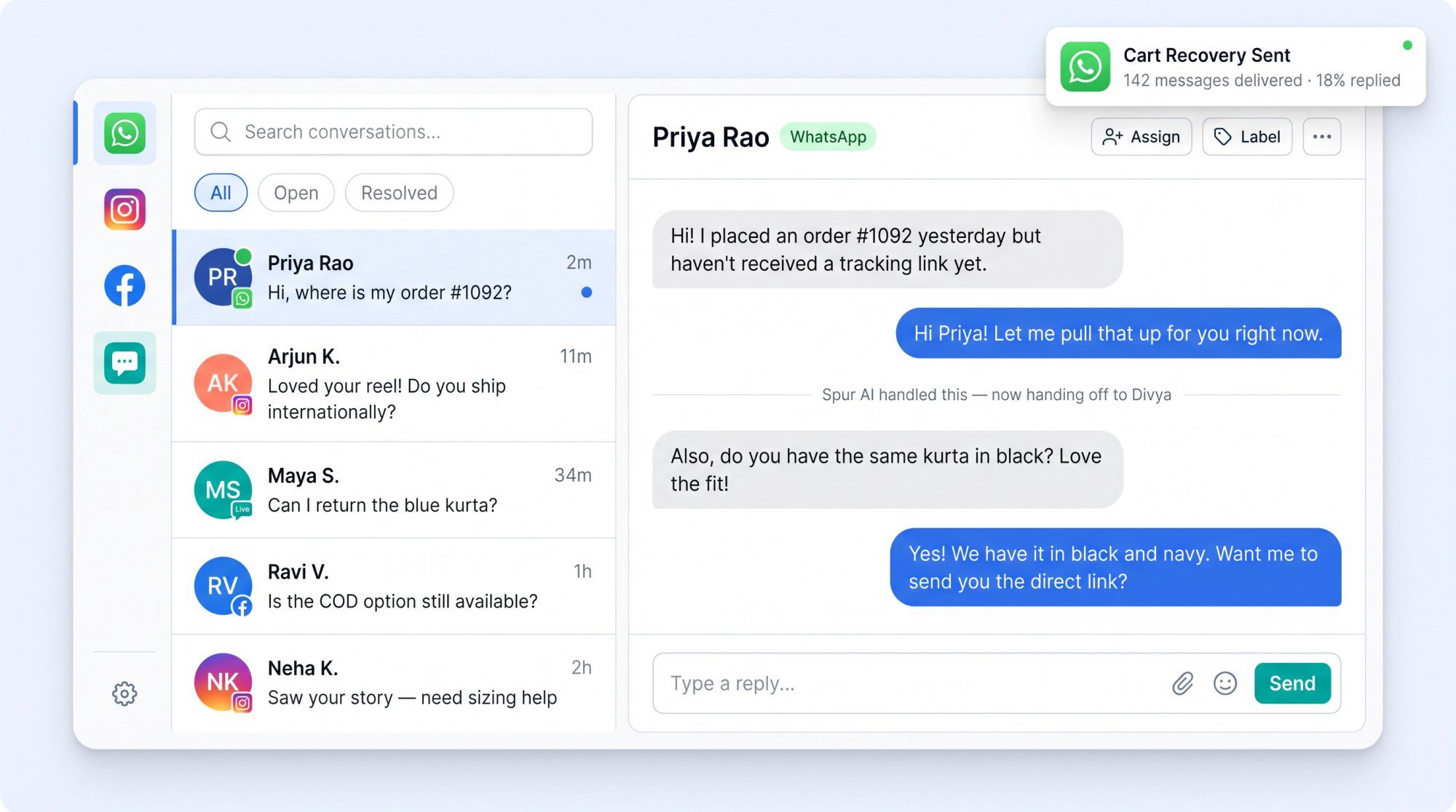
The shared inbox product page shows exactly what this looks like in practice: one coordinated workspace for every customer conversation channel, with full team collaboration tools built in.
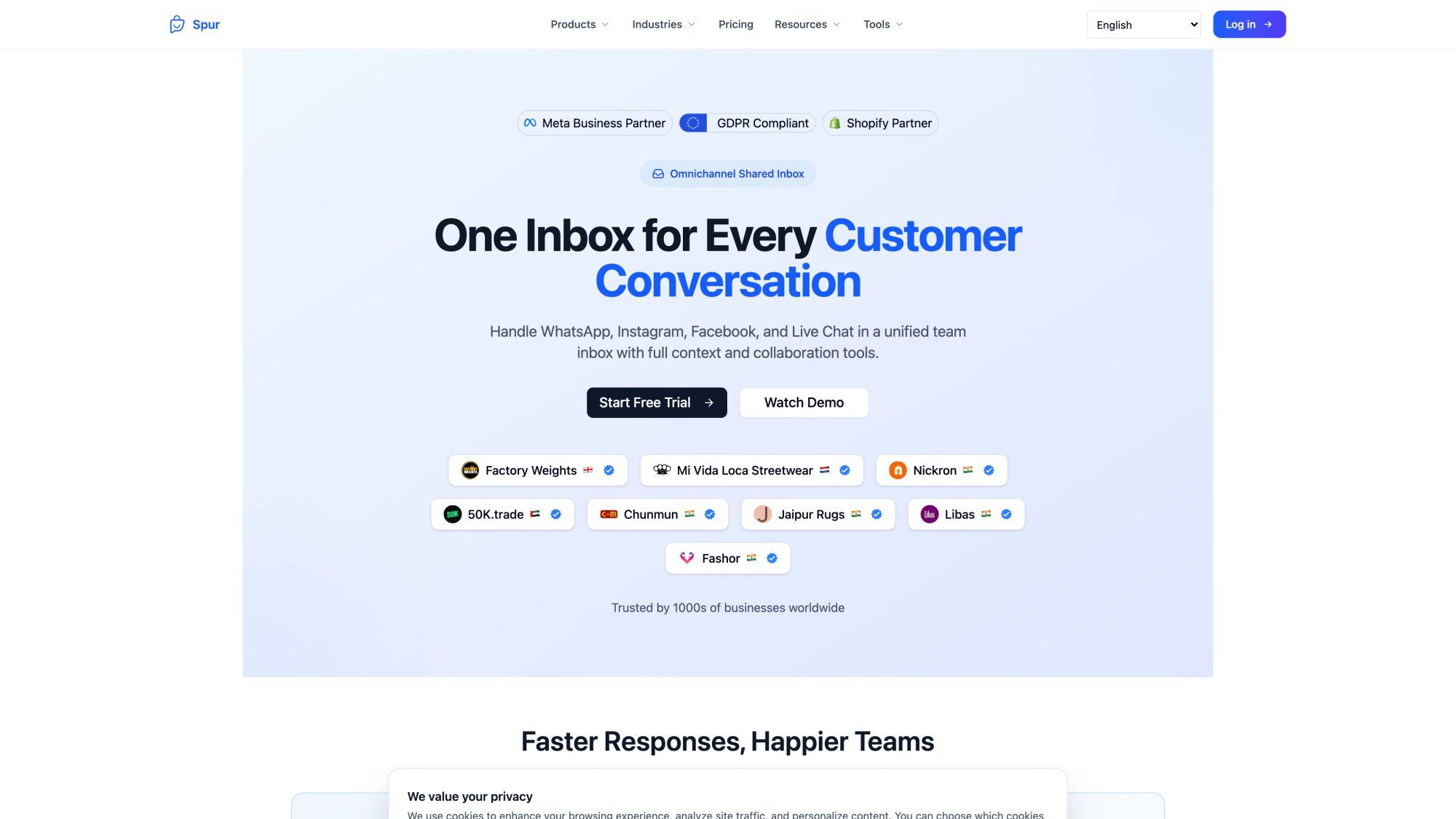
Our WhatsApp product covers broadcasts, drip campaigns, no-code chatbots, a shared team inbox, click-to-WhatsApp ads capture, abandoned checkout recovery, and order/shipping update flows. If your customers are primarily on WhatsApp and you're running a D2C or service business, this is the operational layer you need.
Our Instagram automation handles comment-to-DM flows, story reaction and mention auto-replies, keyword DM automation, and the lead qualification flows that turn Instagram engagement into sales conversations. We're an official Meta Business Partner, which matters for reliability and access to the official Instagram API capabilities.
Our shared inbox gives your team a single workspace across all four channels, with assignment, internal notes, canned replies, collision detection, ticket statuses, working hours, tags, segments, and customer context.
Our AI agents are trained on your knowledge base (your help docs, product pages, return policy, shipping rules, pricing) not generic internet data. And they're actionable: they can look up order status, trigger workflows, book meetings, and call external systems. That's a different thing from a chatbot that can only answer FAQ questions.
Spur is a strong fit if:
- Your customers already message you on WhatsApp and Instagram
- You run click-to-WhatsApp or click-to-Instagram DM campaigns
- Your team needs one inbox for WhatsApp, Instagram, Facebook, and live chat
- You want AI trained on your actual business data
- You run ecommerce and want cart recovery, order updates, and support in the same platform
- You want something simpler and more focused than an enterprise helpdesk
Spur may not be the right primary system if:
- Email is still your main support channel
- You need deep ITIL/SLA enterprise helpdesk workflows
- You need complex call-center infrastructure
- You want a pure CRM pipeline system more than a messaging inbox
That's the honest picture. We're not trying to be everything. We're the practical operating layer for WhatsApp, Instagram DMs, AI agents, and live chat.
Start a free 7-day trial at Spur
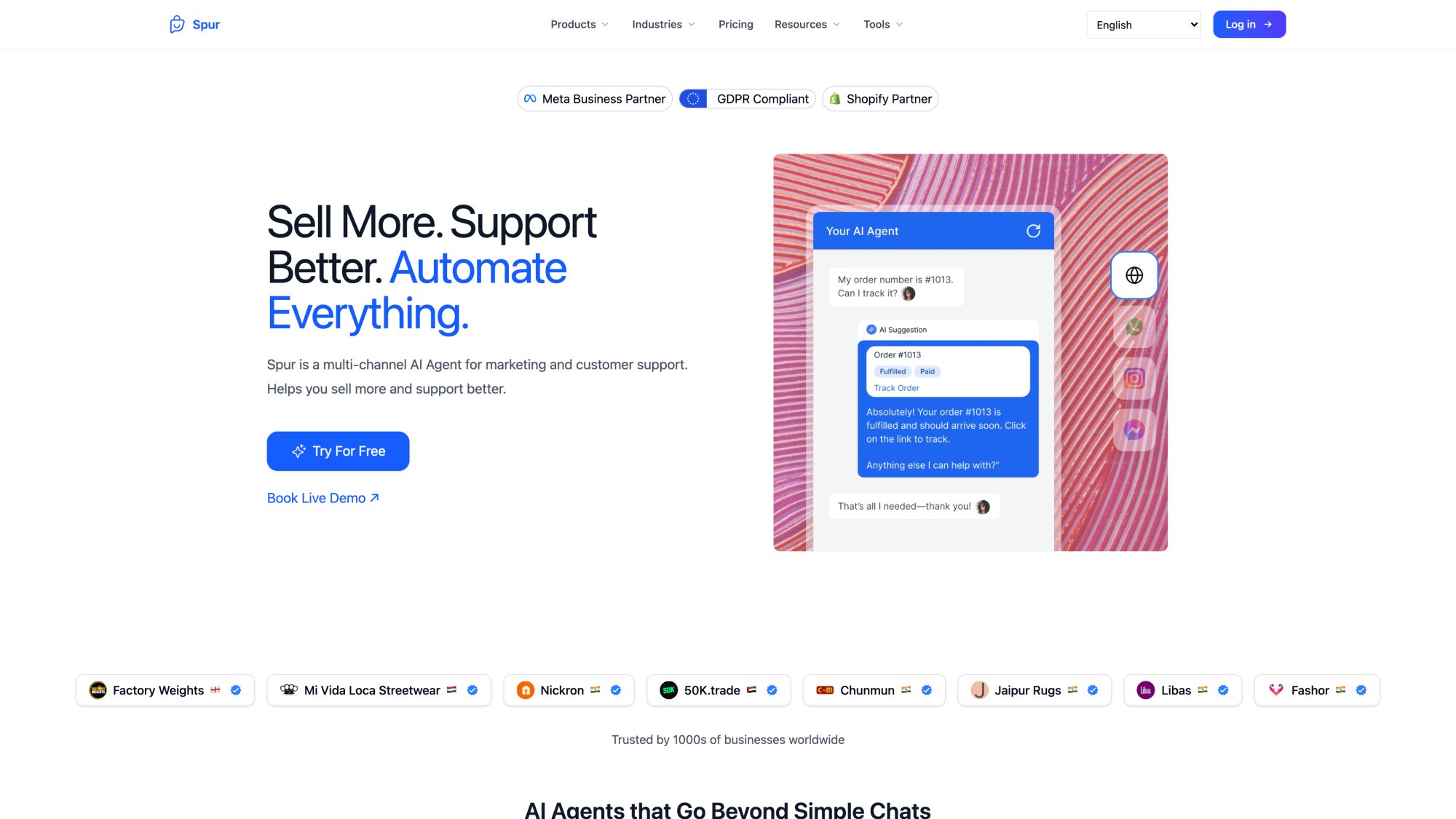
The landscape for messaging-focused shared inboxes is genuinely diverse. Tools are built for different buyers and different jobs. Here's a practical overview.
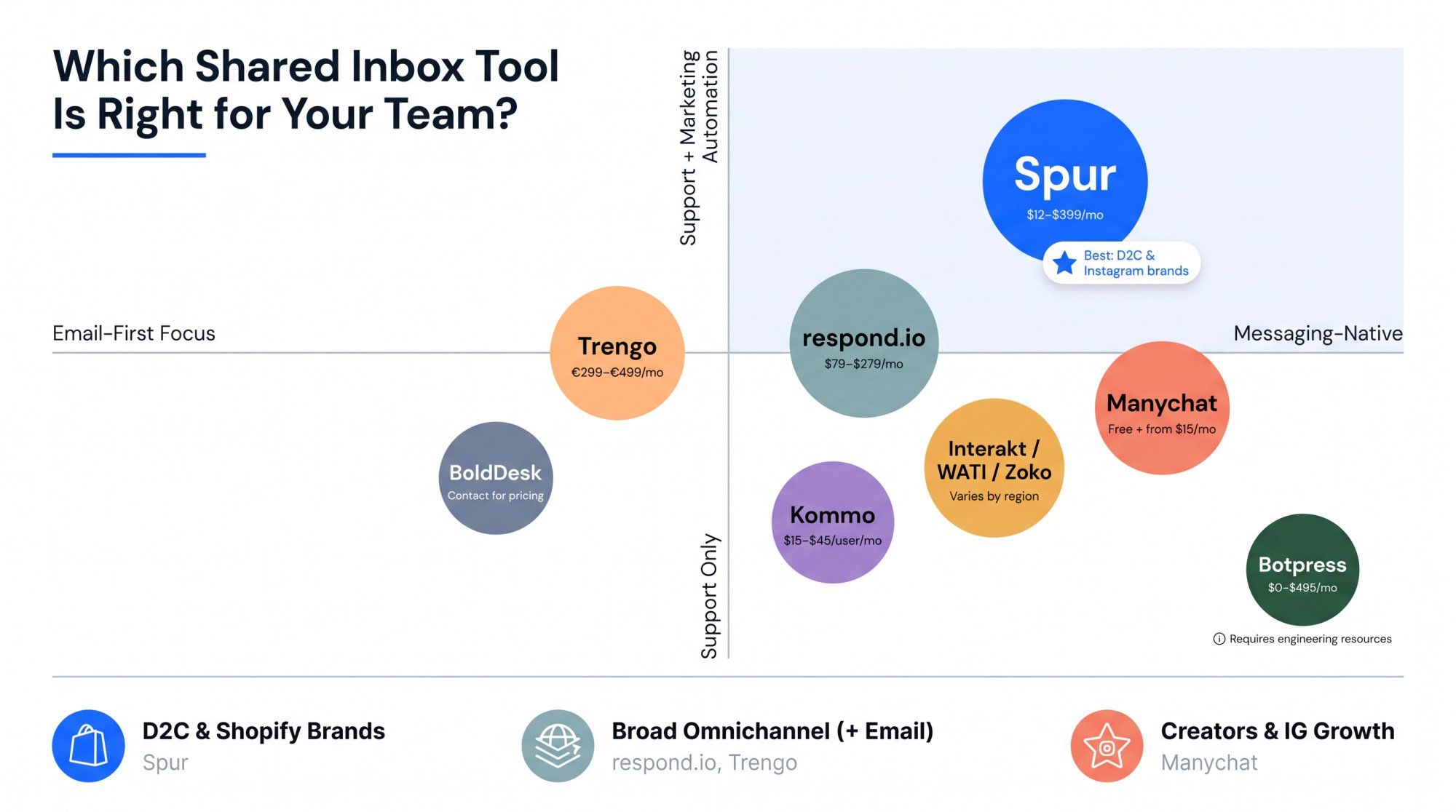
| Tool | Best Fit | Pricing Range (Annual) | Watch Out |
|---|---|---|---|
| Spur | D2C/Shopify, Instagram-first brands, WhatsApp support/sales teams | $12-$399/mo | Best when WhatsApp/DMs/live chat are core; not a heavy email-first helpdesk |
| respond.io | Sales and marketing teams needing broad omnichannel messaging | $79-$279/mo | Pricing tied to monthly active contacts; can grow expensive |
| Trengo | Support teams wanting email + WhatsApp + Instagram + Facebook + live chat | €299-€499/mo | Conversation limits matter; support-suite pricing |
| Manychat | Creators, Instagram automation, social DM marketing | Free + paid from $15/mo | Strong automation; shared inbox depth for support teams varies |
| Interakt / WATI / Zoko | India-focused SMBs, WhatsApp-first commerce | Varies by plan and region | WhatsApp-first; evaluate AI and workflow flexibility carefully |
| Kommo | Sales teams wanting CRM + messengers | $15-$45/user/mo | Better for sales CRM workflows than pure messaging support |
| BoldDesk | Helpdesk teams needing ticketing, knowledge base, live chat, AI copilot | Contact for pricing | Helpdesk-first, not WhatsApp/DM-commerce-first |
| Botpress | Technical teams building custom AI agents | $0 + AI spend to ~$495/mo | Powerful but more technical than a turnkey DM inbox |
One important note about Botpress: they're built for developers who want to design custom AI agent logic. If your team can't allocate engineering cycles to bot building, a turnkey solution will serve you better.
Manychat is strong for creators and Instagram DM growth workflows. For teams that also need a real team support inbox with routing, notes, ticketing, and order context, check how deep the shared inbox functionality actually goes beyond the automation layer.
Respond.io and Trengo are solid broad omnichannel options if you need email plus messaging channels in one place. The pricing scales with active contacts and conversations, so model your cost carefully before committing.
Don't start with "which tool has the most features?" Start with the shape of your conversations.
Are you primarily support-first, sales-first, or growth-first? These aren't just categories. They're different buying criteria:
→ Support teams need ticketing, SLA workflows, agent analytics, and AI deflection.
→ Sales teams need lead routing, qualification flows, CRM stages, and call booking.
→ Growth teams need broadcasts, cart recovery, comment-to-DM, and attribution.
Most businesses need all three, but one usually drives the purchase decision.
What's your primary revenue channel? Be honest about this. If 80% of your leads come from Instagram, you need deep Instagram automation and comment-to-DM capabilities. If 80% of support comes from WhatsApp, you need WhatsApp inbox depth, template management, and cost transparency. If website chat is becoming your main lead engine, you need live chat plus AI plus clean handoff.
How many people reply to customers? For a single person, you need convenience. For three people, you need assignment. For ten people, you need routing, analytics, and permissions. For fifty people, you need security, audit logs, queue management, and possibly something more enterprise. The tool that works for a 3-person team often struggles at 30.
Do you need campaigns, or only replies? This is one of the most common buying mistakes. Some inboxes are great at managing inbound messages but have weak broadcast or drip campaign tools. For WhatsApp and Instagram teams, the ideal stack handles both: reply to inbound messages, automate repetitive support, run campaigns, recover abandoned carts, send order updates, and hand off to humans. All in one place.
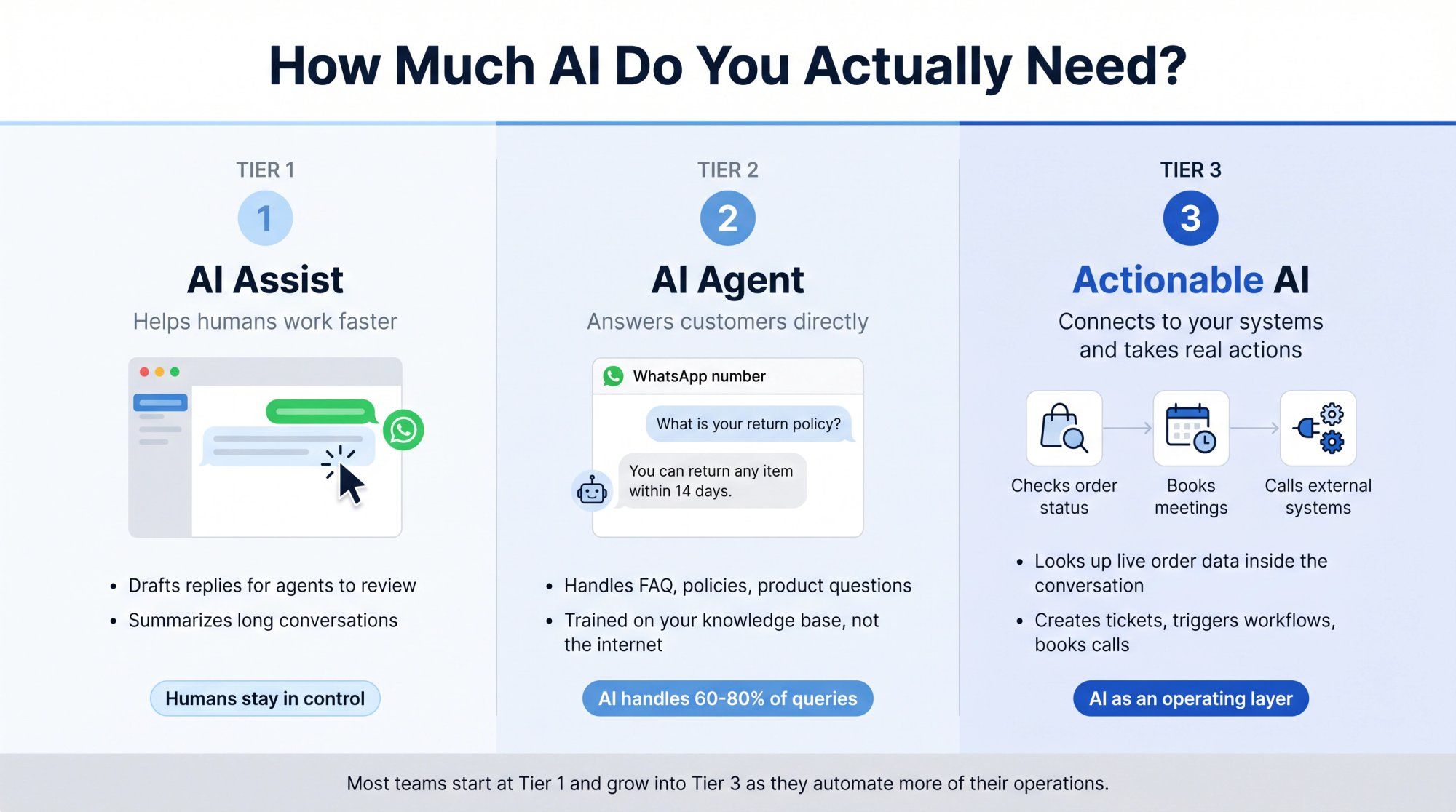
How much AI do you actually need? There are three levels worth understanding:
① AI Assist: helps agents draft replies or summarize conversations. Good for reducing manual work without removing humans from the loop.
② AI Agent: answers customers directly using your knowledge base. Handles FAQ, policies, and product questions at scale.
③ Actionable AI: checks orders, creates tickets, books meetings, calls external systems. This is where AI becomes genuinely useful for operations rather than just a chatbot that answers FAQ questions.
What integrations are genuinely non-negotiable? Write these down before you see any demos. If Shopify integration is critical and the tool's Shopify connection is shallow, you'll hit that wall six weeks after signing up. Check the depth of the full integrations catalogue against your actual tech stack.
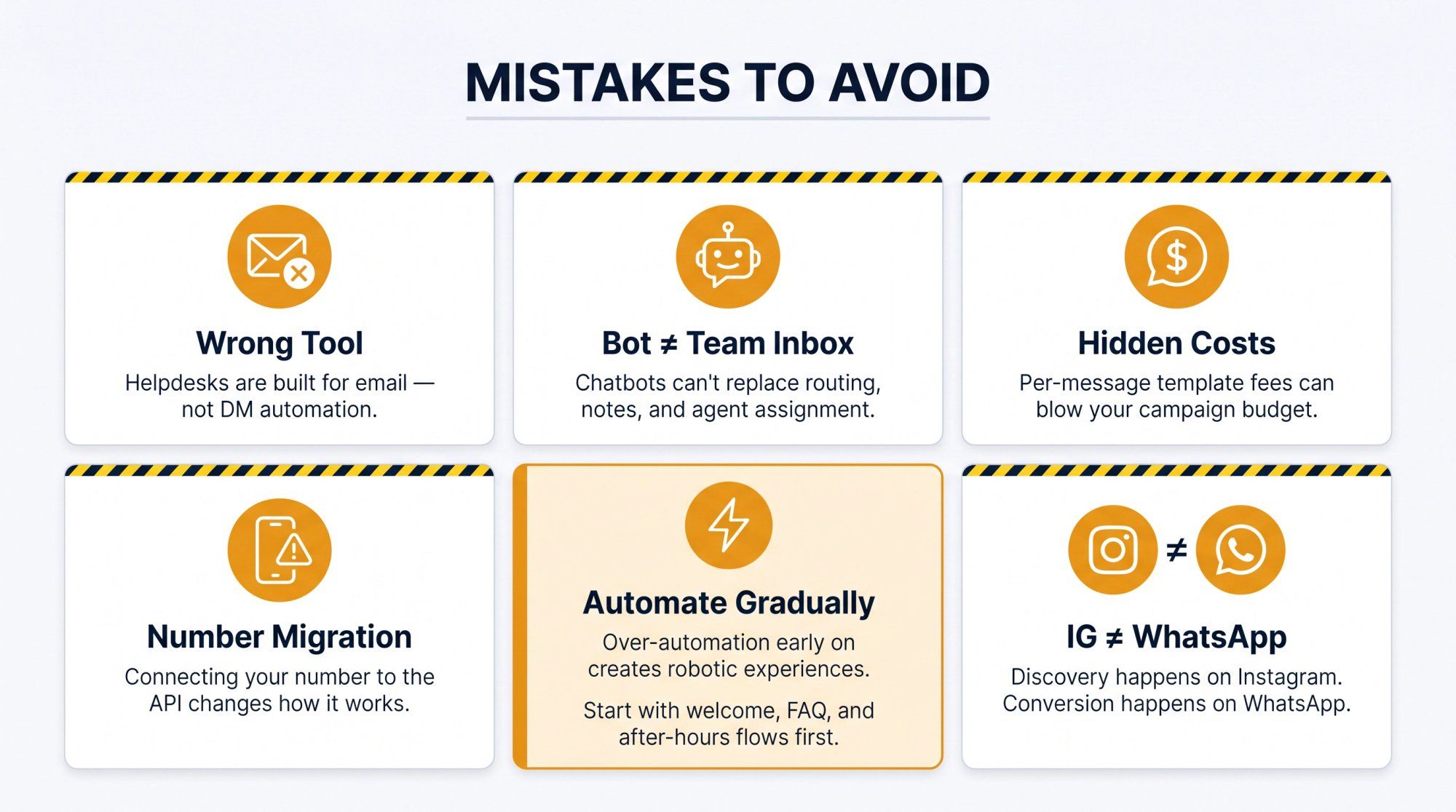
Buying a helpdesk when you need DM automation is the most common one. A traditional helpdesk is excellent at email ticket workflows. It's usually weak at comment-to-DM, WhatsApp broadcasts, cart recovery, and DM ads. If your primary customer conversations are in messaging channels, a helpdesk tool often creates friction rather than solving it.
Buying a chatbot when you need a team inbox. Chatbots can handle questions, but your human agents still need assignment, internal notes, routing, ticket statuses, analytics, and the ability to take over from AI when the situation warrants it. A chatbot without a team inbox layer leaves your agents managing chaos. Understanding chatbot best practices helps you set realistic expectations for what automation can and can't do.
Ignoring WhatsApp messaging costs. This budget mistake hits hard. WhatsApp's Business Platform charges per delivered marketing, utility, and authentication template message. Your campaign ROI looks very different depending on template category, target market, deliverability, and conversion rate. Model this before you commit. Our WhatsApp Business API pricing guide walks through the full cost picture.
Missing the phone number migration detail. After you connect an existing phone number to the WhatsApp Business Platform API, the way that number works in the regular WhatsApp or WhatsApp Business app changes. Check the vendor's documentation on number migration rules before moving a number you're actively using for personal or business communication.
Automating too much too early creates a worse customer experience than no automation at all. Bad automation feels robotic. Start with high-volume, low-risk flows: welcome messages, FAQ deflection, order status lookups, after-hours replies, human handoff triggers. Automate sensitive complaints only after you've tested the flows thoroughly.
Treating Instagram and WhatsApp as the same channel is a strategic error. They're not. Instagram is often where customers discover your brand and signal intent. WhatsApp is often where they convert, get support, and return for repeat purchases. Your flows, tone, and goals for each channel should reflect that difference.
The shared inbox category has moved fast. In the old model, it helped teams reply to messages. In the new model, it helps businesses run through conversations.
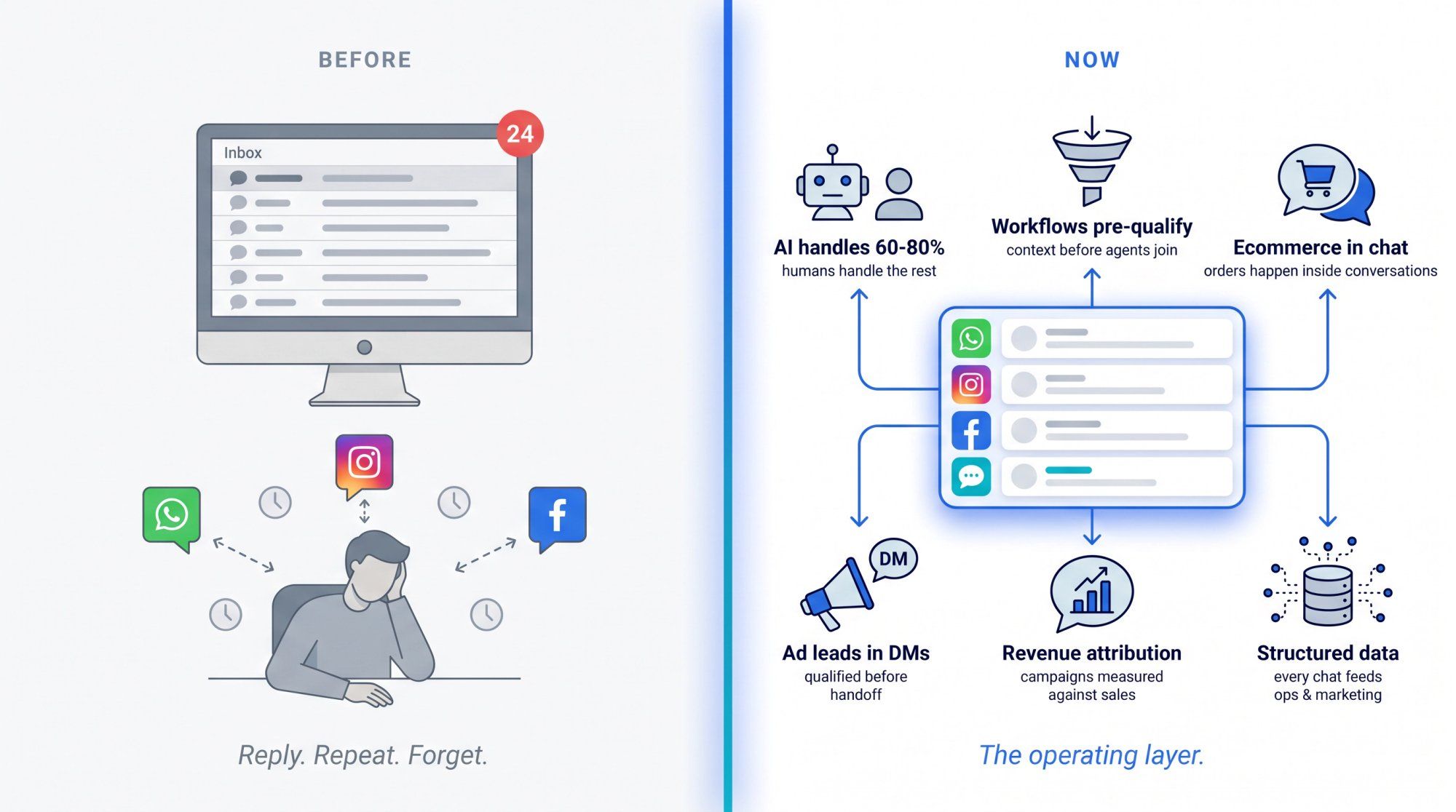
That means:
- AI handles the repetitive 60-80% safely, while humans handle edge cases and high-value conversations
- Workflows collect context before an agent ever joins
- Ecommerce actions happen inside the chat
- Ad leads are qualified in DMs
- WhatsApp campaigns are measured against revenue
- Every customer conversation produces structured data that feeds operations, product, and marketing
For brands where customers live in WhatsApp and Instagram, this isn't a niche use case anymore. It's the operating layer.
Spur is built for that layer. If your team is managing WhatsApp conversations, Instagram DMs, and live chat, and you want AI that understands your business plus marketing automation in the same platform, start your 7-day free trial at spurnow.com.
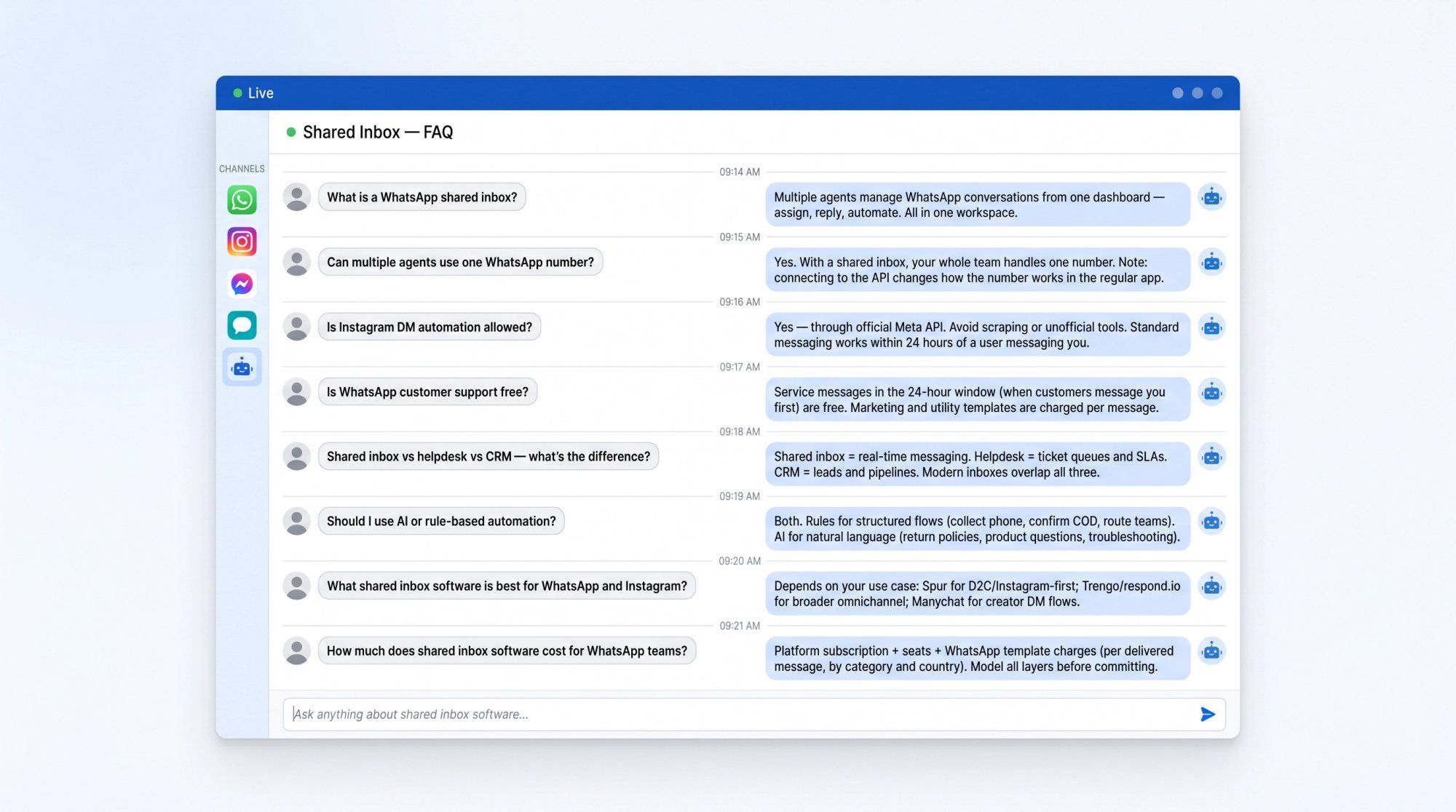
A WhatsApp shared inbox lets multiple team members manage WhatsApp Business conversations from one dashboard. The team can assign chats, reply, add internal notes, use saved replies, track conversation statuses, and connect automation or AI. All from the same workspace.
With the standard WhatsApp Business App, team collaboration is limited. With WhatsApp Business Platform-based software, you can build proper team inboxes, run automations, use message templates, and connect integrations. Spur's shared inbox supports WhatsApp, Instagram, Facebook, and live chat in a single workspace.
Yes. With Spur's multi-agent shared inbox, multiple agents can manage conversations for the same WhatsApp Business number from a shared inbox. One important operational detail: after connecting an existing number to the WhatsApp API, the way that number works in the regular WhatsApp or WhatsApp Business mobile app changes. Check your vendor's documentation. The Spur help center covers the number migration details in full.
Yes, when done through official Meta-supported capabilities and within platform rules. Meta's messaging platform policies support standard messaging within 24 hours after a user messages your business. Instagram's API also supports private replies in specific cases, like responding privately to a user who commented on a professional account post or ad.
Avoid tools that rely on scraping, unofficial workarounds, or anything that isn't official API access. The Instagram DM automation rules guide walks through exactly what's permitted and what isn't.
Service messages sent within the 24-hour customer service window (when the customer has messaged you first) are free according to WhatsApp's Business Platform pricing. Marketing, utility, and authentication template messages are charged per delivered message.
So inbound support conversations can have no messaging cost, but proactive outreach (campaigns, order updates, cart recovery) uses charged templates. See our WhatsApp Business API pricing guide for a full breakdown by template category and country.
A shared inbox helps teams manage conversations. A helpdesk manages support tickets, SLAs, agents, and resolution workflows. Our post on small business ticketing systems breaks down when ticketing tools make sense. A CRM manages leads, deals, pipelines, and customer records.
A WhatsApp/DM shared inbox often overlaps with all three, but the core is real-time messaging. Spur covers all three dimensions (shared inbox, ticketing workflows, and customer record context), but its center is the live messaging conversation, not a ticket queue or a CRM pipeline.
Both, but for different things. A no-code workflow builder handles the deterministic side: collect a phone number, send a tracking link, confirm COD, route to the returns team, trigger an after-hours message. AI agents handle the flexible side: policies, product recommendations, troubleshooting, anything that benefits from natural-language understanding.
The best setup uses rules for the structure of the conversation flow and AI for the language within it.
There's no universal answer, but here's a practical breakdown by use case:
- Spur: WhatsApp + Instagram + Facebook + live chat, AI agents trained on your knowledge base, automation, ecommerce flows, and broadcasts. Built for D2C brands, Instagram-first businesses, and service teams that live in messaging channels.
- respond.io / Trengo: Broader omnichannel options that include email alongside messaging channels.
- Manychat: Strong for creator-focused Instagram DM automation and growth flows.
- Interakt / WATI / Zoko: WhatsApp-first tools popular with India-based SMBs and D2C commerce brands.
- Kommo: Better if you want a sales CRM with messenger integrations.
- Botpress: For technical teams building custom AI agent logic.
For teams that want WhatsApp, Instagram DMs, live chat, AI support, broadcasts, and ecommerce workflows in one focused platform, Spur is built specifically for that use case.
Shared inbox software for WhatsApp has several cost layers: the platform subscription, seats/users, additional WhatsApp numbers, additional Instagram accounts, and separate WhatsApp template message charges billed by Meta for marketing, utility, and authentication messages.
Spur's pricing starts at $12/mo for the AI Acquire plan (annual billing) and scales to $399/mo for AI Max. WhatsApp conversation charges are passed through to a Spur wallet at published per-country rates, so you get a clear view of total cost rather than hidden markups.
The right way to model total cost: platform subscription + seats + channel add-ons + estimated WhatsApp template volume × applicable country rate + any AI credit usage above the plan limit.