Key takeaways
- Teams usually leave Botpress because it is developer-centric: building bots needs coding concepts, self-hosting needs DevOps skills, and social or CRM integrations often need custom work.
- Botpress has no built-in marketing features such as Instagram comment-to-DM or WhatsApp broadcasts, so marketing-led teams often need a different or additional tool.
- Pick by need: Chatbase or LiveChatAI for a quick FAQ bot from your docs, ManyChat for Instagram and Facebook marketing, WATI for WhatsApp-first teams, Rasa for full control and on-prem hosting.
- Spur suits teams that want no-code AI agents that take actions, such as checking a Shopify or WooCommerce order, plus broadcasts and one shared inbox for WhatsApp, Instagram and web chat.
- Before switching, pilot 2 or 3 shortlisted tools on one use case, such as an order-status bot, and compare answer quality, ease of management and total cost of ownership.
Ask an AI about this article
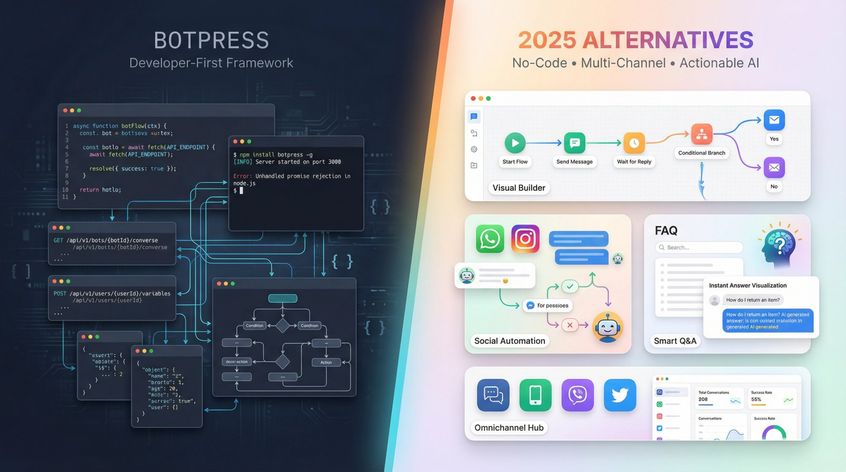
Searching for a Botpress alternative usually means you need an AI chatbot solution without the hurdles Botpress can present. Botpress is flexible and open-source, but it's developer-centric, which brings a steep learning curve and integration challenges. Most businesses and teams want something easier or more specialized.
In this guide, we'll break down why you might seek alternatives to Botpress and highlight the best alternative platforms in 2025 for various needs. Whether you're looking for no-code simplicity, multi-channel marketing bots, advanced support automation, or open-source control, we've got you covered.
Why Switch from Botpress? Common Pain Points
Botpress is powerful, but it isn't the perfect fit for everyone. Here are the main reasons people switch:
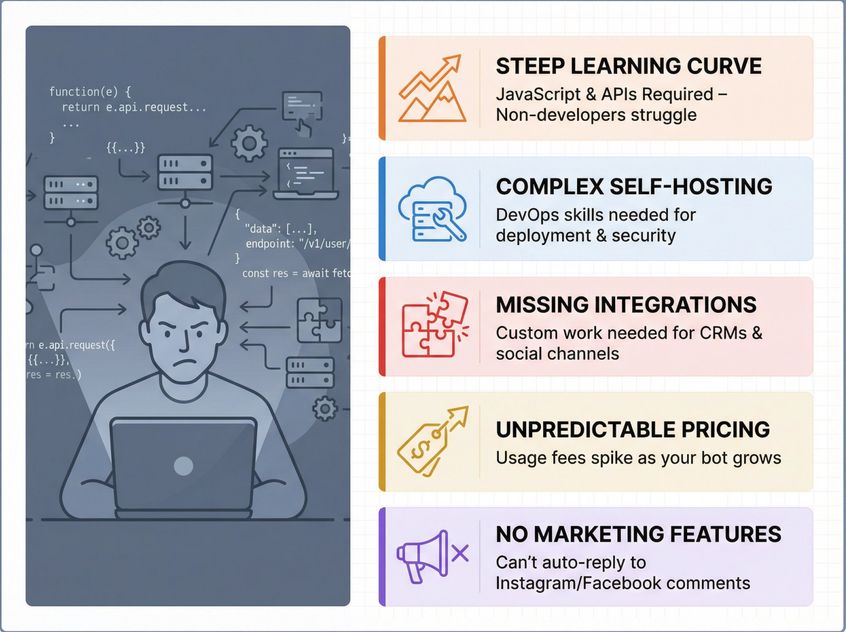
Learning Curve Too Steep for Non-Developers
Botpress requires understanding coding concepts (JavaScript, APIs, logic) to build bots effectively. Non-technical users often struggle with its interface. As one review noted, "Botpress's building interface isn't beginner-friendly".
If you lack a developer background, a no-code platform will save significant time and frustration.
Self-Hosting Botpress: Too Complex for Most Teams
While the core Botpress is open-source, deploying it on your own server is non-trivial. It demands dev-ops skills for setup, security, and maintenance.
Teams without IT support may prefer a cloud-hosted alternative that "just works" without the infrastructure overhead.
Missing Integrations Out of the Box
Out-of-the-box, Botpress may not seamlessly connect to all the apps you use. It has many integration possibilities, but often requires custom work. For example, connecting to social media or CRMs might involve APIs or community modules.
Users sometimes find Botpress "doesn't sync well with other apps" by default. Alternatives that offer plug-and-play integrations or built-in channels can be far more attractive for businesses that need to move fast.
Botpress Pricing: When Does It Get Expensive?
While Botpress has a free community edition, the paid plans start around $89/month. You may also incur usage fees for AI calls (in Botpress Cloud, each message or action can cost).
If your usage grows, costs can spike. Other platforms have more predictable pricing or even generous free tiers for modest needs.
No Built-In Marketing Features
Botpress excels at building custom bots, but it's not a marketing suite. For example, it won't automatically handle an Instagram comment and turn it into a DM conversation. You'd have to build that logic yourself.
In fact, "with Botpress, it's not possible to automatically reply to Facebook/Instagram comments, so then you need a tool like ManyChat". If your goal is lead generation on social media or broadcast messaging (like WhatsApp campaigns), some alternatives specialize in those out of the box.
In summary, you might be looking for something easier to use, with ready integrations/channels, a lower total cost, or a platform geared to a specific use-case (like support, e-commerce, or marketing). Keep your specific needs in mind as we compare options.
What to Look for in a Botpress Alternative
Before jumping into the list, consider a few criteria to evaluate these platforms (or any chatbot platform):
No-Code vs Advanced Customization: What Do You Need?
Do you need a no-code, drag-and-drop interface, or do you have the technical skill to exploit a more complex platform? Many alternatives prioritize ease of use with visual builders and templates (great for speed, but they may hide some advanced capabilities).
Botpress, being developer-first, offers maximum flexibility if you can code. Identify your team's comfort level before choosing.
Which Channels & Integrations Are Must-Haves?
List the channels you must have (like website chat widget, WhatsApp, Instagram, Facebook Messenger, Slack) and the systems the bot should connect to (Shopify, HubSpot, Zapier).
Ensure the alternative supports them natively or with minimal work. Some platforms shine for omnichannel (covering many messaging apps), while others might only do web chat and Slack. Check for CRM integrations or e-commerce integrations if those matter for pulling in data or automating workflows.
AI That Answers vs AI That Takes Action
All these platforms use AI, but in different ways. Some (like Chatbase or LiveChatAI) focus on answering FAQs from your documents using GPT-style models. Others (like Botpress or Rasa) allow more complex AI logic and even let you choose or bring your own ML models.
Consider if the platform can do things beyond Q&A: for instance, take actions (trigger workflows, update records) or handle multi-turn dialogues with memory. Advanced alternatives enable more "autonomous" AI behavior (the bot can make decisions or query different data sources).
Pricing Models: Fixed vs Usage-Based
Pricing can vary widely. Some have fixed monthly plans (often tiered by number of users or contacts), others charge by usage (messages, API calls). Predictability might be important for you.
For example, Botpress Cloud might charge per API call (around $0.01 per message), whereas a tool like ManyChat includes unlimited messages but charges by subscriber count. Also note if the platform's pricing includes the AI model calls or if you must pay OpenAI/others separately.
Chatfuel and ManyChat's AI features include the cost of using GPT, while Chatbase or Botpress might require you to bring your own API key in some cases. Always check the latest pricing page of each vendor (our notes are as of late 2025).
Community Support & Documentation Quality
If you'll need help, consider the support provided (enterprise alternatives may offer dedicated support; cheaper ones might be self-serve). A strong community or forum can be a lifesaver when building bots.
Botpress has a developer community, ManyChat has a massive user community. Documentation quality matters too: look for tutorials or templates especially if you're new to building bots.
Enterprise Needs: Security & Compliance
For larger projects or those in regulated industries, look at things like multi-user collaboration features, analytics, security compliance (GDPR, HIPAA, SOC 2).
Enterprise-focused alternatives (like Kore.ai, BoldDesk) will have these, whereas a free chatbot tool might not. If you just need a quick bot for a small website, you can afford to go lighter.
Keep these factors in mind as you review the options below. Now, let's get into the top alternatives to Botpress in 2025 and see what each offers.
Top 10 Botpress Alternatives for AI Chatbots in 2025
Below we've compiled 10 of the best Botpress alternatives, ranging from simple no-code tools to advanced frameworks. For each, we'll highlight what it does best, how it compares to Botpress, and who should consider it.
1. Spur (Actionable AI for WhatsApp, Instagram, and Web Chat)
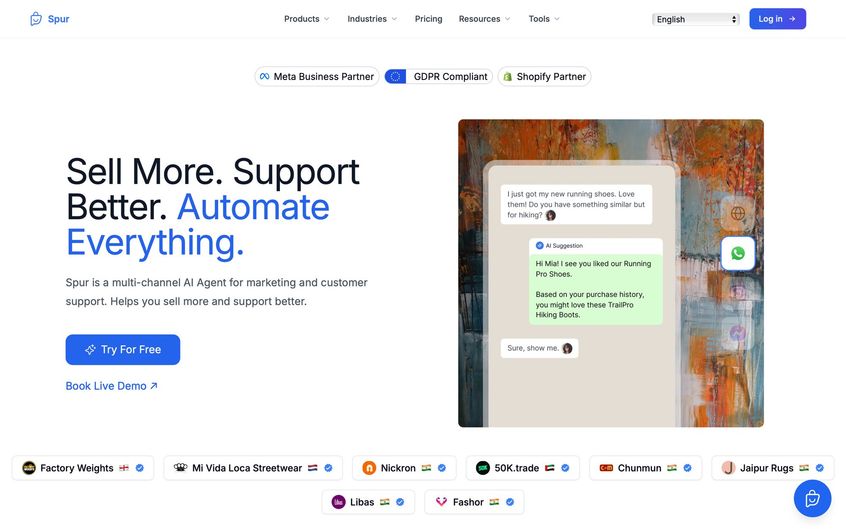
Spur is a rising platform (and the company behind this blog) that positions itself as a unified AI messaging solution. If you want a chatbot that not only answers questions but can do things (like check an order or schedule an appointment) and you primarily operate on channels like WhatsApp, Instagram, Facebook Messenger, and your website, Spur is built for that.
We combine the chatbot capabilities with live agent inbox, broadcasts, and deep integrations specifically geared toward commerce and customer support.
What makes Spur different from Botpress:
Spur emphasizes "Actionable AI", meaning our bots don't just chat, they can take action on behalf of the user. For example, Botpress could be coded to integrate with an API to check order status, but Spur has this kind of feature ready out-of-the-box via our integrations.
Typical scenario: A customer asks, "Where's my order?" Spur's AI can instantly look up that customer's order in your Shopify or WooCommerce system and respond with the status. If the customer says "I want to return it", the bot could even initiate a return process via your integrated returns system.
This is done through Spur's Custom Actions (no-code connectors and webhooks to external apps). Similarly, Spur's bot can book appointments (by connecting to Google Calendar or a booking app) or process a payment (via Stripe/Razorpay integration) right in the chat.
This level of transactional capability is something usually only possible in Botpress if you manually code those flows. Spur gives a no-code interface to set these up, which is a huge time-saver for businesses that want an AI that's actually useful beyond answering FAQs.
Multi-Channel focus on popular channels:
We acknowledge that for many businesses (especially D2C brands, retailers, service providers), WhatsApp and Instagram are key channels alongside the website. So Spur provides deep support for those:
- On Instagram, Spur can automate replies to story mentions or comments and then move the conversation to DM (the "comment-to-DM" funnel). For example, if someone comments "info" on your Instagram post, Spur's bot can DM them product details instantly (this is similar to ManyChat/Chatfuel's IG capabilities).
- On WhatsApp, Spur is a full WhatsApp Business API solution. We handle template message sending, user opt-in tools, and have features like broadcasts, drip campaigns, cart recovery messages, order notifications. We even have a deliverability engine (we call it DeliveryBoost) to maximize message open rates. Essentially, it's not just a chatbot on WhatsApp; it's also a marketing tool.
- On Web Chat, Spur provides an AI-powered widget you can embed on your site. This widget can collect the user's email/phone for lead capture and then answer questions or guide them, acting as a 24/7 salesperson or support agent on the site. If the AI can't handle something or if the user requests a human, it routes to your live chat team.
Unified Inbox & Human Handover:
One of Spur's strongest features is the single team inbox for all channels. Your human agents use the Spur dashboard to see incoming chats from WhatsApp, IG, FB, web, and can take over from the AI anytime.
The platform will show what the AI has already conversed, so the agent has full context (for example, "Customer asked about a refund, AI provided policy info but customer is upset, please intervene.").
Botpress doesn't come with a built-in agent console; you'd have to integrate one. Spur's all-in-one nature ensures nothing falls through the cracks. If a conversation starts on Instagram and later the same user comes to website chat, Spur links those if possible, so your team sees the history.
Marketing + Support in one:
Spur uniquely blends what usually would be two separate tools. You get broadcast and campaign capabilities (like send a WhatsApp blast to 5,000 customers announcing a sale, or run a click-to-Instagram DM ad that the bot responds to), and you get AI support handling and live chat.
Many companies end up using, say, ManyChat for marketing and another tool for support. Spur aims to be both in one.
So you can imagine: a customer receives a WhatsApp promotion message about a sale (sent via Spur), they reply with a question "Is this available in blue?", the Spur AI answers, they then ask "Can I change my shipping address on my order?" the AI triggers an update in Shopify, and if they type "representative" it hands over to a human. That whole cycle is contained in Spur.
Achieving this with Botpress would mean custom coding and integrating with a marketing automation tool and a helpdesk.
Integrations and E-commerce:
Spur comes with native integrations for Shopify, WooCommerce, Stripe, Razorpay, Shiprocket (logistics), Zoho CRM and more.
This means if you connect your store, Spur's AI can pull product info, check inventory, track orders by itself. It's pre-mapped, so you just plug in credentials. For "custom" systems, we allow webhooks or API calls, but having Shopify out-of-the-box saves a ton of time for e-commerce use cases.
Botpress would require building those connectors manually or using community modules. Spur is clearly targeting commerce brands. We highlight automated abandoned cart messages, order confirmations, review requests, all proven to increase sales. If you're in retail, fashion, electronics, these features directly drive ROI, which a plain Q&A bot might not.
Data control:
For those worried about data compliance, Spur's deployment is cloud but we host on Frankfurt servers (for EU users) and allow WhatsApp data to be stored in EU as well. We're conscious of GDPR needs.
Botpress open-source could be hosted anywhere you choose (so you have full control if self-hosted), but if you use Botpress Cloud you'd have to see where they host. Spur tries to give the best of both by handling hosting but in a compliant way for international customers.
Pricing:
Spur's pricing is tier-based with a free trial. The tiers (as of 2025) range roughly from $39/month (billed monthly for the "AI Start" plan) up to a few hundred for higher plans.
For example, AI Start at around $31/month (annual) gives 1 AI agent, 2,000 AI message credits, 2 seats, and includes the key channel automation features. The next plan, AI Accelerate around $127/month (annual), gives 2 AI agents with 12k credits, 5 seats, priority support, and advanced features like Custom AI Actions (webhooks). The top plan AI Max around $399/month (annual) raises limits further and offers a dedicated account manager.
Notably, Spur's pricing includes unlimited contacts and messages except WhatsApp messages, which you pay for through a wallet at our published rates (we integrate the WhatsApp Business API message charges, which vary by message category and country).
The AI credits are basically how many AI-generated messages you can have (each GPT answer might deduct one credit). Additional AI credits can be purchased, and additional agents (if you want multiple distinct bots) can be added for a fee.
Comparing cost to Botpress: Botpress has a free tier, then $89 for plus (with usage costs). Spur's $39-$127 range is quite competitive given it bundles a lot (channels, AI, integrations). If you actually utilized all those features, you might replace 2-3 separate tools (which would cost more in sum).
One should factor in WhatsApp message fees though. Heavy WhatsApp usage could add to monthly costs (but that would be true with any provider, it's just how WhatsApp pricing works). Spur at least is transparent about it.
When to choose Spur:
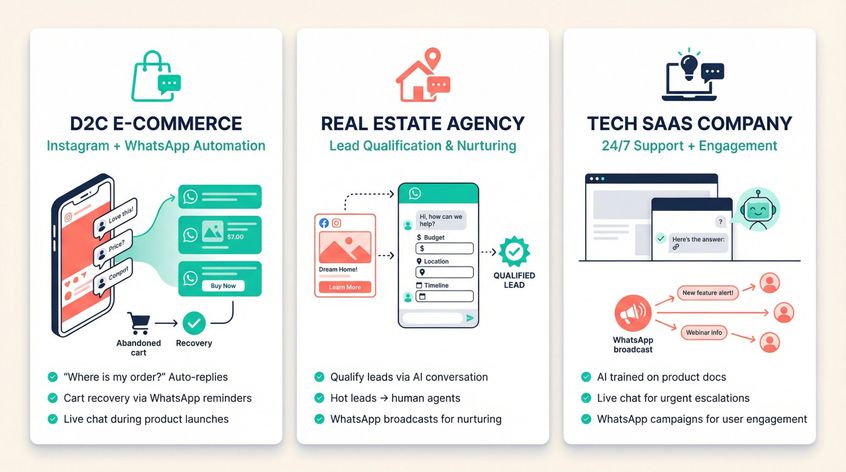
Spur is best for businesses that interact with customers across messaging apps and want both automation and a human touch. For example:
- A D2C e-commerce brand that does Instagram marketing and WhatsApp customer service can use Spur to automate FAQs (like "Where is my order?"), recover abandoned carts by messaging customers on WhatsApp with a reminder, and handle live chat during a product launch rush.
- A real estate agency that runs Facebook ads could use Spur to qualify leads via an AI conversation in WhatsApp or Messenger, then pass the hot leads to an agent for follow-up, while also using broadcasts to nurture leads.
- A tech SaaS company that needs an AI to provide 24/7 support answers (trained on docs) in their website chat, but also occasionally runs campaigns on WhatsApp to users for engagement. Spur does both.
If you find Botpress appealing for its customizability but too labor-intensive to implement those custom actions, Spur gives you those actions ready-made for common needs. And if you were considering using Botpress plus another tool for marketing or multi-channel, Spur may cover both needs single-handedly.
Essentially, choose Spur over Botpress if you value speed to value, no-code setup, and a blend of support+marketing automation. We're particularly strong in the commerce and consumer interaction domain. Teams that are lean (no heavy dev resources) but need rich functionality will appreciate Spur's design.
On the other hand, if you have very unique use cases or channels outside Spur's scope, or need on-prem installation, a more customizable solution might be necessary.
Ready to see Spur in action? Start with our 7-day free trial and experience how actionable AI can transform your customer conversations across WhatsApp, Instagram, and beyond.
2. Chatbase
Chatbase is a popular platform for quickly creating an AI chatbot from your own content. If Botpress is a "build anything" toolkit, Chatbase is more of a plug-and-play Q&A bot. It lets you upload documents or point to a website, then it trains a chatbot on that data.
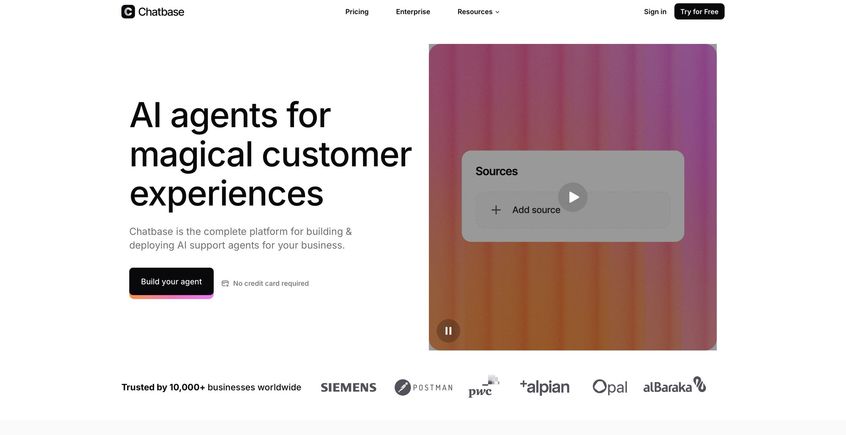
In minutes, you get a bot you can embed on your site or connect via API, capable of answering FAQs in a conversational way.
Why it's great: Chatbase is extremely easy to use. No coding, no complex setup. It's designed to get you results fast with standard chatbot functionality. For example, if all you need is a chatbot that can answer support questions from your knowledge base and maybe hand off to a human if needed, Chatbase excels at that. It supports multiple AI models (GPT-3.5, GPT-4) behind the scenes, but you don't have to manage those details.
Chatbase provides a simple web interface and even some integrations (at least 9 pre-built connectors to things like Slack, WhatsApp via Twilio, and Zapier). You can deploy it on your site easily, or on a WhatsApp number to handle common queries. It also has a basic analytics dashboard to see what users ask and how the bot performs.
Drawbacks: Chatbase's simplicity is also its limitation. It doesn't have a fancy dialog flow builder. It mainly handles question-and-answer based on your content. If a user goes off-script, the bot just tries its best with the info it has.
There's no built-in support for multi-turn conversational flows or decision trees (unlike Botpress, which has a full flow editor). Also, as of 2025, Chatbase's integration list is limited (just a handful of popular apps), whereas Botpress advertises the ability to connect with anything given enough dev work. Another consideration is that Chatbase is cloud-only (no on-prem option), which might not meet strict data privacy requirements that Botpress could handle with self-hosting.
Cost: Chatbase offers a free plan (with very limited message credits, like 20 messages/month just for testing). Paid plans start at $150/month for the "Standard" tier, which includes a higher message quota and up to a couple of bots. It's not the cheapest, considering that's around $150 for 2 bots and perhaps a few thousand messages. Heavy usage (like enterprise volumes) would require their $500/month Pro plan or custom pricing.
When to choose Chatbase: If you are a beginner or a small team needing a quick FAQ bot on your website or social media, Chatbase is a top choice. It's also useful as a prototype or interim solution. You can stand up an AI bot to handle common questions while working on a more custom solution in parallel. Just be aware of its limits; for any transactional capabilities or multi-step processes, you'll want to look at other tools.
3. ManyChat
ManyChat is one of the most widely used chatbot builders, especially known for its marketing automation on social channels. If your focus is engaging customers on Instagram, Facebook Messenger, or WhatsApp, ManyChat is a strong Botpress alternative that requires no coding.
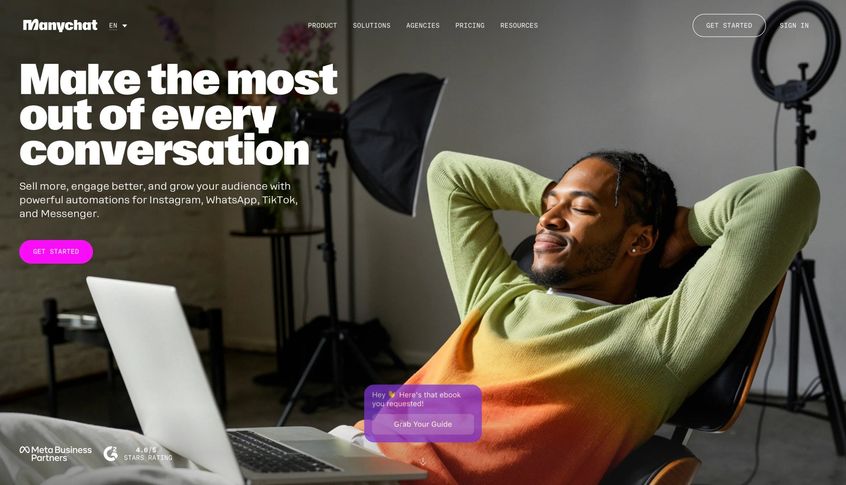
It started with Facebook Messenger bots and expanded to IG and WhatsApp, and it's beloved by over 1 million users (particularly small businesses, e-commerce sellers, and marketers).
Why it's great: ManyChat excels at social media chatbots and campaigns. It has a visual flow builder that's very intuitive. You can create interactive conversation flows with drag-and-drop, similar to how you'd design an email drip campaign.
For example, you can build an Instagram DM sequence that asks a user what they're looking for, offers product options, and collects their email, all through a guided chat.
ManyChat also pioneered features like "Comment-to-DM" on Instagram or Facebook: when someone comments on your post with a certain trigger word, the bot automatically sends them a private message. This is huge for converting social engagement into leads or sales, and Botpress simply doesn't have an out-of-the-box feature for that (you'd custom code with APIs if at all).
Another strength is broadcasting and sequencing. ManyChat allows you to send out newsletters or promotional messages to subscribers via Messenger or WhatsApp (with proper opt-ins). For WhatsApp, since it's an official WhatsApp Business Solution Provider, it handles template message approvals and sends out blasts to your contact lists (note: WhatsApp charges apply). ManyChat basically combines chatbot logic with marketing outreach.
AI Integration: Historically, ManyChat bots were rule-based (if user says X, respond with Y or go to flow Z). In 2023-2025, ManyChat added an AI Add-on. This introduced features like AI-generated replies and an AI knowledge base for your bot.
Now, you can train ManyChat's AI on your business info (by inputting text or links, up to 250k characters per entry). The bot will then attempt to answer any question using that knowledge, if it falls outside your predefined flows. As of late 2025, these AI features are still labeled beta. Notably, ManyChat's AI replies currently work only on Instagram DMs and comments (not on WhatsApp or Messenger yet). They likely started with IG because ManyChat has a strong IG user base and the nature of DMs (lots of questions in comments that brands struggle to answer manually).
Limitations: ManyChat is channel-centric. It's fantastic for Meta-owned channels, pretty good for Telegram, and they even have SMS and email integration. But it's not designed as a web live chat (there is a basic web chat widget, but it's not their focus) and it doesn't do Slack, Microsoft Teams, or other channels that some enterprise bots might need. ManyChat also doesn't have the concept of a "helpdesk" or ticketing. It's not for internal support teams, it's for customer-facing marketing and support via messaging apps.
Another con: Limited extensibility. ManyChat provides certain integration hooks (you can connect it to Shopify, HubSpot, Google Sheets, and use Zapier for more), but you can't deeply customize the ML/NLP part or host it yourself. If you outgrow what ManyChat's interface allows, there's no option to drop into code (unlike Botpress, where you can code custom modules). ManyChat is truly no-code and somewhat "closed" in that sense.
Cost: ManyChat has a free plan for up to 1,000 contacts with basic features (great for trying it out). Paid plans then start around $15/month (Pro plan, which unlocks most features) for Messenger/Instagram, and higher for WhatsApp (WhatsApp add-on might start around $10 or more, plus conversation fees).
The ManyChat AI add-on is an extra subscription on top of Pro. Pricing as of 2025 for the AI add-on isn't publicly listed; it may be included in higher-tier plans or billed based on usage (ManyChat's help docs suggest you need a paid plan to use it). The good news is ManyChat's pricing includes the cost of the AI calls. You're not separately paying OpenAI per message when using their AI replies, it's built into the add-on price.
When to choose ManyChat: If your business thrives on Instagram or Facebook engagement, or WhatsApp marketing, ManyChat is arguably the best tool out there. For example, an online boutique on Instagram can use ManyChat to automatically reply to every comment with a DM that maybe offers a discount code, capturing the lead instantly.
Or a coaching business can have an IG bot that answers FAQs and funnels people to sign up for a webinar. ManyChat is built for these scenarios. It's also very team-friendly for small businesses. You don't need a developer at all, and there's a huge community with templates and tutorials to learn from.
That said, if you need a chatbot to handle complex support queries or multi-channel beyond the big social platforms, you might pair ManyChat with another tool or look elsewhere.
4. UChat
UChat is a lesser-known but powerful platform that offers a bit of everything. Think of UChat as a Swiss Army knife for chatbots: it supports over a dozen channels (from WhatsApp to Telegram to WeChat to voice platforms), has a visual flow builder, and also lets you integrate custom code or AI models when needed.
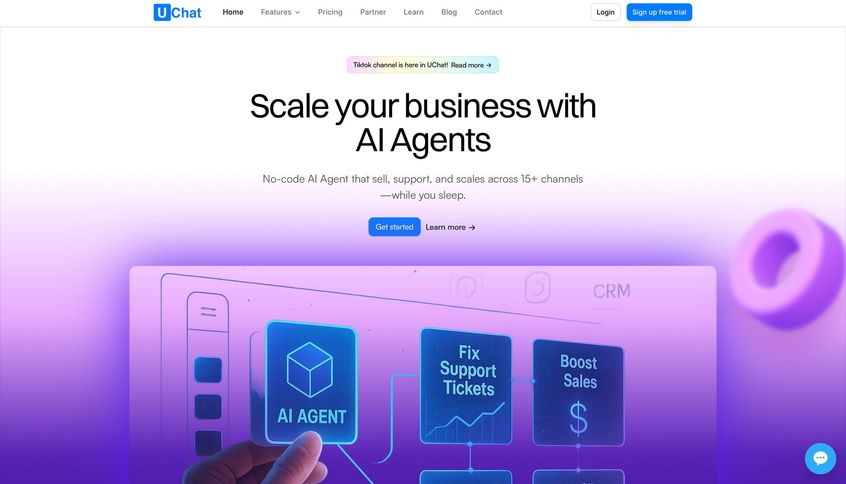
It's like a hybrid of ManyChat's ease with some of Botpress's flexibility.
Key features: UChat supports 12+ channels including all major social messengers, SMS, email, and even voice assistants. If you want one bot to cover Facebook, WhatsApp, Telegram, and your website chat, UChat can do that.
It provides a unified platform where you can design flows and then deploy them to different channels (with some channel-specific adjustments if necessary). The flow builder in UChat is visual and similar to ManyChat's (drag-and-drop nodes for sending messages, asking questions, applying conditions). It comes with templates and a marketplace, so you might find pre-built flows for common tasks.
Importantly, UChat has embraced AI as well. You can create an "AI Agent" in UChat which basically connects to OpenAI or other models to handle free-form queries. For example, you could have a bot that uses GPT-4 to answer any question, but if the user clicks a menu or triggers a certain keyword, it switches to a scripted flow for a specific process. UChat allows mixing AI responses with traditional keyword/flow-based responses.
This is a similar philosophy to what ManyChat and Chatfuel are now doing (combining flows plus AI), but UChat has been quite flexible with it, supporting multiple AI providers (OpenAI, DeepSeek).
Integrations and Extensibility: UChat offers a variety of integrations, like payment gateways (Stripe, PayPal), e-commerce (they have Shopify integration), and webhooks/API calls for anything else. If a certain integration isn't native, you can often use their HTTP Request action or use Zapier/Make.
They also support custom scripting within flows (for instance, you can write JavaScript in a node to manipulate data). This means if you have some coding ability, UChat won't box you in. You can extend it.
One standout is that UChat supports voice and telephony channels in addition to text. They have integration with Twilio, SignalWire, meaning you could even build an AI voice agent for phone calls using UChat's framework. Botpress can do voice in theory (with custom work) but UChat makes it more out-of-the-box to handle voice input and output.
Pricing: UChat is known to be affordable and scalable. They use a modular pricing approach. There's a Free tier (limited contacts and basic features) to get started. Then paid plans might start around $10/month for a base package that includes 1 bot with a certain number of contacts and users, and you can purchase add-ons (like more bots, more subscribers) as needed.
This à la carte style means you pay only for what you use. If you run an agency, they also have a white-label option at higher cost, meaning you can resell UChat as if it were your own platform. Compared to Botpress, UChat's cost is low upfront (since Botpress enterprise can cost thousands if self-hosting with support, and Botpress Cloud has usage fees). UChat is more akin to ManyChat's pricing but often a bit cheaper for similar limits.
When to choose UChat: If you want maximum channel flexibility on a budget, UChat is ideal. For instance, say you operate in regions where customers use Viber or LINE as much as WhatsApp. UChat can handle those whereas many Western-focused bots (Chatfuel, ManyChat) do not.
Or if you're a startup that needs to cover chat on website, WhatsApp, and Telegram, and maybe even add voice ordering via phone, UChat lets you do all that in one system. UChat is also good for tinkerers and developers who still want a mostly no-code solution. You can drop in custom code where necessary and even create fairly sophisticated logic.
Non-technical users can use UChat, but it might feel a bit overwhelming due to its breadth of features. The UI isn't as polished or guided as ManyChat's. If you only need one channel and simple flows, UChat might be more than you need. But if you foresee multi-channel complexity and maybe want to experiment with AI in your bots in a controlled way, it's a great alternative to building from scratch in Botpress.
5. BotPenguin
BotPenguin is a user-friendly chatbot platform geared toward businesses that want to be everywhere their customers are, but without spending a fortune. It markets itself as an affordable, omnichannel chatbot builder. Essentially a budget-friendly alternative that still packs a lot of features.
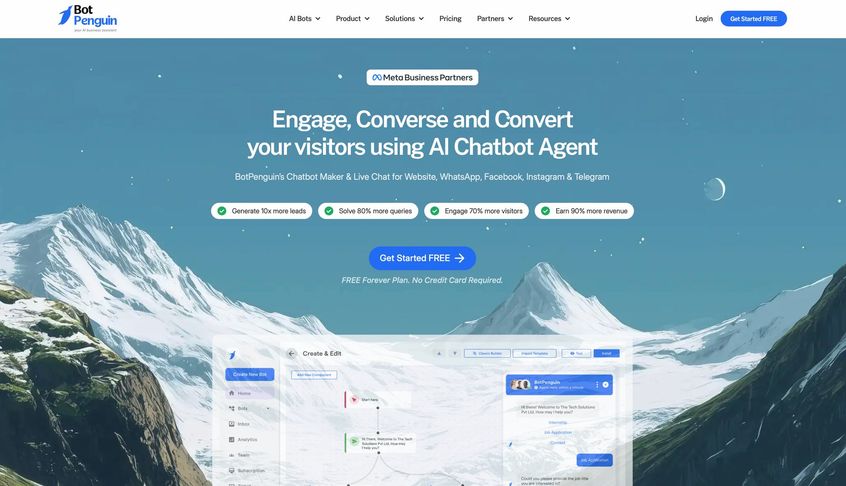
BotPenguin can be seen as a middle ground: more capable and multi-channel than a simple FAQ bot, but easier and cheaper than heavyweights like Botpress or enterprise solutions.
Multi-Channel & Unified Inbox: BotPenguin shines in channel coverage and volume. You can deploy chatbots on your website, WhatsApp, Facebook Messenger, Instagram, Telegram and more, and manage them all in one place.
It even mentions support for less common channels via integrations (like LINE or Skype through Zapier). The platform offers a unified inbox where all customer messages across these channels are collected. This is similar to Spur, Zendesk, or other unified messaging systems.
Your team can respond from one dashboard regardless of whether the user sent a WhatsApp message or a website chat. Botpress alone doesn't provide an agent inbox UI, so BotPenguin covers that gap for you.
Unlimited Bots & Conversations: A big selling point is that BotPenguin does not heavily limit the number of bots or messages on its plans. They advertise unlimited chatbots and unlimited conversations even on relatively low-tier plans.
This is a stark contrast to many others. For example, Chatbase's $150 plan caps you at 2 bots and around 10k messages. So if you are an agency or have multiple projects, BotPenguin lets you create many bots for one price. And if you expect a high volume of chats (hundreds of thousands of messages), BotPenguin's unlimited messaging could save a lot of money.
Essentially, BotPenguin is built to scale without punishing you for success on message counts.
No-Code Builder with Templates: BotPenguin provides an easy drag-and-drop bot builder. Even non-tech users can create flows where the bot asks questions, provides buttons. For quick starts, it comes with 40+ pre-designed templates for various industries and use cases.
For instance, an e-commerce FAQ bot, a restaurant reservation bot, a real estate lead capture bot. You can pick a template and then customize the content to your needs, which accelerates deployment. It also supports multilingual bots (95+ languages) out of the box.
If you need your bot to speak Spanish and English, for example, BotPenguin can detect and respond accordingly, which is fantastic for global businesses (Botpress also supports localization but you'd do more manual setup for that).
AI and Actions: Under the hood, BotPenguin uses AI to handle natural language input. You can train the bot on your data (by uploading documents, PDFs, similar to Chatbase). This means beyond scripted flows, it can answer ad-hoc questions based on knowledge content. BotPenguin also integrates with GPT-4 (they mention "ChatGPT's LLM magic" in their marketing) for generating responses.
Also, BotPenguin has features for marketing automation: it can send drip campaigns, schedule broadcasts, and trigger messages based on user behavior. For example, you could have a bot that after chatting with a visitor, automatically follows up via WhatsApp two days later with a promo if they haven't purchased, all configured within BotPenguin. This is something you'd need external tools or custom code to do with Botpress.
It also boasts integration capabilities: 60+ native integrations and over 6,000 via Zapier. You can connect to CRM systems, Google Calendar (for booking appointments right in chat), payment gateways. BotPenguin even claims to handle things like appointment booking in-chat and e-commerce catalog browsing via WhatsApp or Messenger, very handy for sales.
And importantly, human handoff is built-in. There's a live chat mode where if the bot can't handle something, a human agent can take over the conversation in real-time. The transition is smooth in BotPenguin's interface (the agent sees the context and can jump in). In Botpress, you'd have to integrate a third-party live chat tool to do similar.
Pricing: BotPenguin's pricing is one of its strongest attractions. They offer a Free plan (Baby) which might include 1 chatbot and some limited number of messages (say 1,000/month), good for a small website or testing. Paid plans were noted as $15/month (Little plan) and $50/month (King plan) on some sources, which are quite low compared to many competitors.
These plans often include several bots, a few thousand messages, and all core features. They even have higher plans (an "Emperor" plan was mentioned around $1,000/month for enterprise), but that is still cheaper than many enterprise deals and it's likely unlimited everything. The info from BotPenguin suggests their highest annual plan is around $3,990/year which supports unlimited usage, whereas something like Chatbase Pro would be $6,000/year and still capped. So value for money is high.
Ideal use cases: BotPenguin is great for small to mid-sized businesses, startups, and agencies that need a full-featured chatbot solution on a budget. If you're an agency building chatbots for multiple clients, the unlimited bots is a godsend.
If you're a business that wants to engage users on multiple fronts (website chat, WhatsApp, FB) without hiring developers, BotPenguin is very appealing. It covers lead generation, customer support, and even some marketing automation in one tool.
For example, consider a clinic that wants to automate appointment bookings: BotPenguin can put a chatbot on their website for FAQs and booking, on WhatsApp to handle inquiries, and on Facebook Messenger, all integrated with the clinic's calendar. And the clinic staff can see all conversations in one inbox. That's a lot of capability for a low cost.
Trade-offs: Being broad, BotPenguin may not have the absolute cutting-edge AI fine-tuning or enterprise polish. Its analytics might be simpler, and some advanced NLP or customization that Botpress allows could be missing.
It's a young platform relative to Botpress or Rasa, so if you need extremely fine control or are handling tens of millions of users, you might stress it beyond its intent. But for the vast majority of use cases (including fairly high-volume ones), BotPenguin delivers a huge amount of value. It's like getting 80% of the functionality for 20% of the price of bigger solutions.
6. BoldDesk
BoldDesk is a next-generation helpdesk platform that tightly blends traditional support tools (ticketing, live chat, knowledge base) with an AI agent. It's an interesting alternative because it's not just a chatbot tool. It's a whole support system like Zendesk or Freshdesk, with an AI chatbot built in.
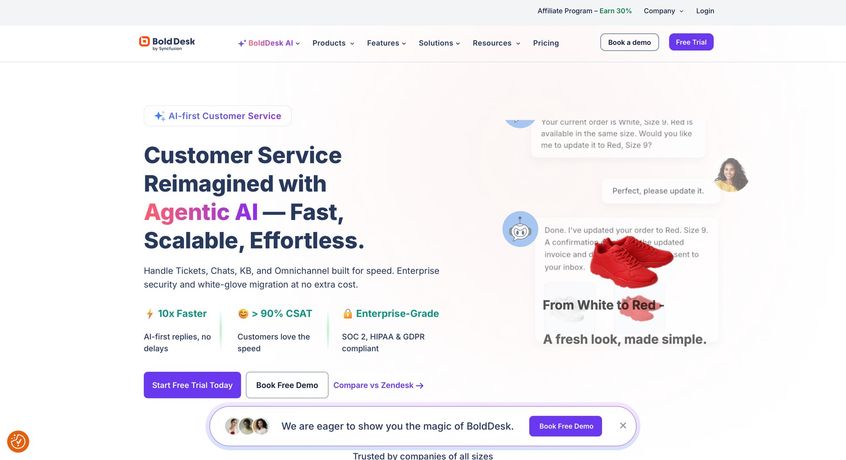
If your primary goal with Botpress would be to answer customer queries and ease your support load, BoldDesk could be a more all-in-one solution.
What BoldDesk offers:
At its core, BoldDesk is a full customer support software. It has a ticketing system, where customers can email or live chat and create tickets that agents manage. It has workflow automation, SLAs, CSAT surveys, all the things a support team uses.
Now add to that an AI Support Agent that is integrated with these systems. BoldDesk's AI can deflect customer questions by chatting with them on your website or in-app, solving issues or gathering info, and if needed, automatically creating a ticket for a human with the entire context when it hands off. This is seamless because the AI isn't a separate add-on. It's part of the helpdesk brain.
Autonomous issue resolution:
BoldDesk's AI is designed to not just answer FAQs, but to resolve issues end-to-end when possible. For instance, if a customer says "I want to reset my password," the AI can actually call the reset password API and confirm "Alright, I've sent a reset link to your email". Issue solved without an agent.
Or if someone asks about their order status, the AI can query the order management system (via integration) and give the answer. This is similar to Spur's actionable AI concept and something Botpress could do if configured, but BoldDesk has it packaged for common support tasks.
It achieves this by allowing the definition of AI Actions via APIs within the BoldDesk environment. So your support team or admins set up connections to your backend (or use one of BoldDesk's integrations), and then the AI knows how to execute tasks like update an address, process a refund, schedule a demo when triggered by user requests. This greatly amplifies the value of a chatbot. It's not just a FAQ bot, it's a virtual support engineer that can actually fix things.
Contextual handoff:
BoldDesk does smart handoffs. Suppose the AI is stumped or the user is unhappy with the bot, BoldDesk will seamlessly create a ticket or transfer to live chat with the conversation history attached. The human agent sees exactly what was discussed and can pick up without asking the customer to repeat themselves.
In many DIY Botpress setups, achieving that level of context continuity into a ticketing system can be tricky. You'd have to integrate via API to your Zendesk or something. BoldDesk is built with that in mind.
Omnichannel support:
BoldDesk's live chat can be put on your website and possibly other channels. They mention omnichannel, which likely includes email and maybe a support portal. It may not have native WhatsApp or social messaging integration, because BoldDesk is more about traditional support channels (though it could integrate via tools). If your customer conversations are largely coming from web, mobile app, or email, BoldDesk covers those well.
For WhatsApp/Instagram heavy support, you might complement BoldDesk with another tool, or see if they have connectors.
Analytics and Training:
As a support-centric tool, BoldDesk provides dashboards on ticket resolution, AI performance (like how often the AI resolves vs. hands off), and lets you continuously improve. It also likely uses your existing knowledge base articles to train the AI agent. Since BoldDesk can host a knowledge base, the AI can draw answers from those articles (like a Chatbase, but internally). Plus, it learns from past tickets. If it sees repeated patterns in how agents solved an issue, it can incorporate that.
Security & Compliance:
BoldDesk emphasizes enterprise readiness. They list GDPR, HIPAA, SOC-2 compliance and robust security features. This matters for companies in finance, healthcare, where you might not trust an open-source Botpress without a full audit. BoldDesk is a product of Syncfusion (an established software company), so it has that credibility and likely proper documentation for compliance.
Pricing:
BoldDesk's model is different. It typically charges per support agent (like most helpdesks) and then for AI usage. They publicly list something like $12 per agent per month, plus $0.75 per AI resolution (meaning if the AI fully handles an issue without human, you pay 75 cents).
That's actually quite an interesting model. You only pay for the AI when it succeeds. If the AI tries but a human takes over, presumably that's not charged (or not fully). If the AI deflects, say, 1000 tickets in a month, that's $750, which might be worth it compared to hiring more staff for 1000 tickets. Human agents you still pay seat licenses for, which is normal.
There might also be package deals or enterprise pricing for unlimited resolutions. But the general idea is you pay for value delivered (issues solved by AI). Compared to Botpress: If you self-host Botpress it's free but you need staff to manage and costs for hosting, and if you use Botpress Cloud, you pay a subscription and also effectively pay for API usage. BoldDesk simplifies support budgeting by aligning with outcomes (resolved tickets).
When to choose BoldDesk:
If your goal in exploring Botpress was improving customer support or IT support, BoldDesk could be a direct hit. It's best for teams that need a professional support infrastructure with AI built-in. For example:
- A SaaS company with a growing user base could use BoldDesk to handle Level 1 support. The AI answers common questions, resets accounts, and the support agents focus on complex issues. Meanwhile all support data stays in one system.
- A hospital or bank that needs a secure, compliant support solution might prefer BoldDesk because it's designed with compliance in mind, whereas using something like Botpress with sensitive data would require a lot of careful self-management.
- Midsize enterprises that don't have a lot of developer resources to custom-build an AI, but have a support team that could leverage an out-of-box AI assistant.
BoldDesk is probably overkill if you just wanted a chatbot on your site and you don't deal with many support tickets or don't need a ticketing system. In that case, a simpler Chatbase or LiveChatAI might do. But if you do have a support team and processes, BoldDesk can slot in and boost efficiency dramatically by cutting repetitive work.
Think of BoldDesk as an integrated approach: you're not just adding a chatbot, you're upgrading your whole support workflow with AI augmentation. If that's appealing and you're ready to possibly switch helpdesk software for it, BoldDesk is a compelling alternative to piecing together Botpress plus Zendesk plus custom integration.
7. LiveChatAI
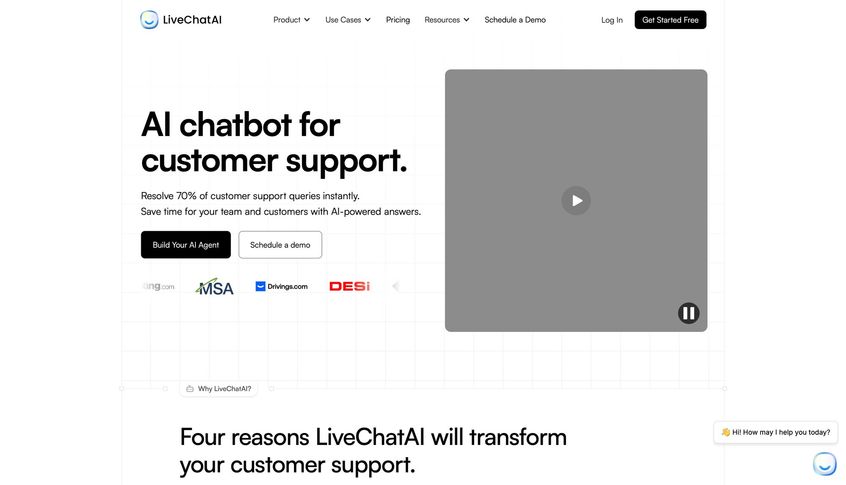
LiveChatAI is a newer entrant in the AI chatbot space that focuses on instant support and knowledge delivery. It's like a super-charged FAQ bot that can be deployed in minutes. The promise is quite bold: resolve up to 70-80% of customer questions automatically using your own knowledge base, thanks to GPT-4 level AI.
How it works:
LiveChatAI allows you to train a chatbot on your own data extremely easily. You can add data sources by just entering URLs of your help center or docs, uploading PDFs/manuals, or even connecting to Notion/Google Docs. The platform then crawls and indexes your content into a vector database (all under the hood) to create the knowledge base for the AI.
This process is fast, potentially a few minutes to ingest a bunch of articles. Once that's done, you can deploy the bot via:
- A Messenger-style chat widget on your site (floating bubble).
- A full-page chat (they can host a link where users chat, useful for sharing as a standalone support portal).
- An inline embed you can place within a page (useful for FAQ pages or docs pages where a contextual bot can answer more questions).
No coding needed. Just copy and paste some snippet to your site for the widget, or share the chat link. The AI itself is powered by GPT-4 (and they mention GPT-4o, Claude). In practice, it means the bot's answers are pretty advanced and conversational. It will attempt to answer any question by synthesizing from your data.
For accuracy, LiveChatAI emphasizes using your exact content. Since it's retrieval augmented generation, it should stick to facts from your docs. This greatly reduces the hallucination problem one would face if just using ChatGPT blindly.
Human handoff and hybrid model:
LiveChatAI doesn't try to eliminate human support; it works alongside it. They advertise that it can resolve a high percentage of repetitive queries (one case study said 82% resolution rate for a company called Popupsmart), and then seamlessly hand off the rest.
The handoff involves notifying your team on whatever support channels you set (maybe email or integrating into Slack or a ticket system) when the user needs human help, and providing the conversation history. This way, a human can step in and either take over the chat in real-time or follow up separately.
LiveChatAI has a feature where the bot itself will offer to connect to a human if it senses frustration or sees it cannot answer. This avoids dead-ends. Botpress doesn't inherently have logic for that (you'd have to program conditions), whereas LiveChatAI bakes it in.
AI "Actions":
Beyond Q&A, LiveChatAI introduced AI Actions which are analogous to Spur's custom actions or BoldDesk's API calls. They allow the bot to trigger external tasks via webhook, or integrate with tools like Zapier/Make to do things.
For instance, if a user says "I want to update my address," LiveChatAI could invoke a webhook to your system to do that. Or it could collect lead info and send it to your CRM. This means LiveChatAI is not limited to just answering. It can also perform certain transactions if configured. The phrase "no code required" suggests they made it UI-based to set these up.
Multi-language:
A big plus, LiveChatAI supports 95 languages automatically. The AI can detect the user's language and respond in kind. If you have a global user base, one LiveChatAI bot can handle multilingual support, which is amazing (and uses the power of GPT models for translation/understanding). With Botpress, multilingual support is possible but you typically have to provide training data per language or use an external translation layer.
Integrations:
LiveChatAI's primary interface is the web chat, but they also list integration with Slack, WhatsApp, Shopify, Calendly, and API access. Slack integration might mean the bot can function within Slack or at least alert your Slack when human takeover is needed.
WhatsApp integration likely uses Twilio or a WhatsApp API to let the bot answer WhatsApp messages (similar to Chatbase's WhatsApp integration). The Shopify integration suggests you can train it on your product data or use it to answer order questions. Calendly could allow booking through chat.
These specific integrations hint that LiveChatAI is expanding beyond just a website widget, making it somewhat omnichannel (at least covering web, mobile, Slack, WhatsApp). It's not a marketing tool though. You won't run broadcasts or ads through LiveChatAI. It's mostly support/lead engagement oriented.
Analytics:
LiveChatAI provides a centralized dashboard to manage multiple bots and monitor their performance. If you have different widgets for different products or pages, you can see stats per bot. It collects conversation logs, which you can review to see if the AI is answering correctly, and you can improve the knowledge base accordingly. It likely has training mode where you can add question-answer pairs manually if you see the AI missed something.
Pricing:
LiveChatAI's website touts a "Free AI Chatbot" and they have paid plans for more usage. The typical model is: free trial or free basic (with limited resolutions per month), and then tiers based on number of unique sessions or messages. One known competitor (Intercom Fin) charges by resolution; LiveChatAI might charge by number of bots and a limit of messages.
They mention in FAQ that it's GPT-4o powered. Possibly they fine-tuned their own model variant to reduce their cost. Regardless, it should be more affordable than hiring more agents. We don't have exact numbers from their site, but you can expect something like $49-$199/month depending on business size (just an educated guess from similar tools).
When to choose LiveChatAI:
If you need a quick but effective support chatbot primarily for your website or web app, LiveChatAI is an excellent Botpress alternative. It's ideal for small and medium businesses that have a decent amount of support documentation and want to deflect loads from their support team immediately. For example:
- A SaaS with lots of onboarding questions can embed LiveChatAI to answer "How do I do X in the app?" 24/7, so users get instant help and don't flood the support email.
- An e-commerce site can use it to answer product questions, check order status (if integrated with Shopify), and handle return policy queries, saving the support team's time especially during sales seasons.
- An educational institution or HR dept can deploy it internally to answer common questions (from course info to PTO policy), acting as a self-service help center for students or employees.
LiveChatAI's strength is speed and quality of answers (GPT-4 level) without setup hassle. Unlike Botpress, you won't have to design flows or maintain a server. The trade-off is less custom logic. It's mostly Q&A plus some predefined actions. If you require a lot of conditional dialog or multi-step transactional flows, LiveChatAI might feel limiting. But as a "level 1 support" agent that's up in a day, it's hard to beat.
One more plus: LiveChatAI's user testimonials often mention that it sometimes answers better than a real person for straightforward questions. That speaks to the quality of the AI responses when trained properly. Consistent, always polite, and draws exactly from the knowledge it's given. That's what many companies want: accurate answers without paying for 24/7 staffing. So for many, this is a quick win alternative.
8. WATI
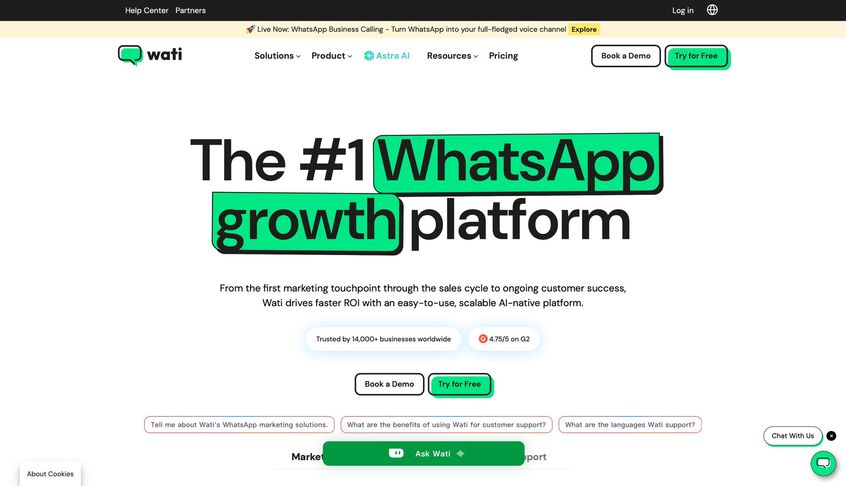
WATI stands for WhatsApp Team Inbox (by Clare.ai) and it's a leading solution for businesses on WhatsApp. If Botpress caught your eye but your main need is automating WhatsApp conversations (for support or marketing), then WATI is a purpose-built alternative that might serve you better.
WhatsApp focus:
WATI is an official WhatsApp Business Solution Provider, which means it provides you the WhatsApp API access along with a platform to use it (instead of you having to go through Twilio or others). WATI's platform includes:
- A multi-user WhatsApp Inbox for your team (so multiple agents can handle one or several WhatsApp numbers' chats, with assignment, notes).
- A no-code chatbot builder for WhatsApp, to automate responses and workflows.
- Tools for broadcasting templated messages to your contacts (like sending out announcements or marketing campaigns on WhatsApp).
- A canned integration with Shopify (so you can send order updates easily).
Now, WATI initially was rule-based (like you could set keyword automations), but it has evolved to include AI. They introduced an AI Support Agent called "KnowBot" that leverages OpenAI (ChatGPT) to answer questions using your uploaded knowledge.
Essentially, WATI realized WhatsApp bots need to be smarter than just fixed flows, so they integrated a GPT-based Q&A capability into their system. You upload FAQs or documents, and the AI will use that to answer user queries on WhatsApp, without you writing every possible question variation.
This brings it closer to what Botpress or Chatbase would offer, but specifically for WhatsApp. The advantage is, WATI handles all the WhatsApp-specific quirks: template message rules, session windows (24-hour rule), buttons that comply with WhatsApp UI. Botpress would require you to configure a WhatsApp integration and manage templates separately.
Omnichannel?
WATI historically was WhatsApp-only. Lately, they have added support for Instagram and Facebook Messenger as additional channels in their inbox (since Meta unified messaging to an extent). They also have a web widget, but it's more limited.
So WATI is expanding toward multi-channel, but not to the extent of UChat or others. Their priority is WhatsApp (90% of their customers use it for WA). If WhatsApp is where your users are, WATI is optimized for that experience.
Flow builder:
WATI offers a visual flow designer for WhatsApp chatbots, where you can create menus, collect inputs (like "Press 1 for sales, 2 for support" kind of flows, or more advanced with conditions). These flows can now include the AI Q&A step. For example, you could have a flow where if the user's question doesn't match a known intent, WATI passes it to the AI knowledge base to answer freely.
This is similar to how ManyChat does AI fallback. It's a very powerful combo: structured flows for known processes, AI for the random stuff.
Integration:
WATI has integration options. For instance, it can connect to certain CRMs or use webhooks to pull info. You could connect WATI to your database to retrieve an order status by order number if the user provides it. Many businesses use WATI integrated with Google Sheets or their CRM to log leads from WhatsApp chats or do follow-ups.
Unique features:
Because WATI deals with WhatsApp, it has nice extras like a "click to WhatsApp" ad integration, message templates management UI (with translation support), and even a WhatsApp number registration and green tick verification service. It essentially covers all things WhatsApp that you'd otherwise handle manually.
Pricing:
WATI's pricing is mid-tier among WhatsApp API providers. As of 2025, it might start around $119/month (annual plan) for their base package which includes 5 agent seats and some chatbot sessions. That plan allows, say, a certain number of chatbot conversations or certain features, and higher plans (Pro, Business) go up to a few hundred a month for more seats and advanced features.
There are also add-ons: for instance, Shopify integration add-on $4.99/mo, or extra chatbot sessions pack (their old pricing charged $100 for an additional block of chatbot sessions if you exceed included, plus an AI messages pack for AI answers). They recently changed to a "conversation-based" pricing aligning with WhatsApp's new model (July 2025), meaning they might charge by conversation volume.
Also, you pay WhatsApp conversation fees through WATI (they'll bill you based on the template category and country rates). They don't markup these fees as far as known, but you must be mindful of them if sending a lot of outbound.
Compared to Botpress: If you only care about WhatsApp, Botpress would require hooking into the WhatsApp API which itself costs money and development time. WATI's monthly fee covers the API access plus the interface and bot builder. It's likely cheaper and certainly simpler to go with WATI for a pure WhatsApp use-case than to DIY with Botpress.
When to choose WATI:
If WhatsApp is your primary customer communication channel, WATI is a top alternative. For example:
- A local business or D2C brand in a WhatsApp-centric market (like India, Brazil) that needs to handle thousands of WhatsApp inquiries, send order updates, and run promotions, will find WATI's all-in-one solution very convenient.
- Customer support teams that live in WhatsApp (like a bank's support in WhatsApp) can use WATI's inbox and automation to increase efficiency while maintaining compliance with WhatsApp policies.
- If you plan to do WhatsApp broadcasts or chatbot campaigns (like nurturing leads through messages or running re-engagement), WATI provides the necessary tools and throughput (Botpress alone doesn't manage sending to large lists on WhatsApp because that requires BSP routing and template management).
One real scenario: Many schools and colleges in certain countries use WhatsApp to handle admissions queries. WATI could automate answering admission FAQs and even collect application info via chat. The staff then picks up only complex cases. This saves time and ensures no message goes unanswered (WhatsApp expects quick responses).
Downsides:
WATI is quite specific. If you need a chat solution beyond WhatsApp/IG/FB, or you want more control over the AI side than just plugging in OpenAI, it might not fit. Also, WATI's platform, while powerful, is less customizable than a Botpress. You work within their UI and options.
Large enterprises might need more custom logic or on-prem, which WATI doesn't offer (it's cloud only). But for most small-mid businesses, those aren't big issues compared to the convenience.
In summary, choose WATI if WhatsApp is king for your use-case and you want a proven tool to manage and automate it, now with some GPT smarts included. It's essentially the specialized tool doing one thing really well, whereas Botpress is the general tool that can do many things with effort.
9. Rasa
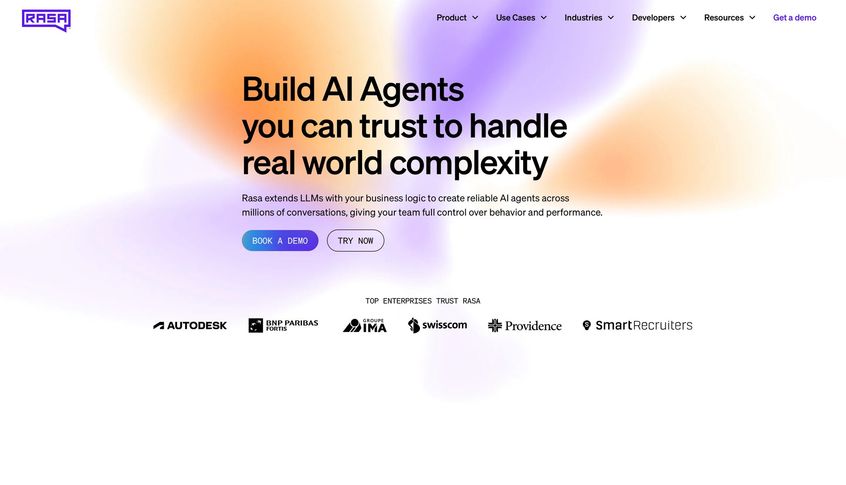
Rasa is worth mentioning as the open-source alternative that often comes up alongside Botpress. In fact, if someone is looking for a Botpress alternative and leans technical, Rasa might already be on their radar. Rasa is an open-source conversational AI framework in Python, which gives you full control over your NLP and dialog management.
What Rasa is:
It's not a hosted service or a finished SaaS product. It's a framework and set of libraries. With Rasa, you define training data for NLU (intents and entities) and stories/rules for dialogues in YAML files, and you train a model that can interpret user inputs and manage conversations. It's very powerful in terms of customization:
- You can bring your own language models or use their pipelines (they support spaCy, transformer-based models, and now integration with LLMs too).
- You can implement custom actions in Python that do anything you want (call APIs, query databases) when triggered in a dialogue.
- You have the choice to run it on your own servers, ensuring data control.
Why it's an alternative to Botpress:
Botpress and Rasa both target developers building chatbots. Botpress (especially the newer versions) has tried to provide an easier UI and built-in integrations, whereas Rasa expects you to code more. But Rasa provides full control and no licensing cost (it's Apache 2.0 licensed).
If you found Botpress limiting or too tied to their ecosystem, Rasa is the "roll your own" route. Rasa is known for its good documentation and strong community. It was one of the first to enable sophisticated conversational AI (with context, forms to fill slots) without requiring cloud services. Many enterprises that can't send data to outside services use Rasa to build on-prem chatbots.
Pros:
- No vendor lock-in: You have all your bot logic in your code; you're not reliant on an external service's uptime or changes.
- Extensibility: Need a new integration? Just write a new action. Want a custom NLP classifier? Plug it into the pipeline. Want to use your own machine learning for dialogue? You can (advanced, but possible).
- Active development: Rasa is actively maintained (in 2025, they've incorporated transformers and even providing ways to integrate with LLMs, bridging to the new AI era).
- Community and enterprise support: There's a free community for help and an option to pay Rasa (the company) for enterprise support or their X product (Rasa X / Enterprise, which gives a UI for reviewing conversations, managing models).
Cons:
- High complexity & technical requirement: Rasa is not for non-programmers or even casual programmers. You need to be comfortable with Python, command line, deploying servers/containers (it runs via Docker or on Kubernetes for scaling), and concepts of ML. It's a framework meant for developers and data scientists.
- Time to market: Building in Rasa from scratch can take significantly longer than using a ready platform like those above. Everything from the conversational design to integration to front-end channels (web widget) has to be set up. Rasa provides connectors for common channels (like a REST API, socketio, Twilio SMS, Slack, Facebook Messenger), but you still handle the deployment.
- Maintenance: Once built, you have to maintain it, update models when needed, monitor performance. It's similar to maintaining your own software product.
When Rasa shines:
If you have very custom requirements or strict compliance needs that prevent SaaS usage, Rasa might be the way. For example:
- A bank's IT team might use Rasa to build a virtual assistant that sits on their own servers, connects deeply to internal banking systems, and follows specific conversational flows with high security.
- A company that wants to deeply integrate the chatbot into their product (maybe as an in-app assistant) could choose Rasa to fully customize the user experience and not rely on third-party UI.
- If your use-case requires advanced natural language understanding that you want to fine-tune (maybe training domain-specific intents or entities with your own data), Rasa gives you that level of control.
Rasa vs Botpress in 2025: Botpress has moved towards incorporating LLMs and offering a more managed solution. Rasa is more raw but flexible. Some even use them together (using Rasa for NLU but Botpress for managing some parts of dialogue, though that's rare and complex). Typically, a team will pick one stack.
One anecdote: Rasa and Botpress often appeal to different developer audiences (Python vs Node/TS). If your team is Python-fluent and maybe working with data science, Rasa feels natural. If your team is more JavaScript oriented or wants quicker results, Botpress might feel easier. The Chatimize author put it nicely: "Rasa is known for its customization and is best for techies/developers", whereas if that's not you, a no-code might fit better.
Cost:
Rasa Open Source is free. But factor in the engineering hours and infrastructure (servers/VMs or Kubernetes cluster to run it) as your cost. If you need high availability, you'll have multiple instances. There's also Rasa Enterprise which costs money but adds enterprise features and official support. That could be tens of thousands per year, meant for large orgs.
Even then, if you compare to something like Kore.ai or IBM Watson, Rasa could be cheaper and more flexible.
In summary, choose Rasa over Botpress if you:
- Have the developer resources to invest in building your bot from ground up.
- Need on-prem or full data control for compliance.
- Need extreme customization in NLP or conversation logic that off-the-shelf platforms can't provide.
- Value open-source ethos and want to avoid being tied to a vendor's roadmap.
For everyone else (especially if you're looking to just get a bot up quickly to solve business problems), a managed platform or no-code solution might deliver value faster. Rasa is powerful, but with great power comes great responsibility (to implement it correctly).
10. Other Noteworthy Mentions
Aside from the major ones above, here are a few more alternatives and competitors in the chatbot/AI agent space that might be relevant:
- Voiceflow – If you are interested in voice and advanced conversation design, Voiceflow is a top tool. Originally built for Alexa/Google voice apps, it now supports chat and can incorporate LLMs. It's highly regarded for its visual conversation design interface which is excellent for prototyping complex dialogues. Teams at enterprises use it to map out conversation flows that might then be exported to other platforms. Voiceflow can also deploy bots to web chat or phone systems. Compared to Botpress, it's more designer-friendly and less about coding. If you want to create an IVR bot or a multi-modal assistant (voice plus text), Voiceflow stands out. It's used "for advanced AI chatbots on websites and telephony" and can integrate with APIs via their code steps if needed.
- Kore.ai and Yellow.ai – These are enterprise-grade platforms often found in Gartner Magic Quadrant. They offer robust solutions for large businesses, including omnichannel deployment (web, messaging apps, voice), strong dialog management, analytics, and enterprise integration (CRM, ERP). They also come with compliance, role-based access, and heavy customization through scripting and APIs. Essentially, they're competitors to the likes of Microsoft Bot Framework (but more out-of-box) or Oracle Digital Assistant. If you are a big company with complex needs and a budget to match, these are options. For example, Kore.ai has templates for banking, Yellow.ai has a hybrid workforce approach. They can be expensive and require expert implementation. Many smaller firms won't consider them due to cost and complexity. In lists of alternatives, Kore.ai is often "best for enterprises" and Yellow.ai similarly positioned.
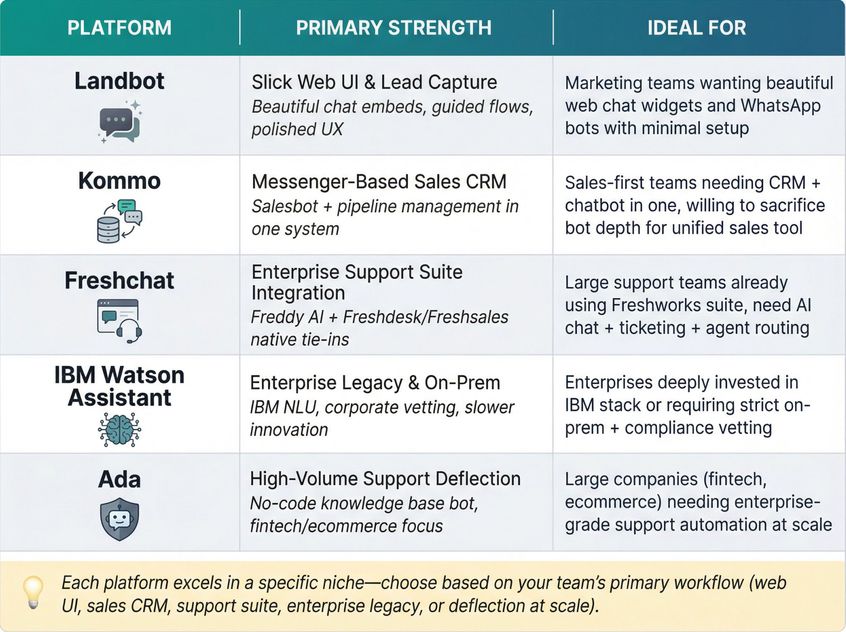
- Landbot – Landbot provides an extremely user-friendly chatbot builder with a chat interface that looks like messaging. It started as a web chatbot tool where the conversation appears like a chat UI embedded in your site (the user can click options or type). Landbot's strength is its slick UI for both creators and end-users, and it has branched into WhatsApp automation too. They have introduced an AI feature to integrate with GPT for free-form Q&A, but Landbot still shines for building guided flows with rich elements (cards, images, forms). If you want something that looks nice on your website and can collect leads or direct users with a polished experience, Landbot is a good choice. It's no-code and great for marketing and basic support on web and WhatsApp. Compared to Botpress, Landbot is far easier to use but not as deep technically. It's more comparable to ManyChat in ease, with a focus on web embed and WhatsApp bots.
- Kommo (formerly amoCRM) – Kommo is actually a CRM platform that has built-in messaging automation. It's branded as a "messenger-based sales CRM." Within Kommo, there is a feature called Salesbot which lets you create chatbots that interact via WhatsApp, Instagram, Facebook, and feed data into the CRM. Kommo also introduced an AI assistant to answer FAQs and help drive sales conversations. The idea is, if you want your CRM and chatbot in one, Kommo provides that. You manage leads, pipelines, and also handle inquiries in one system. For a sales-focused use-case (like turning chats into deals), Kommo could be an alternative path. As a chatbot platform alone, it's less flexible than dedicated bot builders; its advantage is in unifying customer comms with CRM. Choose Kommo if you want a CRM-first solution with chatbots integrated, meaning you sacrifice some bot sophistication for having everything in one sales tool.
- Freshchat (Freshworks) – Freshchat is part of the Freshdesk/Freshworks suite and is aimed at customer support and live chat with AI capabilities. Freshchat can deploy on web and mobile, and Freshworks has its Freddy AI which can power chatbots to answer questions or even do tasks. If a company is already using Freshdesk (for tickets) or Freshsales, using Freshchat for AI chat makes sense as it natively integrates with those (similar to BoldDesk's all-in-one approach). Freshchat is good for larger support teams, with features like agent routing, context from CRM. For an enterprise that needs both robust helpdesk and AI, but wants a SaaS (not self-hosted BoldDesk), Freshchat is an alternative. For example, Chatimize listed Freshchat as "best for large customer support teams" in bot alternatives. It suggests that if you have a big team and complex workflows, Freshchat's bot plus live chat might serve you better than a DIY Botpress solution.
- IBM Watson Assistant – IBM's Watson Assistant is an OG in the chatbot space. It's a service where you can design dialogs and use IBM's NLU. It's reliable and has strong enterprise integration options. It's not as hyped nowadays with the surge of LLMs. IBM did introduce features to incorporate generative AI too. For some corporate environments, Watson is considered because of IBM's reputation and on-prem deploy option. It's often a "special mention" alternative. But its development could be slower compared to newer SaaS players. Choose it only if your company already uses IBM extensively or requires that level of enterprise vetting.
- Ada – Ada is a popular AI chatbot platform focused on customer support (especially in fintech, e-commerce). It's a no-code builder that allows teams to create a knowledge base chatbot and flows, and it's known for easy integration with existing support channels. Ada is often used by large companies to deflect support volume. It's worth noting if you're evaluating support chatbots, though Ada operates more at enterprise pricing. In the Lindy list, Ada was a top alternative as well.
There are plenty more names (Intercom's Fin, Zendesk Answer Bot, ChatGPT Business), but the ones above are among the well-known in the context of "Botpress alternatives."
Each has its niche, so if one of those niches fits you (like design-first (Voiceflow), sales-CRM (Kommo), UI-centric web bot (Landbot), big support team (Freshchat), or open-source (Rasa)) it might be the better choice over a generalist platform.
How to Choose the Right Platform for Your Needs
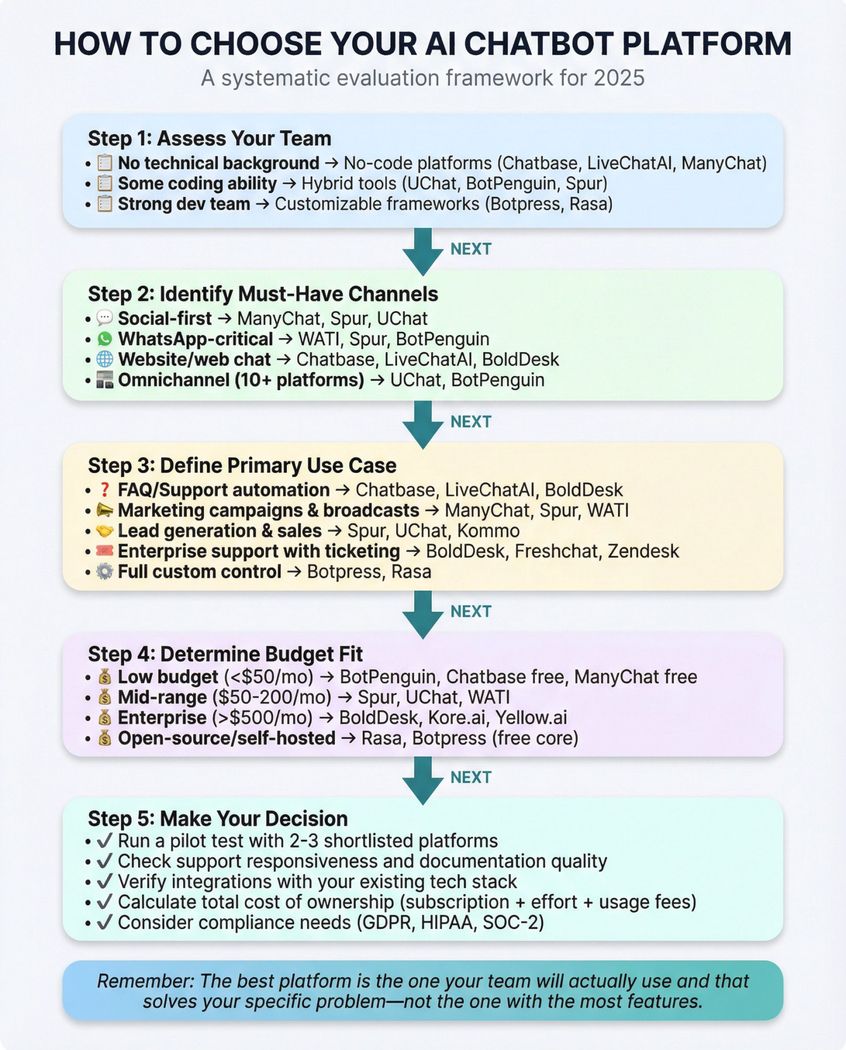
"Botpress vs. X vs. Y" isn't about which is objectively best; it's about what's best for your specific goals and constraints. As we've seen, alternatives range from no-code tools to deep code frameworks, from social media specialists to support-focused helpdesks.
To recap a guiding approach:
- If you need quick results with minimal effort: a no-code platform like Chatbase or LiveChatAI can get an FAQ bot up in hours.
- If you focus on social channels and marketing: ManyChat or Chatfuel shine with Instagram/Facebook automation. They'll handle those use-cases far better than a generic builder.
- If WhatsApp is critical: Consider WATI or Spur, which are built around WhatsApp and integrate broadcasting, since Botpress alone would require adding a BSP anyway.
- If you want all-in-one for support plus marketing: Spur and BotPenguin offer multi-channel, multi-function versatility that can replace several point solutions (shared inbox, chatbot, campaign tool in one).
- If you require heavy customization or on-prem: Botpress open-source or Rasa or even Microsoft's Bot Framework SDK might be the path. You'll trade ease for control.
- If you're an enterprise with complex needs: Look at Kore.ai, Yellow.ai, BoldDesk, Freshchat, which come with the assurances and integrations for large-scale deployments.
One valuable piece of advice from an expert: "It's not always what the platform can do, but whether someone can actually use it effectively. For some, Botpress is too technical, so Chatbase or Voiceflow might be a better fit. Also, Botpress can't auto-reply to Instagram comments, so you'd need a tool like ManyChat."
This emphasizes matching the tool to your team's ability and your channel needs. The fanciest platform is useless if it never gets implemented properly, and the simplest tool can drive huge ROI if it aligns with your workflow.
Data and currency: as of 2025, the landscape is rapidly evolving. Large Language Models (GPT-4) are being integrated everywhere. Pricing and features update frequently (ManyChat's AI was new in 2024, WhatsApp's pricing model changed in 2025). Always check the latest info. Use free trials as a sandbox. Many platforms allow you to test their AI, build small bots, or run pilots. Take advantage of that.
When evaluating, consider doing a pilot with 2 or 3 shortlisted tools on a slice of your use-case:
- For example, implement a "order status bot" or "FAQ bot" on each and see which one performs best and is easiest to manage for your team.
- Check support responsiveness: ask each vendor's support a tough question and see who helps you best. That often predicts your experience as a customer.
- Consider the total cost of ownership: not just subscription fees, but effort to set up and maintain. A higher monthly fee for a managed solution might still be cheaper than many developer hours on an open source one.
Ultimately, the goal is to deploy an AI assistant that improves customer experience and/or team efficiency. The good news is that with the options out there now, you don't have to settle for clunky bots. Whether it's an AI that can talk on 10 channels at once, or a specialized bot that doubles your Instagram leads, the technology exists and is more accessible than ever.
Take your time to identify which alternative aligns with your goals. We hope this guide gave you a head start in that process. Good luck, and may your new chatbot be a game-changer for your business.
Frequently Asked Questions
Botpress is developer-centric and requires coding knowledge (JavaScript, APIs) to build bots effectively. No-code alternatives like Chatbase, ManyChat, or Spur provide visual, drag-and-drop interfaces that allow non-technical users to create sophisticated chatbots without writing code. The trade-off is flexibility versus ease of use. Botpress offers maximum customization for those who can code, while no-code platforms get you results faster with less technical expertise required.
Yes, many businesses use multiple platforms for different purposes. For example, you might use Spur for WhatsApp and Instagram automation while using LiveChatAI for your website support. Using an all-in-one platform like Spur or BotPenguin can reduce complexity and cost by consolidating everything in one place. Consider whether the added complexity of managing multiple tools is worth the specialized features each provides.
Rule-based chatbots follow predefined if-then logic (if user says X, respond with Y), while AI chatbots use natural language processing and machine learning to understand intent and generate responses. Modern platforms like Spur, ManyChat, and Chatbase combine both approaches. Using flows for structured processes (like checkout) and AI for handling open-ended questions. This hybrid model provides the best of both worlds: predictable outcomes for important workflows and flexibility for unexpected queries.
Costs vary widely depending on your needs. Free tiers exist for most platforms (with limitations). Budget-friendly options like BotPenguin start at $15/month, mid-tier solutions like Spur range from $31-$399/month (annual pricing), while enterprise platforms can cost thousands. Don't forget to factor in WhatsApp conversation fees (charged by Meta), AI credit usage, and integration costs. A small business might spend $50-200/month total, while a growing e-commerce brand could budget $300-1000/month for a comprehensive solution with high message volumes.
Setup time varies by platform and complexity. Simple FAQ bots on Chatbase or LiveChatAI can be deployed in minutes to hours. Spur, ManyChat, or BotPenguin with custom flows and integrations typically take 1-3 days. Botpress or Rasa custom builds can take weeks to months depending on requirements. Most platforms offer templates and pre-built flows that significantly reduce setup time. Plan for an additional week or two for training, testing, and optimization before going live to customers.
Yes, many modern platforms support multilingual capabilities. BotPenguin and LiveChatAI support 95+ languages automatically, using AI to detect and respond in the user's language. Spur supports multiple languages through AI models and allows you to create language-specific flows. For global businesses, choose a platform with strong multilingual AI (powered by GPT-4 or similar) that can handle translation and cultural nuances automatically, rather than requiring you to manually create separate bots for each language.
For e-commerce, Spur stands out with native Shopify and WooCommerce integrations, automated cart recovery, order tracking, and multi-channel support (WhatsApp, Instagram, web). BotPenguin also offers strong e-commerce features with unlimited messaging. ManyChat excels if your focus is Instagram/Facebook marketing. The key is choosing a platform that integrates seamlessly with your e-commerce stack and supports the channels where your customers actually engage.
Look for platforms that explicitly state GDPR compliance, host data in the EU (like Spur's Frankfurt servers), and provide a Data Processing Agreement (DPA). Check if they use Standard Contractual Clauses, allow data deletion, and give you control over where data is stored. For highly regulated industries, consider platforms like BoldDesk with HIPAA and SOC-2 compliance, or self-hosted options like Botpress open-source or Rasa where you control everything. Always request their compliance documentation during your evaluation.
Was this article useful?