Key takeaways
- To use Perplexity on WhatsApp, save +1-833-436-3285 or open a chat with it and send any message. No activation phrase or Perplexity account is needed.
- Meta set January 15, 2026 as the start of its ban on general-purpose AI chatbots on the WhatsApp Business API, so the Perplexity WhatsApp bot may no longer be available. Its app and website are separate.
- The bot answers questions with web sources, fact-checks forwarded messages, creates images, transcribes voice notes, translates and summarizes text, and sends scheduled reminders.
- Limits: answers are shorter than on the web, sources are not clickable, it cannot read PDFs or documents, it works only in one-on-one chats and is not linked to your Perplexity account.
- Do not send passwords, card numbers or confidential data. Chats are encrypted on WhatsApp, but Perplexity processes and logs the questions it receives.
Ask an AI about this article
But if you're running a business and need AI that can track orders, handle customer support, or run marketing automation on WhatsApp, you'll want something more robust like Spur's AI agents that you can train on your own knowledge base.
Your customer probably messaged you on WhatsApp this morning. Maybe they asked about an order. Maybe they wanted to know your business hours.
And if you're like most businesses, you're juggling hundreds of these conversations across WhatsApp, Instagram DMs, and your website chat.
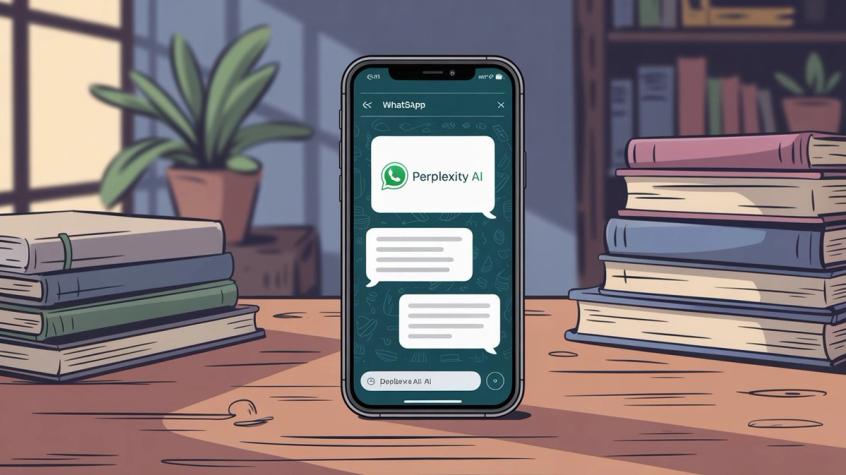
Perplexity AI's official WhatsApp chatbot brings a web-powered AI assistant directly into your chats. It's a research tool, fact-checker, and creative helper that lives where your conversations already happen. In 2025, Perplexity launched an official WhatsApp chatbot that anyone can use just by messaging a number. No separate app, no account signup, no complexity.
But here's what you need to understand: Perplexity on WhatsApp is designed for personal use and general research. If you're a business that needs to automate customer support, qualify leads, or send abandoned cart messages, you'll need a different solution. We'll cover both in this guide.
Why Use AI on WhatsApp for Business?
WhatsApp isn't just another messaging app. For most of the world, it's the communication platform. Your customers expect to reach you there, and WhatsApp integration eliminates the need for separate apps or account creation, making assistance instantly accessible.
The problem? Managing customer conversations at scale is brutal.
Your team can't respond to 500 DMs about order tracking manually. You can't fact-check every customer claim in real-time. And you definitely can't be awake at 3 AM when someone in a different timezone needs help.
That's where AI comes in. The right AI assistant for customer service can:
• Answer repetitive questions instantly (order status, business hours, product availability)
• Qualify leads while they're hot (collect phone numbers, budgets, and preferences in real-time)
• Handle multiple languages without hiring multilingual support staff
• Provide fact-checked answers with sources when customers need verification
• Free up your human team to handle complex issues that need empathy and judgment

Perplexity's WhatsApp bot is perfect for personal research. But if you're running customer support or marketing automation, you need something that integrates with your systems and understands your business. Tools like Spur let you deploy AI agents on WhatsApp that are trained on your actual knowledge base and can take actions like checking order status or booking appointments.
How to Set Up Perplexity on WhatsApp in 2 Minutes
Setting up Perplexity on WhatsApp is almost embarrassingly simple. You're basically just adding a contact and starting a chat.
Step 1: Add the Contact
Save this number in your phone: +1-833-436-3285
Name it something like "Perplexity AI" so you can find it easily. This is the official verified account from Perplexity.
Alternatively, you can skip saving the contact entirely. Just click this WhatsApp link and it'll open a chat with Perplexity directly. This works on WhatsApp Web too, which is handy if you're at your computer.
Step 2: Open WhatsApp
Find the Perplexity contact you just saved (or use the link method). Send any message to start. You can say "Hi" or just ask a question right away. There's no special activation phrase needed.
Step 3: Start Asking Questions
That's it. Seriously.
Type a question like "What are the latest developments in quantum computing?" or "Summarize the Wikipedia page for Marie Curie." Perplexity will respond within seconds with a concise answer and usually includes source citations.
You can use this on your phone or on WhatsApp Web/Desktop. Your chat history syncs across devices, so you can start a conversation on your phone and continue it on your laptop.
Important Note for Businesses: Perplexity's bot doesn't work in WhatsApp group chats (the API doesn't support it yet). It's strictly one-on-one. If you need AI assistance in group conversations or want to deploy a bot for your customer support team, you'll need a business solution like Spur's shared inbox with AI agents.
What Can Perplexity AI Do on WhatsApp?
Get Instant Answers with Sources
Ask anything. Perplexity uses real-time web search to give you current, fact-checked information with source citations.
"What's the current COVID-19 situation in France?"
"Who won the Nobel Peace Prize in 2023?"
"Explain quantum computing in simple terms."
The bot responds with a brief answer and includes sources. It's like having a research assistant who instantly searches the internet for you and summarizes what they find.
How to Fact-Check WhatsApp Messages with AI
You know those viral WhatsApp forwards that claim drinking thyme tea cures headaches or some politician said something outrageous? Forward those messages to Perplexity and ask "Is this true?"
The AI will research the claim and respond with what it finds, often debunking false claims with evidence. Perplexity has become a personal misinformation filter for WhatsApp users who are tired of falling for fake news.
For businesses, this means your customer support team can verify customer claims quickly before making policy exceptions or issuing refunds.
Generate Images Using AI on WhatsApp
Describe an image and Perplexity will create it. "Draw a cartoon cat riding a bicycle." Boom, you get an AI-generated image right in your chat.
This feature is completely free on WhatsApp, even though it's a paid feature in Perplexity's own app. You can create logos, memes, concept art, whatever you need.
Use Voice Messages with Perplexity AI
Tap the microphone, record your question as a voice note, and Perplexity will transcribe it and respond with a text answer. Perfect when you're driving or your hands are full.
You can also send an audio clip and type "transcribe this" to get a text transcription.
Schedule Reminders and Daily AI Updates
This is where it gets interesting for productivity. In mid-2025, Perplexity added scheduled tasks to WhatsApp.
You can say:
→ "Remind me at 7pm to call John"
→ "Send me a daily news summary at 8 AM"
→ "Every Monday at 9am, send me the top 3 tech headlines"
The bot will message you automatically at the scheduled time. It's basically a reminder app and news feed built into WhatsApp.

This is unique among AI chatbots on WhatsApp and shows how Perplexity is evolving into a multi-purpose assistant.
Translate and Summarize Messages Instantly
Paste a block of text and ask Perplexity to summarize it in 3 bullet points. Or forward a message in Spanish and ask "Translate to English."
For businesses managing international customers, this is incredibly handy. But if you need proper multi-language customer support automation, you'd want a dedicated business platform that can handle conversations in multiple languages with proper context and your business rules.
Perplexity on WhatsApp Limitations
Perplexity on WhatsApp is powerful for personal use, but it has some serious constraints that matter if you're thinking about business applications.

Shorter Answers Than Web Version
WhatsApp responses are more concise than the web version. If you ask a broad question like "Explain quantum mechanics," you'll get a few sentences. The web app would give you paragraphs with extensive sources.
Think of the WhatsApp bot as the "quick answer" version. For deep research, use the full platform.
No Clickable Source Citations
Perplexity's signature feature is citing sources. On the web, you click footnote numbers to see references. In WhatsApp, you might see sources in plain text but can't click them. You'll have to copy-paste URLs into a browser to verify.
No Perplexity Account Integration
Using Perplexity on WhatsApp is completely anonymous and not tied to your Perplexity account. Your WhatsApp chat history isn't saved to the cloud. If you use Perplexity on your computer, it won't know what you asked the WhatsApp bot.
Also, if you have Perplexity Pro (paid plan) with higher limits and better models, those benefits don't carry over to WhatsApp. Everyone gets the same standard service.
Cannot Process PDF or Document Files
The WhatsApp bot can't read PDFs, Word docs, or lengthy files. The main app lets you upload documents and ask questions about them, but WhatsApp doesn't support that yet.
You can send images and get basic descriptions, but don't expect detailed document analysis.
Perplexity Rate Limits on WhatsApp
Perplexity might limit how many questions you can ask in a short time. Casual use is fine, but rapid-fire dozens of queries might hit a cap where the bot stops responding temporarily.
For businesses with high query volumes, you need an enterprise solution. Spur's AI agents offer unlimited flows and higher usage limits on business plans.
Privacy and Data Security Considerations
Your queries are sent to Perplexity's servers. The chat is end-to-end encrypted between you and WhatsApp, but once Perplexity receives the question, it processes and logs it.
Don't share sensitive personal information. And remember, AI-generated answers can occasionally produce errors. Always verify critical facts.
When Businesses Need More Than Perplexity
Perplexity is fantastic for personal research and quick fact-checks. But if you're running a business, you need AI that can:
| What You Need | Perplexity on WhatsApp | Business AI (like Spur) |
|---|---|---|
| Take Actions | ❌ Answers questions only | ✅ Checks orders, books appointments, processes requests |
| Train on Your Data | ❌ General knowledge only | ✅ Learns your products, policies, FAQs |
| Marketing Automation | ❌ No campaigns or broadcasts | ✅ Abandoned carts, drip campaigns, broadcasts |
| Shared Team Inbox | ❌ Personal 1:1 chats only | ✅ Full team collaboration with analytics |
| Multi-Channel | ❌ WhatsApp only | ✅ WhatsApp + Instagram + Facebook + Web Chat |

Take Actions, Not Just Answer Questions
Perplexity can tell you what an order status means. It can't actually check your order status in your system. It can't update customer records, book appointments, or process refunds.
Business AI needs to be actionable. Spur's AI agents can integrate with your e-commerce platform, CRM, and other tools to perform tasks like:
• Looking up order status in Shopify or WooCommerce
• Booking service appointments
• Updating customer preferences
• Processing simple returns
• Collecting payment information securely
Train on Your Knowledge Base
Perplexity knows general information. It doesn't know your business policies, product catalog, or pricing structure.
Business AI agents need to be trained on your specific knowledge base. Unlike tools like Manychat (which can't train AI on your own knowledge base), platforms like Spur let you upload your FAQs, product documentation, and policies so the AI gives accurate answers specific to your business.
Handle Marketing Automation
Perplexity won't send abandoned cart reminders at 3 PM. It won't run drip campaigns to nurture leads. It can't segment customers and send targeted broadcasts.
If you need WhatsApp marketing automation (abandoned carts, order confirmations, promotional campaigns), you need a dedicated platform built for it.
Work in Your Shared Inbox
Your support team needs to see all customer conversations in one place. Perplexity is just a 1:1 chat. It doesn't integrate with ticketing systems or provide analytics on customer issues.
Business platforms offer shared inboxes where your team can see AI-handled conversations, jump in when needed, and track performance metrics.
Multi-Channel Support
Your customers message you on WhatsApp, Instagram DMs, Facebook Messenger, and your website chat. Perplexity only works on WhatsApp.
For businesses, you need a unified platform that handles all channels in one inbox with consistent AI responses.
6 Tips for Using Perplexity on WhatsApp

① Be Specific With Your Questions
"Tell me about Python" is too broad. "What is Python programming used for in web development?" gets you a focused, useful answer.
② Use Follow-Up Questions
The bot maintains context within a session. If you ask "Who is the Prime Minister of Japan?" and then "How old is he?", Perplexity understands "he" refers to the PM.
③ Forward Suspicious Messages for Fact-Checking
Got a viral rumor in your family group chat? Forward it to Perplexity and ask "Is this true?" You'll get a fact-check with sources. This is incredibly valuable for customer support teams dealing with misinformation about your products.
④ Try Creative Commands
Perplexity isn't just Q&A. Ask it to:
- "Draft a polite apology email for delivering a project late"
- "Give me 3 ideas for a 5-year-old's birthday party"
- "Explain this technical concept to a beginner"
Since it uses advanced language models, it can generate content, not just fetch facts.
⑤ Use WhatsApp Web for Easier Copying
If you're at your computer, use WhatsApp Web to chat with Perplexity. It's easier to copy text, click links, and type long prompts with a keyboard.
⑥ Save Important Replies
Star messages you want to reference later. WhatsApp's chat export feature works too. Remember, your WhatsApp history with Perplexity isn't saved in any cloud account, so keep local copies of anything important.
Perplexity WhatsApp Updates Coming in 2025
Perplexity has announced upcoming features including voice interactions (full voice conversations), meme and video generation, deeper fact-checking tools, and more assistant-style capabilities for planning and complex tasks.
Group chat support may arrive if WhatsApp's API allows it.
Meta Policy Changes Affecting Perplexity
In late 2025, Meta announced a policy change banning unofficial AI chatbots on WhatsApp Business API starting January 15, 2026. Services like Perplexity and ChatGPT operate via WhatsApp's Business API, and Meta is planning to disallow general AI assistants.
What does this mean? Perplexity's WhatsApp bot may only be available until early 2026 unless policies change. OpenAI has already informed users that ChatGPT on WhatsApp will shut down by that date to comply.
For now, use it and enjoy it. But don't build critical workflows around it. The service could go away. You'll still be able to use Perplexity via their mobile app or website.
If you're a business, this is exactly why you shouldn't rely on third-party general AI bots for customer support. You need a proper business platform with WhatsApp Business API access that's designed for commercial use and won't suddenly disappear due to policy changes.
Perplexity vs Business AI Platforms
Perplexity AI on WhatsApp is an incredible tool for personal use. It brings web-powered AI assistance directly into your chats with zero setup, no cost, and impressive capabilities.
For individual users, it's like having a smart friend on call 24/7. Students can verify facts while studying. Travelers can translate phrases on the fly. Professionals can get quick research during meetings without opening a browser.
But if you're running a business and need AI that can:
• Handle customer support at scale across WhatsApp, Instagram, and web chat
• Perform actions like checking orders, booking appointments, or updating records
• Run marketing automation like abandoned cart recovery and drip campaigns
• Integrate with your e-commerce platform and CRM
• Provide a shared inbox for your team with analytics and reporting
Then you need a dedicated business platform. Spur offers AI agents that you can train on your knowledge base and deploy across all your messaging channels. Unlike Perplexity (which is general knowledge) or Manychat (which can't train on your data), Spur gives you actionable AI that understands your business and can take real actions.
The difference is simple: Perplexity is a research assistant. Business platforms like Spur are customer engagement systems. Both have their place, but they solve different problems.
Ready to bring AI to your WhatsApp? Try Perplexity for personal use. And if you need business automation, explore what Spur can do for your customer engagement.
Frequently Asked Questions
Yes, completely free as of 2025. You won't be charged any fees to message the bot or receive answers (standard data rates apply). Even features like image generation, which require a paid Perplexity Pro account on other platforms, are free on WhatsApp. The company hasn't announced plans to monetize the WhatsApp service yet.
No, not currently. Perplexity's WhatsApp bot only works in one-on-one chats. You can't add it to a group to answer questions there. WhatsApp's API currently limits bots in groups, though the company has said group support is under consideration.
There's no published hard limit for casual use, but Perplexity likely imposes rate limits if you rapid-fire too many queries. If you hit a cap, the bot might stop responding temporarily with a message asking you to wait. For everyday use, you shouldn't encounter limits. Heavy users might want the Perplexity app with a Pro account for higher quotas.
No. The WhatsApp bot can't process PDF files, Word docs, or other document attachments. You can send images and get basic descriptions, but document analysis isn't supported. Perplexity's main app allows document uploads and questions about them, but the WhatsApp integration doesn't have this capability yet.
Your messages are end-to-end encrypted between your device and WhatsApp, but once Perplexity receives your question, it processes and logs it on their servers. Don't share sensitive personal information like passwords, credit card numbers, or confidential business data. Also, your WhatsApp chat history with Perplexity isn't saved to any cloud account, so it's only stored locally on your device.
No. Using Perplexity on WhatsApp is completely anonymous and not tied to your Perplexity account. If you have a paid Perplexity Pro subscription, those benefits (higher limits, better models) don't carry over to WhatsApp. Every WhatsApp user gets the same standard service level.
Perplexity can handle queries in multiple languages and provide translations. The quality depends on the language, but major languages like English, Spanish, French, German, and others work well. You can ask questions in one language and request translations to another.
Perplexity is designed for general research, not business-specific support. It won't know your company policies, product catalog, or customer data. It also can't take actions like checking order status in your system or updating customer records. For business customer support, you need a dedicated platform like Spur that lets you train AI on your knowledge base and integrate with your business systems.
Sources
The pages this article links out to, in the order they appear.
- Perplexity AI's official WhatsApp chatbot bgr.com
- Perplexity's WhatsApp bot businesstoday.in
- this WhatsApp link wa.me
- current, fact-checked information with source citations reddit.com
- Perplexity has become a personal misinformation filter vice.com
- Perplexity added scheduled tasks to WhatsApp indianexpress.com
Was this article useful?